
1. Introduction
Welcome to the Alphawolf PPad2 Android 15 Tablet instruction manual. This guide provides essential information to help you set up, operate, and maintain your new device. The Alphawolf PPad2 is an 11-inch tablet featuring the latest Android 15 operating system, an advanced MTK G99 Octa-core processor, 20GB of RAM, and 128GB of internal storage. Designed for both productivity and entertainment, it offers a vibrant FHD display, long-lasting battery life, and versatile connectivity options.
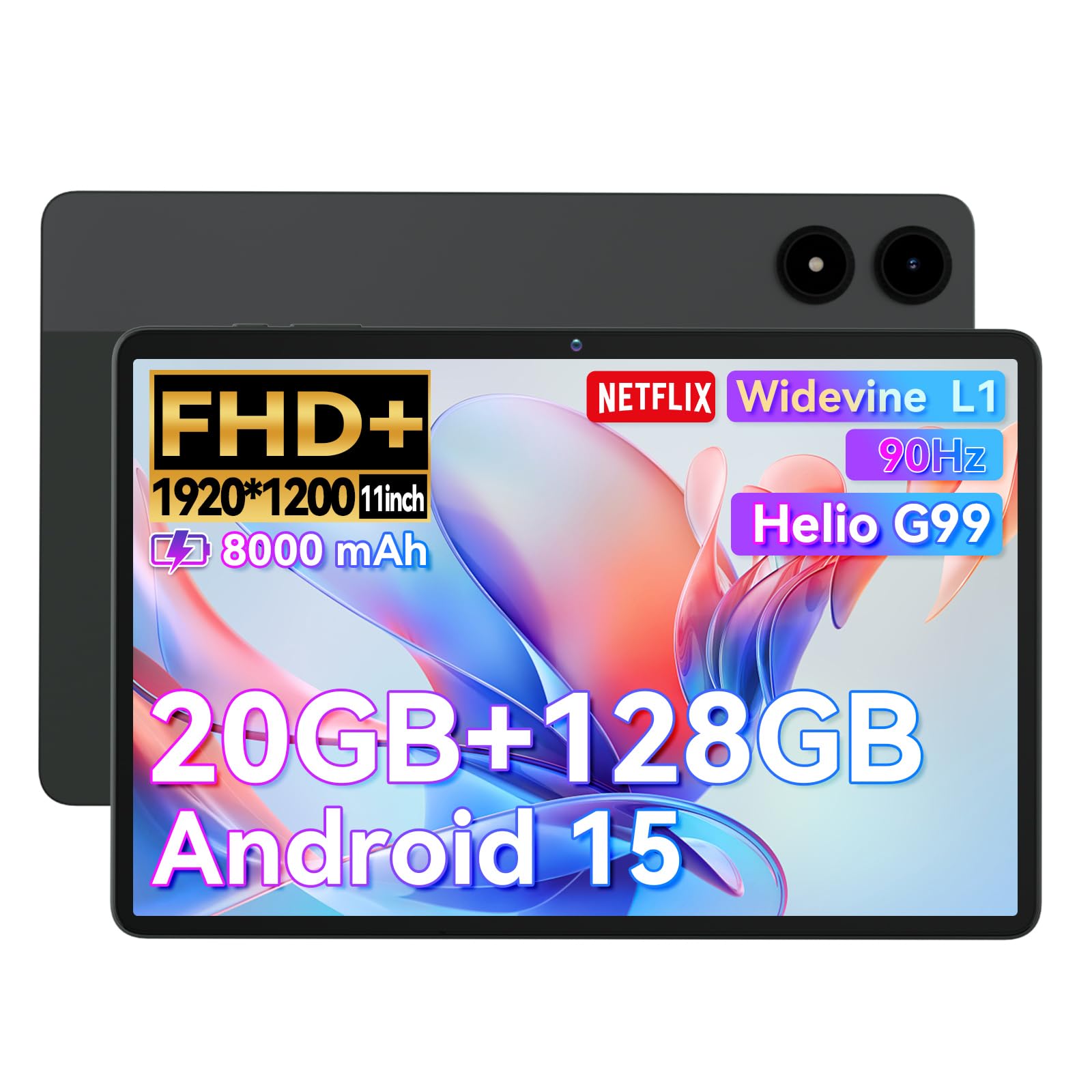
Image: The Alphawolf PPad2 Android 15 Tablet, showcasing its sleek design and large display.
2. Setup
2.1. What's in the Box
Before you begin, please ensure all items are present in your package:
- 1 x P2 Tablet
- 1 x User Manual (this document)
- 1 x USB Cable (Type-C)
- 1 x Packaging Box
- 1 x 5V2A Charger

Image: Visual representation of the Alphawolf PPad2 tablet and its included accessories: tablet unit, English instruction manual, USB cable, and charging adapter.
2.2. Initial Power On & Charging
To power on your tablet, press and hold the power button located on the side until the Alphawolf logo appears. For optimal performance, it is recommended to fully charge your tablet before first use.
- Connect the provided USB Type-C cable to the tablet's charging port.
- Connect the other end of the USB cable to the 5V2A charger.
- Plug the charger into a power outlet.
- The 8000mAh battery provides approximately 8-10 hours of active use (reading or video watching) and over 800 hours of standby time.

Image: The Alphawolf PPad2 tablet connected to a Type-C charger, highlighting its 8000mAh battery capacity and rapid charging capability.
2.3. Connectivity
Your tablet supports various connectivity options:
- Wi-Fi: Dual-band 2.4G/5G for fast and stable internet access.
- Bluetooth: Version 5.0 for connecting wireless accessories like headphones or keyboards.
- SIM Card: Supports dual Nano SIM cards for full network dual standby, or a single SIM card with TF card expansion.
- Expandable Storage: Expandable up to 2TB via TF card (not included).

Image: An icon representing 2.4G/5G WiFi connectivity, indicating the tablet's wireless capabilities.
3. Operating the Tablet
3.1. Display Features
Experience crystal-clear visuals and smooth interaction with your tablet's advanced display:
- Size & Resolution: 11-inch FHD 1920x1200 IPS Display.
- Widevine L1: Supports 1080P HD video playback on streaming platforms like Netflix.
- Incell Technology: Provides a clearer and more vibrant screen.
- 90Hz Refresh Rate: Ensures a smoother visual experience, reducing flicker and enhancing responsiveness for gaming and scrolling.
- Eye-Care: Effectively filters blue light to protect your eyes during extended use.

Image: The Alphawolf PPad2 tablet display, highlighting its 11-inch FHD screen, Widevine L1 support, and 90Hz refresh rate for an immersive viewing experience.
3.2. Performance
The Alphawolf PPad2 is built for speed and efficiency:
- Processor: Advanced MTK G99 MT8781 Octa-core processor for fast multitasking and smooth operation.
- RAM: 20GB (8GB physical + 12GB expanded virtual RAM) for seamless app switching and performance.
- ROM: 128GB UFS 2.1 internal storage for ample space for documents, photos, videos, and apps.
- Operating System: Latest Android 15 with upgraded multitasking, customization, security, and privacy features.
- GMS Certified: Easily download and use Google software like Netflix, Facebook, and more.

Image: A diagram illustrating the MTK G99 CPU and the tablet's memory configuration, including 20GB RAM (8GB + 12GB virtual) and 128GB ROM, expandable to 2TB.
3.3. Cameras & Audio
- Dual Cameras: 8MP front camera for video calls and 16MP rear camera for capturing photos and videos.
- Audio: Equipped with two BOX stereophonic speakers for enhanced sound quality.
- Headphone Jack: A 3.5mm headphone jack is included for private listening.

Image: The Alphawolf PPad2 tablet displaying its 8MP front camera, 16MP rear camera, facial recognition, and 4G LTE/5G/2.4G WiFi capabilities.
3.4. Advanced Features
- Face Unlock: Securely unlock your device using facial recognition.
- Split-Screen: Enhance productivity by running two applications side-by-side.
- Wireless Screen Casting: Project your tablet's screen to compatible external displays.
- OTG Data Transfer: Connect USB devices for data transfer.

Image: A user holding the Alphawolf PPad2 tablet in split-screen mode, demonstrating the ability to view two applications simultaneously.

Image: A user unlocking the Alphawolf PPad2 tablet using its face recognition feature, indicated by an icon on the screen.
4. Maintenance
Proper care and maintenance will extend the life of your Alphawolf PPad2 tablet:
- Cleaning: Use a soft, lint-free cloth to clean the screen and body. Avoid abrasive materials or harsh chemicals.
- Storage: Store the tablet in a cool, dry place away from direct sunlight and extreme temperatures.
- Battery Care: To prolong battery life, avoid fully discharging the battery frequently. Charge it regularly, and if storing for a long period, ensure it has at least a 50% charge.
- Software Updates: Regularly check for and install system updates to ensure optimal performance and security.
5. Troubleshooting
If you encounter issues with your Alphawolf PPad2, try the following common solutions:
- Tablet Not Turning On: Ensure the tablet is charged. Connect it to the charger and wait a few minutes before attempting to power it on again.
- Screen Unresponsive: Restart the tablet by holding down the power button. If unresponsive, perform a forced restart (refer to the device's quick start guide for specific instructions).
- Wi-Fi Connectivity Issues: Check if Wi-Fi is enabled in settings. Restart your router and the tablet. Forget the network and reconnect.
- Slow Performance: Close unnecessary background applications. Clear cache for frequently used apps. Ensure sufficient storage space is available.
- Battery Draining Quickly: Reduce screen brightness. Disable unnecessary features like Bluetooth or GPS when not in use. Limit background app activity.
For more complex issues, please refer to the Warranty & Support section for contact information.
6. Specifications
| Feature | Specification |
|---|---|
| Standing Screen Display Size | 11 Inches |
| Max Screen Resolution | 1920x1200 Pixels |
| Wireless Type | 802.11ac, 802.11ax, 802.11b, 802.11g, 802.11n |
| Operating System | Android 15 |
| Item Weight | 1.1 pounds |
| Product Dimensions | 10.95 x 7 x 0.3 inches |
| Processor Brand | MediaTek |
| Flash Memory Size | 128 GB |
| Batteries | 1 12V batteries required. (included) |
| Model Name | P2 |
| Memory Storage Capacity | 128 GB |
| Screen Size | 11 Inches |
| Display Resolution Maximum | 1920x1200 Pixels |
7. Warranty & Support
Alphawolf is committed to providing an excellent shopping experience and product support. If you encounter any problems during use or are dissatisfied with your product, please contact us.
7.1. Inquiry Methods
- Through your Amazon account: Navigate to "Order history" → "Relevant order" → "Contact seller". Please enter and send your contact confirmation content.
- On the product page: Below the "Add to Cart" button, the seller is listed as "Alphawolf Official Store". Click and you can contact us via email from the "Ask a Question" button in the top right corner.
We promise to respond to your inquiries within 24 hours to ensure that your problems are resolved in a timely manner. Your satisfaction is our unremitting pursuit!

Image: A customer support representative wearing a headset, symbolizing available assistance for product inquiries.
8. Product Videos
Alphawolf PPad2 Android 15 Tablet 11 inch Overview
Video: An official overview of the Alphawolf PPad2 Android 15 Tablet, highlighting its key features and usage scenarios.