
1. Introduction
Thank you for choosing the PUSEE 14oz Self-Heating Coffee Mug F2. This smart mug is designed to keep your beverages at your preferred temperature, ensuring a perfect sip every time. Please read this manual thoroughly before first use to ensure safe and optimal operation.
2. Safety Information
Your safety is paramount. Please adhere to the following guidelines:
- Do not clean the mug with hot water. Hand wash only.
- Do not place the mug in a dishwasher or microwave. These appliances will damage the electronic components and heating system.
- Ensure the mug bottom and charging base are completely dry before use to prevent damage or safety issues.
- The self-heating mug features an automatic sleep mode when empty or inactive for 3 hours, preventing dry-boil and conserving battery.

Image: This image highlights the safety features of the mug, including dry-boil defense to prevent heating when empty and automatic shut-off after 3 hours of inactivity.
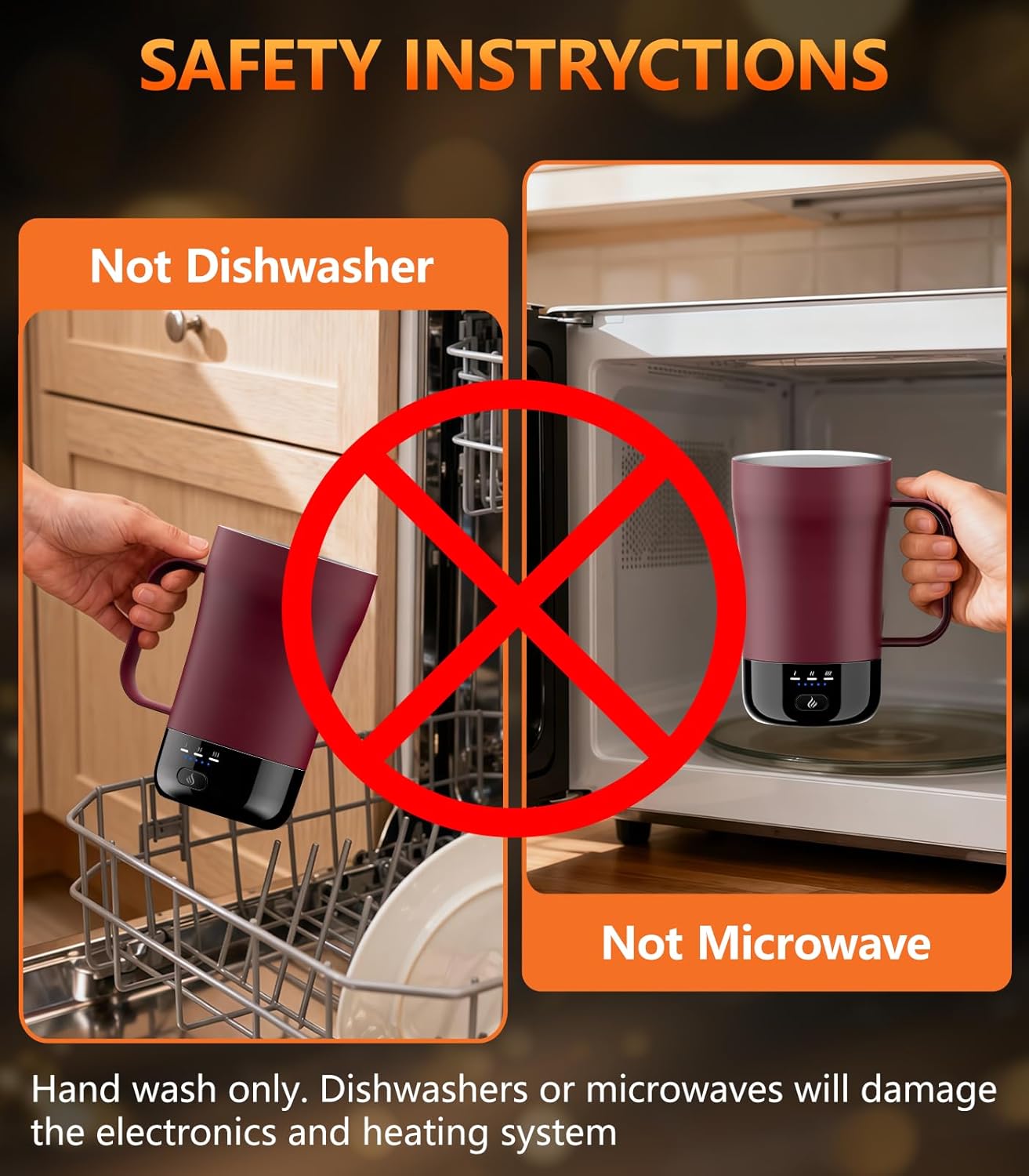
Image: This visual clearly indicates that the mug is not safe for use in dishwashers or microwaves, emphasizing the importance of hand washing.
3. What's Included
Your PUSEE Self-Heating Coffee Mug package includes:
- 1 x 14oz Smart Coffee Mug
- 1 x Spill-Resistant Lid
- 1 x Charging Base
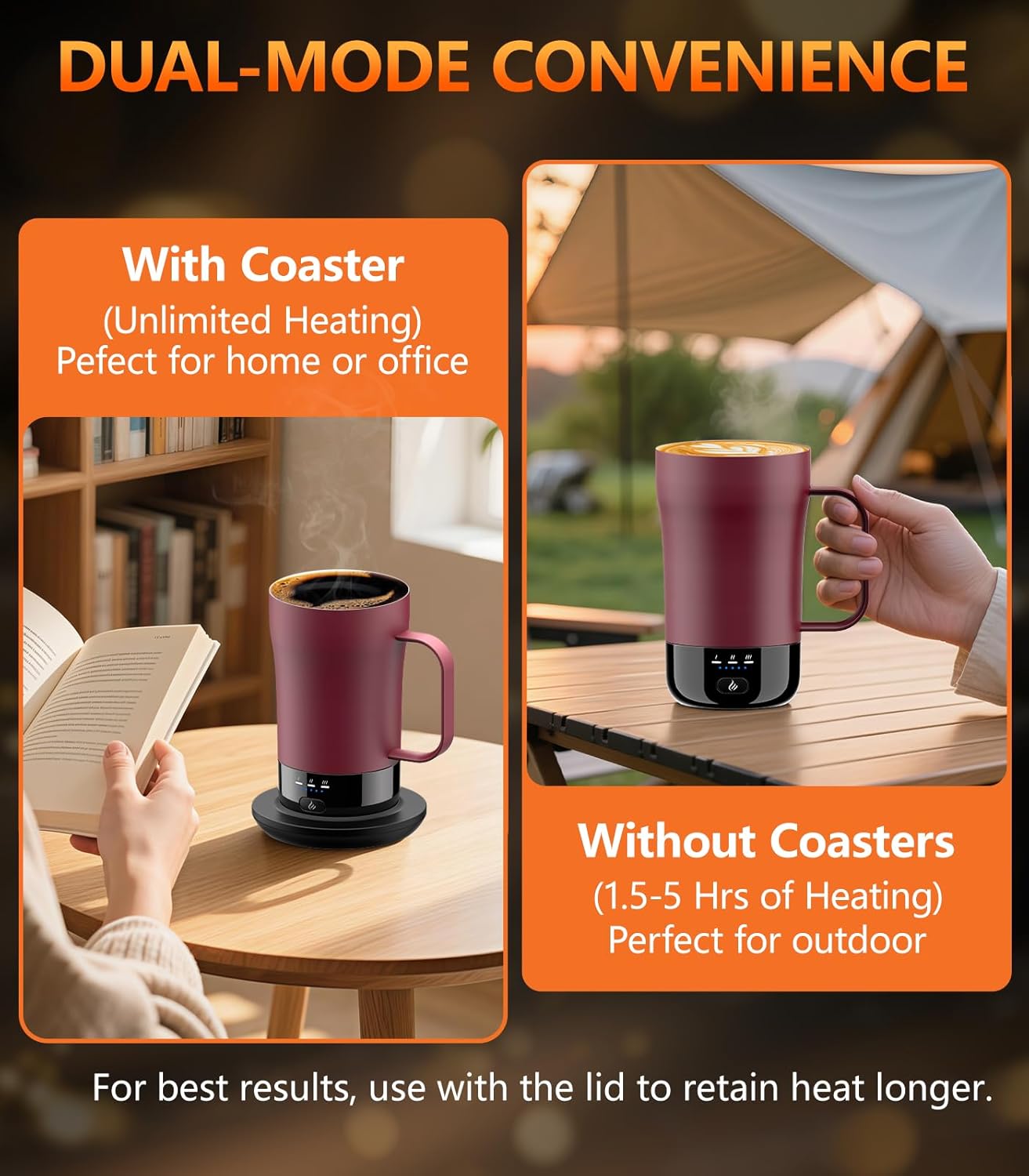
Image: The PUSEE F2 Self-Heating Coffee Mug, shown here resting on its dedicated charging base, ready for use.
4. Setup
Follow these steps to prepare your mug for first use:
- Charge the Mug: Fully charge the mug before its initial use. Connect the charging base to a power outlet and place the mug on the base. The LED indicators will show charging progress.
- Ensure Dryness: Before placing the mug on the charging base or filling it with liquid, ensure both the mug bottom and the charging base are completely dry.

Image: This graphic illustrates the simple four-step process for using the smart mug: fully charging, pouring the beverage, powering on and selecting temperature, and using the lid for insulation.
5. Operating Instructions
Using your PUSEE Self-Heating Coffee Mug is simple and intuitive:
- Fill the Mug: Pour your desired hot beverage (coffee, tea, hot chocolate, etc.) into the mug.
- Power On and Select Temperature: Press the power button located on the mug. Use the same button to cycle through the three available temperature settings:
- Warm: 113°F (45°C)
- Hot: 131°F (55°C)
- Piping: 149°F (65°C)
- Monitor Temperature: The clear LED indicators on the mug will display the selected temperature level.
- Use the Lid: For best results and extended warmth, especially when off the charging base, use the spill-resistant lid.

Image: This graphic illustrates the three precise temperature settings and other key features of the mug.
Battery Life and Usage
The mug offers flexible usage options:
- Off Charging Base: Keeps drinks warm for up to 5 hours on a full charge (best performance with the lid).
- On Charging Base: Maintains your desired temperature all day without needing to recharge.

Image: A detailed table outlining the expected battery life and heating duration for the mug across its three temperature settings (Warm, Hot, Piping), indicating performance with and without the lid, and when used on or off the charging coaster.
Video: An official product video from PUSEE showcasing the features and benefits of the 14oz Self-Heating Coffee Mug, including its design, temperature settings, and charging capabilities.
Video: An official PUSEE video demonstrating how the self-heating mug keeps beverages warm, preventing them from getting cold, and enhancing the drinking experience.
6. Maintenance and Cleaning
Proper care ensures the longevity and performance of your mug:
- Hand Wash Only: Clean the mug and lid with mild soap and water.
- Avoid Immersion: Do not immerse the mug's electronic base or the charging base in water.
- Dry Thoroughly: Always ensure all components, especially the mug bottom and charging base, are completely dry before storage or next use.
- Do Not Use Abrasives: Avoid using abrasive cleaners or scrubbers that could damage the mug's finish or interior.
7. Troubleshooting
If you encounter any issues, please refer to the following common solutions:
- Mug Not Heating:
- Ensure the mug is properly seated on the charging base.
- Check if the charging base is plugged into a working power outlet.
- Verify that the mug has sufficient battery charge.
- Confirm there is liquid in the mug; the dry-boil defense prevents heating when empty.
- Mug Automatically Turns Off:
- This is a safety feature. The mug enters sleep mode if it detects no liquid or no activity for 3 hours. Refill the mug or press the power button to reactivate it.
- LED Indicators Not Lighting Up:
- Ensure the mug is powered on and has battery charge.
- If on the charging base, check the power connection.
8. Specifications
| Brand | PUSEE |
| Model Name | F2 |
| Capacity | 14 ounces |
| Material | Stainless Steel |
| Item Weight | 1.68 pounds (0.76 Kilograms) |
| Batteries | 1 x 12V battery (included) |
| Temperature Settings | 113°F, 131°F, 149°F |

Image: An overview of the mug's key components and features, highlighting its durable stainless steel interior, BPA-free lid, waterproof design for easy cleaning, and efficient rapid charge base.
9. Warranty and Support
For any product-related inquiries, issues, or support, please contact PUSEE customer service. Refer to the product packaging or the official PUSEE website for contact details. Specific warranty information may be provided with your purchase documentation.