
Introduction
This manual provides essential instructions for the proper use and maintenance of your Cocinare Balance Digital Coffee Scale. Please read this guide thoroughly before operating the device to ensure optimal performance and longevity. This scale is designed for precise measurement in coffee brewing and general kitchen use.

The Cocinare Balance Digital Coffee Scale, designed for precision.
Product Overview
The Cocinare Balance Digital Coffee Scale is engineered for accuracy and ease of use, featuring a minimalist design and advanced functionality. Key features include:
- Precision Measurement: Achieves competition-level accuracy for consistent results.
- Three Brewing Modes: Includes Assist, Weigh, and Match modes to cater to various brewing needs.
- Waterproof Design: Built to resist spills and humid environments, enhancing durability.
- Eco-Leather Surface: Provides a stable, heat-resistant platform for precise weighing.
- Long-Lasting Battery: Equipped with a 1000mAh battery for extended use.

The minimalist design of the Cocinare Balance Digital Coffee Scale.
Package Contents
Verify that all items are present in the package:
- Cocinare Balance Digital Coffee Scale
- USB Type-C Charging Cable
- User Manual
Safety Information
Please observe the following safety precautions:
- Do not immerse the scale in water. While it is waterproof against spills, full immersion can cause damage.
- Avoid placing the scale on uneven or unstable surfaces to ensure accurate readings.
- Do not overload the scale beyond its maximum capacity of 3000g.
- Keep the scale away from extreme temperatures and direct sunlight.
- Use only the provided charging cable or a certified USB Type-C cable for charging.
- This device is not a toy. Keep out of reach of children.
Setup
Initial Charging
Before first use, fully charge the scale. Connect the provided USB Type-C cable to the charging port on the scale and to a suitable USB power adapter (not included). The battery indicator on the display will show charging status.
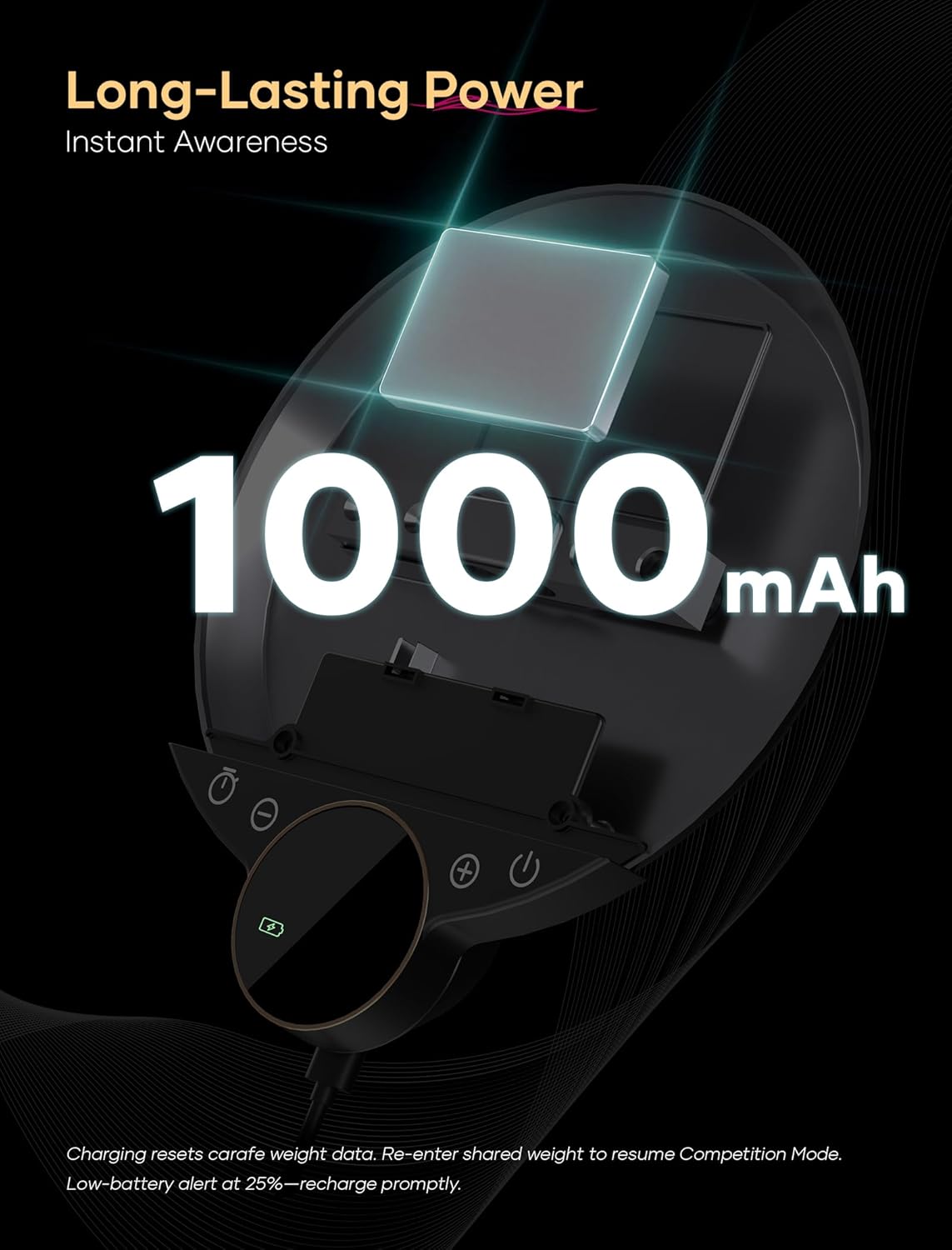
The scale's charging port and battery indicator.
Placement
Place the scale on a flat, stable, and level surface to ensure accurate measurements. Avoid surfaces prone to vibrations or drafts.
Operating Instructions
Power On/Off
- To power on, press the Power button (
 ) once.
 - To power off, press and hold the Power button for 3 seconds.
Unit Conversion
To switch between grams (g) and ounces (oz), press the Unit button ( ) briefly when in Weigh mode.
Tare Function
To zero out the weight of a container, place the empty container on the scale and press the Tare button ( ) once. The display will reset to zero.
Brewing Modes
The scale features three specialized modes for coffee brewing:
- Weigh Mode: For general weighing of coffee beans, grounds, or water. Provides precise weight readings.
- Assist Mode: Designed for pour-over brewing, this mode provides real-time feedback on flow rate and alerts for target weights. It helps maintain consistency during the brewing process.
- Competition Mode: Offers advanced precision tracking for competitive brewing scenarios, focusing on detailed weight and time metrics.

Weighing coffee beans in Smart Weighing Mode.

Smart Assist Mode with target alerts for precision pouring.

Precision Weight Tracking during a pour-over session.
Timer Function
The integrated timer can be started, paused, and reset using the dedicated timer buttons on the scale. This is useful for tracking brewing duration.
Maintenance
Cleaning
Wipe the scale surface with a soft, damp cloth. Do not use abrasive cleaners or immerse the scale in water. The eco-leather surface is designed for easy cleaning.
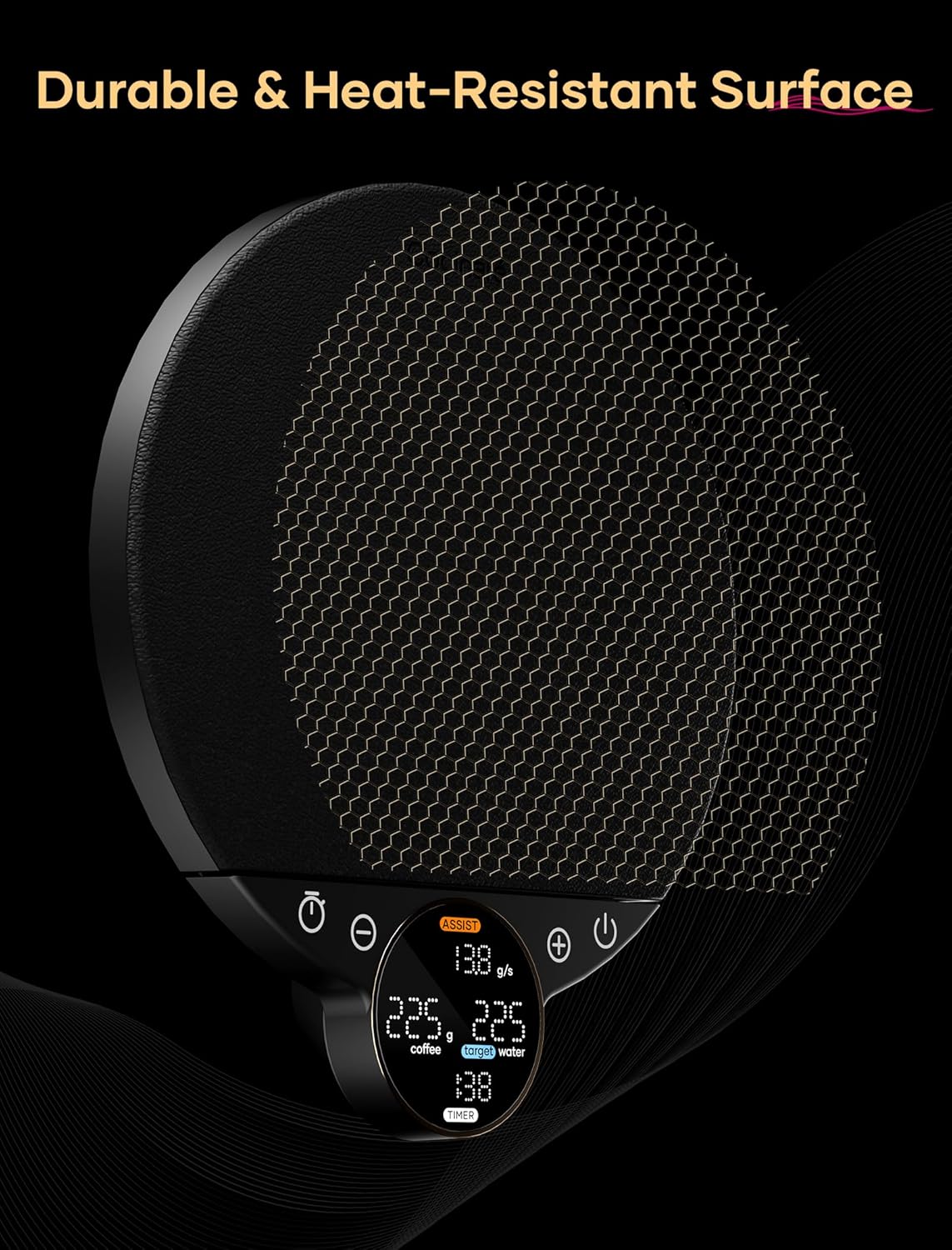
The durable and heat-resistant eco-leather surface.
Storage
Store the scale in a cool, dry place when not in use. Avoid placing heavy objects on the scale during storage.
Troubleshooting
- Scale not turning on: Ensure the scale is charged. Connect it to a power source using the USB Type-C cable.
- Inaccurate readings: Ensure the scale is on a flat, stable surface. Recalibrate if necessary (refer to specific calibration instructions if provided in a separate guide, or contact support). Avoid placing objects near the scale that could interfere with its sensors.
- Display errors: Try turning the scale off and on again. If the error persists, contact customer support.
- Charging issues: Verify the USB Type-C cable is securely connected to both the scale and the power source. Try a different cable or power adapter.
Specifications
| Feature | Specification |
|---|---|
| Brand | Cocinare |
| Model Number | CES-223H |
| Weight Limit | 3000 Grams |
| Readout Accuracy | 0.1 Grams |
| Display Type | LCD |
| Battery Capacity | 1000mAh |
| Charging Port | Type-C |
| Dimensions (L x W x H) | 173 x 152 x 25 mm (6.8 x 6.0 x 1.0 inches) |
| Item Weight | 1.52 pounds |
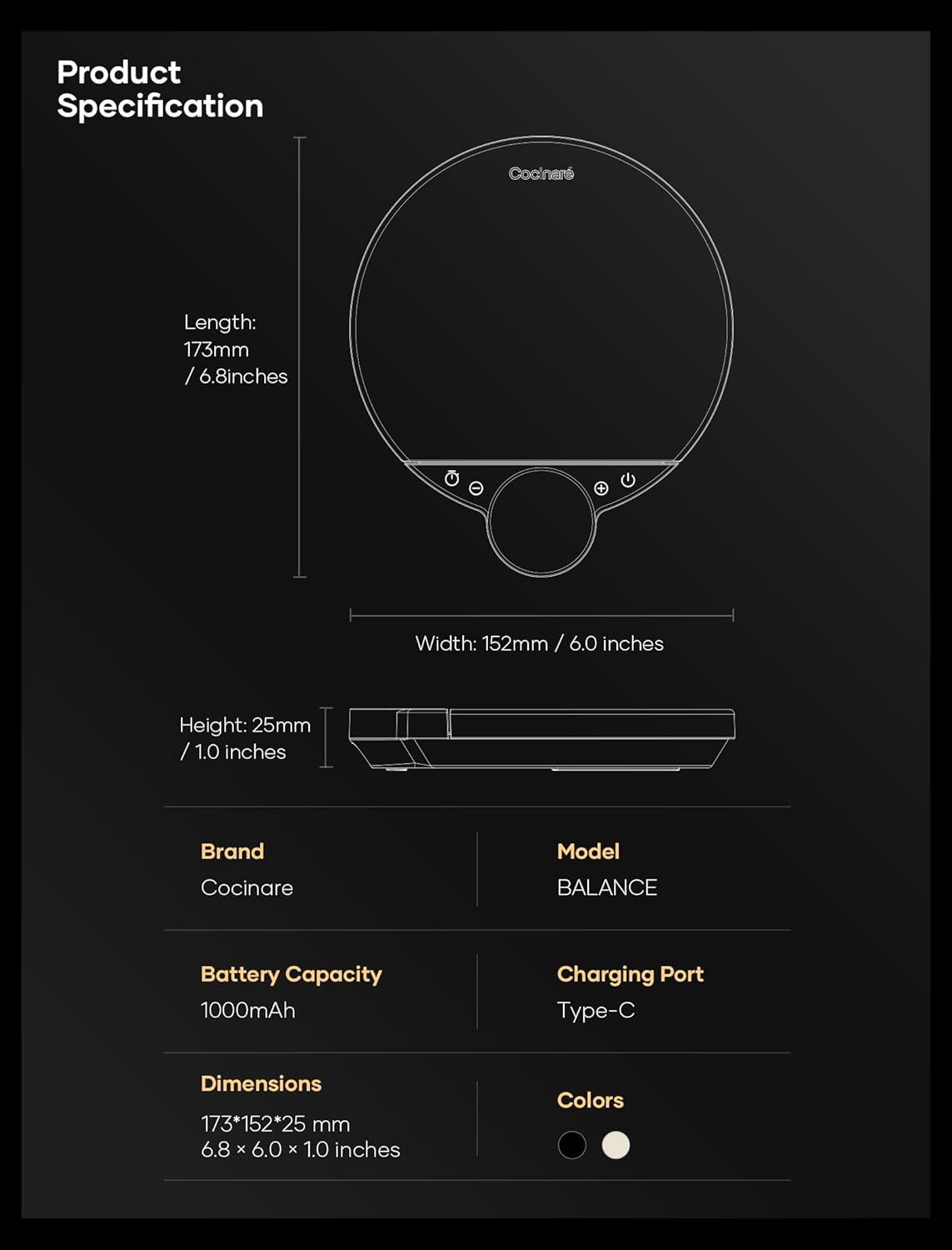
Product dimensions and specifications.
Warranty and Support
Cocinare products are manufactured to high-quality standards. For warranty information, please refer to the warranty card included with your product or visit the official Cocinare website. If you encounter any issues or require assistance, please contact Cocinare customer support through their official channels.
For further assistance, please visit the Cocinare Store on Amazon.