
Introduction
Thank you for choosing the Juboos Kid's Digital Watch. This manual provides detailed instructions for setting up, operating, and maintaining your new watch. Please read it carefully to ensure proper use and to enjoy all the features this watch offers, including its 7-color LED backlight, stopwatch, alarm, and 30M water resistance.
Product Overview and Features
The Juboos Kid's Digital Watch is designed for children, featuring a durable and comfortable design with multiple functions.
- Digital Time Display: Shows hours, minutes, and seconds.
- 7-Color LED Backlight: Provides illumination for clear visibility in low light conditions.
- Stopwatch Function: For timing activities.
- Alarm Function: Set daily alarms.
- Date Display: Shows month, day, and day of the week.
- 12/24 Hour Format: Switch between standard and military time.
- 30M Water Resistance: Suitable for daily use like hand washing, face washing, and rain exposure. Not suitable for swimming or diving.
- Comfortable Design: Soft, skin-friendly strap with a stainless steel clasp.

Image: The Juboos Kid's Digital Watch highlighting its various functions including EL Light, Stopwatch, 30M Waterproof, 12/24 Hour format, Alarm, Date, and Digital time display. The watch features a purple strap with a cat-shaped bezel.
Watch Components
Familiarize yourself with the buttons on your watch:
- LIGHT Button (L): Activates the backlight and changes backlight color.
- MODE Button (M): Switches between time display, stopwatch, and alarm settings.
- START Button (S): Used to start/stop stopwatch, adjust settings, and view date.
- RESET Button (R): Used to reset stopwatch, adjust settings, and switch 12/24 hour format.

Image: A child studying with the Juboos Kid's Digital Watch on their wrist. An inset highlights the "LIGHT" button on the watch, indicating its function as the backlight button.
Setup Instructions
Setting Time and Date
- From the normal time display, press the MODE (M) button three times to enter time setting mode. The seconds will start flashing.
- Press the RESET (R) button to set the seconds to zero.
- Press the START (S) button to move to the hour setting. The hour digits will flash.
- Press the RESET (R) button to adjust the hour. Pay attention to the 'A' (AM) or 'P' (PM) indicator for 12-hour format, or 'H' for 24-hour format.
- Press the START (S) button to move to the minute setting. The minute digits will flash.
- Press the RESET (R) button to adjust the minutes.
- Press the START (S) button to move to the month setting. The month digits will flash.
- Press the RESET (R) button to adjust the month.
- Press the START (S) button to move to the date setting. The date digits will flash.
- Press the RESET (R) button to adjust the date.
- Press the START (S) button to move to the day of the week setting. The day of the week will flash.
- Press the RESET (R) button to adjust the day of the week.
- Press the MODE (M) button once to exit setting mode and return to normal time display.
Switching 12/24 Hour Format
- In normal time display, press the RESET (R) button to toggle between 12-hour and 24-hour (military) time formats.
Operating Instructions
Using the Backlight
- Press the LIGHT (L) button briefly to activate the backlight.
- Press and hold the LIGHT (L) button for 3 seconds to cycle through the 7 different backlight colors and flashing modes. Release the button when your desired color or mode is displayed.
Using the Stopwatch
- From normal time display, press the MODE (M) button once to enter stopwatch mode. The display will show "00:00:00".
- Press the START (S) button to begin timing.
- Press the START (S) button again to pause timing.
- Press the RESET (R) button while paused to reset the stopwatch to "00:00:00".
- To resume timing after pausing, press the START (S) button.
- Press the MODE (M) button to exit stopwatch mode and return to normal time display.
Setting and Using the Alarm
- From normal time display, press the MODE (M) button twice to enter alarm setting mode. The hour digits will flash.
- Press the RESET (R) button to adjust the alarm hour.
- Press the START (S) button to move to the minute setting. The minute digits will flash.
- Press the RESET (R) button to adjust the alarm minutes.
- Press the MODE (M) button to exit alarm setting mode.
To turn the alarm ON/OFF: In normal time display, press and hold the START (S) button, then press the RESET (R) button. An alarm icon will appear/disappear to indicate the alarm status.
To silence the alarm: When the alarm sounds, press any button to stop it. The alarm will sound again after 24 hours if not turned off.
Viewing the Date
- In normal time display, press and hold the START (S) button to view the current date. Release the button to return to time display.
Maintenance
Cleaning Your Watch
Wipe the watch with a soft, damp cloth. Avoid using harsh chemicals or abrasive cleaners, as these can damage the watch's finish or seals.
Water Resistance Guidelines
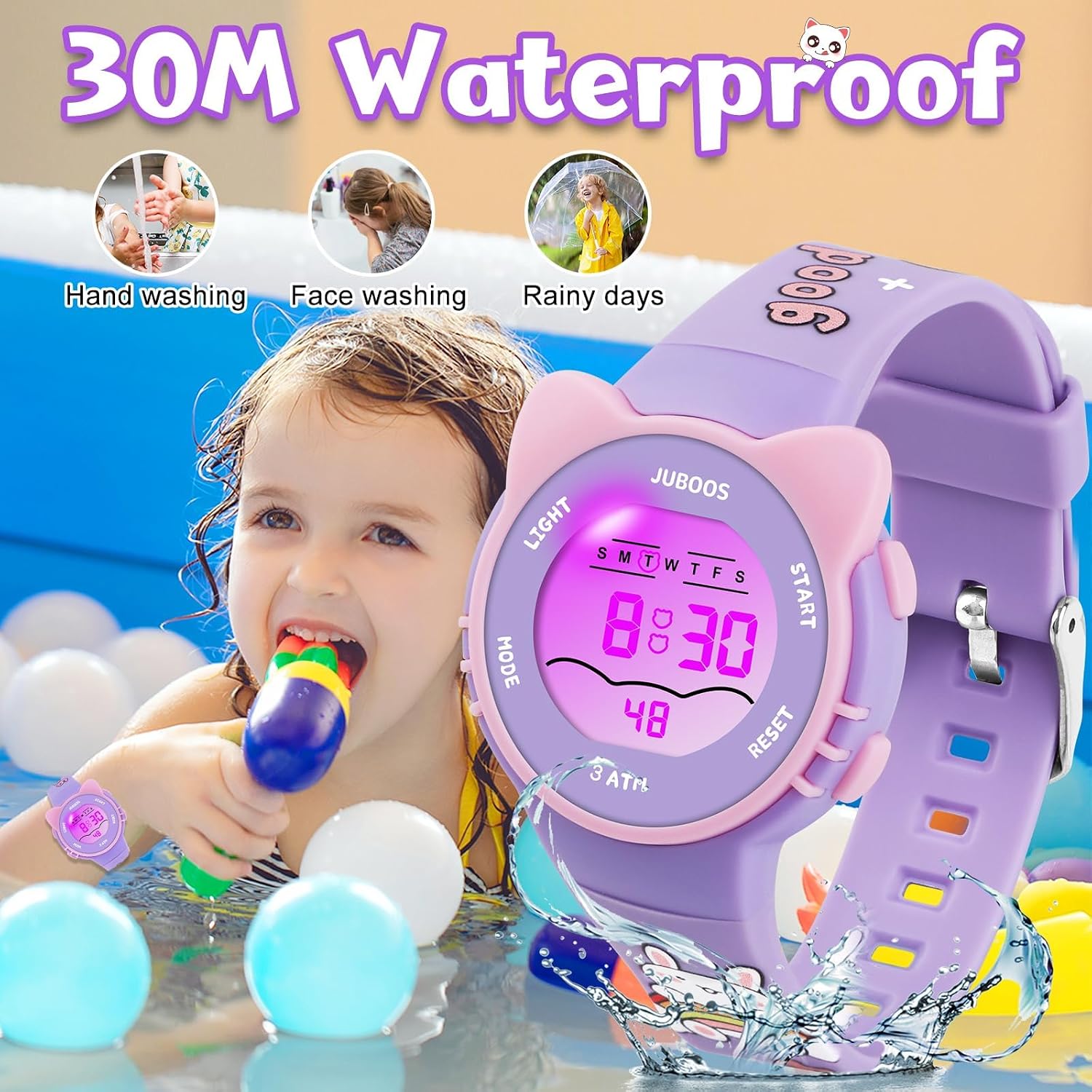
Image: A child playing in water while wearing the Juboos Kid's Digital Watch, demonstrating its 30M water resistance suitable for activities like hand washing, face washing, and exposure to rain.
- The watch is rated for 30 meters (3 ATM) water resistance. This means it is suitable for splashes, rain, and brief immersion in water, such as hand washing or face washing.
- DO NOT press any buttons while the watch is submerged in water.
- DO NOT expose the watch to hot water, steam, or extreme temperature changes, as this can compromise the water-resistant seals.
- The watch is NOT suitable for swimming, diving, showering, or bathing.
Battery Replacement
The watch uses a standard button cell battery. When the display dims or functions become erratic, it may be time to replace the battery. Battery replacement should ideally be performed by a qualified watch technician to ensure the water resistance seal is maintained.
Troubleshooting
| Problem | Possible Cause | Solution |
|---|---|---|
| Display is blank or dim. | Low battery. | Replace the battery. |
| Time is incorrect. | Time not set correctly or accidentally changed. | Refer to "Setting Time and Date" section to reset the time. |
| Alarm does not sound. | Alarm is turned off or set incorrectly. | Ensure the alarm is set and turned ON (alarm icon visible). Refer to "Setting and Using the Alarm" section. |
| Backlight not working. | Low battery or malfunction. | Replace battery. If problem persists, contact customer support. |
| Water inside the watch. | Water resistance compromised (e.g., buttons pressed underwater, exposure to hot water). | Immediately stop using the watch. Seek professional repair to prevent further damage. |
Specifications
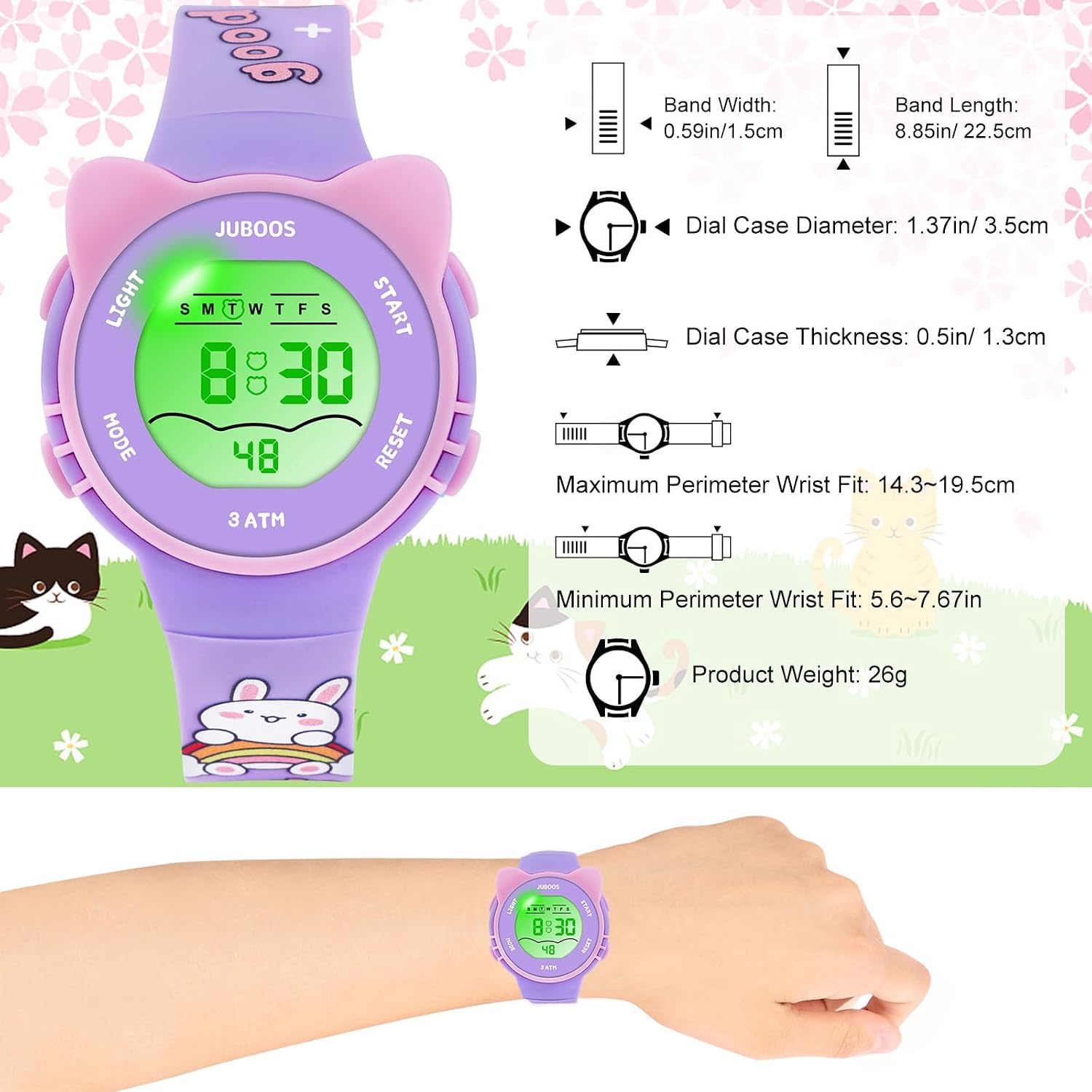
Image: A detailed diagram illustrating the physical dimensions of the Juboos Kid's Digital Watch, including band width, band length, dial case diameter, dial case thickness, and wrist fit range. The watch shown is purple.
- Brand: Juboos
- Model: 2PCS
- Display Type: Digital LCD
- Water Resistance: 30M (3 ATM)
- Band Material: Silicone/Resin
- Case Material: Resin with Stainless Steel Back
- Band Width: 1.5 cm (0.59 inches)
- Band Length: 22.5 cm (8.85 inches)
- Dial Case Diameter: 3.5 cm (1.37 inches)
- Dial Case Thickness: 1.3 cm (0.5 inches)
- Maximum Wrist Circumference: 19.5 cm (7.67 inches)
- Minimum Wrist Circumference: 14.3 cm (5.6 inches)
- Product Weight: 26g
- Features: 7-Color LED Light, Stopwatch, Alarm, Date, 12/24 Hour Format
Warranty and Support
Specific warranty information is not provided in this manual. For warranty details, product support, or inquiries, please refer to the retailer where the product was purchased or visit the official Juboos brand store on Amazon: Juboos Store.