
Introduction
This manual provides instructions for the Beyution ERF6G80H Voice Remote Control, designed as a replacement for Hisense QLED 4K S7N Series Smart TVs. This remote offers both traditional infrared control and voice search capabilities for enhanced user interaction. Please read this manual carefully to ensure proper setup and operation.
Package Contents
- 1 x Beyution ERF6G80H Voice Remote Control
Note: AAA batteries are not included and must be purchased separately.
Setup
1. Battery Installation
- Locate the battery compartment on the back of the remote control.
- Slide the battery cover downwards to open it.
- Insert two (2) AAA 1.5V alkaline batteries, ensuring the positive (+) and negative (-) terminals match the diagrams inside the compartment.
- Replace the battery cover by sliding it upwards until it clicks into place.

Figure 1: Battery compartment with AAA batteries.
2. Pairing with Your TV
Before using the voice search function, the remote control must be paired with your Hisense Smart TV. Follow your TV's specific instructions for pairing a new remote control. Generally, this involves:
- Ensuring your TV is powered on.
- Navigating to the TV's settings menu (often under "Remotes & Accessories" or "Bluetooth Settings").
- Selecting the option to "Add new device" or "Pair remote control."
- Following the on-screen prompts, which may involve pressing specific buttons on the new remote (e.g., the Voice button and another button simultaneously) to initiate pairing.
Once successfully paired, the remote control will function for both standard commands and voice search.
Operating Instructions
The ERF6G80H remote control features a standard layout for easy navigation and control of your Hisense Smart TV.
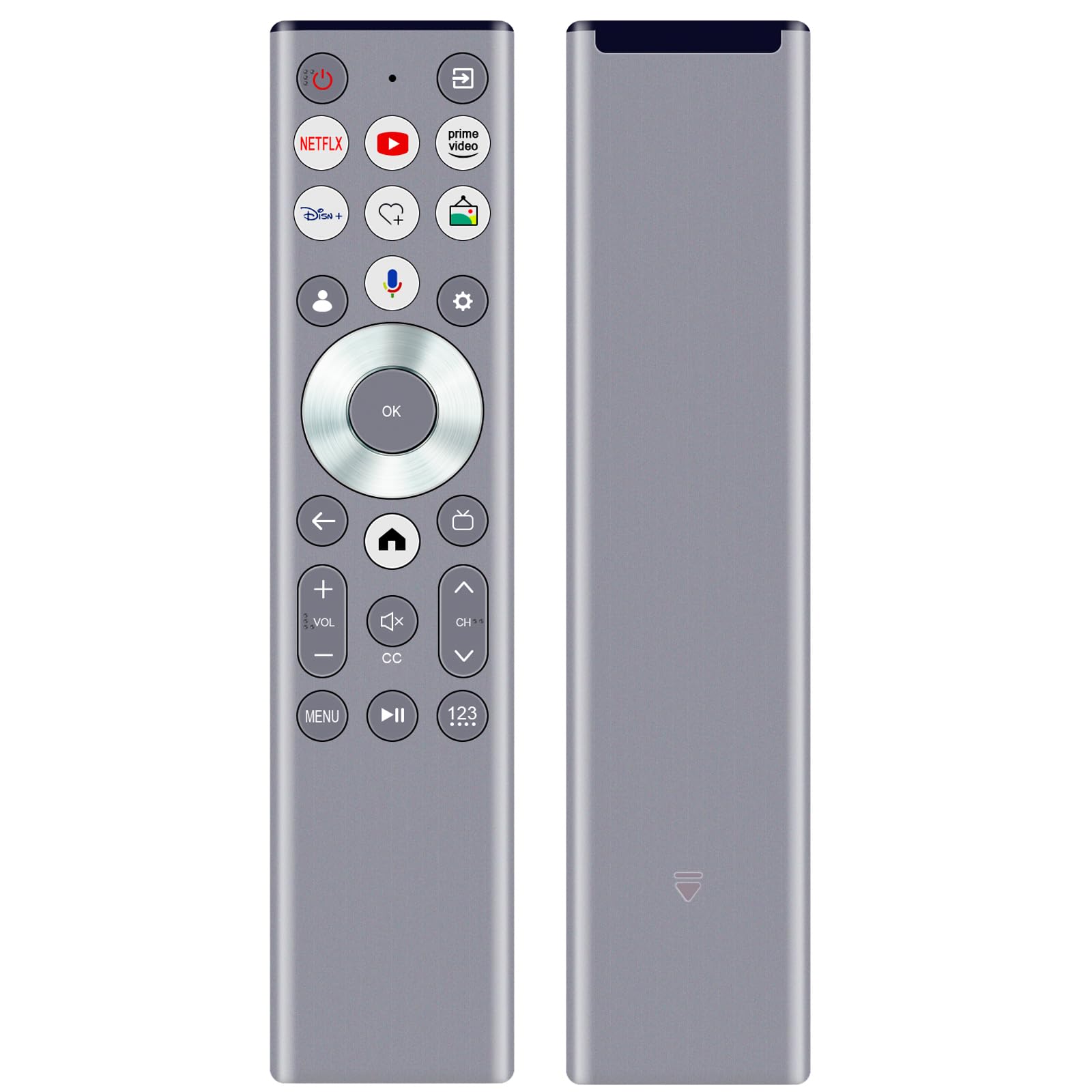
Figure 2: ERF6G80H Remote Control Layout with Voice Button Highlighted.
Button Functions:
| Button | Function |
|---|---|
| Power (Red Circle) | Turns the TV on or off. |
| Netflix, YouTube, Prime Video, Disney+ | Direct access buttons to popular streaming services. |
| Voice (Microphone icon) | Activates voice search and commands. Requires TV pairing and network connection. |
| Navigation Ring (Up, Down, Left, Right) | Navigates through menus and options. |
| OK (Center Button) | Confirms selections. |
| Back (Left Arrow) | Returns to the previous screen or menu. |
| Home (House icon) | Accesses the TV's home screen or main menu. |
| Volume Up/Down (+VOL-) | Adjusts the TV volume. |
| Mute (Speaker with X) | Mutes or unmutes the TV audio. |
| Channel Up/Down (CH^) | Changes TV channels. |
| CC (Closed Caption) | Toggles closed captions on or off. |
| Menu | Opens the TV's menu options. |
| Play/Pause (II) | Controls media playback. |
| 123 (Number Pad) | Accesses the on-screen number pad for direct channel input. |
Voice Control Function:
After successful pairing, press the Voice (Microphone icon) button to activate the voice assistant. Speak clearly into the remote control. Ensure your TV has an active internet connection for voice recognition features to work correctly.
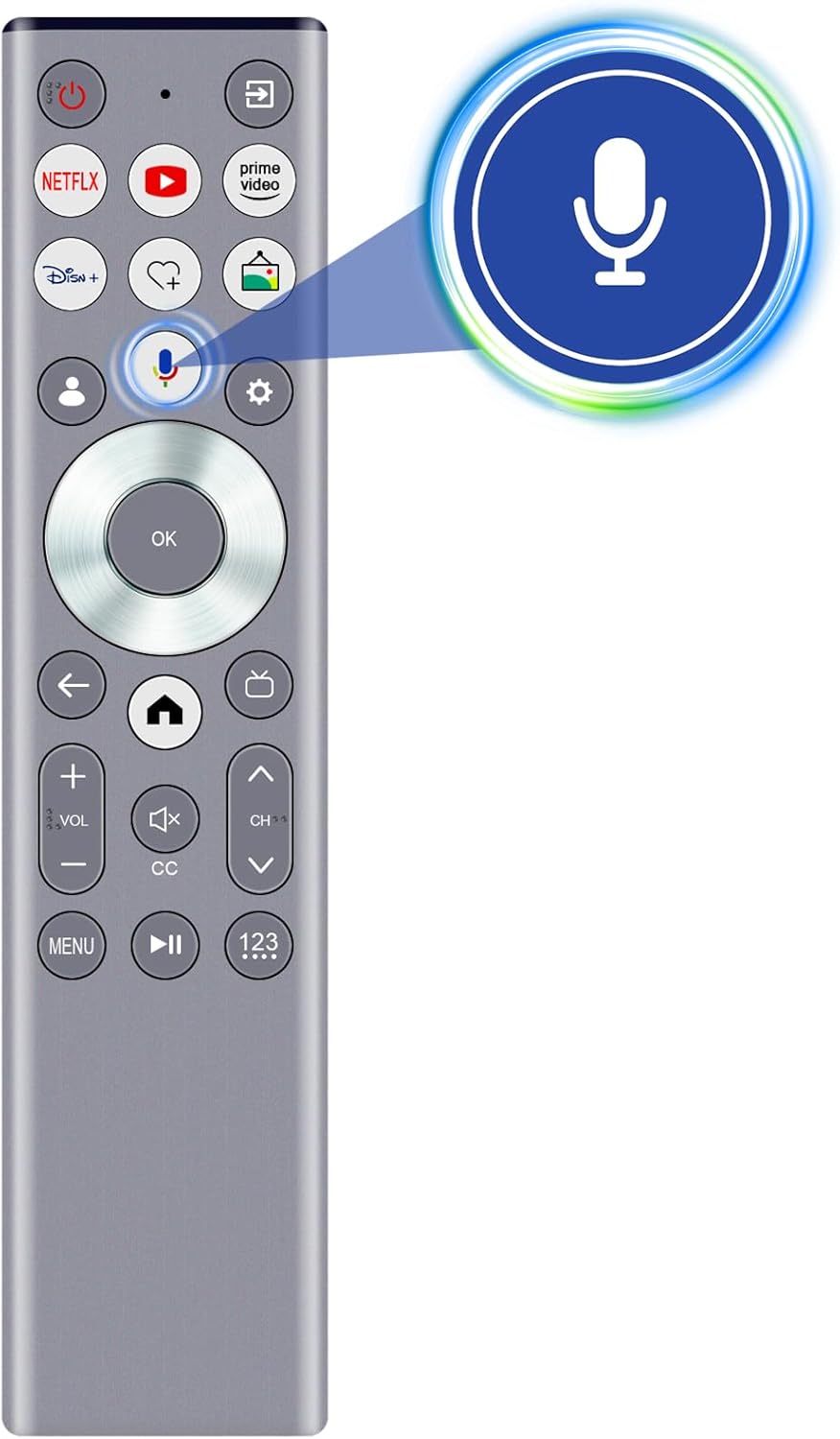
Figure 3: Activating Voice Search.
Features
- Voice Search: Enables intuitive control and content search using voice commands (requires pairing and network connection).
- Infrared (IR) Technology: Provides reliable control with a strong signal and a transmission distance of up to 10 meters (approximately 30 feet).
- Ergonomic Design: Lightweight and comfortable to hold for extended use.
- Durable Construction: Made from ABS material and soft rubber for longevity and a pleasant tactile experience.
- Upgraded Smart Chip: Ensures stable performance and fast response times.

Figure 4: Remote Control Range and Angle.

Figure 5: Key Features of the Remote Control.

Figure 6: Remote Control in Use.
Maintenance
- Keep the remote control dry. Avoid exposure to water or excessive humidity.
- Clean the remote with a soft, dry cloth. Do not use abrasive cleaners or solvents.
- Avoid dropping the remote or subjecting it to strong impacts.
- If the remote will not be used for an extended period, remove the batteries to prevent leakage.
Troubleshooting
| Problem | Possible Cause | Solution |
|---|---|---|
| Remote not responding. | Dead or incorrectly inserted batteries. Obstruction between remote and TV. Remote not paired (for voice functions). | Replace batteries, ensuring correct polarity. Remove any obstructions. Re-pair the remote with the TV if voice functions are not working. |
| Voice control not working. | Remote not paired for voice. No internet connection on TV. Microphone obstructed. | Ensure the remote is properly paired for voice. Verify TV's internet connection. Ensure nothing is covering the microphone on the remote. |
| Short transmission distance. | Low batteries. Strong interference. | Replace batteries. Reduce interference from other electronic devices. |
Specifications
- Model: ERF6G80H
- Compatible TV Models: Hisense QLED 4K S7N Series (55S7N, 65S7N, 75S7N, 85S7N)
- Power Supply: 2 x AAA 1.5V Alkaline Batteries (not included)
- Dimensions: Approximately 5 x 1 x 0.5 inches (12.7 x 2.54 x 1.27 cm)
- Item Weight: Approximately 1.9 ounces (53.8 grams)
- Transmission Technology: Infrared (IR) with Voice Control
- Transmission Distance: Up to 10 meters (30 feet)
- Material: ABS and soft rubber

Figure 7: Remote Control Dimensions.
Support and Warranty
For any questions regarding compatibility, setup, or if you encounter issues with your remote control, please contact the seller for assistance. If the remote control you receive is damaged or does not work as expected, a satisfactory solution will be provided.
Please refer to your purchase documentation for specific warranty details.