
Introduction
This manual provides detailed instructions for the proper use, setup, and maintenance of your OpenRock S2 Open Ear Headphones. Please read this guide thoroughly before using the product to ensure optimal performance and longevity.
What's in the Box
- 1x OpenRock S2 Wireless Headphones
- 1x Charging Case
- 1x User Manual

Image: OpenRock S2 headphones and their charging case, as typically found in the product packaging.
Product Overview and Features
Ultra-Light Hook-Clip Design
The OpenRock S2 headphones feature a 7g ultra-light hook-clip design, crafted with ultra-thin 0.6mm titanium filaments and soft liquid silicone. This design allows for flexible adaptation to various ear shapes, ensuring all-day comfort and a secure fit, even during active use.

Image: A man wearing the OpenRock S2 headphones while engaged in an outdoor activity, highlighting their lightweight and secure fit.
Enhanced Sound Quality
OpenRock S2 utilizes BassDirect technology, channeling low-frequency energy from its 12mm driver directly into the ear canal for enhanced bass with minimal sound leakage. With LDAC codec and Hi-Res certification, these headphones support high-resolution audio transmission, delivering rich, detailed, and high-quality sound.
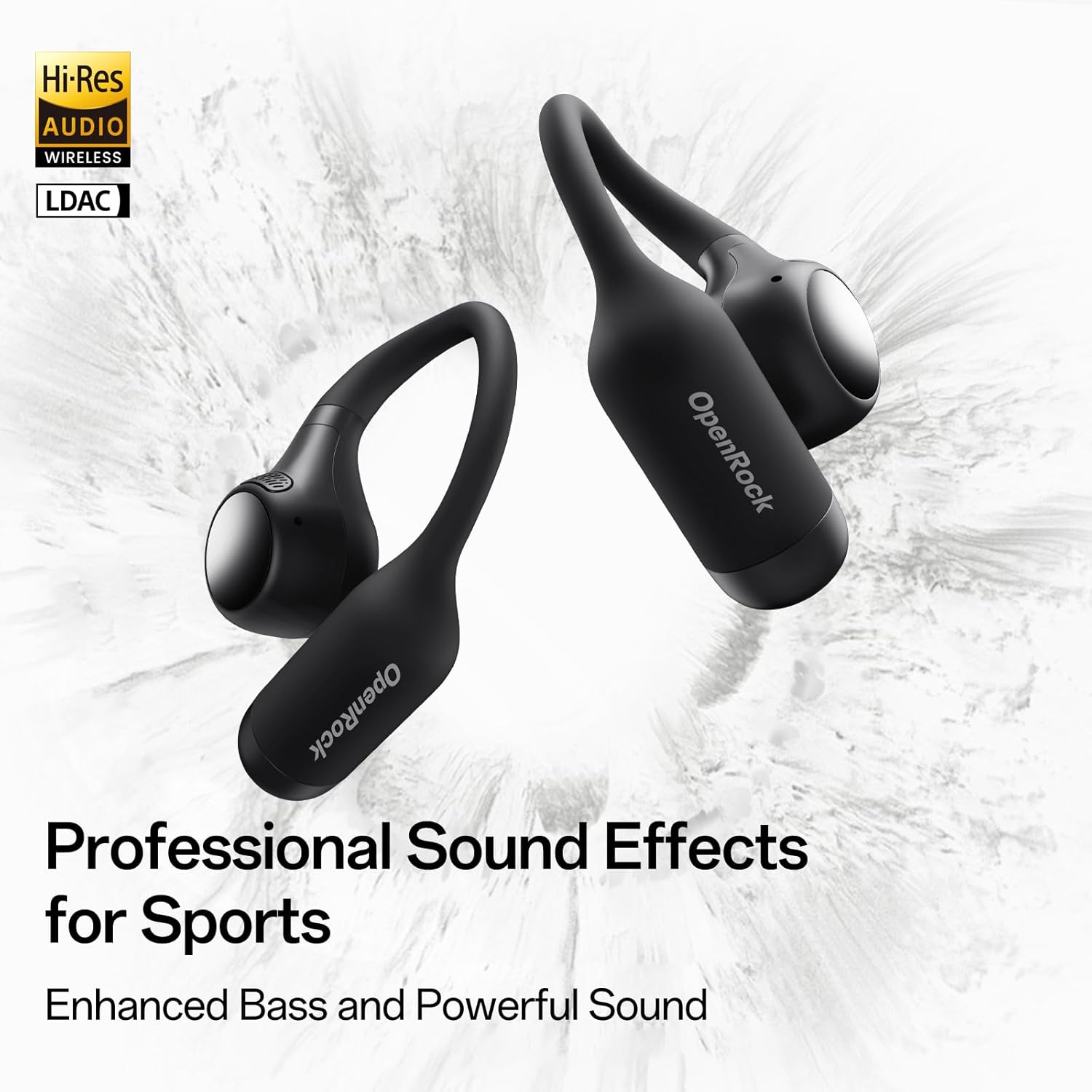
Image: OpenRock S2 headphones displayed with "Hi-Res Audio" and "LDAC" logos, emphasizing their advanced sound capabilities.
Triple Water-Resistant Design (IPX5)
The headphones feature a triple sweat and water-resistant design. A scientifically angled structure optimizes wearing position to allow sweat to slide off naturally. An independent BassDirect cavity shields PCBA components from sweat, and a waterproof nano-coating on components enhances durability. Rated IPX5.

Image: OpenRock S2 headphones with water droplets, resting on a rock, illustrating their water-resistant properties.
Extended Playtime
Enjoy up to 8 hours of playtime on a single charge. The included charging case extends total playtime to 32 hours. A quick 5-minute charge provides 1 hour of use.

Image: OpenRock S2 headphones and their charging case on a rock, with text indicating "Up to 32 Hours of Playtime."
4-Mic AI Call Noise Cancellation
Four high-quality microphones utilize beamforming technology and an AI noise cancellation algorithm to effectively eliminate environmental noise. A wind-resistant structure ensures clear calls even in strong winds.

Image: A man running outdoors wearing OpenRock S2 headphones, with text indicating "4-Mic AI Noise Cancellation."
Bluetooth 6.0 and Multipoint Connection
Equipped with the latest Bluetooth 6.0 for quick transmission and instant pairing. Supports simultaneous connection to two Bluetooth devices with seamless switching between them.

Image: OpenRock S2 headphones connected to both a laptop and a smartphone, illustrating Bluetooth 6.0 and multipoint connection capabilities.
Effortless Photography
Remotely control your phone's camera by pressing a button on either earbud when your phone is in photo or video mode. This feature simplifies capturing moments during outdoor activities.
Setup
Initial Pairing
- Ensure the charging case is sufficiently charged.
- Open the charging case. The headphones will automatically enter pairing mode.
- On your device (smartphone, tablet, laptop), go to Bluetooth settings.
- Select "OpenRock S2" from the list of available devices to connect.
- A voice prompt will confirm successful pairing.
Wearing Guide
The flexible hook-clip design allows for a secure and comfortable fit. Gently place the earbud over your ear, ensuring the speaker portion is positioned near your ear canal for optimal sound. Adjust the flexible hook for a snug fit.

Image: A visual guide demonstrating the correct way to position the OpenRock S2 headphones on the ear.
Smart App Installation
Download the "OpenRock" app from your device's app store. The app provides additional features such as EQ customization, spatial sound settings, max volume limiter, over-time wear reminder, button customization, and a "Find My Buds" function.

Image: A smartphone displaying the OpenRock app interface, showing various customization options for the headphones.
Operating Instructions
Button Controls
The OpenRock S2 headphones feature physical button controls on each earbud. Refer to the app for customizable button functions.
Video: This video demonstrates the various button controls for the OpenRock S2 headphones, including single tap for play/pause, double tap for next track, triple tap for previous track, single tap for answer/end call, double tap for reject call, and long press for voice assistant or camera control.
Remote Camera Control
When your phone's camera app is open in photo or video mode, press the button on either earbud to remotely trigger the camera shutter. This is ideal for capturing photos or videos hands-free.
Voice Assistant Activation
Long press the button on either earbud for 1 second to activate your device's voice assistant (e.g., Siri, Google Assistant).
Maintenance
Cleaning
Regularly wipe the headphones and charging case with a soft, dry cloth. Avoid using harsh chemicals or abrasive materials. Ensure the charging contacts on both the earbuds and the case are clean and dry.
Storage
When not in use, store the headphones in their charging case to protect them from dust, damage, and to keep them charged. Store in a cool, dry place away from extreme temperatures.
Troubleshooting
Resetting the Headphones
If you experience connectivity issues or other malfunctions, a factory reset may resolve the problem.
- Place both earphones back into the charging case.
- Press and hold the case button for 10 seconds.
- The red light will flash 8 times to confirm the reset.
Video: This video demonstrates the steps to perform a factory reset on the OpenRock S2 headphones.
Connectivity Issues
- Ensure Bluetooth is enabled on your device.
- Make sure the headphones are charged and within range of your device.
- Try unpairing and re-pairing the headphones with your device.
- Perform a factory reset as described above.
Specifications
| Model Name | OpenRock S2 |
| Ear Placement | Open Ear |
| Connectivity Technology | Wireless (Bluetooth 6.0) |
| Bluetooth Range | 10 Meters |
| Water Resistance Level | IPX5 (Water Resistant) |
| Item Weight | 132 Grams (total) / 7g (per earbud) |
| Playtime (Single Charge) | 8 Hours |
| Playtime (with Charging Case) | 32 Hours |
| Control Type | Button Control, App Control |
| Audio Driver Type | Dynamic Driver (12mm) |
| Material | Acrylonitrile Butadiene Styrene (ABS), Metal, Silicone |
Warranty and Support
For warranty information and customer support, please refer to the official OpenRock website or contact the seller directly. The product typically includes a user manual with detailed warranty terms.
Included components: User Manual.


