
1. Introduction
Thank you for choosing the Tribesigns J0413 70.9-Inch Narrow Long Entryway Console Table. This manual provides detailed instructions for assembly, usage, and maintenance to ensure safe and optimal performance of your new furniture. Please read this manual thoroughly before beginning assembly and retain it for future reference.
2. Safety Information
Please observe the following safety precautions during assembly and use:
- Read all instructions carefully: Ensure you understand each step before proceeding with assembly.
- Keep children and pets away: Small parts can be a choking hazard.
- Assemble on a soft, clean surface: This prevents scratching the product or your floor.
- Do not overtighten screws: This can damage the material.
- Ensure the table is stable and anchored to the wall: This prevents tipping and potential injury. Wall anchoring hardware is included.
- Do not exceed the maximum weight recommendation: The table has a maximum weight capacity of 120 pounds.
- Use only as intended: This console table is designed for indoor, non-residential and residential use as an accent or display surface.
3. Package Contents
Before assembly, verify that all parts are present and undamaged. If any parts are missing or damaged, please contact customer support.
3.1. Components
- Tabletop (Engineered Wood)
- Bottom Shelf (Engineered Wood)
- Metal Frame Legs (Left and Right)
- Crossbars/Support Beams
- Adjustable Foot Pads
3.2. Hardware and Tools
- Screws (various sizes)
- Allen Wrench (Installation Tool)
- Wall Anchoring Kit (for anti-tipping safety)
- Assembly Guide

Image: All components and hardware laid out for assembly.
4. Assembly Instructions
Follow these steps carefully to assemble your console table. It is recommended to have two people for assembly.
- Unpack and Identify Parts: Carefully remove all components from the packaging. Lay them out on a clean, soft surface. Refer to the included parts list to identify each piece.
- Attach Crossbars to Frame Legs: Connect the horizontal crossbars to the vertical metal frame legs using the provided screws and Allen wrench. Ensure all connections are secure but do not fully tighten yet.
- Secure Bottom Shelf: Place the bottom shelf onto the designated supports on the metal frame. Secure it with screws, ensuring it is level.
- Attach Tabletop: Carefully place the tabletop onto the top of the assembled frame. Align the pre-drilled holes and secure the tabletop with screws.
- Tighten All Screws: Once all components are in place, go back and fully tighten all screws. Do not overtighten.
- Install Adjustable Foot Pads: Screw the adjustable foot pads into the bottom of the frame legs. Adjust them to ensure the table is level and stable on your floor.
- Install Anti-Tipping Device: For safety, attach the anti-tipping device to the back of the table and secure it to a wall stud using the provided hardware. This is crucial to prevent accidental tipping.

Image: Close-up view highlighting the solid triangular structure, thick platen, and sturdy metal frame for stability.
5. Usage
The Tribesigns J0413 console table is designed for versatile use in various areas of your home.
5.1. Placement
- Entryway/Hallway: Ideal for displaying decorative plants, lamps, baskets, and framed photos.
- Behind a Sofa: Provides additional surface space for drinks, books, or remote controls.
- Living Room: Can serve as a display table or a narrow TV console.
- Foyer: A welcoming piece for keys, mail, or decorative items.
5.2. Storage Capacity
This table features two tiers, offering ample space for storage and display. The top surface and the lower shelf can hold various items, helping to keep your space organized.

Image: Console table positioned behind a sofa, showcasing its use as an additional surface.
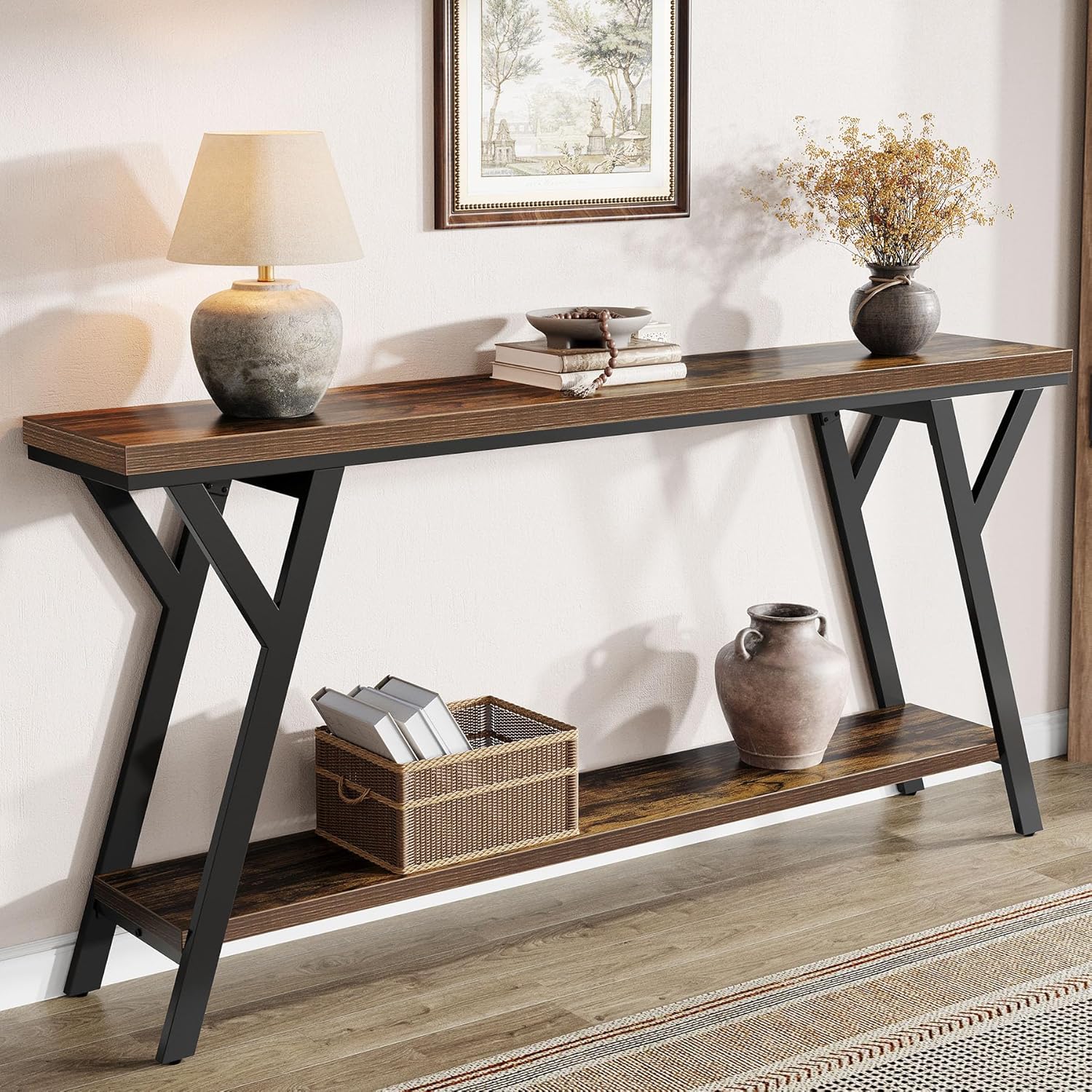
Image: Console table in an entryway, demonstrating its decorative and functional use.
6. Care and Maintenance
Proper care will extend the life and appearance of your console table.
- Cleaning: Wipe with a damp cloth for general cleaning. For spills, wipe immediately with a dry cloth. Avoid harsh chemicals or abrasive cleaners.
- Protection: Use coasters under drinks and placemats under hot items to prevent damage to the tabletop.
- Sunlight Exposure: Avoid prolonged direct sunlight exposure to prevent fading or discoloration of the wood finish.
- Regular Checks: Periodically check all screws and connections to ensure they remain tight. Retighten if necessary.
7. Troubleshooting
If you encounter any issues, refer to the following common problems and solutions:
| Problem | Possible Cause | Solution |
|---|---|---|
| Table is wobbly | Uneven floor; loose screws | Adjust the foot pads until the table is level. Check and tighten all assembly screws. |
| Parts do not align during assembly | Incorrect orientation of parts; screws overtightened prematurely | Review the assembly steps and diagrams. Loosen screws, adjust part orientation, then retighten. Ensure screws are only hand-tight until all parts are connected. |
| Missing hardware or damaged parts | Packaging error; shipping damage | Do not proceed with assembly. Contact Tribesigns customer support immediately for replacement parts. |
8. Specifications
Detailed product specifications for the Tribesigns J0413 Console Table:

Image: Detailed dimensions of the console table.
| Feature | Detail |
|---|---|
| Brand | Tribesigns |
| Model Name | Entryway Table |
| Model Number | J0413 |
| Product Dimensions (D x W x H) | 11.8" x 70.9" x 33.8" |
| Item Weight | 36.6 Pounds |
| Maximum Weight Recommendation | 120 Pounds |
| Frame Material | Metal |
| Top Material Type | Engineered Wood |
| Color | Brown (Top), Black (Base) |
| Style Name | Industrial |
| Number of Tiers | 2 |
| Required Assembly | Yes |
| Includes All Assembly Tools | Yes |
| Indoor Outdoor Usage | Indoor |
| Is Stain Resistant | Yes |
9. Warranty and Support
Tribesigns products are manufactured with quality and care. This product comes with a limited warranty. For specific warranty details, please refer to the documentation included with your purchase or contact Tribesigns customer support.
9.1. Customer Support
If you have any questions, require assistance with assembly, or need to report missing/damaged parts, please contact Tribesigns customer support through their official website or the retailer where the product was purchased. Please have your model number (J0413) and purchase information ready.


