
EZON T048
EZON T048 Digital Kids Watch User Manual
Model: T048 | Brand: EZON
Introduction
The EZON T048 Digital Kids Watch is designed for teens, girls, and boys, offering a range of features including a virtual pet cat, step counter, stopwatch, pedometer, timer, and alarm. This watch is waterproof and operates without the need for a smartphone app, making it a simple and engaging fitness tracker for ages 7-18.
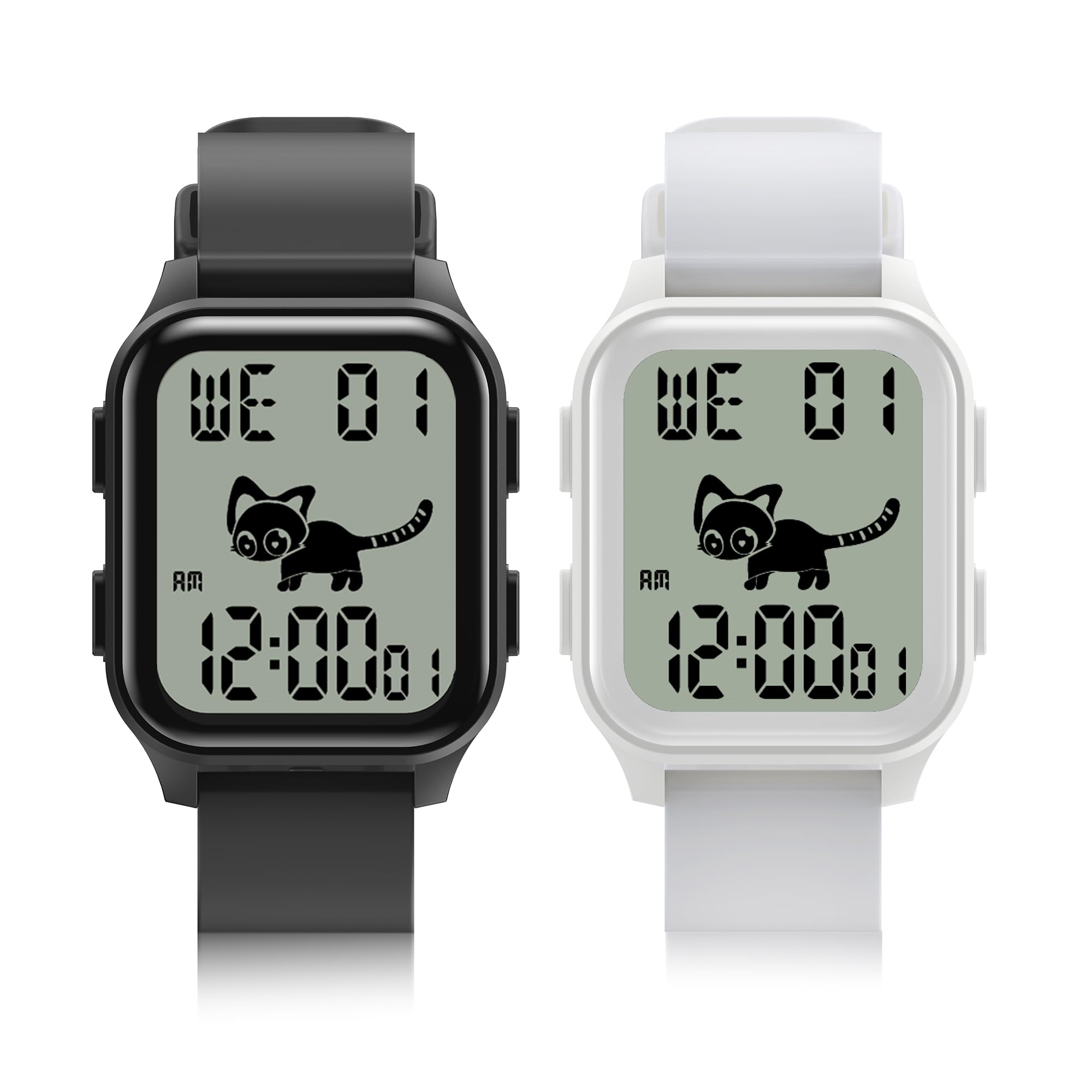
Image: The EZON T048 Digital Kids Watch on a child's wrist, showcasing its multi-function display with a virtual pet and various feature icons.

Image: A side view of the EZON T048 watch, emphasizing its lightweight body (27g) and slim 11.3mm thickness for comfortable wear.
Setup
1. Initial Power On
The watch typically arrives with sufficient charge. To power on, press and hold the designated power button (refer to the watch's physical buttons for exact location, usually a side button) until the display activates.
2. Setting Time and Date
- From the main time display, press and hold the 'Mode' button (or similar button, consult watch for specific labels) to enter settings mode.
- Use the 'Adjust' or 'Up/Down' buttons to navigate through time (hours, minutes), date (year, month, day), and 12/24-hour format settings.
- Press the 'Mode' button again to confirm each setting and move to the next.
- Once all settings are adjusted, press the 'Mode' button to exit settings mode.
3. Basic Button Functions
- Mode Button: Cycles through different functions (Time, Pedometer, Stopwatch, Timer, Alarm, Virtual Pet, Games). Also used to confirm settings.
- Adjust/Set Button: Used to change values or settings within a specific mode.
- Light/Backlight Button: Activates the backlight for visibility in low light conditions.
Operating Instructions

Image: The watch highlighting its simple and easy-to-use nature, requiring no app, no charging, no phone, and no Bluetooth for its core functions.

Image: A close-up of the watch face displaying icons for its various functions, including virtual pet, pedometer, stopwatch, timer, alarm, and 12/24-hour display.
Virtual Pet Cat
The EZON T048 features a virtual pet cat that thrives on your activity. The more steps you take, the happier and healthier your digital pet becomes. Achieve step goals to earn "fish snacks" for your cat.

Image: The watch display showing the virtual pet cat and an illustration of how step goals (e.g., 10000 steps) contribute to feeding the pet.
- Interaction: The cat's behavior and appearance change based on your daily step count.
- Step Goals: You can set daily step goals (e.g., 1000-99000 steps) to challenge yourself and earn rewards for your pet.
Pedometer and Activity Tracking
The built-in pedometer automatically tracks your steps throughout the day. This feature helps monitor your physical activity and contributes to the well-being of your virtual pet.
- Viewing Steps: Cycle through modes using the 'Mode' button until you reach the pedometer display.
- Resetting: Steps typically reset automatically at midnight. Consult the full manual for manual reset options if available.
Stopwatch, Timer, and Alarm
The watch includes standard timekeeping functions for daily use.
- Stopwatch: Access via the 'Mode' button. Use 'Start/Stop' and 'Reset' buttons (specific labels may vary) to operate.
- Timer: Set a countdown timer for various activities. Access via 'Mode' button, then use 'Adjust' to set the duration.
- Alarm: Set daily alarms. Access via 'Mode' button, then use 'Adjust' to set the alarm time.
Games
The EZON T048 includes several puzzle games for entertainment. These games are pre-loaded and do not require an external app or phone connection.
- Accessing Games: Cycle through modes using the 'Mode' button until you reach the games menu.
- Playing Games: Use the watch's buttons to control gameplay.
Water Resistance
The watch is designed to be waterproof, suitable for daily activities like hand washing or playing in the rain. It is not intended for prolonged submersion or high-pressure water activities like diving.
Maintenance
- Cleaning: Wipe the watch regularly with a soft, damp cloth. Avoid harsh chemicals or abrasive materials.
- Battery Life: The EZON T048 boasts an ultra-long standby time of approximately 365 days on a single battery, eliminating the need for frequent charging. When the battery eventually depletes, it will require replacement by a qualified technician or according to instructions in the full product manual.
- Storage: Store the watch in a cool, dry place when not in use.

Image: The EZON T048 watch with a visual representation of its 365-day ultra-long standby battery life.
Troubleshooting
- Display is blank: Check if the battery is depleted. If the watch has been stored for a long time, it might need a battery replacement.
- Time is incorrect: Re-enter the time and date settings as described in the "Setup" section.
- Pedometer not tracking steps accurately: Ensure the watch is worn securely on the wrist. Movement patterns can affect accuracy.
- Buttons unresponsive: Try pressing the buttons firmly. If unresponsive, the watch might require a reset (consult the full manual for specific reset procedures, if any).
Specifications
| Model | T048 |
| Brand | EZON |
| Features | Virtual Pet Cat, Step Counter, Stopwatch, Pedometer, Timer, Alarm, Games |
| Water Resistance | Waterproof (suitable for daily activities like hand washing) |
| Battery Life | Approx. 365 days (ultra-long standby) |
| Connectivity | No App, No Phone, No Bluetooth required for core functions |
| Target Age Group | 7-18 years |
Warranty and Support
For warranty information, technical support, or further assistance, please refer to the documentation included with your product or contact EZON customer service directly. Keep your purchase receipt for warranty claims.
Ask a question about this manual
Ask about setup, troubleshooting, compatibility, parts, safety, or missing instructions. Manuals+ will review the question and use this page’s manual context to help answer it.