
1. Introduction
Thank you for choosing the GTRacing CH610 Gaming Chair. This manual provides essential information for the safe and efficient assembly, operation, and maintenance of your new chair. Please read these instructions carefully before assembly and retain this manual for future reference.

A full front view of the GTRacing CH610 Gaming Chair, showcasing its black PU leather, embossed design, and overall structure.
2. Safety Instructions
- Ensure all components are securely fastened before use.
- Do not stand on the chair or use it as a step stool.
- Avoid placing heavy objects on the chair that exceed its weight capacity (180 kg).
- Keep children and pets away from the chair during assembly.
- Use the chair on a flat, stable surface to prevent tipping.
- Do not expose the chair to direct sunlight or extreme temperatures for prolonged periods.
- Regularly inspect the chair for loose screws or damaged parts.
3. Package Contents
Please verify that all parts are present before beginning assembly. If any parts are missing or damaged, contact customer support.
- Backrest
- Seat Cushion (with integrated armrests and ottoman)
- Star Base
- Casters (5 pieces)
- Gas Lift Cylinder
- Mechanism Plate
- Screws and Allen Wrench
4. Assembly Instructions
Follow these steps to assemble your GTRacing CH610 Gaming Chair. It is recommended to assemble the chair on a soft, clean surface to prevent damage.

An illustrative breakdown of the GTRacing CH610 Gaming Chair's key features and components, including the elegant embossed design, built-in pocket coils, PP cotton filling, elevating armrests, integrated ottoman, and silent casters. This image also indicates the 90°-150° reclining range.
- Attach Casters to Base: Insert each of the five casters into the holes at the end of each leg of the star base. Push firmly until they click into place.
- Insert Gas Lift: Place the gas lift cylinder into the center hole of the assembled star base. Ensure it is seated securely.
- Attach Mechanism Plate to Seat: Align the mechanism plate with the pre-drilled holes on the underside of the seat cushion. Secure it using the provided screws and Allen wrench. Ensure the front of the mechanism faces the front of the seat.
- Connect Seat to Gas Lift: Carefully place the assembled seat cushion onto the gas lift cylinder, ensuring the tapered end of the gas lift fits into the mechanism plate.
- Attach Backrest to Seat: Align the backrest with the mounting brackets on the seat cushion. Secure it using the provided screws and Allen wrench.
- Final Check: Once assembled, sit on the chair to ensure all components are stable and functioning correctly.
5. Operating Instructions
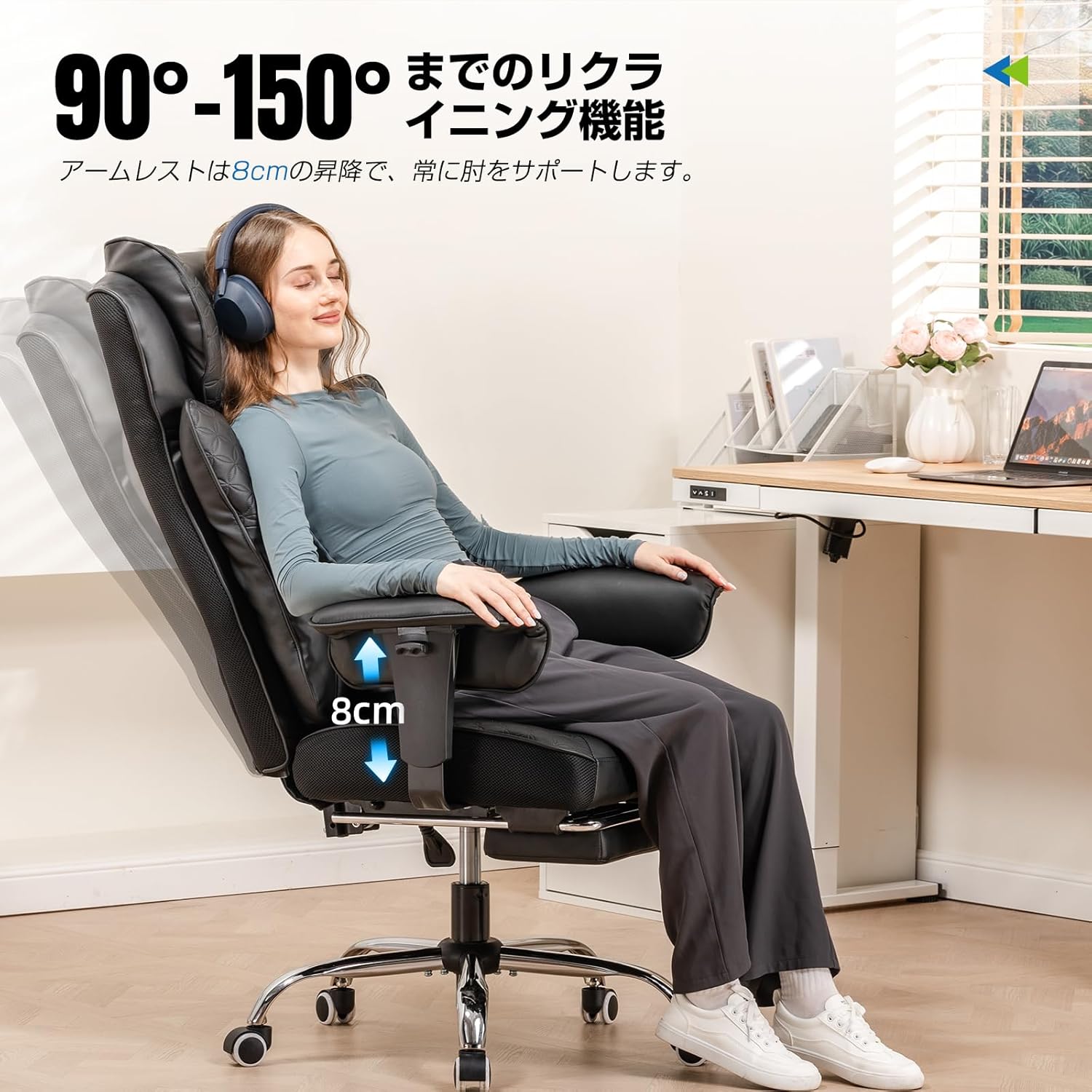
A user demonstrating the 90°-150° reclining function and the 8cm height adjustment of the armrests on the GTRacing CH610 Gaming Chair.
- Chair Height Adjustment: Locate the lever on the right side, beneath the seat. Pull the lever up while seated to lower the chair, or pull it up while standing to raise the chair. Release the lever to lock the height.
- Reclining Function (90°-150°): Use the recline lever, typically located on the left side of the seat. Pull the lever up to unlock the backrest, lean back to your desired angle (between 90 and 150 degrees), and release the lever to lock it in place.
- Armrest Elevation: The armrests can be elevated by approximately 8cm. Locate the button or lever on the side of each armrest. Press or lift it to adjust the armrest height, then release to lock.
- Integrated Ottoman: To use the ottoman, pull it out from beneath the seat. It slides out to provide leg support. Push it back in when not in use.
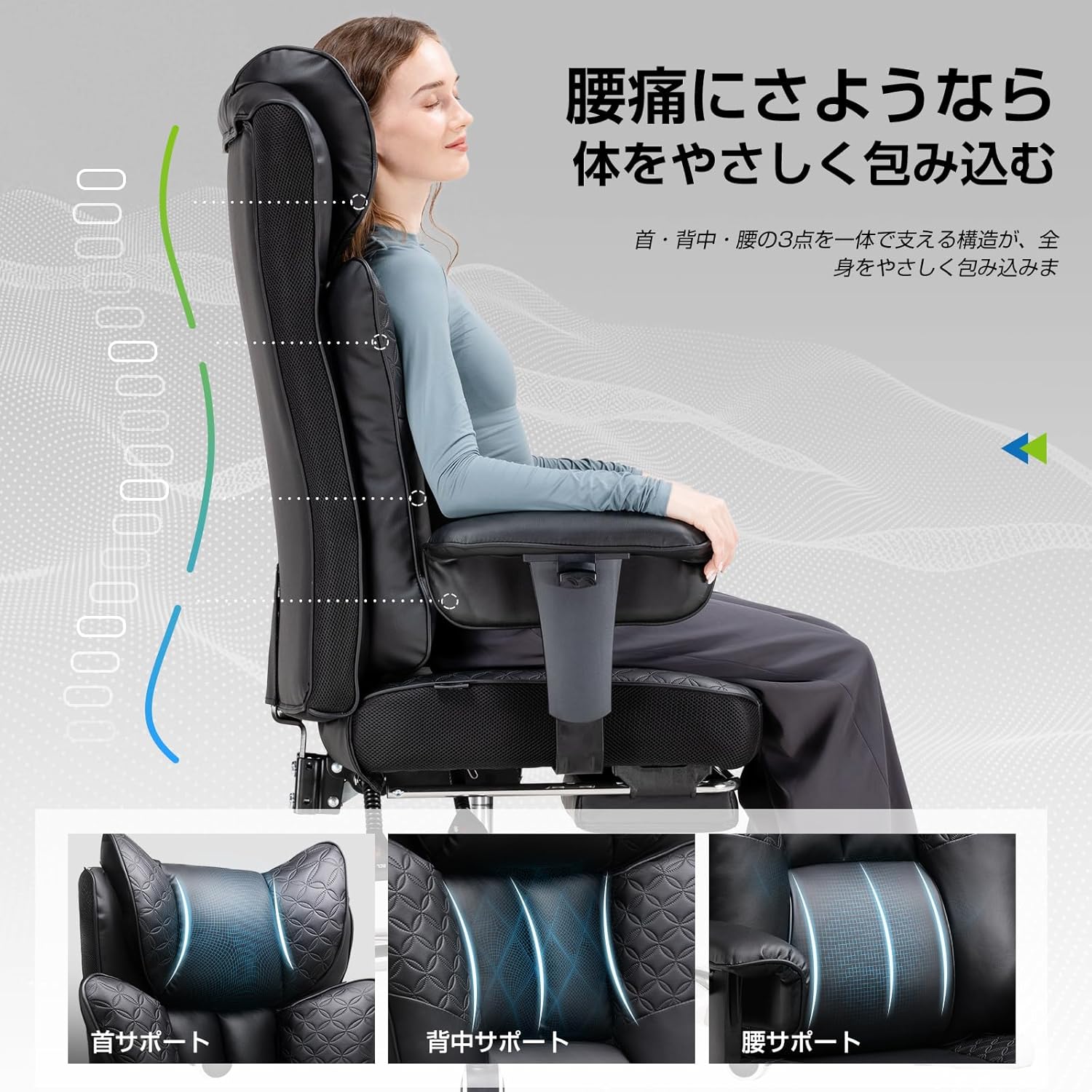
Diagram illustrating the ergonomic support provided by the GTRacing CH610 Gaming Chair for the neck, back, and lumbar regions, designed to gently cradle the body and alleviate back pain.
6. Maintenance
- Cleaning: Wipe the PU leather surfaces with a soft, damp cloth. For stubborn stains, use a mild soap solution and dry immediately. Avoid harsh chemicals or abrasive cleaners.
- Caster Care: Periodically clean the casters to remove dust, hair, and debris that may hinder smooth movement.
- Hardware Check: Every few months, check all screws and bolts to ensure they are tight. Retighten if necessary to maintain stability and prevent squeaking.
- Avoid Overloading: Do not exceed the chair's maximum weight capacity of 180 kg.
7. Troubleshooting
| Problem | Possible Cause | Solution |
|---|---|---|
| Chair does not adjust height | Gas lift cylinder is faulty or lever is not engaged. | Ensure the height adjustment lever is fully engaged. If the problem persists, the gas lift may need replacement. |
| Chair squeaks | Loose hardware or friction between parts. | Tighten all screws and bolts. Apply a small amount of silicone lubricant to moving parts if necessary. |
| Casters do not roll smoothly | Debris caught in casters. | Remove any hair, dust, or debris from the caster wheels. |
| Backrest does not recline or lock | Recline mechanism is jammed or lever is not engaged. | Check if the recline lever is fully engaged. Ensure no obstructions are preventing movement. |
8. Specifications

Diagram illustrating the key dimensions of the GTRacing CH610 Gaming Chair, including seat width, backrest height, and overall chair height, with a maximum weight capacity of 180 kg.
- Model: CH610
- Brand: GTRACING
- Color: Black
- Material: Premium PU Leather
- Item Weight: 19 Kilograms
- Product Dimensions: 73D x 23W x 53H Centimetres (approximate, refer to diagram for detailed measurements)
- Reclining Angle: 90° to 150°
- Armrest Adjustment: 8cm Elevation
- Included Components: Integrated Ottoman
- Assembly Required: Yes
9. Warranty and Support
GTRacing provides a standard warranty for its products. For specific warranty details, claims, or technical support, please refer to the official GTRacing website or contact their customer service directly. Please have your purchase receipt and product model number (CH610) available when contacting support.


