Introduction
This manual provides comprehensive instructions for the installation, operation, and maintenance of your Blaupunkt CALI 1000 Multimedia System. This system includes a 10.1" Touchscreen Single DIN Receiver, an 8" Under Seat Subwoofer Enclosure, two 6x9" 4-Way Car Speakers, and a complete wiring kit. Please read this manual thoroughly before using the product to ensure proper functionality and safety.
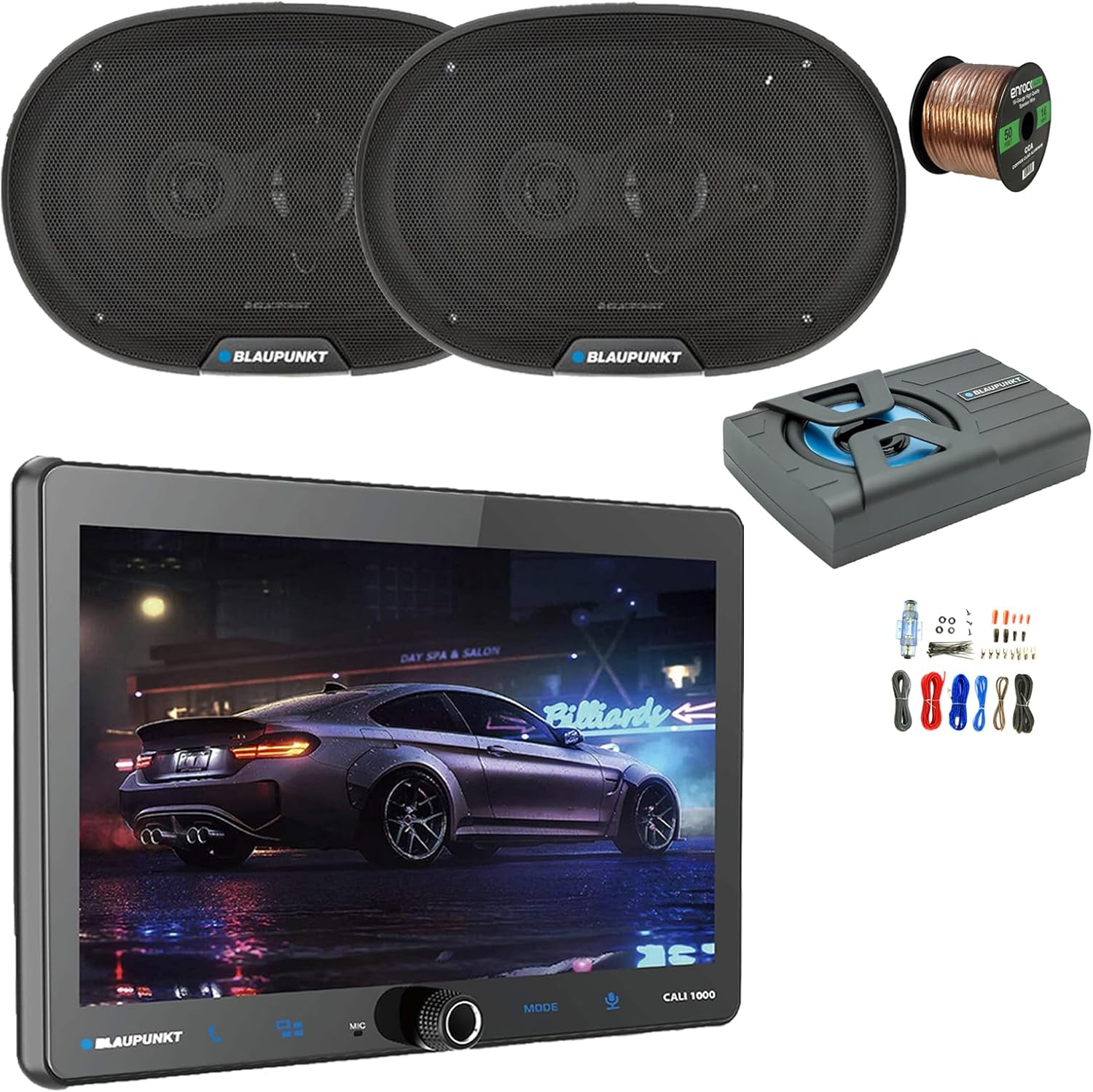
Figure 1: Overview of the Blaupunkt CALI 1000 Multimedia System components.
Safety Information
- Always consult a professional for installation if you are unsure about any steps.
- Ensure the vehicle's battery is disconnected before beginning any installation work to prevent electrical shorts.
- Do not operate the system in a manner that distracts you from driving.
- Avoid exposing the unit to extreme temperatures, direct sunlight for prolonged periods, or excessive moisture.
- Use only specified power cables and accessories to prevent damage or fire.
- Keep the unit clean and free from dust.
Package Contents
Verify that all items listed below are present in your package:
- Blaupunkt CALI 1000 10.1" Touchscreen Single DIN Digital Multimedia Receiver
- Blaupunkt GTHS80PRO 8" Under Seat Subwoofer Enclosure
- Two (2) Blaupunkt BPS-E694 6x9" 4-Way Car Speakers
- Complete Amplifier Installation Wiring Kit
- 50 Feet of 16-gauge Speaker Wire
- User Manual (this document)
- Mounting Hardware and Accessories (as applicable for each component)
Setup and Installation
Proper installation is crucial for optimal performance. It is recommended to have this system installed by a qualified professional.
1. Receiver Installation (Blaupunkt CALI 1000)

Figure 2: Blaupunkt CALI 1000 Receiver.
- Preparation: Disconnect the vehicle's negative battery terminal. Remove the existing car stereo and dashboard trim.
- Mounting: Install the single DIN receiver chassis into the vehicle's dashboard opening. Secure it using the provided mounting brackets.
- Wiring:
- Connect the main power harness (yellow for constant 12V, red for accessory 12V, black for ground) to the vehicle's wiring.
- Connect speaker wires from the receiver to the new 6x9" speakers.
- Connect the RCA pre-outs from the receiver to the subwoofer's RCA inputs.
- Connect the rearview camera input (if applicable) and A/V input cables.
- Connect steering wheel control wires (requires an adapter, sold separately, for most vehicles).
- Screen Attachment: Attach the 10.1" QLED touchscreen display to the receiver chassis. Adjust the angle for optimal viewing.
- Testing: Reconnect the battery and perform a basic function test before reassembling the dashboard.
2. Speaker Installation (Blaupunkt BPS-E694 6x9" 4-Way Car Speakers)

Figure 3: Blaupunkt BPS-E694 6x9" Speakers.
- Location: Identify suitable 6x9" speaker locations in your vehicle (e.g., rear deck, door panels).
- Mounting: Secure the speakers using the provided screws. Ensure a tight fit to prevent vibrations.
- Wiring: Use the provided 16-gauge speaker wire to connect the speakers to the corresponding speaker outputs on the CALI 1000 receiver. Ensure correct polarity (+ to + and - to -).

Figure 4: 16-gauge Speaker Wire.
3. Subwoofer Installation (Blaupunkt GTHS80PRO 8" Under Seat Subwoofer Enclosure)
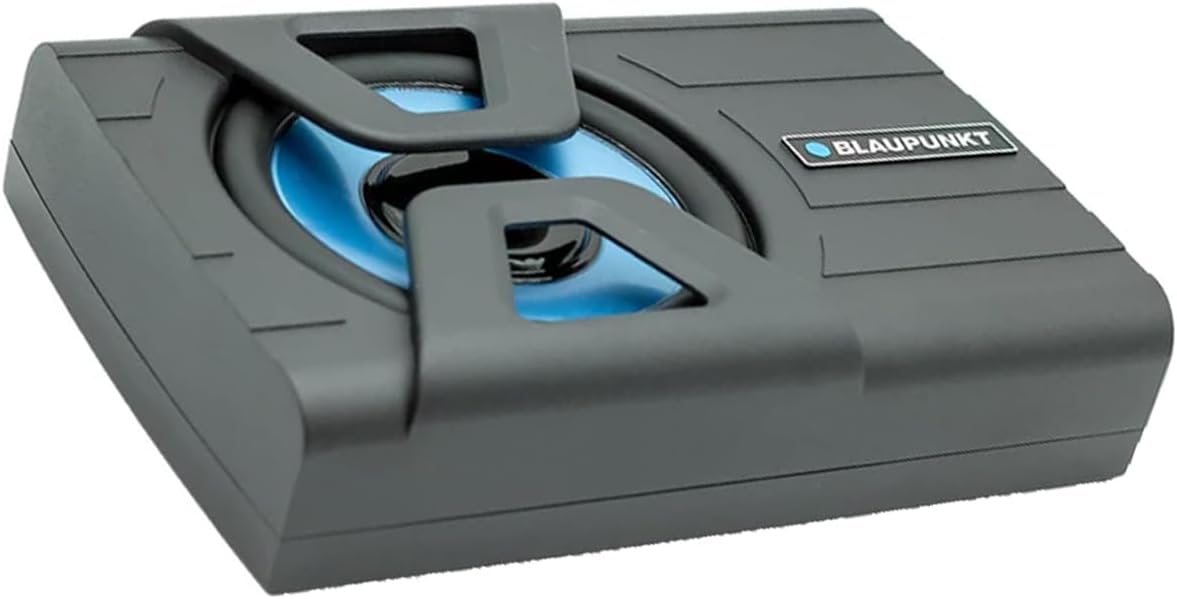
Figure 5: Blaupunkt GTHS80PRO Subwoofer.
- Placement: Position the slim subwoofer enclosure under a seat or in another suitable discreet location. Ensure adequate ventilation.
- Power Wiring: Use the complete amplifier installation kit.
- Connect the main power cable (typically red) from the kit to the vehicle's positive battery terminal, ensuring an inline fuse is installed close to the battery.
- Connect the ground cable (typically black) to a clean, unpainted metal surface on the vehicle's chassis.
- Connect the remote turn-on wire (typically blue) from the subwoofer to the remote output on the CALI 1000 receiver.
- Signal Connection: Connect the RCA cables from the subwoofer pre-out on the CALI 1000 receiver to the RCA inputs on the subwoofer.
- Initial Setup: After all connections are made, reconnect the vehicle's battery. Power on the CALI 1000 and adjust the gain, low-pass filter, and phase settings on the subwoofer for balanced sound.

Figure 6: Amplifier Installation Wiring Kit.
Operating Instructions
1. Basic Operation
- Power On/Off: Press the power button/knob to turn the unit on or off.
- Volume Control: Rotate the knob or use the touchscreen controls to adjust volume.
- Source Selection: Tap the "Source" icon on the touchscreen to select between AM/FM radio, Bluetooth Audio, USB, A/V Input, CarPlay/Android Auto, etc.
- Touchscreen Navigation: Swipe and tap on the 10.1" QLED display to navigate menus and settings.
2. Radio (AM/FM)
- Select "Radio" from the source menu.
- Use the seek/scan functions to find stations or manually tune.
- Save favorite stations to preset buttons.
3. Bluetooth Connectivity
- Pairing:
- On the CALI 1000, go to the Bluetooth settings menu.
- Enable Bluetooth on your mobile device and search for available devices.
- Select "Blaupunkt CALI 1000" from the list on your device. Confirm the pairing code if prompted.
- Hands-Free Calling: Once paired, you can make and receive calls directly through the receiver. Use the built-in microphone and car speakers.
- Audio Streaming: Stream music from your paired device to the CALI 1000.
4. Wireless Apple CarPlay & Android Auto
- Ensure your smartphone's Wi-Fi and Bluetooth are enabled.
- Connect your phone via Bluetooth to the CALI 1000.
- The system should automatically prompt you to launch CarPlay or Android Auto. Follow the on-screen instructions.
- Access navigation (GPS), music, messages, and other compatible apps directly from the receiver's touchscreen.
5. GPS Navigation
- The CALI 1000 features built-in GPS. Access the navigation application from the main menu.
- Ensure the GPS antenna is properly installed and has a clear view of the sky for accurate positioning.
- Map updates may be available through the manufacturer's website or authorized service centers.
6. Wi-Fi Connectivity
- The built-in Wi-Fi allows for internet connectivity, which is essential for features like wireless CarPlay/Android Auto and potential software updates.
- Go to Wi-Fi settings on the receiver, scan for available networks, and connect to your desired Wi-Fi hotspot (e.g., from your phone or a dedicated car hotspot).
Maintenance
- Cleaning the Screen: Use a soft, lint-free cloth to gently wipe the touchscreen. For stubborn smudges, slightly dampen the cloth with water or a screen-safe cleaner. Do not use abrasive cleaners or solvents.
- General Cleaning: Keep the unit and surrounding areas free from dust and debris.
- Software Updates: Periodically check the Blaupunkt website or contact support for available software updates to ensure optimal performance and access to new features.
- Cable Inspection: Regularly inspect all wiring for signs of wear, fraying, or loose connections. Address any issues promptly to prevent electrical problems.
Troubleshooting
| Problem | Possible Cause | Solution |
|---|---|---|
| No Power | Blown fuse; incorrect wiring; loose power connection. | Check vehicle's fuse box and inline fuse on power cable. Verify all power and ground connections are secure. |
| No Sound from Speakers | Incorrect speaker wiring; volume too low; mute function active; amplifier not powered (for subwoofer). | Check speaker wire polarity and connections. Increase volume. Deactivate mute. Ensure subwoofer amplifier has power and remote turn-on signal. |
| Subwoofer Not Working | No power to subwoofer; RCA cables disconnected; gain too low; low-pass filter setting incorrect. | Verify power, ground, and remote connections to the subwoofer. Check RCA cable connection. Adjust gain and LPF settings on the subwoofer. |
| Bluetooth Pairing Issues | Bluetooth not enabled; device not in pairing mode; interference. | Ensure Bluetooth is enabled on both devices. Put the CALI 1000 in pairing mode. Try restarting both devices. |
| CarPlay/Android Auto Not Launching | Wi-Fi/Bluetooth not connected; phone not compatible; software glitch. | Ensure stable Wi-Fi and Bluetooth connection. Verify phone compatibility. Restart the receiver and phone. |
| Poor GPS Signal | GPS antenna obstructed or improperly installed. | Ensure GPS antenna has a clear view of the sky and is securely connected. |
Specifications
| Component | Specification |
|---|---|
| Receiver (CALI 1000) |
|
| Speakers (BPS-E694) |
|
| Subwoofer (GTHS80PRO) |
|
| Wiring Kit | Complete Amplifier Install Kit |
| Speaker Wire | 50 Feet of 16-gauge Speaker Wire (Copper Clad Aluminum) |
| Item Weight | 2.02 pounds (for the entire package) |
| Manufacturer | Blaupunkt |
| UPC | 840440915997 |
Warranty and Support
Blaupunkt products are designed and manufactured to the highest quality standards. For information regarding warranty coverage, technical support, or service, please refer to the warranty card included with your product or visit the official Blaupunkt website. You may also contact your authorized dealer for assistance.
Online Resources: For additional support, FAQs, and product registration, please visit the Blaupunkt Store on Amazon or the official Blaupunkt website.


