
GOBOULT AirBass
GOBOULT Soniq AirBass Over-Ear Bluetooth Headphones User Manual
Model: AirBass | Brand: GOBOULT
1. Introduction
Thank you for choosing the GOBOULT Soniq AirBass Over-Ear Bluetooth Headphones. This manual provides essential information for setting up, operating, and maintaining your headphones to ensure optimal performance and longevity. Please read this manual thoroughly before use.
2. What's in the Box
- GOBOULT Soniq AirBass Over-Ear Headphones
- Type-C Charging Cable
- User Manual
- Warranty Card
- Ear Cushions (pre-installed)
3. Product Overview
Familiarize yourself with the components and controls of your GOBOULT Soniq AirBass headphones.

Image: Front view of the GOBOULT Soniq AirBass Over-Ear Bluetooth Headphones, showcasing their sleek black design and comfortable earcups.
Controls and Ports

Image: Close-up of the tactile button controls on the headphone earcup, indicating volume up/down and play/pause functions.
- Power Button: Located on the earcup, used for powering on/off and pairing.
- Volume Buttons (+/-): Adjusts audio volume.
- Multi-function Button: Controls play/pause, track skipping, and call management.
- EQ Mode Button: Cycles through various equalizer presets.
- Type-C Charging Port: For charging the headphones.
- 3.5mm AUX Port: For wired audio connection.
- Zen™ ENC Microphone: Integrated microphone for clear calls.

Image: Illustration highlighting the adjustable headband, foldable design, and movable earcups for enhanced comfort and portability.
4. Setup
4.1 Charging the Headphones
Before first use, fully charge your headphones. Use the provided Type-C charging cable.
- Connect the Type-C end of the charging cable to the headphone's charging port.
- Connect the USB-A end to a compatible USB power adapter (not included) or a computer's USB port.
- The LED indicator will show charging status (e.g., red for charging, blue/off for fully charged).

Image: The GOBOULT Soniq AirBass headphones connected to a Type-C charging cable, illustrating the fast charging capability.
A 10-minute charge provides approximately 8 hours of playtime. A full charge offers up to 70 hours of playtime.
4.2 Powering On/Off
- Power On: Press and hold the Power button for 3-5 seconds until the LED indicator flashes.
- Power Off: Press and hold the Power button for 3-5 seconds until the LED indicator turns off.
4.3 Bluetooth Pairing
The headphones support Bluetooth 5.4 for fast and stable connections.
- Ensure the headphones are powered off.
- Press and hold the Power button for approximately 5-7 seconds until the LED indicator flashes red and blue alternately, indicating pairing mode.
- On your device (smartphone, tablet, laptop), enable Bluetooth and search for available devices.
- Select "GOBOULT AirBass" from the list of devices.
- Once connected, the LED indicator will flash blue slowly or turn solid blue.

Image: Visual representation of the Bluetooth 5.4 Blink & Pair feature, emphasizing fast pairing and stable connection.
4.4 Dual Device Pairing
The headphones can connect to two devices simultaneously.
- Pair the headphones with the first device as described in section 4.3.
- Disable Bluetooth on the first device. The headphones will re-enter pairing mode.
- Pair the headphones with the second device.
- Re-enable Bluetooth on the first device. The headphones should automatically connect to both devices.
- You can now switch audio playback between the two connected devices.
4.5 Wired Connection (AUX)
For a wired connection, use a 3.5mm audio cable (not included).
- Connect one end of the 3.5mm audio cable to the AUX port on the headphones.
- Connect the other end to the 3.5mm audio jack of your device.
- The headphones will function in passive mode, even if powered off.

Image: The headphones illustrating the flexibility of use in both wireless Bluetooth mode and optional wired mode via a 3.5mm AUX cable.
5. Operating Instructions
5.1 Basic Audio Controls
- Play/Pause: Press the Multi-function button once.
- Volume Up: Press the '+' button.
- Volume Down: Press the '-' button.
- Next Track: Press and hold the '+' button.
- Previous Track: Press and hold the '-' button.
5.2 Call Management
The integrated Zen™ ENC Mic ensures clear communication by reducing environmental noise.

Image: Close-up of the Zen™ ENC Microphone, highlighting its features for ambient noise isolation and enhanced call clarity.
- Answer/End Call: Press the Multi-function button once.
- Reject Call: Press and hold the Multi-function button for 2 seconds.
- Redial Last Number: Double-press the Multi-function button.
5.3 EQ Modes
Customize your audio experience with multiple EQ modes.
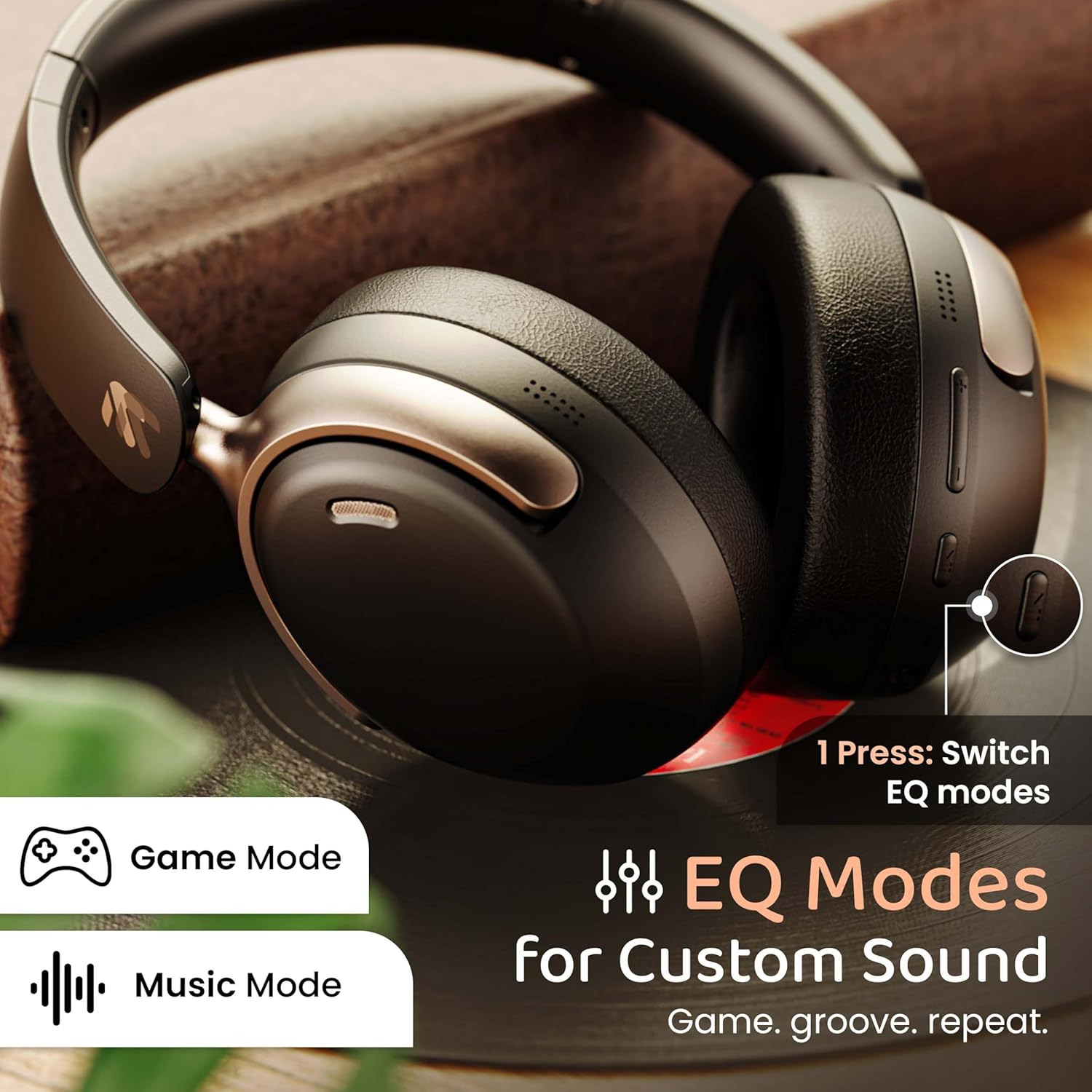
Image: The headphones with an overlay indicating different EQ modes like Game Mode and Music Mode, accessible via a single button press.
- Press the EQ Mode button to cycle through available sound profiles (e.g., Bass Boost, Balanced, Vocal, Gaming).
5.4 Voice Assistant
Activate your device's voice assistant (Siri, Google Assistant).
- Triple-press the Multi-function button to activate the voice assistant.
6. Maintenance
6.1 Cleaning
- Wipe the headphones with a soft, dry cloth.
- Do not use harsh chemicals or abrasive materials.
- Clean ear cushions gently to remove any buildup.
6.2 Storage
- Store the headphones in a cool, dry place away from direct sunlight and extreme temperatures.
- Utilize the foldable design for compact storage when not in use.
6.3 Water Resistance
The headphones are IPX5 water resistant, meaning they are protected against low-pressure water jets from any direction. This includes splash, rain, and sweat resistance.
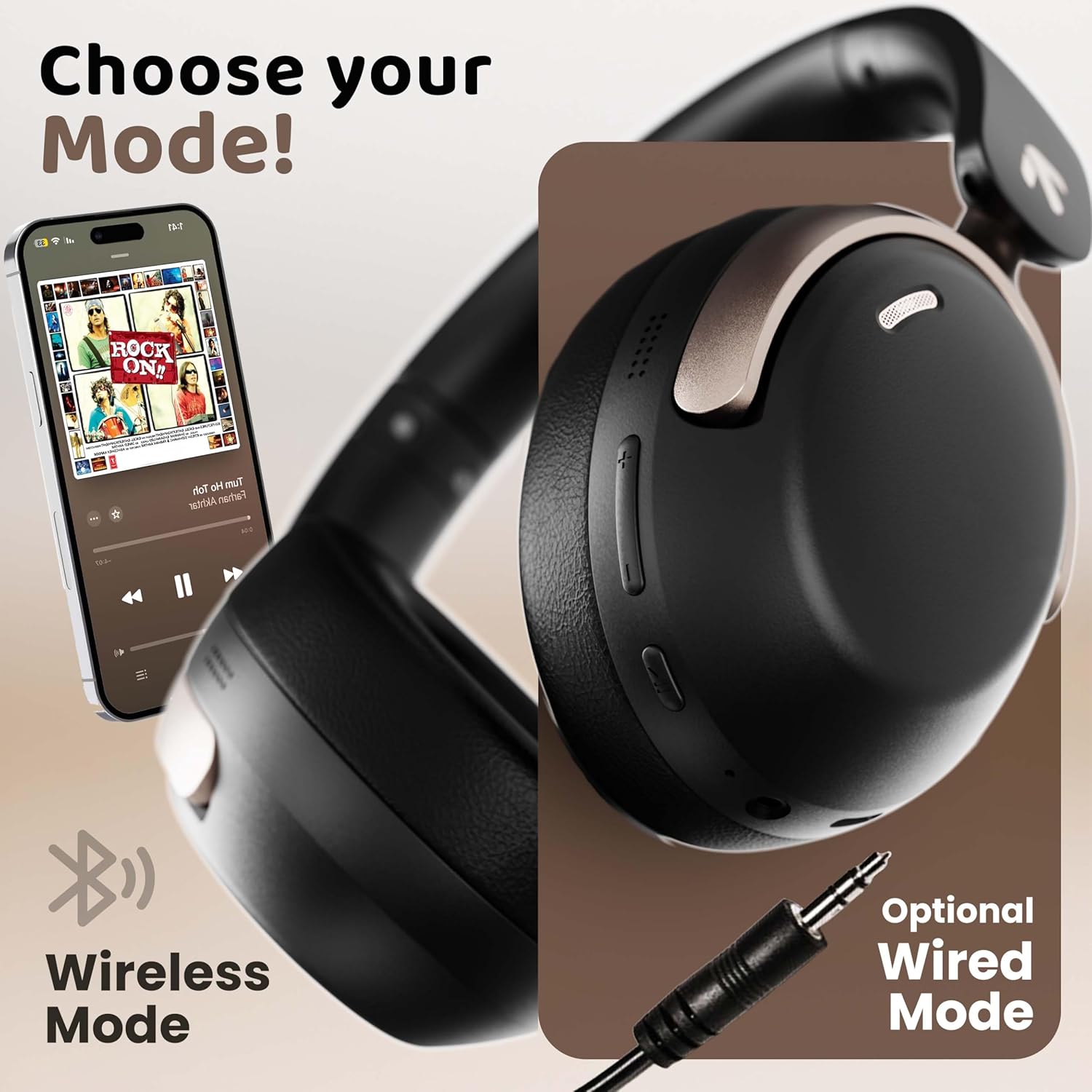
Image: The headphones displayed with icons indicating IPX5 water resistance, signifying splash, rain, and sweat proof capabilities.
Do not submerge the headphones in water or expose them to high-pressure water streams.
7. Troubleshooting
| Problem | Possible Cause | Solution |
|---|---|---|
| Headphones do not power on | Low battery | Charge the headphones fully. |
| Cannot pair with device | Headphones not in pairing mode; Bluetooth off on device; device too far | Ensure headphones are in pairing mode (flashing red/blue). Turn on Bluetooth on your device. Move device closer to headphones (within 10 meters). |
| No sound or low volume | Volume too low; incorrect audio output; headphones not connected | Increase headphone and device volume. Check Bluetooth connection. Ensure correct audio output is selected on your device. |
| Poor call quality | Microphone obstructed; environmental noise; weak signal | Ensure microphone is clear. Move to a quieter environment. Check Bluetooth connection stability. |
| Intermittent connection | Interference; device too far; low battery | Move away from sources of interference (Wi-Fi routers, other Bluetooth devices). Keep device within 10 meters. Charge headphones. |
8. Specifications
| Feature | Detail |
|---|---|
| Model Name | AirBass |
| Connectivity Technology | Bluetooth, Wired (AUX) |
| Wireless Communication Technology | Bluetooth 5.4 |
| Bluetooth Range | 10 Meters |
| Audio Driver Size | 40 Millimeters |
| Audio Driver Type | Dynamic Driver |
| Audio Latency | 60 Milliseconds (Gaming Mode) |
| Noise Control | Environmental Noise Cancellation (ENC) |
| Battery Life | Up to 70 Hours |
| Charging Port | Type-C Fast Charging |
| Water Resistance Level | IPX5 |
| Earpiece Shape | Over Ear |
| Material | Memory Foam, Plastic |
| Item Weight | 227 Grams |
| Product Dimensions | 17 x 5.5 x 19 cm |
| Special Features | Multipoint Pairing, Customizable EQ Modes, Voice Assistant Support |
9. Warranty and Support
9.1 Manufacturer Warranty
The GOBOULT Soniq AirBass Over-Ear Bluetooth Headphones come with a 1-year manufacturer warranty from the date of purchase. This warranty covers manufacturing defects and ensures the reliability of your product.
Please retain your proof of purchase for warranty claims.
9.2 Customer Support
For any queries, technical assistance, or warranty claims, please contact GOBOULT customer support through the official website or the contact information provided on your warranty card.
You may also refer to the official GOBOULT store on Amazon for additional product information and support resources: GOBOULT Store
Ask a question about this manual
Ask about setup, troubleshooting, compatibility, parts, safety, or missing instructions. Manuals+ will review the question and use this page’s manual context to help answer it.