
URPOWER Waterless Nebulizing Scent Diffuser UR1006 Instruction Manual
Model: UR1006
1. Introduction
The URPOWER Waterless Nebulizing Scent Diffuser is designed to disperse essential oils into the air without the need for water or heat. This device utilizes cold-air diffusion technology to create a consistent fragrance experience in spaces up to 3000 square feet. It features smart app control, on-device settings, and options for HVAC integration or standalone use.
This manual provides instructions for the safe and efficient operation, setup, and maintenance of your URPOWER Nebulizing Scent Diffuser.
2. Product Features
- 3000 Sq.Ft Whole-Room Coverage: Powerful cold-air diffusion for large areas, including homes, hotel lobbies, and offices. HVAC-ready with included adapters.
- Smart App + On-Device Control: Customize schedules, mist intensity, and work/rest cycles via iOS/Android app or directly on the device.
- Pro-Grade Security & Even Diffusion: Lockable oil cartridge prevents tampering. HVAC integration ensures uniform scent distribution.
- Upgraded Waterless Cold-Air Technology: Nebulizes oils into ultra-fine particles for fast, full-strength aroma without heat or water, minimizing residue.
- Quiet Operation & Lower Maintenance: Designed for low noise and clean, residue-free performance. 300 ml oil lasts approximately 60 days at 8 hours/day on a mid-setting. Includes dual atomizer cores and supports wall mount and HVAC use.
3. Safety Information
Please read all safety instructions before operating the device. Failure to follow these instructions may result in electric shock, fire, or injury.
- Keep the device out of reach of children and pets.
- Use only essential oils specifically designed for nebulizing diffusers. Do not use diluted oils or water.
- Ensure the device is placed on a stable, flat surface or securely mounted.
- Do not block the air outlet or inlet during operation.
- Unplug the device before cleaning or when not in use for extended periods.
- Do not attempt to disassemble or repair the device yourself. Contact customer support for assistance.
4. Product Overview
The URPOWER Nebulizing Scent Diffuser is a sleek, wall-mountable or desktop unit designed for efficient scent dispersion.
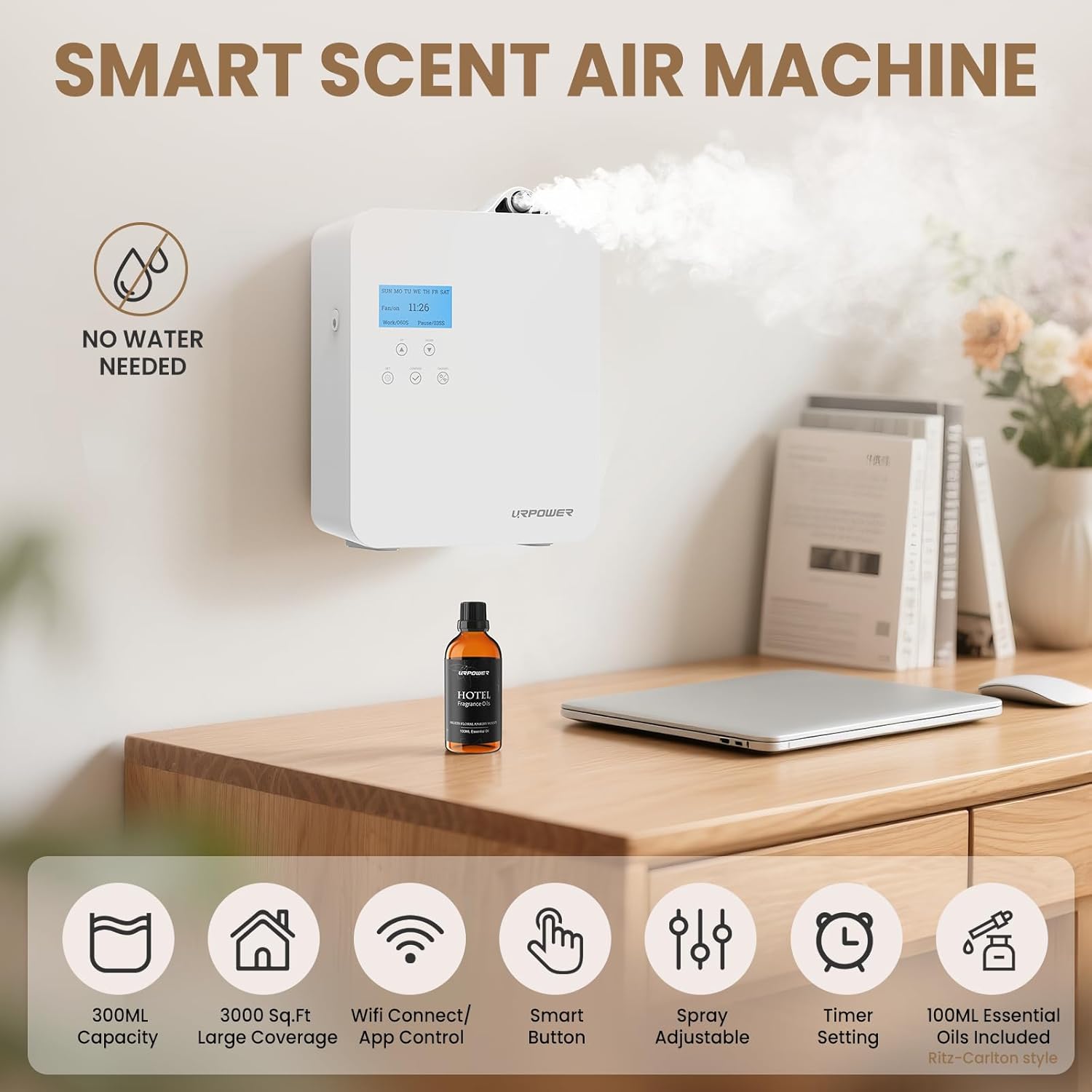
Image: The URPOWER Waterless Nebulizing Scent Diffuser, highlighting its waterless operation and smart features.
5. Setup
5.1 Initial Setup and Oil Installation
- Step 1: Pull out the empty oil bottle from the device.
- Step 2: Remove the bottle and add your desired essential oils.
- Step 3: Screw the bottle tightly back into the atomizer and place it back into the device.
- Step 4: Lock the oil bottle into place if security is required.
- Step 5: Plug in the power adapter and turn on the device. Remove any protective film from the display.

Image: Visual guide for installing the essential oil bottle.
5.2 HVAC System Connection
For whole-home or whole-building scenting, the diffuser can be connected to your HVAC system using the included adapters. Consult a professional for proper installation to ensure optimal and safe integration.

Image: The diffuser integrated with an HVAC system for wide area coverage.
5.3 Smart App Connection
- Step 1: Connect your phone to a 2.4GHz Wi-Fi network (5GHz networks are not supported) and ensure your phone's Bluetooth is on.
- Step 2: Long press the Wi-Fi button on the machine for 3 seconds until the Wi-Fi indicator flashes.
- Step 3: Open the URPOWER app, click 'Add a device' and follow the on-screen instructions to add the diffuser.
- Step 4: Select the device (e.g., 'Smart Aromatherapy_IFF4'), enter your Wi-Fi password, and confirm the connection.

Image: Instructions for connecting the diffuser to the mobile application.
6. Operation
6.1 Basic Setting Tips (Video Guide)
Video: A demonstration of how to adjust the basic settings on the URPOWER Nebulizing Scent Diffuser, including time, working mode, and fan settings.
6.2 Setting Work/Pause Cycles
The diffuser allows you to set specific work and pause times to control scent intensity and oil consumption. This can be done via the device's control panel or the mobile app.
- Work Time: The duration the diffuser actively disperses scent (e.g., 10 seconds).
- Pause Time: The duration the diffuser remains idle between scent bursts (e.g., 60 seconds).
- Adjust these settings to match your preference and room size. A typical mid-setting uses approximately 0.63 ml/hour.
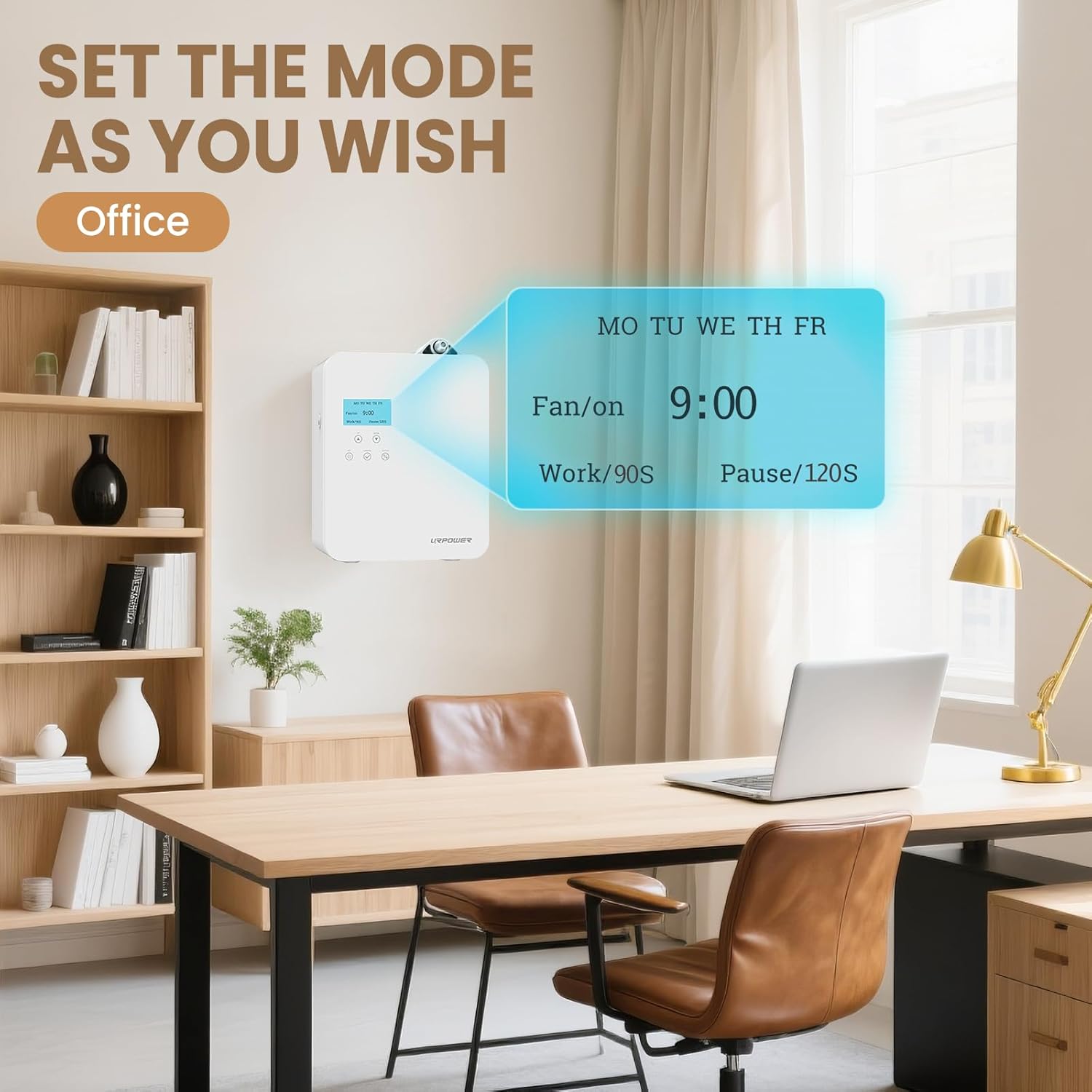
Image: Example of setting a schedule for office environments.

Image: Example of setting a schedule for home environments.
7. Maintenance
7.1 Cleaning the Oil Bottle and Atomizer
Regular cleaning ensures optimal performance and extends the lifespan of your diffuser. Clean the oil bottle and atomizer when changing essential oils or if the device will not be used for an extended period.
- Unplug the device from the power source.
- Remove the oil bottle from the device.
- Empty any remaining essential oil from the bottle.
- Clean the bottle and atomizer with a small amount of rubbing alcohol. Swirl the alcohol inside the bottle and run the diffuser with alcohol for a few minutes to clean the atomizer.
- Rinse thoroughly and allow to air dry completely before refilling with new essential oil.
7.2 Atomizer Core Replacement
The diffuser includes dual atomizer cores for long-term reliability. If you notice a decrease in scent output or a change in diffusion quality, the atomizer core may need replacement. Refer to the product packaging or contact customer support for replacement instructions and parts.
8. Troubleshooting
If you encounter issues with your URPOWER Nebulizing Scent Diffuser, please refer to the following common troubleshooting steps:
- No Scent Output:
- Check if the oil bottle is correctly installed and contains essential oil.
- Ensure the atomizer core is clean and not clogged.
- Verify the device is powered on and the work cycle is active.
- Device Not Turning On:
- Confirm the power adapter is securely plugged into both the device and a working power outlet.
- Check for any damage to the power cord.
- App Connection Issues:
- Ensure your phone is connected to a 2.4GHz Wi-Fi network.
- Restart your phone and the diffuser.
- Try resetting the Wi-Fi connection on the diffuser as per Section 5.3.
For further assistance, please contact URPOWER customer support.
9. Specifications
| Brand | URPOWER |
| Model Number | UR1006 |
| Color | White |
| Capacity | 300 Milliliters |
| Floor Area Coverage | 3000 Square Feet |
| Item Weight | 1.62 Kilograms |
| Automatic Shutoff | No |
10. Warranty and Support
URPOWER products are manufactured with high-quality standards. For warranty information, product support, or to purchase replacement parts, please visit the official URPOWER website or contact their customer service department.
Please retain your proof of purchase for any warranty claims.