
Introduction
This manual provides detailed instructions for the operation, maintenance, and troubleshooting of your taopodo M13 Portable Bluetooth Speaker. Please read this manual thoroughly before using the product to ensure proper function and longevity.

Image: taopodo M13 Portable Bluetooth Speaker, highlighting its IPX7 waterproof rating and colorful RGB lighting on the speaker ends and control buttons.
What's in the Box
Verify that all items are present in the package:
- 1 x Portable Bluetooth Speaker (taopodo M13)
- 1 x Type-C Charging Cable
- 1 x Nylon Lanyard
- 1 x Owner's Manual (this document)
Product Features
The taopodo M13 Portable Bluetooth Speaker is designed with several key features for an enhanced audio experience:
High Fidelity 360° Stereo Sound
The speaker features a high fidelity 360° stereo design, providing a three-dimensional and impactful sound experience. It utilizes advanced audio processing technology to reproduce music details accurately, ensuring balanced and clear sound from various listening positions. The 30W dual speaker system with two 55mm drivers delivers full and balanced audio across deep bass, delicate midrange, and thick treble frequencies.
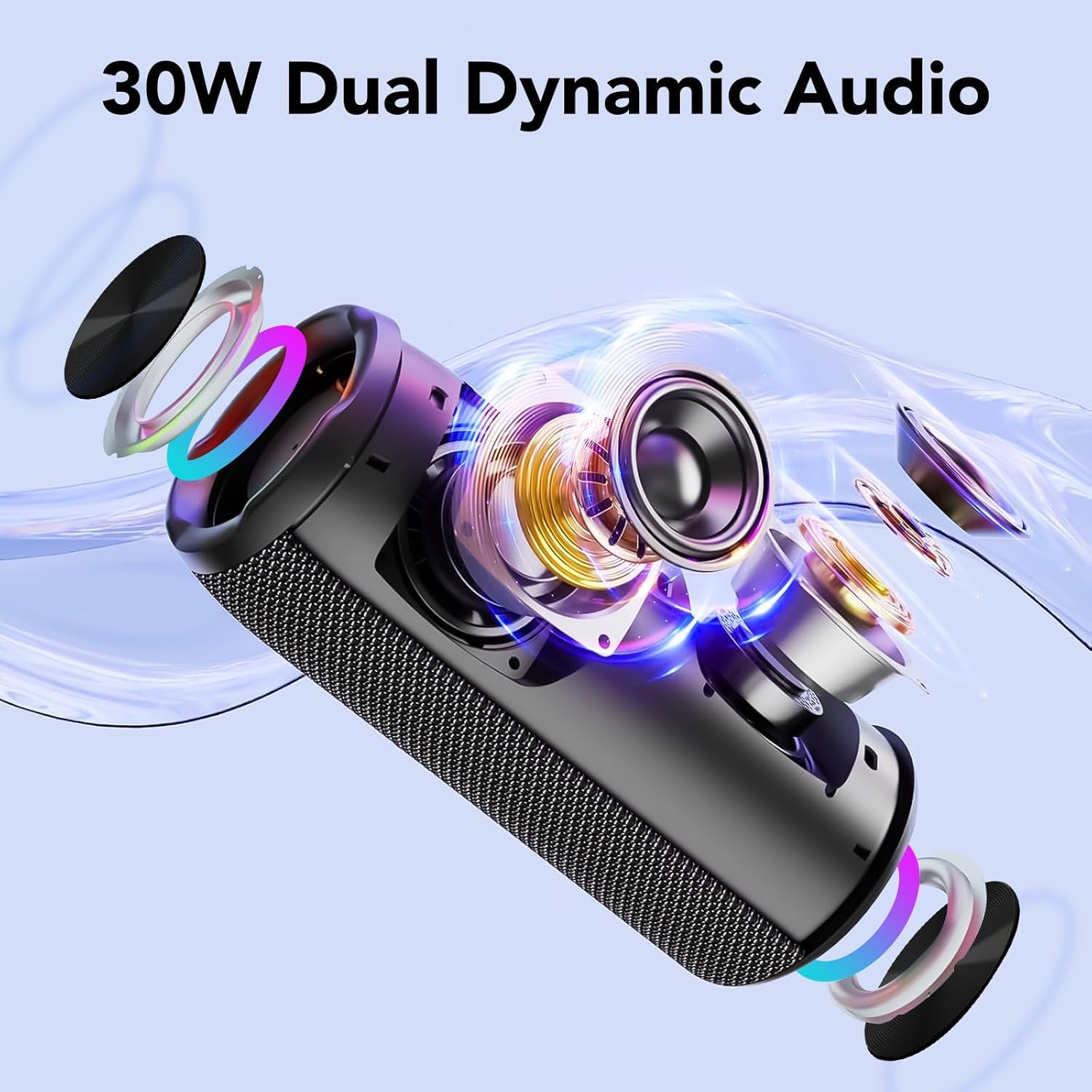
Image: An exploded view of the taopodo M13 speaker, illustrating its internal components for 30W dual dynamic audio output.
Bluetooth 5.4 Connectivity and Long Playtime
Equipped with the latest Bluetooth 5.4 technology, the speaker offers a stable wireless connection up to 100 feet, minimizing audio stuttering and delays. A 4000mAh large-capacity battery provides over 40 hours of playtime on a single charge, with a standby time of up to 1 year. Fast charging is supported.

Image: A composite image highlighting key features: Bluetooth 5.4 for improved connectivity, IPX7 waterproof rating, and a built-in microphone for calls.

Image: A group of people enjoying music with the taopodo M13 speakers, illustrating the extended 30-hour operating time.
TWS Wireless Pairing
Two taopodo M13 speakers can be paired wirelessly to create a true stereo HIFI sound experience, providing immersive audio from all directions.

Image: Two taopodo M13 speakers demonstrating TWS (True Wireless Stereo) pairing, creating a wider soundstage for an immersive audio experience.
RGB Color Light Show
The speaker features dynamic colorful RGB lights that synchronize with the music beat, enhancing the atmosphere for parties or casual listening. These lighting effects are designed to complement the audio experience.
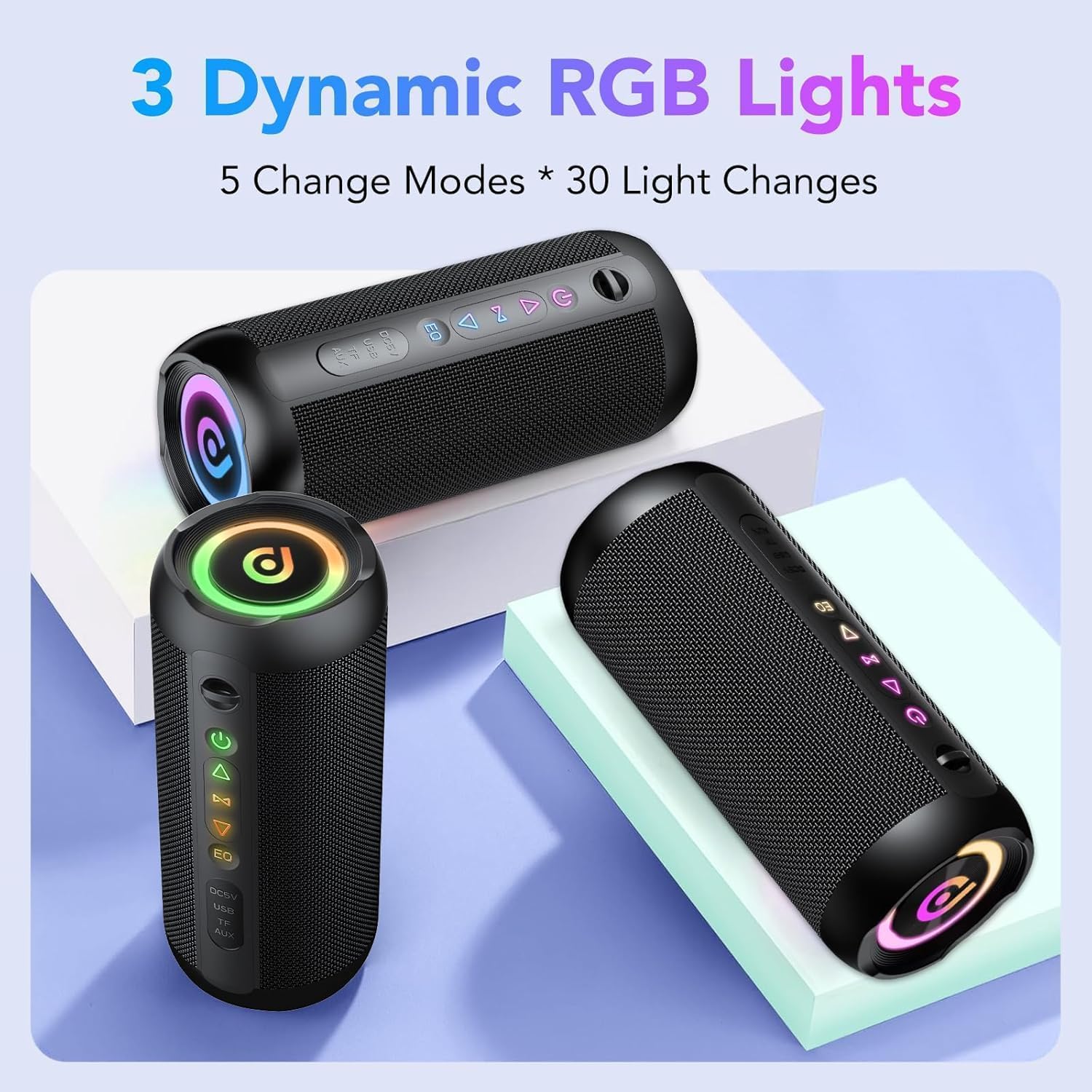
Image: Multiple taopodo M13 speakers displaying their dynamic RGB lighting, which offers 5 change modes and 30 light changes.
IPX7 Waterproof and Durable Design
The speaker has an IPX7 waterproof rating, protecting it from rain and allowing normal operation in various outdoor conditions. Constructed with high-quality materials, it is designed for stability and durability across different usage scenarios, including camping, parties, and travel.

Image: The taopodo M13 speaker being splashed with water, visually confirming its IPX7 waterproof capability.

Image: The taopodo M13 speaker attached to a backpack, illustrating its portability and suitability for outdoor use, featuring a durable nylon shell and portable lanyard.
Multiple Connectivity Options
In addition to Bluetooth, the speaker supports TF Card, AUX-in, and Type-C connections for versatile audio input. It also includes a built-in microphone for voice calls and hands-free communication.

Image: A detailed view of the taopodo M13 speaker's input ports, including TF Card, AUX-in, and Type-C, demonstrating its versatile connectivity options.
EQ Modes
The speaker offers three EQ modes: Bass, Treble, and Vocals, allowing users to customize the sound profile to their preference.

Image: A close-up of the speaker's control panel, illustrating the EQ button and the three distinct music modes: Bass, Treble, and Vocals, designed to meet different audio preferences.
Product Overview Video
Video: An official product video showcasing the taopodo M13 Portable Bluetooth Speaker's features, including sound quality, battery life, waterproof design, and TWS pairing capabilities.
Setup
Charging the Speaker
Before first use, fully charge the speaker. Connect the provided Type-C charging cable to the speaker's Type-C port and the other end to a USB power adapter (not included). The charging indicator light will show charging status.
- Charging Time: Approximately 3-4 hours for a full charge.
- Battery Indicator: Refer to the LED lights on the control panel for battery status.
Power On/Off
- Power On: Press and hold the Power button (⏻) for 2 seconds. The speaker will emit a power-on tone and the RGB lights will illuminate.
- Power Off: Press and hold the Power button (⏻) for 2 seconds. The speaker will emit a power-off tone and the lights will turn off.
Bluetooth Pairing
- Ensure the speaker is powered on and in Bluetooth pairing mode (indicated by flashing RGB lights).
- On your device (smartphone, tablet, computer), enable Bluetooth and search for available devices.
- Select "taopodo M13" from the list of devices.
- Once connected, the speaker will emit a confirmation tone, and the RGB lights will stop flashing and remain solid.
The speaker will automatically attempt to reconnect to the last paired device when powered on.
TWS (True Wireless Stereo) Pairing
To achieve true wireless stereo sound, you can pair two taopodo M13 speakers together:
- Ensure both speakers are powered on and not connected to any Bluetooth device.
- On one speaker (this will be the primary speaker), double-press the TWS button (often integrated with the Play/Pause button, or a dedicated TWS icon). The speaker will enter TWS pairing mode.
- The primary speaker will search for the secondary speaker. Once connected, both speakers will emit a confirmation tone.
- Now, connect your device to the primary speaker via Bluetooth as described in the "Bluetooth Pairing" section. Audio will play through both speakers in stereo.
To disconnect TWS, double-press the TWS button on either speaker.
Operating Instructions
Familiarize yourself with the control buttons on your taopodo M13 speaker:

Image: A detailed diagram of the taopodo M13 speaker's control buttons, showing their respective functions for single press and long press actions.
| Button | Action | Function |
|---|---|---|
| Power (⏻) | Press and hold for 2s | Power On/Off |
| Single press | Toggle RGB Light Mode (5 modes) | |
| Double press | Turn RGB Lights On/Off | |
| EQ | Single press | Cycle through EQ Modes (Bass, Treble, Vocals) |
| Play/Pause (⏸) | Single press | Play/Pause music |
| Double press | Initiate TWS Pairing (when not connected to Bluetooth) | |
| Volume Down (-) / Previous Track (⏮) | Single press | Decrease Volume |
| Press and hold for 2s | Previous Track | |
| Volume Up (+) / Next Track (⏭) | Single press | Increase Volume |
| Press and hold for 2s | Next Track | |
| Call Button (often integrated with Play/Pause or a dedicated phone icon) | Single press | Answer/End Call |
| Press and hold for 2s | Reject Call |
Using AUX-in Mode
Connect an audio device to the speaker's AUX port using a 3.5mm audio cable (not included). The speaker will automatically switch to AUX mode. Control playback from your connected device.
Using TF Card Mode
Insert a TF (MicroSD) card with audio files into the TF card slot. The speaker will automatically switch to TF card mode and begin playing music. Use the speaker's control buttons for playback navigation.
Maintenance
- Cleaning: Use a soft, dry cloth to clean the speaker's surface. Do not use abrasive cleaners or solvents.
- Water Exposure: While IPX7 waterproof, ensure the charging port cover is securely closed before exposing the speaker to water. Do not submerge the speaker for extended periods or expose it to high-pressure water jets. After water exposure, wipe the speaker dry before charging.
- Storage: Store the speaker in a cool, dry place away from direct sunlight and extreme temperatures.
- Battery Care: To prolong battery life, charge the speaker at least once every three months if not used regularly. Avoid fully discharging the battery frequently.
Troubleshooting
| Problem | Possible Cause | Solution |
|---|---|---|
| Speaker does not power on. | Low battery. | Charge the speaker fully. |
| Power button not held long enough. | Press and hold the Power button for 2 seconds. | |
| No sound. | Volume too low on speaker or device. | Increase volume on both the speaker and your connected device. |
| Speaker not paired/connected. | Ensure Bluetooth is connected or AUX/TF card is properly inserted. | |
| Bluetooth pairing fails. | Speaker is too far from device. | Move speaker closer to your device (within 100 feet). |
| Interference from other devices. | Turn off other Bluetooth devices nearby. | |
| Device's Bluetooth list needs refresh. | Forget "taopodo M13" on your device and re-pair. | |
| TWS pairing fails. | Speakers already connected to other devices. | Disconnect both speakers from any Bluetooth devices before initiating TWS pairing. |
| Sound distortion. | Volume too high. | Reduce volume on speaker or connected device. |
| Low battery. | Charge the speaker. |
If the issue persists, please contact customer support.
Specifications
| Feature | Detail |
|---|---|
| Model Name | M13 |
| Brand | taopodo |
| Speaker Type | Outdoor |
| Connectivity Technology | Bluetooth 5.4 |
| Bluetooth Range | Up to 100 feet (approx. 30 meters) |
| Speaker Maximum Output Power | 30 Watts |
| Speaker Size | 55 Millimeters (drivers) |
| Audio Output Mode | Stereo (2.0 channel) |
| Frequency Response | 16000 Hz (upper limit, typical for portable speakers) |
| Signal-to-Noise Ratio | 85 dB |
| Power Source | Battery Powered (4000mAh) |
| Playtime | Up to 40 hours (at 20% volume with lights off) |
| Waterproof Rating | IPX7 |
| Product Dimensions | 2.5"D x 1.9"W x 2.5"H |
| Item Weight | 1.68 pounds |
| Included Components | Speaker, Type-C Charging Cable, Nylon Lanyard, Owner's Manual |
| Special Features | Built-in Microphone, Dustproof, LED Light, Lightweight, Shockproof, Stereo Pairing (TWS), USB Port, Waterproof, EQ Modes |
Warranty and Support
Limited Warranty
The taopodo M13 Portable Bluetooth Speaker comes with a limited warranty. Please refer to the warranty card included in your package or contact taopodo customer support for specific terms and conditions regarding warranty coverage and duration.
Customer Support
For any questions, technical assistance, or warranty claims, please contact taopodo customer support through the contact information provided on the product packaging or the official taopodo website. When contacting support, please have your product model (M13) and purchase details ready.
