
1. Product Overview
The TCL 60 5G is a smartphone designed for advanced mobile communication and multimedia experiences. It features a large NXTVISION display, a versatile camera system, and robust performance capabilities, including 5G connectivity.

Figure 1.1: Front and back view of the TCL 60 5G smartphone, showcasing its design and camera module.
2. Initial Setup
2.1. Unboxing and Package Contents
Carefully remove all items from the packaging. Ensure the following components are present:
- TCL 60 5G Smartphone
- 2 x USB-C Cables
- User Manual (this document)
2.2. Charging the Device
Before first use, it is recommended to fully charge the device. Connect one end of the provided USB-C cable to the phone's USB-C port and the other end to a compatible 18W fast charger (not included) or a computer's USB port. The battery indicator on the screen will show charging progress.
2.3. Inserting SIM Cards
The TCL 60 5G supports Dual SIM functionality (1 physical SIM + eSIM). Locate the SIM card tray on the side of the device. Use the SIM ejector tool (not included) to open the tray. Insert your Nano-SIM card into the designated slot. For eSIM activation, refer to your mobile carrier's instructions.

Figure 2.1: Side view of the TCL 60 5G, illustrating the placement of the power and volume buttons, and the SIM card tray.
3. Operating Your Smartphone
3.1. Power On/Off and Screen Navigation
To power on, press and hold the Power button until the TCL logo appears. To power off, press and hold the Power button, then select "Power off" from the options. Navigate the Android 15 operating system using touch gestures on the 6.8-inch HD+ display.

Figure 3.1: Front view of the TCL 60 5G, highlighting its 6.8-inch HD+ NXTVISION display.
3.2. Display Features: NXTVISION and 120Hz
The device features NXTVISION technology for enhanced visual comfort and a 120Hz refresh rate for smoother scrolling and animations. These settings can be adjusted in the display settings menu to optimize your viewing experience.
3.3. Camera Usage
The TCL 60 5G is equipped with a dual camera system: a 50MP Hybrid main lens with integrated Macro functionality and a 5MP Ultra-Wide lens. The front camera is 8MP. Open the Camera application to access various modes, including HDR and AI scene recognition for optimized photo quality.

Figure 3.2: Rear view of the TCL 60 5G, showcasing the 50MP Hybrid dual camera setup.
3.4. Connectivity and Performance
This smartphone supports 5G networks for ultra-fast internet speeds. It comes with 256GB of internal storage and 16GB of RAM (6GB physical + 10GB RAM Expansion) for smooth multitasking. Storage can be expanded up to 2TB via Micro-SD card (not included). The device runs on Android 15, powered by a Mediatek Dimensity 6300 chipset.
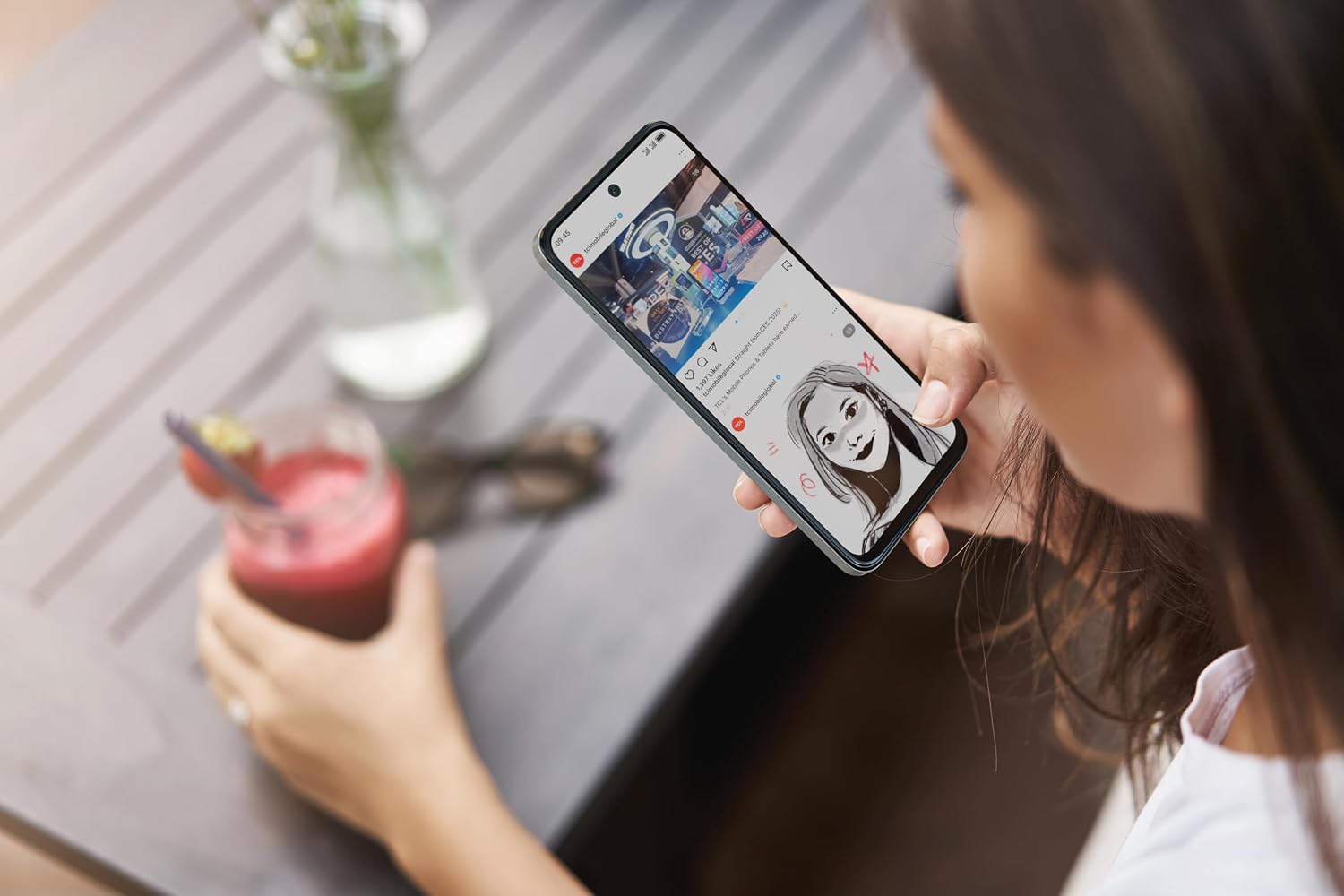
Figure 3.3: A user interacting with the TCL 60 5G smartphone, demonstrating its use in a typical setting.
4. Maintenance and Care
4.1. Battery Care
The 5200mAh battery provides extended usage. To prolong battery life, avoid extreme temperatures, do not overcharge, and use the provided or certified charging accessories. The 18W fast charge feature allows for quick power replenishment.
4.2. Cleaning Your Device
Use a soft, lint-free cloth to clean the screen and body of the phone. Avoid using harsh chemicals or abrasive materials that could damage the finish or screen coating.
4.3. Software Updates
Regularly check for and install software updates to ensure optimal performance, security, and access to new features. Updates are typically found in the device's settings menu under "System" or "Software Update."
5. Troubleshooting Common Issues
This section addresses common issues you might encounter with your TCL 60 5G smartphone.
- Device not powering on: Ensure the battery is charged. Connect the charger and wait a few minutes before attempting to power on again.
- Screen unresponsive: Try restarting the device by holding the Power button for an extended period (e.g., 10-15 seconds) until it reboots.
- Poor network signal: Check your SIM card insertion. Move to an area with better network coverage. Ensure mobile data is enabled in settings.
- Apps crashing: Clear the cache of the problematic app in settings, or reinstall the app. Ensure your device software is up to date.
- Battery draining quickly: Reduce screen brightness, disable unnecessary background apps, turn off Wi-Fi/Bluetooth when not in use, and check for power-intensive apps in battery usage settings.
If issues persist, consider performing a factory reset (note: this will erase all data on your device, back up important information first) or contact customer support.
6. Technical Specifications
| Feature | Specification |
|---|---|
| Model Name | BUN.TCL 60 6/256 5G BLU+USB |
| Display Size | 6.8 Pollici |
| Display Resolution | 720 x 1440 HD+ with NXTVISION, 120Hz |
| Operating System | Android 15 |
| RAM | 16GB (6GB physical + 10GB RAM Expansion) |
| Internal Storage | 256GB (Expandable up to 2TB with Micro-SD) |
| Rear Camera | 50MP Hybrid (Macro integrated) + 5MP Ultra-Wide |
| Front Camera | 8MP |
| Battery Capacity | 5200mAh |
| Charging | 18W Fast Charge |
| Connectivity | 5G, Dual SIM (1 SIM + eSIM) |
| Processor | Mediatek Dimensity 6300 (CPU: 2x A76+6x A55, GPU: G57 MC2) |
| Dimensions (Package) | 18 x 9.3 x 4.2 cm |
| Weight (Package) | 390 grams |
| Country of Origin | China |
7. Warranty and Support
7.1. Warranty Information
This product is covered by a manufacturer's warranty. Please refer to the warranty card included in your product packaging or visit the official TCL website for detailed terms and conditions regarding warranty coverage and duration.
7.2. Customer Support
For technical assistance, troubleshooting, or service inquiries, please contact TCL customer support. You can find contact information on the official TCL website or through the brand's Amazon store page: TCL Official Store on Amazon.
No official product videos from the seller were found to be included in this manual.


