
1. Important Safety Information
Please read and understand this entire manual before attempting to assemble, operate, or install the product. Failure to follow these instructions could result in electric shock, fire, or serious personal injury.
- All electrical connections must be in accordance with local codes, ordinances, or national electrical codes. If you are unfamiliar with wiring, consult a qualified electrician.
- Ensure the installation site allows the fan blades to rotate without obstruction. A minimum clearance of 7 feet from the floor to the blade trailing edge is recommended.
- Turn off power at the circuit breaker or fuse box before beginning installation to prevent electrical shock.
- The outlet box and support structure must be securely mounted and capable of reliably supporting a minimum of 35 lbs (15.9 kg). Use only UL Listed outlet boxes marked "Acceptable for Fan Support of 35 lbs (15.9 kg) or less."
- Do not operate the fan with damaged power cords or plugs.
- Do not insert objects into the fan blades while the fan is operating.
- This fan is intended for indoor use only.
2. Package Contents
Verify that all components are present before beginning installation. If any parts are missing or damaged, contact customer service.

Image: The Fanbulous 60 Inch Ceiling Fan shown with its remote control, various downrod lengths, and fan blades, illustrating the complete package contents.
- Ceiling Fan Motor Assembly
- Fan Blades (6 pieces)
- Downrods (4-inch, 8-inch, 12-inch options)
- Mounting Bracket
- Canopy
- Remote Control with Wall Cradle
- LED Light Kit
- Hardware Pack (screws, washers, wire nuts)
- User Manual
3. Specifications
| Feature | Specification |
|---|---|
| Brand | Fanbulous |
| Color | Black |
| Electric Fan Design | Ceiling Fan |
| Power Source | DC Motor |
| Style | Farmhouse |
| Product Dimensions | 26.8"D x 11.3"W x 7.9"H |
| Room Type | Bedroom, Dining Room, Home Office, Kitchen, Living Room |
| Special Feature | Adjustable Height, LED Light, Quiet Operation, Remote Controlled, Timer |
| Recommended Uses | Air Circulation, Cooling |
| Noise Level | 35 dB |
| Number of Blades | 6 |
| Included Components | Cord, Light Kit, Remote |
| Indoor/Outdoor Usage | Indoor |
| Control Method | Remote |
| Size | 60 Inch |
| Item Weight | 18.96 pounds |
| Batteries | 2 AAA batteries required (included) |
| Date First Available | May 26, 2025 |

Image: Diagram illustrating the 60-inch fan dimensions and various mounting options for low, high, and slanted ceilings (up to 15 degrees).
4. Setup & Installation
Professional installation is recommended if you are not experienced with electrical wiring.
4.1 Pre-Installation Checks
- Ensure power is disconnected at the circuit breaker.
- Confirm the ceiling joist or support structure can hold the fan's weight.
- Gather all necessary tools: screwdriver, wire strippers, ladder, etc.
4.2 Mounting Bracket Installation
- Attach the mounting bracket to the ceiling outlet box using the provided screws and washers. Ensure it is securely fastened.
4.3 Downrod and Fan Assembly
- Select the appropriate downrod length (4", 8", or 12") for your ceiling height.
- Feed the motor wires through the chosen downrod.
- Secure the downrod to the fan motor assembly with the provided pin and clip.
- Carefully lift the fan assembly and hang it on the mounting bracket hook.
4.4 Electrical Wiring
- Connect the fan's electrical wires to the house wiring according to the wiring diagram in the full manual (typically black to black, white to white, and green/bare copper to ground). Use wire nuts to secure connections.
- Ensure all connections are tight and insulated.
4.5 Canopy and Blade Attachment
- Slide the canopy up and secure it to the mounting bracket with screws.
- Attach each fan blade to the motor housing using the provided screws. Ensure they are firmly attached.

Image: Close-up view of the double-sided fan blades, showcasing both the walnut wood-grain finish and the matte black finish, allowing for style customization.
4.6 Light Kit Installation
- Connect the light kit wires to the fan motor wires.
- Secure the light kit to the bottom of the fan motor housing.

Image: Detailed views of the fan's components, including the petal-shaped lampshade design, the 24W integrated LED light, and the quiet reversible DC motor.
4.7 Remote Control Pairing
- Install 2 AAA batteries into the remote control.
- Restore power to the fan at the circuit breaker.
- Within 30 seconds of restoring power, press and hold the 'Light' button on the remote control for 5 seconds until you hear a beep, indicating successful pairing.
5. Operating Instructions
The fan is operated using the included remote control.

Image: The remote control displaying buttons for 6 wind speeds, 3 color temperature adjustments, reversible DC motor, timer settings (1/4/8 hours), and natural wind mode.
5.1 Remote Control Functions
- Power On/Off: Press the power button to turn the fan on or off.
- Fan Speed: Use buttons 1-6 to adjust the fan speed. '1' is the lowest speed, '6' is the highest.
- Light On/Off: Press the light button to turn the LED light on or off.
- Light Color Temperature: Press the light color temperature button to cycle through 3000K (warm white), 4500K (neutral white), and 6500K (cool white).
- Reversible Fan Direction: Press the reverse button to change the blade rotation direction for summer (downward airflow) or winter (upward airflow).
- Timer Settings: Press 1H, 4H, or 8H to set the fan to turn off automatically after 1, 4, or 8 hours.
- Mute: Press the mute button to silence remote control beeps.

Image: Illustration of the fan's reversible motor function, showing downward airflow for cooling in summer and upward airflow for warm air circulation in winter.

Image: The fan's integrated LED light displaying three distinct color temperatures: 3000K (warm), 4500K (neutral), and 6500K (cool), suitable for various scenarios.
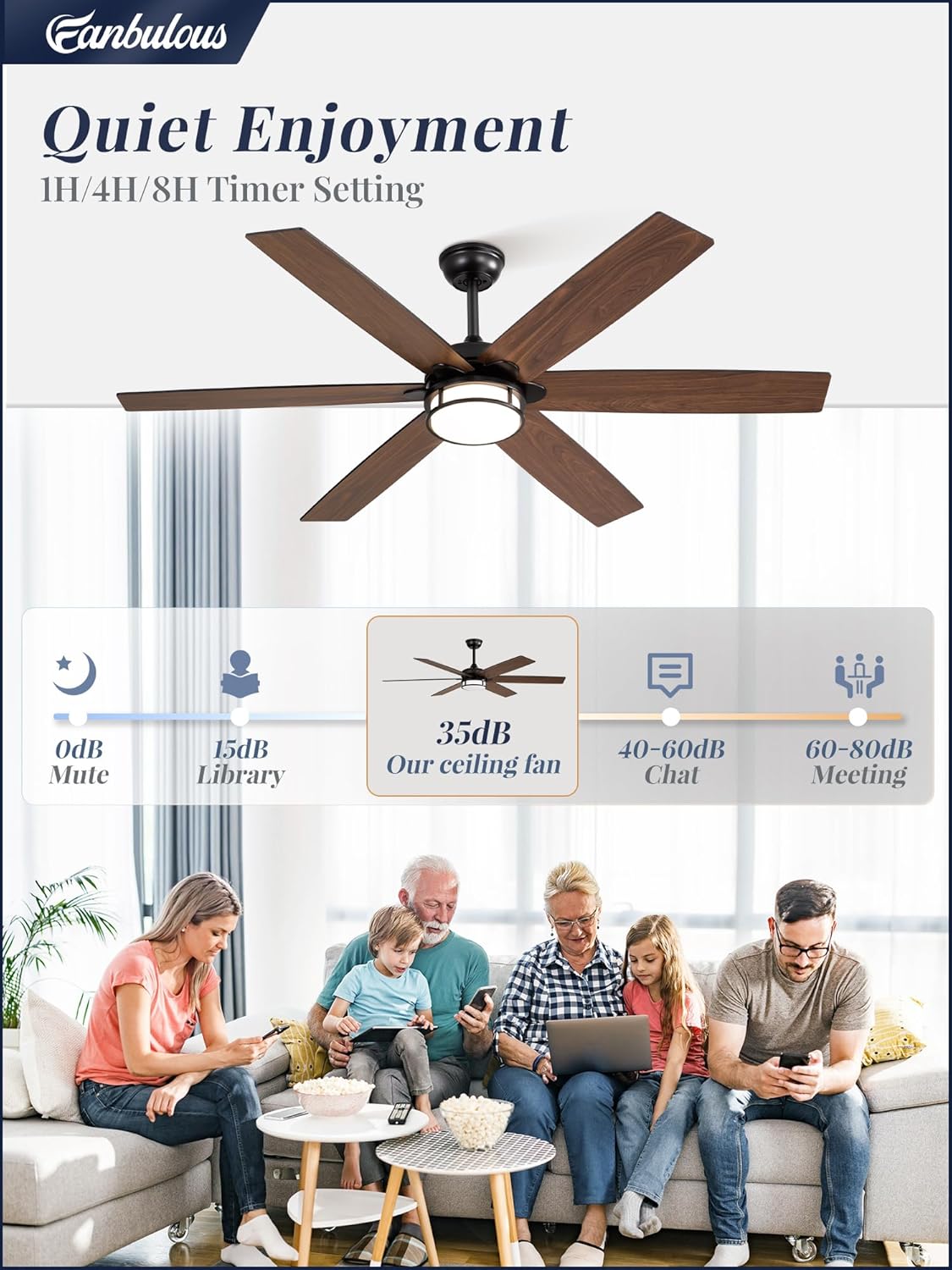
Image: A graphic illustrating the quiet operation of the fan at 35dB, comparing it to common sound levels like a library (15dB) or conversation (40-60dB).
6. Maintenance
Regular maintenance helps ensure the longevity and optimal performance of your ceiling fan.
- Cleaning: Periodically wipe the fan blades and motor housing with a soft, damp cloth. Do not use abrasive cleaners or solvents, as these can damage the finish.
- Tightening Screws: Check all screws on the fan blades and mounting hardware annually to ensure they are secure. Loose screws can cause noise and wobble.
- Light Kit: The LED light is integrated and not user-replaceable. If the light malfunctions, contact customer support.
- Dusting: Use a soft brush or vacuum cleaner with a brush attachment to remove dust from the fan blades and motor vents.
7. Troubleshooting
If you experience issues with your fan, refer to the following common problems and solutions:
| Problem | Possible Cause | Solution |
|---|---|---|
| Fan does not start | No power to the fan; Loose wire connections; Remote control not paired or batteries dead. | Check circuit breaker; Verify all wire connections are secure; Replace remote batteries or re-pair remote. |
| Fan wobbles | Loose blade screws; Unbalanced blades; Loose mounting bracket. | Tighten all blade screws; Use a balancing kit (not included) to balance blades; Ensure mounting bracket is securely fastened. |
| Light does not work | Loose wire connection to light kit; Light kit malfunction. | Check light kit wiring connections; Contact customer support if light kit is faulty. |
| Remote control not working | Dead batteries; Remote not paired; Obstruction between remote and receiver. | Replace batteries; Re-pair remote control; Ensure clear line of sight to fan. |
| Fan is noisy | Loose screws; Motor issue; Blades hitting an obstruction. | Check and tighten all screws; Ensure no obstructions are in the fan's path; Contact customer support if motor noise persists. |
8. Warranty & Customer Support
Fanbulous is committed to providing quality products and support.
- Motor Warranty: This product includes a 5-year warranty on the DC motor.
- Parts Warranty: A 2-year limited warranty is provided on all other parts.
- Customer Service: For any issues or questions regarding your product, please contact our customer service team. We aim to provide 24-hour customer service.
For further assistance, please refer to the contact information provided with your purchase or visit the official Fanbulous website.