1. Introduction
The INEAUTO AC1200 Outdoor WiFi Extender is designed to provide robust and extended wireless coverage in outdoor environments. This dual-band device supports both 5GHz and 2.4GHz frequencies, offering high-speed connectivity and reliable signal penetration. Its IP67 weatherproof rating ensures stable operation in various challenging weather conditions. This manual provides detailed instructions for installation, configuration, and maintenance to help you maximize the performance of your outdoor WiFi extender.

Image: The AC1200 Outdoor WiFi Extender seamlessly integrated into an outdoor setting, providing extended coverage near a swimming pool.
2. Package Contents
Please verify that all items are present in your package:
- AC1200 Outdoor WiFi Range Extender
- PoE Adapter (Note: Not waterproof, must be installed indoors)
- Ethernet Cable
- Mounting Kit (screws, wall plugs, cable ties)
- User Manual (this document)

Image: Visual representation of the main components included in the package, along with their approximate dimensions.
3. Key Features
- High-Speed Dual-Band Performance: Supports 5GHz (up to 867Mbps) and 2.4GHz (up to 300Mbps) for a combined speed of AC1200. Equipped with six 8dBi antennas for wider coverage and stronger signal penetration.
- All-Weather Durability (IP67): Constructed with IP67 weatherproof material, ensuring reliable operation in extreme cold, high temperatures, thunderstorms, and constant humidity.
- Flexible Passive PoE Installation: Utilizes Passive Power over Ethernet (PoE) technology, allowing power and data transmission through a single Ethernet cable. This simplifies installation in outdoor locations without direct power outlets.
- Multiple Operating Modes: Supports Repeater Mode, AP Mode, and Router Mode to adapt to various network requirements and scenarios.
- Advanced Security: Features WPA/WPA3 and WPA-PSK/WPA3-PSK encryption standards to protect your network and personal data.
- Wide Compatibility: Compatible with most wireless networking devices including smartphones, laptops, tablets, smart TVs, IP cameras, and more.
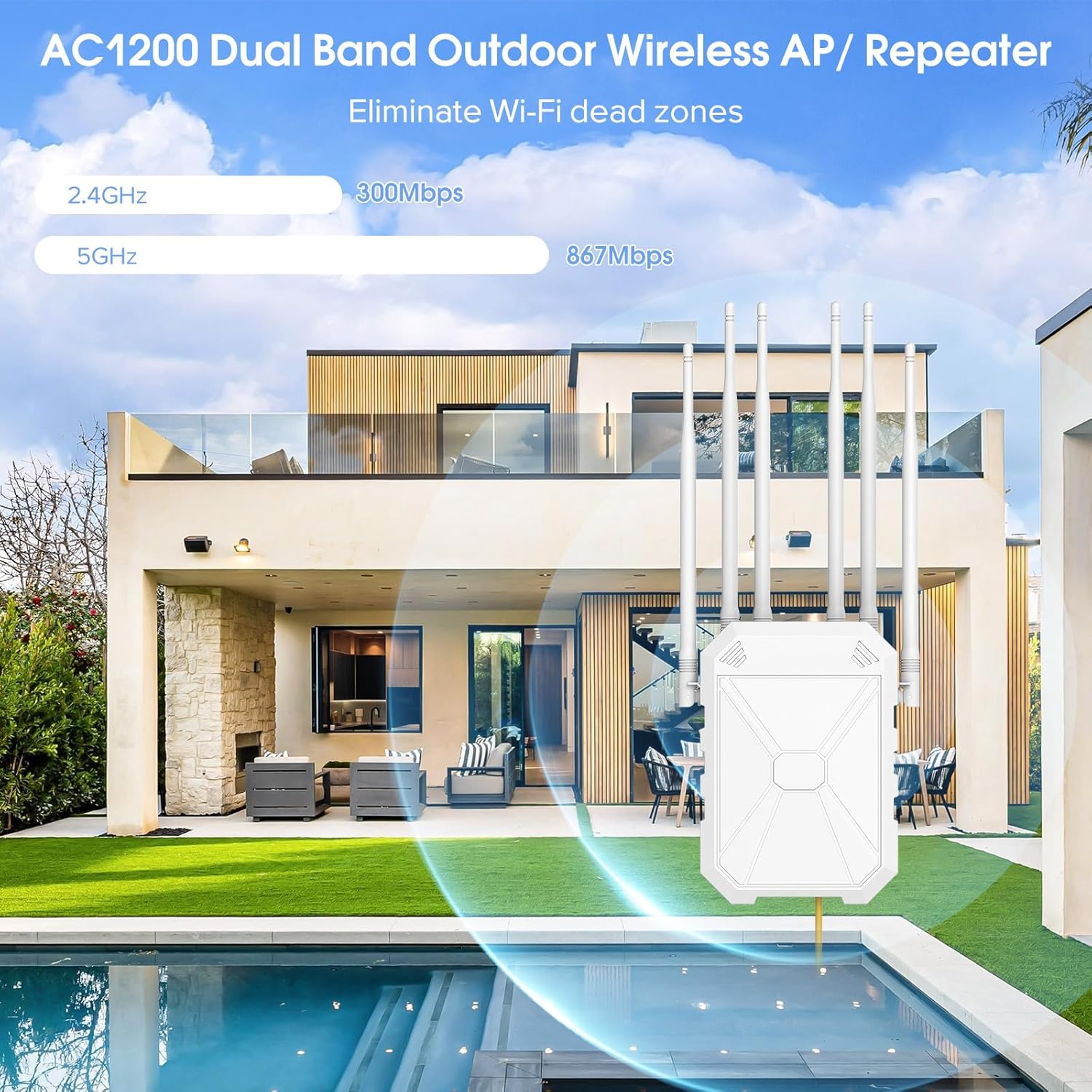
Image: Dual-band capabilities for high-speed data transfer.

Image: Weatherproof design for reliable outdoor use.
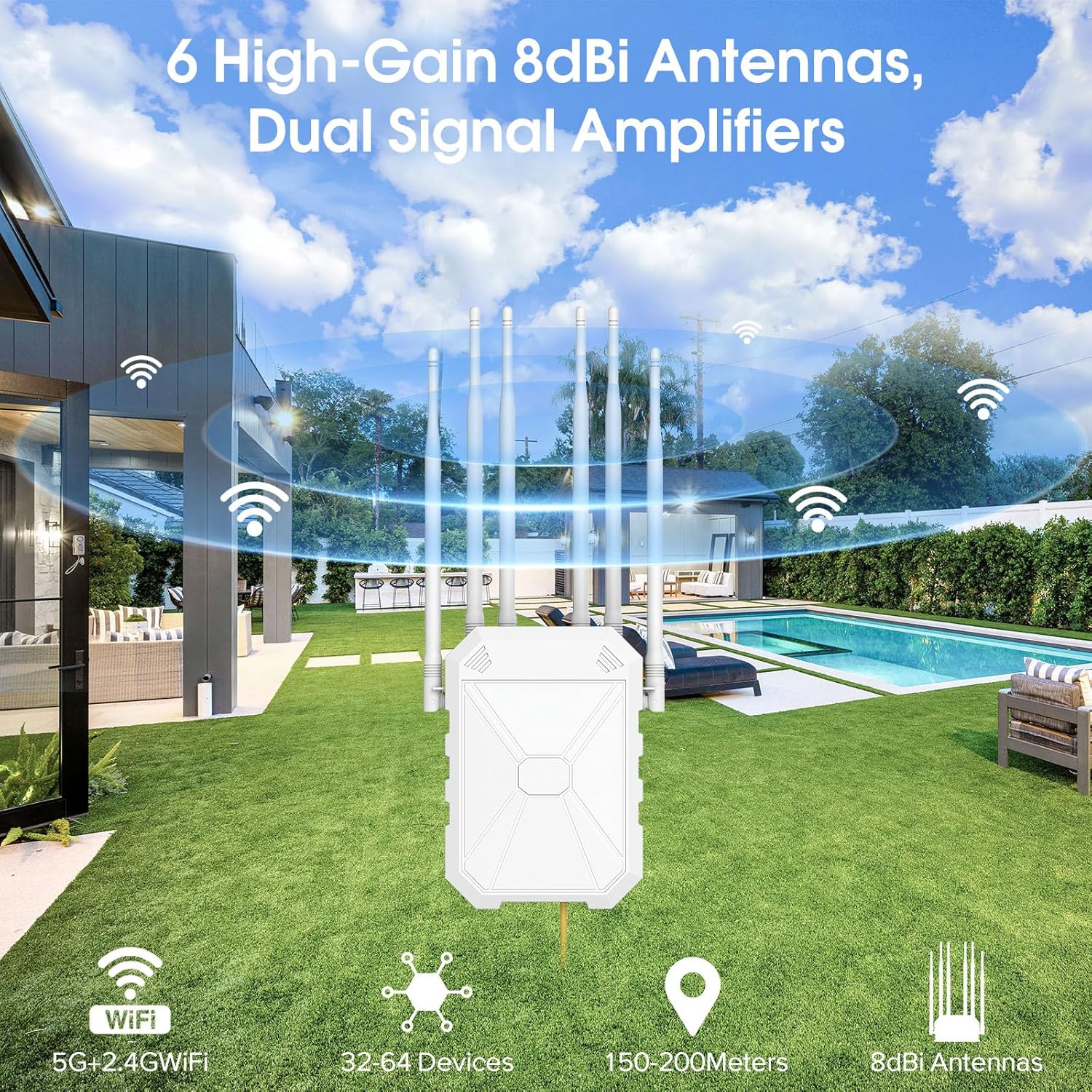
Image: Six high-gain antennas for extended range.

Image: Broad compatibility with various wireless devices.
4. Setup and Installation
4.1 Physical Installation
The AC1200 Outdoor WiFi Extender is designed for flexible outdoor installation thanks to its Passive PoE capability. This means power and data are supplied via a single Ethernet cable.
- Choose a Location: Select an outdoor location that provides optimal signal coverage to your desired area. Ensure the location is within 100 meters of your indoor network equipment (router/modem) for the Ethernet cable run.
- Mount the Extender: Use the provided mounting kit to securely attach the extender to a pole or wall. Ensure it is positioned vertically with antennas pointing upwards for best performance.
- Connect PoE Adapter: Connect one end of the Ethernet cable to the Gigabit LAN port on the extender. Connect the other end to the 'PoE' port on the PoE adapter.
- Connect to Network: Connect another Ethernet cable from the 'LAN' port on the PoE adapter to your router or modem's LAN port.
- Power On: Plug the PoE adapter into an indoor power outlet. The extender will power on automatically.
Important Note: The PoE adapter is NOT waterproof and MUST be installed indoors.

Image: Step-by-step diagram for connecting the PoE adapter and Ethernet cables.
4.2 Initial Configuration
After physical installation, you will need to configure the extender's operating mode. This is typically done via a web browser interface.
- Connect to Extender: Connect your computer or mobile device to the extender's default Wi-Fi network (SSID and password usually found on a label on the device or in a quick start guide). Alternatively, connect your computer directly to the PoE adapter's LAN port.
- Access Web Interface: Open a web browser and enter the default IP address (e.g., 192.168.10.1 or similar, check the device label or quick start guide) in the address bar.
- Login: Enter the default username and password (e.g., admin/admin).
- Select Operating Mode: Follow the on-screen wizard to select your desired operating mode (Repeater, AP, or Router).
- Configure Settings: Depending on the mode, you will configure network name (SSID), password, and other relevant settings.
- Save and Reboot: Save your settings and allow the device to reboot.
5. Operating Modes
The AC1200 Outdoor WiFi Extender supports three primary operating modes:
- Repeater Mode: Extends the coverage of an existing wireless network. The extender connects to your main router's Wi-Fi signal and rebroadcasts it, effectively extending the range. This is ideal for eliminating Wi-Fi dead zones.
- AP (Access Point) Mode: Converts a wired network connection into a wireless one. If you have an Ethernet port available outdoors, the extender can create a new Wi-Fi hotspot from that wired connection.
- Router Mode: Functions as a primary router, creating a new private network. This mode is suitable if you have a modem and want the extender to manage your network's IP addresses and routing.
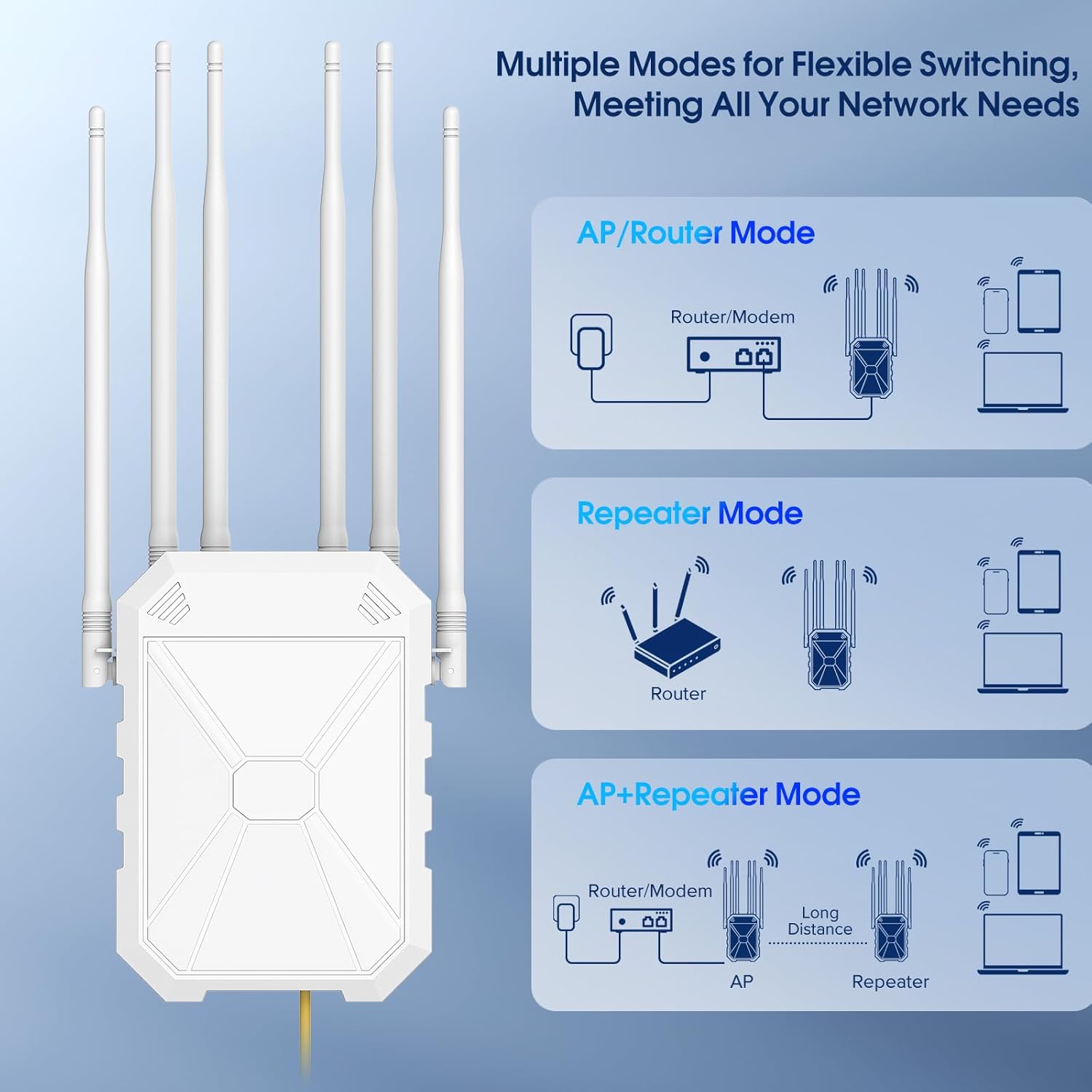
Image: Visual explanation of the different operating modes and their network configurations.
6. Maintenance
To ensure the longevity and optimal performance of your outdoor WiFi extender, follow these maintenance guidelines:
- Regular Cleaning: Periodically wipe down the exterior of the extender with a soft, damp cloth to remove dust, dirt, and debris. Avoid using harsh chemicals or abrasive cleaners.
- Inspect Cables and Connections: Annually inspect all cables and connections for any signs of wear, damage, or corrosion. Ensure all connections are secure.
- Firmware Updates: Check the manufacturer's website periodically for firmware updates. Keeping the firmware updated can improve performance, add new features, and enhance security.
- Antenna Position: Ensure the antennas remain upright and unobstructed for the best signal propagation.
- Environmental Checks: While the device is weatherproof, ensure it is not submerged in water or exposed to extreme physical impact.
7. Troubleshooting
If you encounter issues with your AC1200 Outdoor WiFi Extender, try the following troubleshooting steps:
| Problem | Possible Cause | Solution |
|---|---|---|
| No power/LEDs off | PoE adapter unplugged or faulty; cable issue. | Ensure PoE adapter is plugged into a working outlet. Check Ethernet cable connections. Test with a different cable if possible. |
| No internet access | Incorrect configuration; main router issue; weak signal (Repeater mode). | Verify extender is configured correctly for its mode. Check if your main router has internet access. In Repeater mode, ensure the extender is within good range of the main router. |
| Slow Wi-Fi speed | Interference; too many connected devices; poor placement. | Relocate the extender to minimize interference. Limit the number of active devices. Ensure optimal placement for signal strength. |
| Cannot access web interface | Incorrect IP address; network conflict; device not connected. | Verify the correct IP address. Ensure your device is connected to the extender's network. Try resetting the extender to factory defaults (refer to manual for button location). |
| Intermittent connection | Signal interference; firmware issue; environmental factors. | Check for sources of interference (e.g., other wireless devices, large metal objects). Update firmware. Ensure the extender is securely mounted and cables are intact. |
If these steps do not resolve your issue, please contact INEAUTO customer support for further assistance.
8. Specifications
| Attribute | Value |
|---|---|
| Model Number | 1200 |
| Wireless Communication Standard | 802.11a/b/g/n/ac, 2.4 GHz Radio Frequency, 5 GHz Radio Frequency |
| Data Transfer Rate | 1200 Megabits Per Second (Mbps) |
| Frequency Band Class | Dual-Band |
| Antennas | 6 x 8dBi High-Gain Antennas |
| Special Features | Access Point Mode, Directional Antenna, MU-MIMO, Power Over Internet (PoE), Weatherproof (IP67) |
| Item Weight | 2.23 pounds |
| Package Dimensions | 14.21 x 8.86 x 3.58 inches |
| Manufacturer | INEAUTO |
| First Available Date | May 26, 2025 |
9. Warranty and Support
For warranty information and technical support, please refer to the documentation included with your product or visit the official INEAUTO website. Keep your purchase receipt as proof of purchase for warranty claims.


