
1. Introduction
Thank you for choosing the POOLHACKER Remote Control. This infrared remote is designed to provide convenient control over your POOLHACKER Poolside Solar Lights and Solar Pool Fountains. Please read this manual carefully to ensure proper setup and operation of your device.
2. Product Overview
The POOLHACKER Remote Control is a compact, 3-button infrared device. It allows you to manage the functions of compatible POOLHACKER solar-powered pool accessories from a distance. Its simple design ensures ease of use.
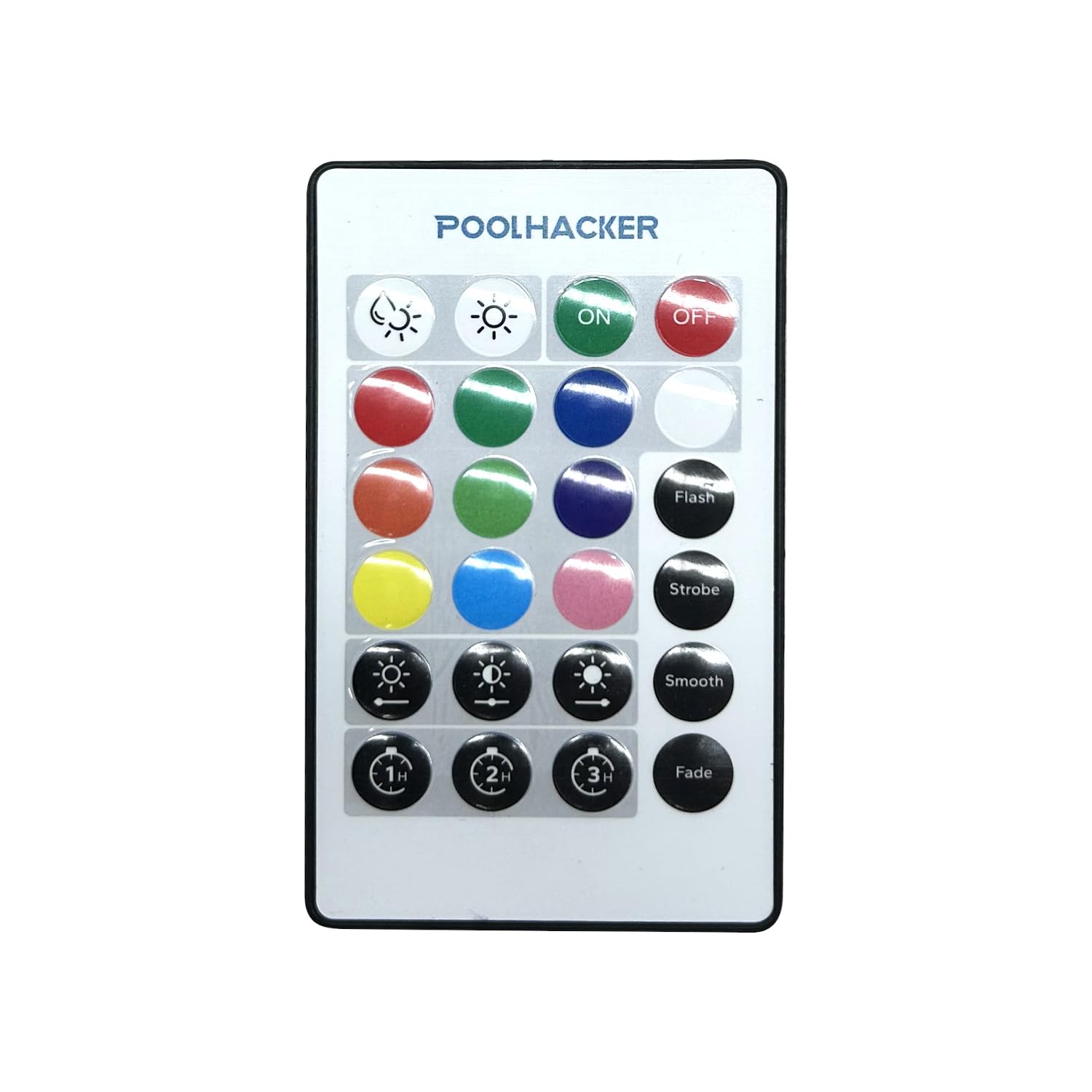
Image 1: Front view of the POOLHACKER Remote Control. The remote is gray with three distinct buttons. The top button is likely for power, and the other two for mode or color selection. An infrared emitter is visible at the top edge.
Package Contents:
- 1 x POOLHACKER Remote Control (Model: YC043X-DZ01)
- (Batteries are typically not included and must be purchased separately. Please refer to the battery compartment for required type, usually CR2025 or CR2032 coin cell.)
3. Setup
3.1 Battery Installation
- Locate the battery compartment on the back or side of the remote control.
- Open the compartment cover (you may need a small screwdriver or coin).
- Insert the required battery type (e.g., CR2025 or CR2032 coin cell) with the positive (+) side facing up, as indicated inside the compartment.
- Close the battery compartment securely.
3.2 Pairing (Not Applicable for Infrared Remotes)
This remote control uses infrared (IR) technology and does not require pairing. Ensure a clear line of sight between the remote's emitter and the receiver on your POOLHACKER solar light or fountain for proper operation.
4. Operating Instructions
To operate your POOLHACKER solar light or fountain, point the remote control directly at the device's infrared receiver. The effective range is typically up to 15-20 feet (4.5-6 meters) without obstructions.
Button Functions:
- Button 1 (Power/On/Off): Press to turn the connected device ON or OFF.
- Button 2 (Mode/Color Cycle): Press to cycle through available lighting modes or color options.
- Button 3 (Brightness/Specific Color): Press to adjust brightness levels or select a specific color if supported by the device.
Note: Specific functions of Button 2 and Button 3 may vary slightly depending on the model of your POOLHACKER solar light or fountain. Refer to the manual of your specific light/fountain for detailed functionality.
5. Maintenance
5.1 Cleaning
Wipe the remote control with a soft, dry cloth. Do not use abrasive cleaners or solvents, as these can damage the surface or internal components.
5.2 Battery Replacement
If the remote control's range decreases or it becomes unresponsive, the battery may need replacement. Follow the battery installation steps in Section 3.1. Dispose of old batteries responsibly according to local regulations.
5.3 Storage
When not in use for extended periods, store the remote control in a cool, dry place, away from direct sunlight and extreme temperatures. Consider removing the battery if storing for several months to prevent leakage.
6. Troubleshooting
| Problem | Possible Cause | Solution |
|---|---|---|
| Remote not working / Unresponsive |
|
|
| Limited range |
|
|
7. Specifications
| Brand | POOLHACKER |
| Model Number | YC043X-DZ01 |
| Compatible Devices | Solar Pool Light, Solar Pool Fountain |
| Connectivity Technology | Infrared |
| Button Quantity | 3 |
| Controller Type | Button Control |
| Item Weight | 0.03 Kilograms |
| Item Dimensions (L x W x H) | 7"L x 3"W x 14"H (Note: These dimensions seem unusually large for a remote control, possibly a typo in source data, but reproduced as provided.) |
| Color | GRAY |
8. Warranty and Support
For warranty information or technical support, please contact POOLHACKER customer service. Details can typically be found on the product packaging or the official POOLHACKER website. Please have your product model number (YC043X-DZ01) ready when contacting support.
Website: POOLHACKER Official Store on Amazon