Introduction
The NEEWER MS006 Microphone Arm Stand is part of the NEEWER BASICS series, designed for essential functionality and practical use. This two-section boom arm provides flexible positioning for microphones during various activities such as live audio capture, studio podcasts, vlogging, video recording, live streaming, and online conferences. Its foldable design ensures compact storage and portability.
Package Contents
- 1 x Microphone Arm
- 1 x Microphone Clip
- 1 x 3/8" to 5/8" Adapter
- 1 x Desk Clamp
- 5 x Cable Ties
- 1 x User Manual

This image displays the complete set of items you should find in your NEEWER MS006 package, including the main microphone arm, the desk clamp for secure mounting, a microphone clip, a 3/8" to 5/8" adapter for broad compatibility, and five cable ties for cable management.
Setup Instructions
1. Attaching the Desk Clamp
The adjustable desk clamp is designed to firmly attach to desks or other flat surfaces up to 2 inches (5 cm) thick. It features non-slip rubber pads to protect your desk from scratches. For optimal performance and stability, ensure that the edge of your desk is flat, not sloped or curved.
- Unscrew the desk clamp to open its jaws.
- Position the clamp on a flat edge of your desk.
- Tighten the screw until the clamp is securely fastened to the desk. Do not overtighten.

This diagram illustrates the correct method for attaching the desk clamp, emphasizing the importance of a flat desk edge for secure mounting.
2. Assembling the Microphone Arm
Once the desk clamp is securely attached, insert the base of the microphone arm into the hole on the desk clamp. The arm should slide in smoothly. The arm's base allows for 360° horizontal rotation.
Video 1: This video demonstrates the ease of setting up the NEEWER microphone arm stand, highlighting how it can be quickly clamped to a desk and adjusted without requiring additional tools. It shows the arm holding a Shure MV7 microphone, illustrating its stability and adjustability.
3. Attaching the Microphone
The microphone arm includes a standard microphone clip and a 3/8" to 5/8" screw adapter for wide compatibility with various microphones. A shock mount is not included.
- If your microphone requires a 5/8" thread, screw the provided 3/8" to 5/8" adapter onto the 3/8" screw at the end of the boom arm.
- Attach your microphone clip or shock mount (if using your own) to the threaded screw.
- Insert your microphone into the clip or shock mount.
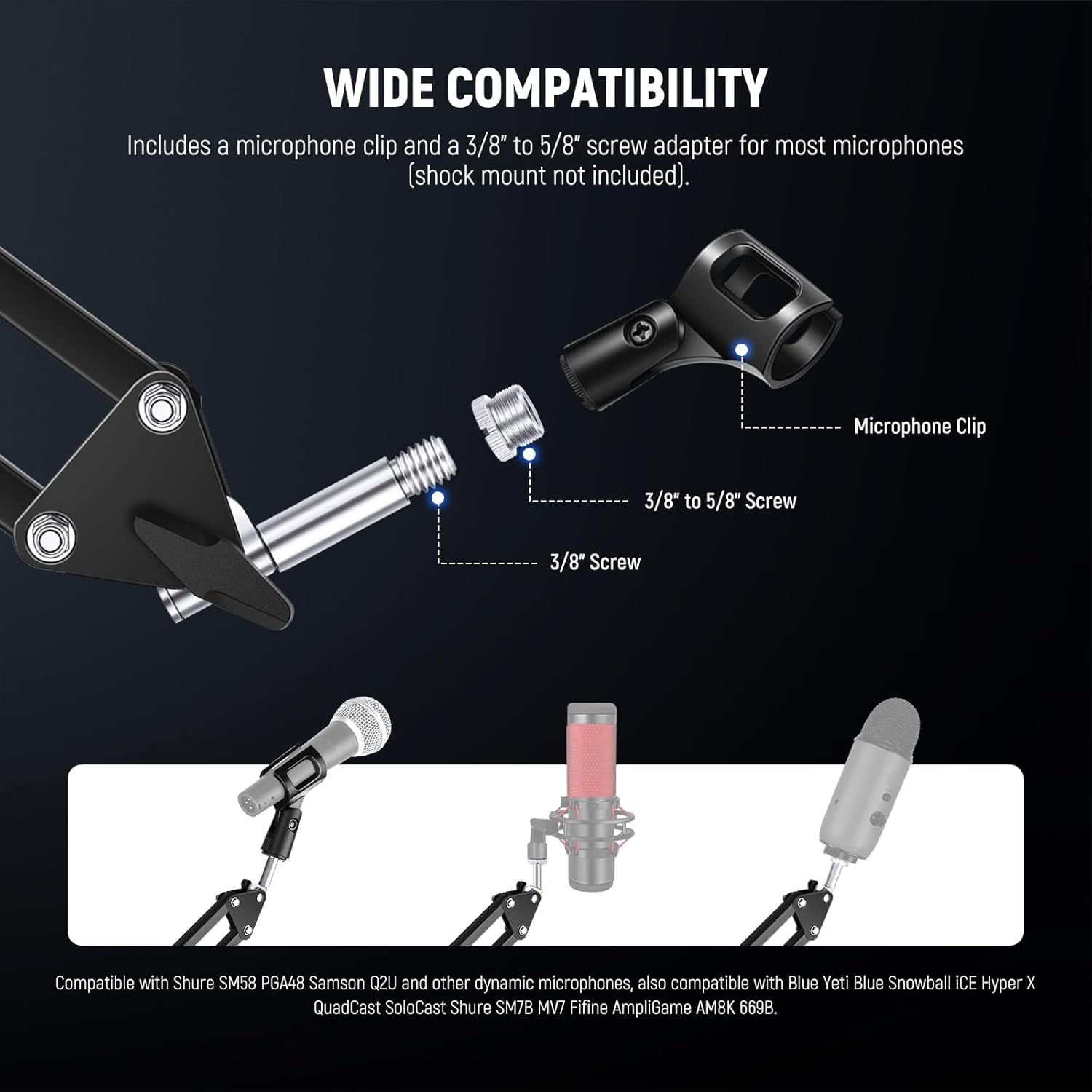
This image details the process of connecting the microphone clip and the 3/8" to 5/8" adapter to the microphone arm, ensuring compatibility with various microphone types.
Operating Instructions
1. Adjusting the Microphone Arm
The NEEWER MS006 offers impressive flexibility for precise microphone positioning:
- Base Rotation: The base can rotate 360° horizontally.
- Base Vertical Adjustment: The base can adjust 135° vertically.
- Boom Arm Joint: The table top low profile boom arm joint allows for 180° up and down movement.
- Microphone Clip Rotation: The microphone clip supports a 270° rotation.
All adjustments are secured with hand-tightening knobs, ensuring stability once positioned.
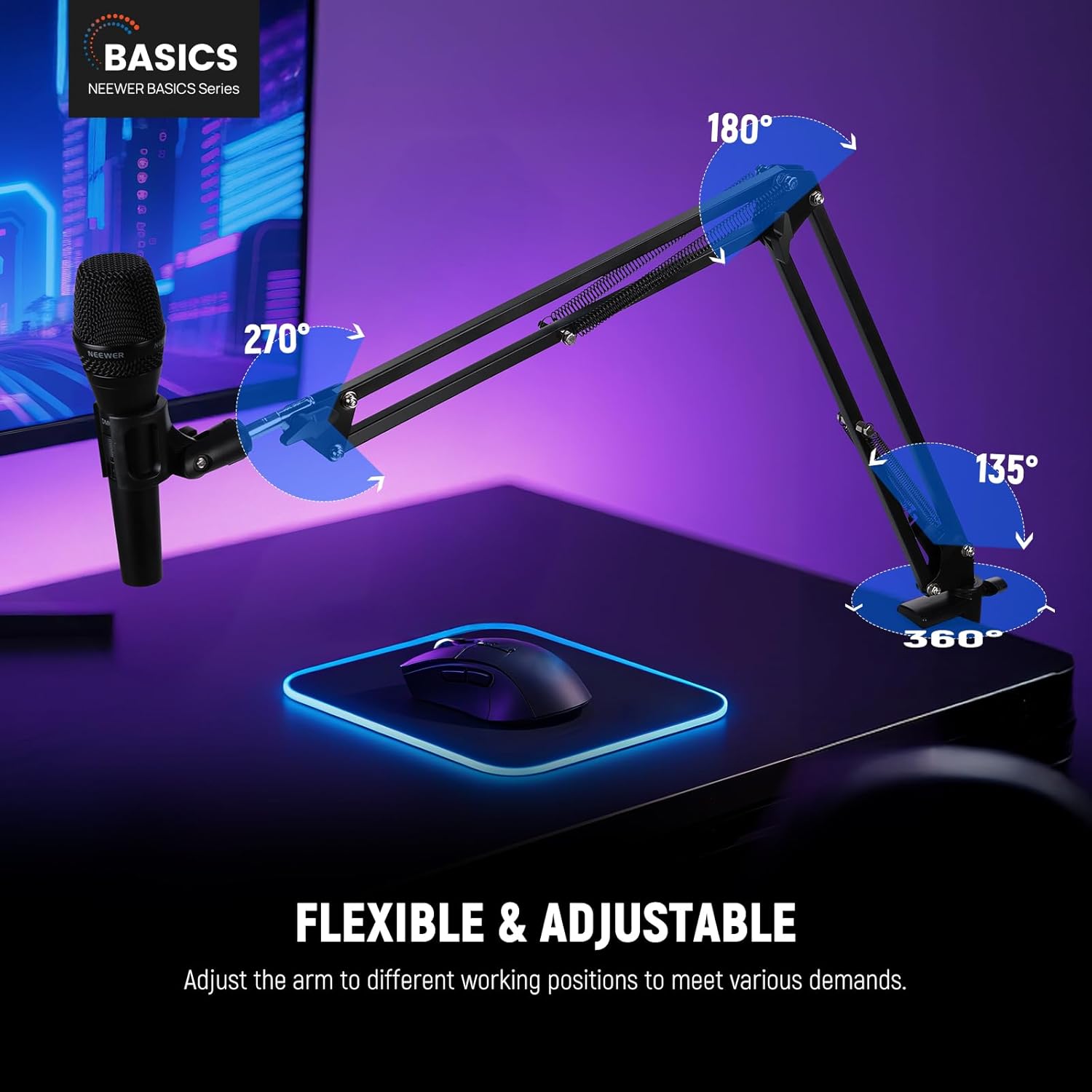
This image visually represents the extensive range of motion and adjustability of the microphone arm, including 360° horizontal rotation, 135° vertical adjustment at the base, 180° movement at the boom arm joint, and 270° rotation for the microphone clip.
2. Maximum Load Capacity
The microphone arm is constructed from iron and features upgraded high-elastic springs and reinforced screws. This design provides excellent weight support, with a maximum load capacity of up to 3.3 lbs (1.5 kg). This robust construction extends the lifespan of the springs and the stand itself.
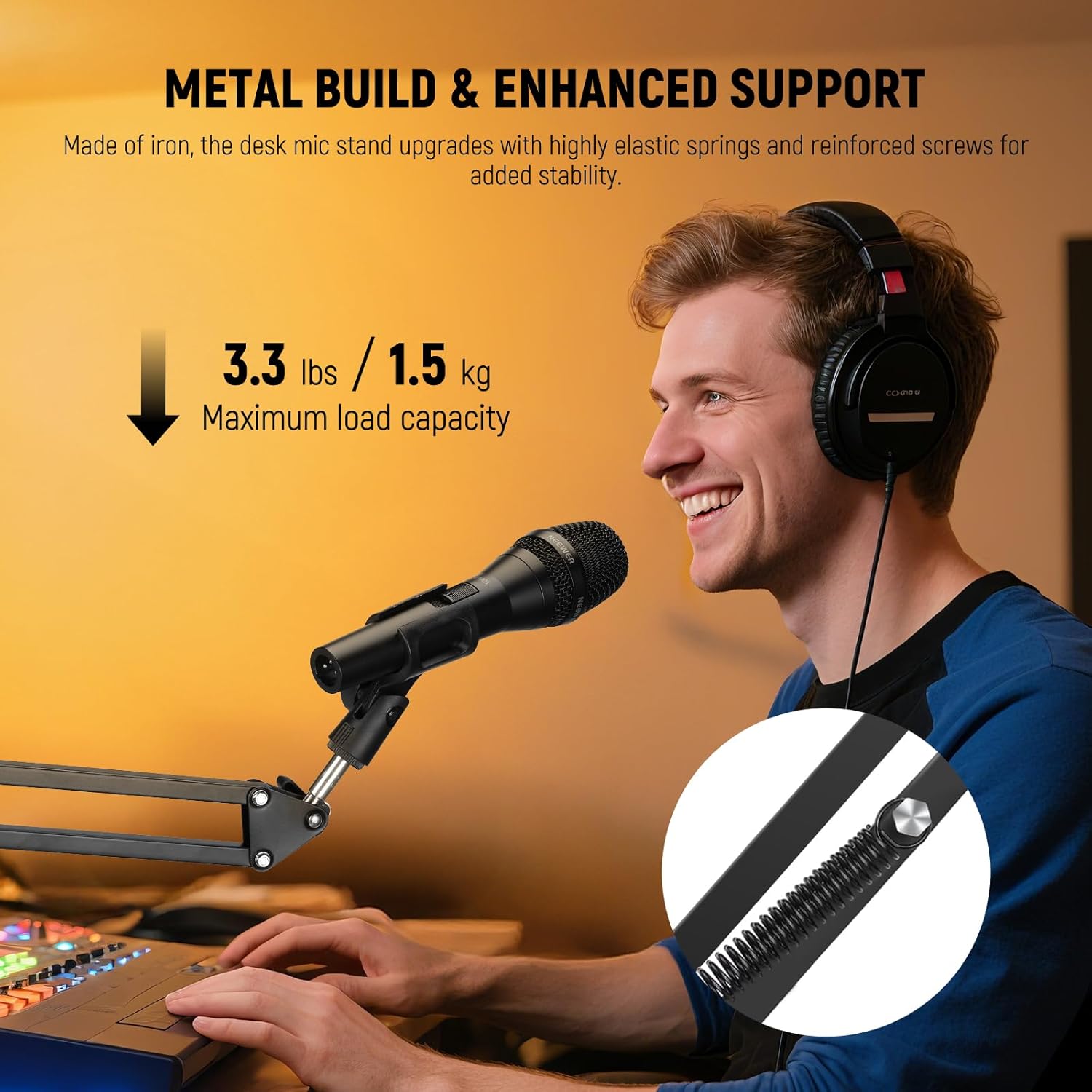
This image shows the microphone arm in use, emphasizing its metal construction and enhanced support, capable of holding microphones up to 3.3 lbs (1.5 kg).
3. Usage Scenarios
The NEEWER MS006 Microphone Arm Stand is ideal for a variety of applications where precise microphone positioning is required:
- Live audio capture
- Studio podcasting
- Vlogging and video recording
- Live streaming
- Zoom calls and online conferences
- Educational purposes (teaching)
- Gaming and singing
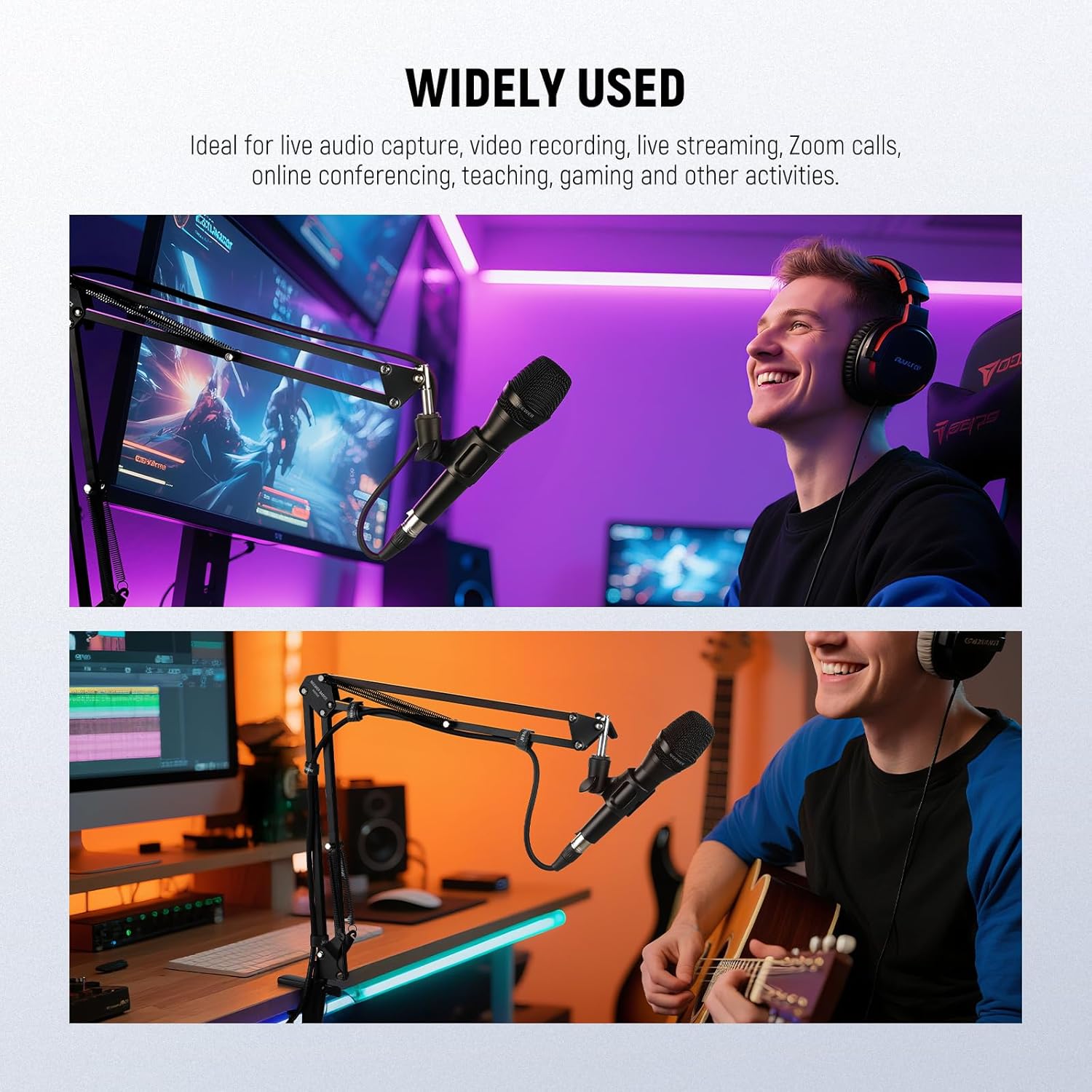
This image provides visual examples of the microphone arm stand being utilized in different settings, such as a gaming setup and a music recording environment, showcasing its versatility.
Maintenance
To ensure the longevity and optimal performance of your NEEWER MS006 Microphone Arm Stand, follow these maintenance guidelines:
- Cleaning: Wipe down the arm and clamp with a soft, dry cloth regularly to remove dust and debris. Avoid using harsh chemicals or abrasive cleaners.
- Joints and Screws: Periodically check all screws and joints for tightness. Gently re-tighten any loose components to maintain stability. Do not overtighten, as this can cause damage.
- Springs: Inspect the springs for any signs of wear or damage. While designed for durability, extreme stress or improper handling can affect them.
- Desk Clamp Pads: Ensure the non-slip rubber pads on the desk clamp are intact and clean to prevent scratching your desk surface and maintain a secure grip.
- Storage: When not in use for extended periods, fold the arm to its compact position and store it in a clean, dry place to protect it from dust and potential damage.
Troubleshooting
- Arm Does Not Hold Position:
Ensure all hand-tightening knobs at the joints are securely fastened. If the arm still sags, verify that your microphone's weight does not exceed the maximum load capacity of 3.3 lbs (1.5 kg). Over time, springs can lose some tension; if this occurs, contact customer support. - Microphone Falls Off:
Check that the microphone clip or shock mount is properly screwed onto the arm's thread. If using the included 3/8" to 5/8" adapter, ensure it is fully tightened. If a plastic adapter strips, consider replacing it with a metal alternative for increased durability. - Desk Clamp Loosens or Scratches Desk:
Confirm the desk clamp is tightened sufficiently but not excessively. Ensure the rubber pads are in place and clean. If the clamp frequently loosens, verify your desk edge is flat and not sloped or curved, as this can compromise grip. - Squeaking Noises During Adjustment:
A small amount of lubricant (e.g., silicone spray) can be applied to the pivot points and springs if persistent squeaking occurs.
Specifications
| Model | MS006 |
| Main Material | Iron |
| Load Capacity | 3.3 lbs / 1.5 kg |
| Dimensions | 27.6" / 70cm (Arm Length) |
| Weight | 1.15 lbs / 524g |
| Mounting Points | 3/8", 5/8" |
| Desk Clamp Thickness | Up to 2" / 5cm |
Warranty and Support
For warranty information, technical support, or any inquiries regarding your NEEWER MS006 Microphone Arm Stand, please refer to the official NEEWER website or contact their customer service directly. Keep your purchase receipt as proof of purchase for warranty claims.


