
1. Introduction
Thank you for choosing the Bagotte A21 Robot Vacuum and Mop Combo. This device is designed to provide efficient and convenient cleaning for your home, combining vacuuming, sweeping, and mopping functionalities. It features powerful 5000Pa suction, intelligent navigation, and multiple control options including app, remote, and voice commands. This manual provides essential information for the safe operation, maintenance, and troubleshooting of your robot vacuum.
2. Package Contents
Please check the package contents carefully to ensure all items are present and in good condition. If any items are missing or damaged, please contact customer support.

Image: The Bagotte A21 Robot Vacuum and Mop Combo package includes the robot vacuum, 2-in-1 water tank, charging station, cleaning brush, remote control, mop holder, two mop cloths, HEPA filters, two side brushes, user manual, and power adapter.
- Bagotte A21 Robot Vacuum Cleaner x 1
- 2-in-1 Water Tank x 1
- Charging Station x 1
- Cleaning Brush x 1
- Remote Control x 1
- Mop Holder x 1
- Mop Cloth x 2
- HEPA Filters x 1
- Side Brushes x 2
- User Manual x 1
- Power Adapter x 1
3. Product Overview
Familiarize yourself with the main components of your Bagotte A21 robot vacuum.
Robot Vacuum Components
- Top Panel: Power/Clean button, Wi-Fi indicator.
- Front Bumper: Anti-collision sensors.
- Side Brushes: For edge cleaning.
- Main Brush: For deep cleaning.
- Dustbin/Water Tank: Integrated unit for dry and wet cleaning.
- Charging Contacts: For automatic recharging.
- Driving Wheels: To navigate various surfaces.
- Universal Wheel: For directional movement.
- Anti-Drop Sensors: Located on the bottom to prevent falls.
Charging Station
The charging station provides a home base for the robot to recharge automatically.
4. Setup
4.1 Unpacking and Preparation
- Remove all protective films and packaging materials from the robot and charging station.
- Ensure no obstacles are present around the robot's path, such as cables or small objects, that could entangle the brushes.
4.2 Charging Station Placement
Place the charging station on a hard, level surface against a wall. Ensure there is:
- At least 1 meter (3 feet) of clear space in front of the charging station.
- At least 0.5 meters (1.5 feet) of clear space on both sides of the charging station.
- Connect the power adapter to the charging station and plug it into a wall outlet.
4.3 Initial Charge
Before first use, fully charge the robot vacuum. You can place the robot directly onto the charging station, ensuring the charging contacts align. The indicator light on the robot will show charging status. A full charge typically takes 4-5 hours.

Image: The robot vacuum automatically returns to its charging station when its battery is low, ensuring it is always ready for the next cleaning task.
5. Operating Instructions
5.1 Power On/Off
- Power On: Press and hold the power button on the robot for a few seconds until the indicator light illuminates.
- Power Off: Press and hold the power button for a few seconds until the indicator light turns off.
5.2 Cleaning Modes
The Bagotte A21 offers four distinct cleaning modes to suit various needs:

Image: An overhead view of a house layout illustrating the robot vacuum performing different cleaning modes: Manual Cleaning, Spot Cleaning, Edge Cleaning, and Auto Cleaning.
- Auto Cleaning: The robot automatically cleans the entire floor area, adjusting its path as needed.
- Spot Cleaning: The robot focuses on a specific dirty area, cleaning in a spiral pattern.
- Edge Cleaning: The robot cleans along walls and furniture edges.
- Manual Cleaning: Control the robot's movement manually using the remote control or app.
5.3 Vacuuming and Mopping
The A21 is a 3-in-1 device, capable of vacuuming, sweeping, and mopping simultaneously or separately.

Image: The Bagotte A21 Robot Vacuum demonstrates its 3-in-1 functionality, showing it vacuuming a carpet, sweeping a wooden floor, and mopping a wet spill, with indicators for water flow and suction adjustment.
- Vacuuming: The robot utilizes 5000Pa suction power to effectively remove dust, debris, and pet hair from hard floors and carpets.
- Mopping: Attach the mop holder with a damp mop cloth and fill the water tank. The robot offers three adjustable water flow levels (low, medium, high) for different floor types and cleaning needs.

Image: The Bagotte A21 Robot Vacuum is shown cleaning a floor covered in dirt and debris, highlighting its 5000Pa suction power in both Standard and Maximum modes, designed for tangle-free operation.
5.4 Control Methods
Control your robot vacuum using various convenient methods:
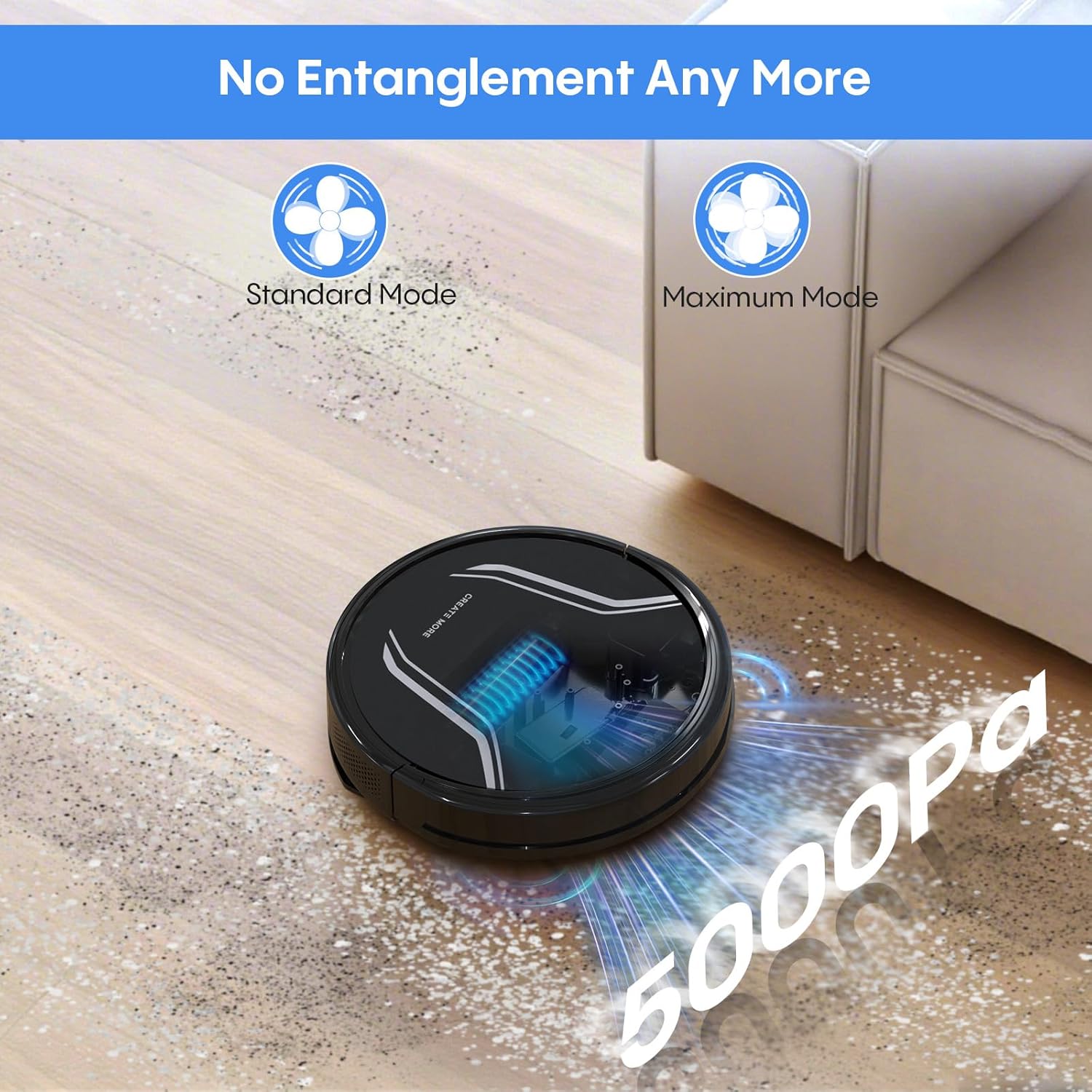
Image: A living room scene showing the Bagotte A21 Robot Vacuum being controlled via voice commands (Alexa) and a smartphone app, illustrating remote, app, and voice control options.
- App Control: Download the Bagotte app to schedule cleanings, select cleaning modes, adjust suction and water flow, and monitor the robot's status.
- Remote Control: Use the included remote to start/stop cleaning, change modes, and direct the robot manually.
- Voice Control: Integrate with Amazon Alexa or Google Assistant for hands-free control.
- Button Control: Use the physical button on the robot for basic start/stop functions.
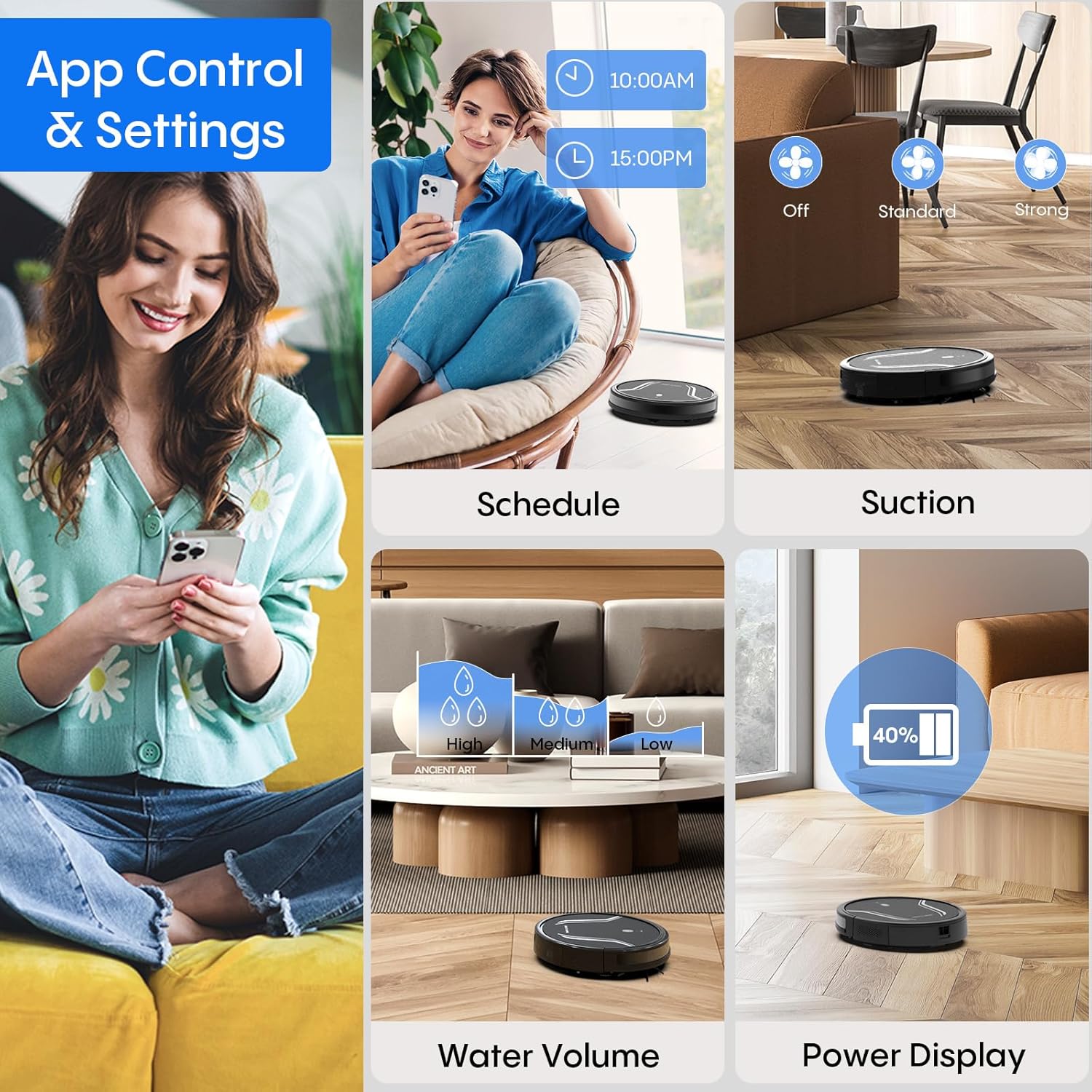
Image: A collage of images demonstrating the Bagotte A21 Robot Vacuum's app control features, including scheduling, adjusting suction power, setting water volume for mopping, and displaying battery power.
5.5 Obstacle Avoidance
The robot is equipped with anti-collision and anti-drop sensors to navigate around furniture and avoid falling down stairs. Its slim 2.87-inch design allows it to clean under low-lying furniture.

Image: The Bagotte A21 Robot Vacuum is shown cleaning under a piece of furniture, highlighting its 2.87-inch slim design and features like automatic boost, 15-degree angle climbing, and 15mm height clearance for navigating obstacles.
6. Maintenance
Regular maintenance ensures optimal performance and extends the lifespan of your robot vacuum.
6.1 Dustbin Emptying
Empty the dustbin after each cleaning cycle. Press the release button to remove the dustbin, open it, and discard collected debris.
6.2 Filter Cleaning/Replacement
Clean the HEPA filter and sponge filter regularly using the cleaning brush. Replace the HEPA filter every 3-6 months, or as needed, to maintain suction efficiency.
6.3 Brush Cleaning
- Side Brushes: Remove tangled hair or debris from the side brushes. Replace them if they become worn or damaged.
- Main Brush: Remove the main brush cover and lift out the brush. Use the cleaning tool to cut and remove tangled hair.
6.4 Water Tank and Mop Cloth Maintenance
- Water Tank: After mopping, empty any remaining water from the tank and rinse it thoroughly. Allow it to air dry.
- Mop Cloth: Remove the mop cloth from the holder and wash it by hand or machine. Allow it to air dry completely before reattaching.
6.5 Sensor and Charging Contact Cleaning
Wipe the anti-drop sensors, anti-collision sensors, and charging contacts on both the robot and the charging station with a clean, dry cloth to ensure proper function.
7. Troubleshooting
If your robot vacuum encounters an issue, refer to the following common problems and solutions:
| Problem | Possible Cause | Solution |
|---|---|---|
| Robot does not turn on | Low battery; Power button not pressed correctly | Charge the robot fully; Press and hold the power button for 3 seconds. |
| Robot does not charge | Charging contacts dirty; Charging station not powered | Clean charging contacts; Ensure charging station is plugged in and powered. |
| Poor cleaning performance | Dustbin full; Filters clogged; Brushes tangled | Empty dustbin; Clean/replace filters; Clean main and side brushes. |
| Robot gets stuck frequently | Obstacles on floor; Sensors dirty | Clear floor of cables/small objects; Clean all sensors. |
| Robot makes unusual noise | Brushes tangled; Foreign object in vacuum path | Clean/remove debris from brushes and suction inlet. |
If the problem persists, please refer to the warranty and support section for assistance.
8. Specifications
Key technical specifications for the Bagotte A21 Robot Vacuum and Mop Combo:
| Feature | Specification |
|---|---|
| Brand | Bagotte |
| Model Name | A21 |
| Suction Power | 5000Pa |
| Battery Life | Up to 120 minutes (Standard Mode) |
| Battery Capacity | 2600 mAh |
| Dustbin Capacity | 250 ml |
| Water Tank Capacity | 200 ml |
| Dimensions (L x W x H) | 12.59" x 12.59" x 2.86" |
| Filter Type | HEPA |
| Control Methods | App, Remote, Touch, Voice (Amazon Echo, Google Home) |
| Surface Recommendation | Hard Floor, Carpet |
| Special Features | Anti-Fall, Anti-Collision, Auto Recharging, Tangle-Free |
9. Official Product Video Guide
Watch this official video for a visual guide on the Bagotte A21 Robot Vacuum and Mop Combo's features and operation.
Video: An official product video titled "Robot Vacuum and Mop, 5000Pa 3-in-1 Robotic Vacuum Cleaner" demonstrating the features and usage of the Bagotte A21 robot vacuum.
10. Warranty and Support
Your Bagotte A21 Robot Vacuum and Mop Combo comes with a 2-year warranty, providing peace of mind for your purchase. Additionally, Bagotte offers lifetime expert support to assist you with any questions or issues you may encounter.
For warranty claims, technical assistance, or any other inquiries, please contact Bagotte customer support through the official website or the contact information provided in your product packaging.