
1. Introduction
Thank you for choosing the Thmosz 5.8 CUFT Extra Large Drop Safe. This manual provides essential information for the safe's proper setup, operation, and maintenance. Please read these instructions carefully before using the safe to ensure optimal security and functionality. Keep this manual for future reference.
2. Safety Information
- Do not store emergency keys inside the safe. Keep them in a secure, separate location.
- Ensure the safe is securely mounted to a floor or wall to prevent unauthorized removal.
- Avoid exposing the safe to extreme temperatures or humidity.
- Regularly check battery levels to ensure continuous operation of the electronic lock.
- Do not attempt to force the safe open if the lock mechanism malfunctions. Refer to the troubleshooting section or contact support.
3. Package Contents
Verify that all components are present in the package:
- Thmosz 5.8 CUFT Drop Safe (x1)
- Emergency Keys (x2)
- Expansion Bolts (x4)
- External Power Box (x1)
- Instruction Manual (x1)
4. Product Features
- Extra Large Capacity: 5.8 cubic feet for storing cash, receipts, documents, and other valuables.
- Sturdy Steel Construction: Heavy-duty carbon-steel body with 3x27mm solid bolts and an all-metal integrated door panel for enhanced security.
- Deposit Slot Design: Allows for quick and secure deposits without opening the main door. Features a saw-tooth edge tilting baffle to prevent fishing out contents.
- Multiple Unlocking Methods: Digital keypad, emergency keys, and external power box for versatile access.
- Automatic Lock System: Keypad locks for 20 seconds after 3 incorrect entries, and for 5 minutes after 6 incorrect entries.
- Internal Design: Soft fur pad protects contents, and an LCD light provides visibility in low-light conditions.
5. Setup and Installation
5.1 Battery Installation
The electronic lock requires 4 AA batteries (not included). To install:
- Locate the battery compartment on the inside of the safe door.
- Open the battery compartment cover.
- Insert 4 AA batteries, ensuring correct polarity (+/-).
- Close the battery compartment cover.
5.2 Initial Code Setting
Upon first use, you will need to set your personal passcode.
- Open the safe using the emergency key (refer to Section 6.2 if needed).
- Locate the reset button on the inside of the safe door, usually near the battery compartment.
- Press the reset button. The indicator light on the keypad will illuminate.
- On the keypad, enter a new passcode (3 to 8 digits).
- Press the '#' button to confirm. The indicator light will flash, confirming the new code is set.
5.3 Mounting the Safe
For enhanced security, it is recommended to mount the safe to a floor or wall using the provided expansion bolts.

Image: Steps for initial setup including battery installation and setting the passcode.
- Choose a suitable location on a solid floor or wall.
- Mark the drilling points through the pre-drilled holes on the back or bottom of the safe.
- Drill holes at the marked points using an appropriate drill bit.
- Align the safe with the drilled holes and insert the expansion bolts.
- Tighten the bolts securely to fix the safe in place.
6. Operation
6.1 Opening with Digital Keypad
To open the safe using your personal passcode:
- Enter your 3 to 8 digit passcode on the keypad.
- Press the '#' button. The indicator light will turn green.
- Within 5 seconds, turn the knob clockwise to open the safe door.
6.2 Opening with Emergency Keys
In case of battery failure or forgotten passcode, use the emergency keys:
- Locate the emergency lock cover on the keypad panel.
- Remove the cover.
- Insert an emergency key into the keyhole and turn it counter-clockwise.
- While holding the key turned, turn the main knob clockwise to open the safe door.
- Remove the emergency key and replace the cover after use.
6.3 Using the Drop Slot
The drop slot allows for quick deposits without opening the main safe door.

Image: Illustration of the anti-theft quick place drop slot and its serrated safety baffle.
- Place items (e.g., cash, envelopes) into the front drop slot drawer.
- Push the drawer inward. The items will fall into the main compartment of the safe.
- The internal baffle prevents retrieval of contents from the outside.
6.4 Changing the User Code
To change your personal passcode:
- Open the safe door using your current passcode.
- Press the reset button located on the inside of the safe door. The indicator light will illuminate.
- Enter your new 3 to 8 digit passcode on the keypad.
- Press the '#' button to confirm. The indicator light will flash, indicating the new code is saved.
- Test the new code with the safe door open before closing it.

Image: Overview of the three unlocking methods for the safe.
7. Maintenance
7.1 Battery Replacement
When the low battery indicator appears on the display, replace the batteries promptly to avoid being locked out. Use 4 new AA batteries.
7.2 Cleaning
Wipe the safe's exterior with a soft, damp cloth. Avoid abrasive cleaners or solvents that could damage the finish or electronic components.
8. Troubleshooting
8.1 Keypad Blocked
If 3 incorrect passcodes are entered, the keypad will be blocked for 20 seconds. After 6 incorrect entries, it will be blocked for 5 minutes. Wait for the lockout period to expire before attempting to enter the code again. Alternatively, use the emergency key to open the safe.
8.2 Low Battery Reminder
The display will show a low battery icon when power is running low. Replace the batteries immediately. If batteries die completely, use the external power box or emergency keys.
8.3 Alarm Activation
The safe features a password error alarm. If an unauthorized attempt to open the safe is detected (e.g., multiple incorrect entries), an alarm will sound. To silence the alarm, enter the correct passcode or use an emergency key.
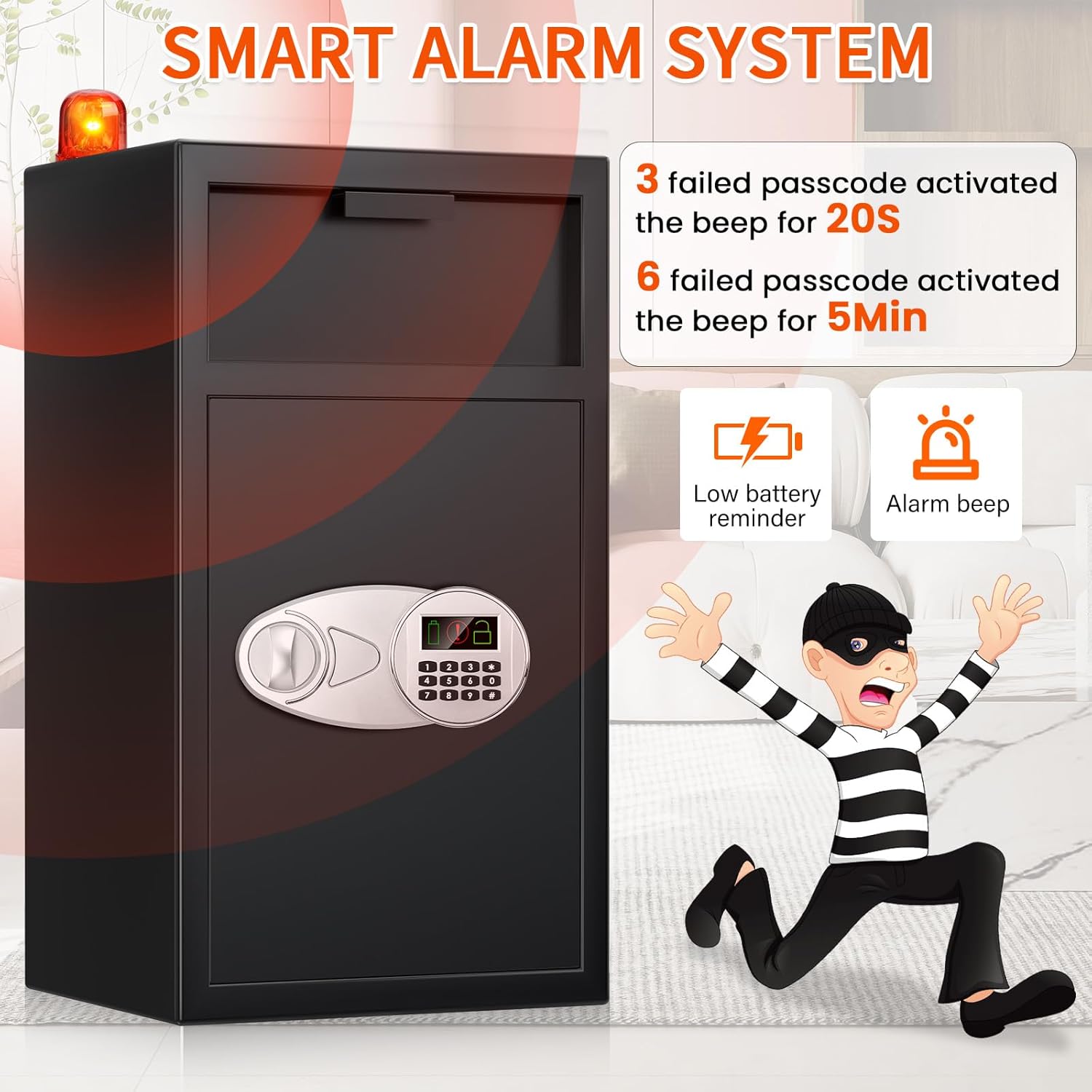
Image: Smart alarm system features including low battery reminder and alarm beep.
8.4 Lost Keys / Forgotten Code
If you lose your emergency keys and forget your passcode, contact Thmosz customer support for assistance. Do not attempt to force the safe open, as this may damage the unit and void your warranty.
9. Specifications

Image: Dimensions and internal capacity of the Thmosz 5.8 CUFT Drop Safe.
| Feature | Detail |
|---|---|
| Brand | Thmosz |
| Model Number | 65ED-2 IN 1 |
| Product Dimensions | 12.2"D x 13.8"W x 25.6"H |
| Capacity | 5.8 Cubic Feet |
| Lock Type | Electronic Combination Lock |
| Material | Alloy Steel |
| Color | Black |
| Mounting Type | Floor or Wall Mount |
| Item Weight | 39 Pounds |
| Special Feature | Anti-Theft, Quick Place Drop Slot |
| Alarm | Password Error Alarm |
| Water Resistance Level | Not Water Resistant |
| Batteries Required | Yes (4 AA batteries, not included) |
10. Warranty and Support
For warranty information or technical support, please refer to the documentation included with your purchase or contact Thmosz customer service. Ensure you have your model number (65ED-2 IN 1) and purchase details available when contacting support.