
OSCAL Flat 2 12(4+8)+128GB Black Android Phone
OSCAL Flat 2 Android Phone User Manual
Model: Flat 2 12(4+8)+128GB Black Android Phone
Brand: OSCAL
1. Introduction
This user manual provides comprehensive instructions for the OSCAL Flat 2 Android Phone. It covers essential information regarding device setup, operation, maintenance, and troubleshooting to ensure optimal performance and user experience. The OSCAL Flat 2 is designed to offer a balance of performance and value, featuring the Android 15 operating system, Gemini AI integration, a robust 5000mAh battery, and a vibrant 90Hz display.
2. What's in the Box
Upon opening the package, please verify that all listed items are present:
- 1 x OSCAL Flat 2 Unlocked Android Phone
- 1 x Phone Charger
- 1 x Type C Charging Cable
- 1 x Phone Case
- 1 x Screen Protector
- 1 x Card Pin
- 1 x User Manual
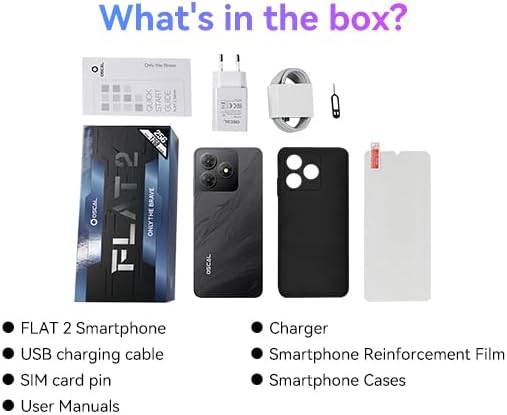
Figure 2.1: Package Contents of the OSCAL Flat 2 Android Phone.
3. Initial Setup
3.1. Charging the Device
Before first use, it is recommended to fully charge your OSCAL Flat 2. Connect the provided Type-C charging cable to the phone's charging port and the other end to the included phone charger. Plug the charger into a power outlet. The charging indicator will appear on the screen. A full charge typically takes approximately 2 hours.

Figure 3.1: Charging the OSCAL Flat 2 Android Phone.
3.2. SIM Card Installation
The OSCAL Flat 2 supports dual SIM cards. To install your SIM card(s):
- Locate the SIM card tray on the side of the phone.
- Insert the provided card pin into the small hole next to the tray to eject it.
- Carefully pull out the SIM card tray.
- Place your Nano-SIM card(s) and/or microSD card (for expandable storage) into the designated slots on the tray, ensuring correct orientation.
- Gently push the tray back into the phone until it clicks into place.
3.3. Powering On and Initial Configuration
Press and hold the Power button until the OSCAL logo appears. Follow the on-screen instructions to complete the initial setup, including selecting your language, connecting to Wi-Fi, setting up your Google account, and configuring security features like fingerprint or face recognition.
4. Operating Your Device
4.1. Android 15 Operating System
The OSCAL Flat 2 runs on the latest Android 15 operating system, offering enhanced privacy features, improved performance, and a more intuitive user interface. Experience seamless multitasking and efficient app management.

Figure 4.1: Android 15 User Interface on OSCAL Flat 2.
4.2. Performance and Storage
Equipped with 12GB RAM (4GB physical + 8GB virtual expansion) and 128GB internal storage, the Flat 2 ensures smooth operation. Storage can be expanded up to 2TB via a TF card. To expand virtual RAM, navigate to Settings > About Phone > RAM, adjust the slider, and restart the phone.

Figure 4.2: Performance and Storage Capabilities.
4.3. Gemini AI Integration
The OSCAL Flat 2 features Gemini AI, providing intelligent assistance for various tasks. Gemini AI supports multiple input and output forms, including text, images, audio, and video, enabling efficient and customized solutions. It can help with quick app sifting, providing reliable information, and generating creative ideas.
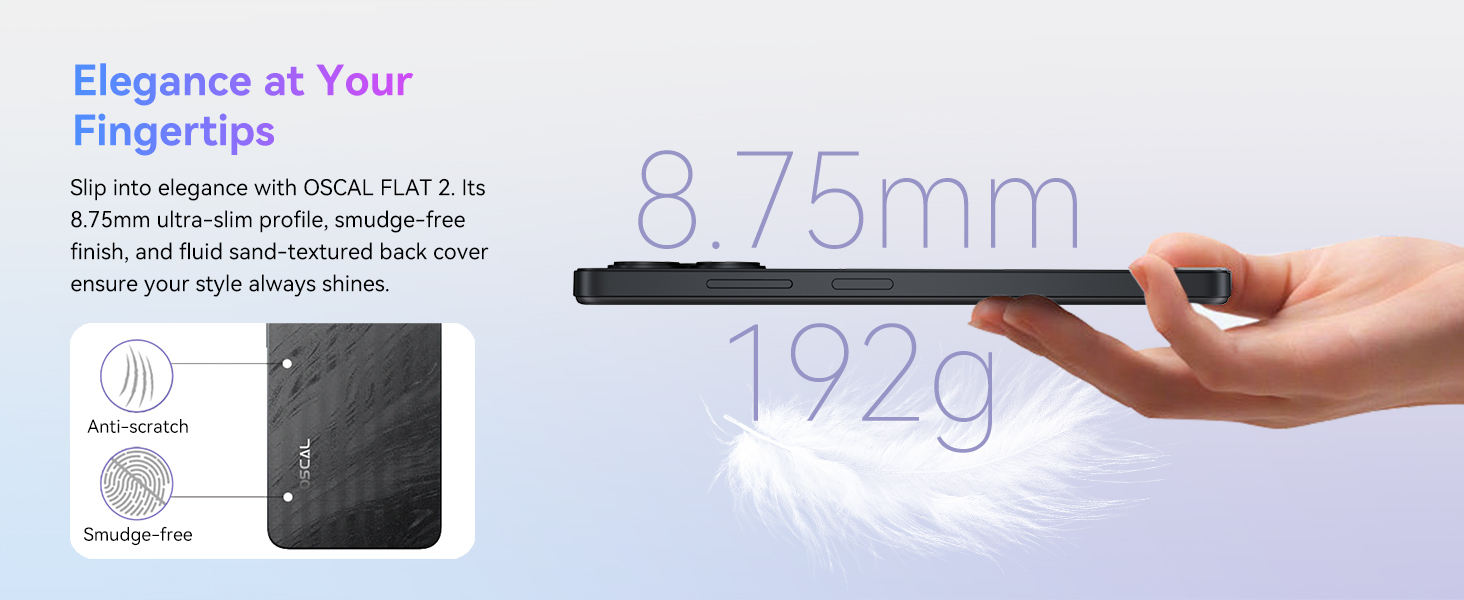
Figure 4.3: Gemini AI Feature.
4.4. Display Features
The 6.56-inch HD+ display with a 90Hz refresh rate offers a smooth and immersive visual experience. It boasts 700 nits brightness with smart adjustment and multiple eye-care modes for comfortable extended usage. The screen is built with durable Panda Glass for scratch resistance.

Figure 4.4: 6.56-inch 90Hz Display.
4.5. Camera System
Capture moments with the 13MP rear camera and 8MP front camera. The phone supports various shooting modes, including Portrait, Night, Panorama, and Professional, along with 1080P video recording. Quick face unlock is also supported.

Figure 4.5: AI 13MP + 8MP Camera System.
4.6. Battery Life
The 5000mAh battery provides extended usage, offering up to 624 hours of standby time. This ensures you stay connected throughout the day for streaming, gaming, and work without frequent recharging.
Figure 4.6: 5000mAh Battery Performance.
4.7. Connectivity and Security
The Flat 2 includes comprehensive positioning systems (GPS, GLONASS, GALILEO, BDS) for accurate navigation. Dual unlocking options, including fingerprint and facial recognition, provide fast and secure access. Bluetooth and a 3.5mm audio jack are available for wireless and wired audio connections. The OTG function allows for easy file management with USB drives.
5. Maintenance
5.1. Cleaning Your Device
To maintain the appearance and functionality of your phone, regularly clean it with a soft, lint-free cloth. Avoid using harsh chemicals, abrasive materials, or aerosol sprays directly on the device.
5.2. Battery Care
- Avoid exposing the phone to extreme temperatures (below 0°C or above 35°C).
- Do not leave the phone fully charged or completely drained for extended periods.
- Use only the original or certified charging accessories.
5.3. Software Updates
Regularly check for and install software updates to ensure your device has the latest features, security patches, and performance improvements. You can usually find this option in Settings > System > System update.
6. Troubleshooting
This section addresses common issues you might encounter with your OSCAL Flat 2. If the problem persists, please contact customer support.
| Problem | Possible Cause | Solution |
|---|---|---|
| Device does not power on. | Low battery; software crash. | Charge the device for at least 10 minutes. Press and hold the Power button for 10-15 seconds to force restart. |
| Apps are crashing or freezing. | Insufficient RAM; app conflict; outdated app. | Close background apps. Clear app cache/data (Settings > Apps > [App Name] > Storage). Update the app from Google Play Store. Restart the phone. |
| Poor network signal or no service. | SIM card not properly inserted; network coverage issue; incorrect network settings. | Reinsert SIM card. Move to an area with better network coverage. Check network settings (Settings > Network & internet > Mobile network). |
| Battery drains quickly. | High screen brightness; many background apps; power-intensive apps. | Reduce screen brightness. Close unused apps. Check battery usage in Settings > Battery to identify power-hungry apps. Enable battery saver mode. |
7. Product Specifications
| Feature | Detail |
|---|---|
| Model Name | Flat 2 12(4+8)+128GB Black Android Phone |
| Operating System | Android 15 |
| RAM Memory Installed Size | 12 GB (4GB physical + 8GB virtual) |
| Memory Storage Capacity | 128 GB (Expandable up to 2TB via TF card) |
| Screen Size | 6.56 Inches |
| Resolution | 720 x 1600 |
| Refresh Rate | 90 Hz |
| Battery Capacity | 5000 Milliamp Hours |
| Rear Camera | 13 MP |
| Front Camera | 8 MP |
| Connectivity Technologies | Bluetooth, Wi-Fi, USB |
| GPS | Yes (GPS, GLONASS, GALILEO, BDS) |
| Human Interface Input | Touchscreen, Buttons |
| Special Features | Gemini AI, Dual SIM, Fingerprint/Face ID, OTG |
| Item Weight | 6.8 ounces (192 Grams) |
| Dimensions | 7.05 x 3.54 x 2.24 inches |
8. Warranty and Support
The OSCAL Flat 2 Android Phone comes with a 2-year warranty, ensuring peace of mind regarding product quality and performance. OSCAL is committed to providing reliable and secure products through rigorous testing.
For any inquiries or assistance, our dedicated 24/7 professional customer support team is available. You can also benefit from a 24-month free repair warranty and lifetime technical support by registering your product at the OSCAL Official Flagship Store.

24/7 Customer Support
2-Year Warranty Support
Related documentsFlat 2 12(4+8)+128GB Black Android Phone


Ask a question about this manual
Ask about setup, troubleshooting, compatibility, parts, safety, or missing instructions. Manuals+ will review the question and use this page’s manual context to help answer it.