
1. Introduction
This manual provides detailed instructions for the assembly, installation, and maintenance of your ChooChoo MC2504-WH Bathroom Wall Cabinet. Please read all instructions carefully before beginning to ensure safe and correct usage. Keep this manual for future reference.
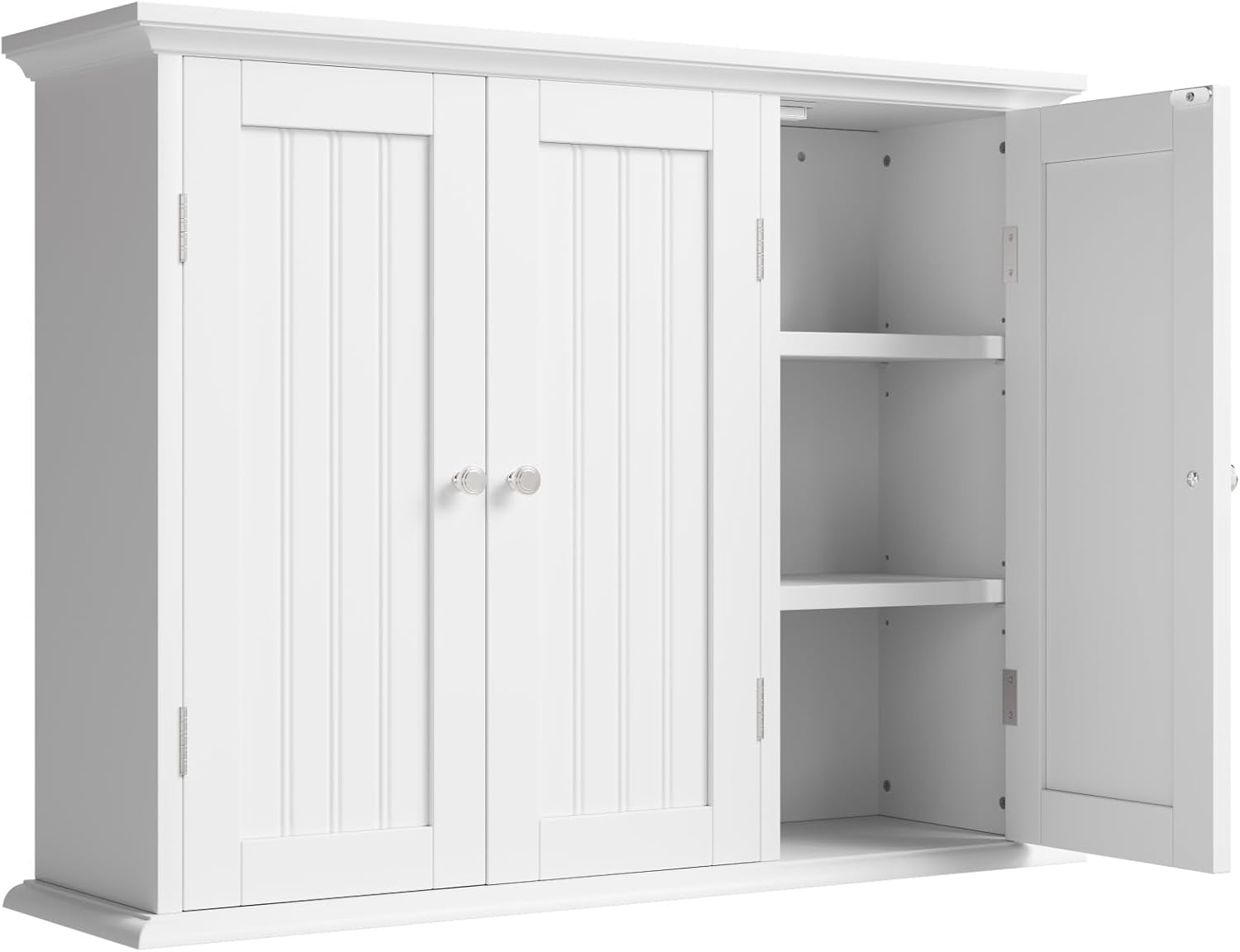
Figure 1: ChooChoo MC2504-WH Bathroom Wall Cabinet with closed doors.
2. Safety Information
WARNING:
- Always follow the manufacturer's instructions for installation and use.
- Keep the cabinet away from heat sources.
- Do not overload the cabinet.
- Be cautious when adjusting the shelves to avoid injury from sharp edges or pinch points.
- Ensure the cabinet is securely mounted to a wall stud or using appropriate wall anchors for stability.
3. Product Features
- Spacious Storage: Features three doors and two adjustable shelves, providing ample hidden storage.
- Versatile Design: Blends with various decor styles, suitable for bathrooms, laundry rooms, or kitchens.
- Customizable Interior: Shelves can be adjusted to three different heights to accommodate items of various sizes.
- Durable Construction: Crafted from premium MDF with a water- and scratch-resistant coating for longevity in humid environments.
- Space-Saving: Wall-mounted design frees up floor space.

Figure 2: Detailed view of the cabinet's design elements and adjustable shelf mechanism.
4. Specifications
| Attribute | Detail |
|---|---|
| Brand | ChooChoo |
| Model Name | MC2504-WH |
| Color | White |
| Product Dimensions | 9.06"D x 31.1"W x 23.43"H |
| Item Weight | 26.01 Pounds |
| Mounting Type | Wall Mount |
| Number of Shelves | 2 (Adjustable) |
| Material | Engineered Wood |
| Assembly Required | Yes |
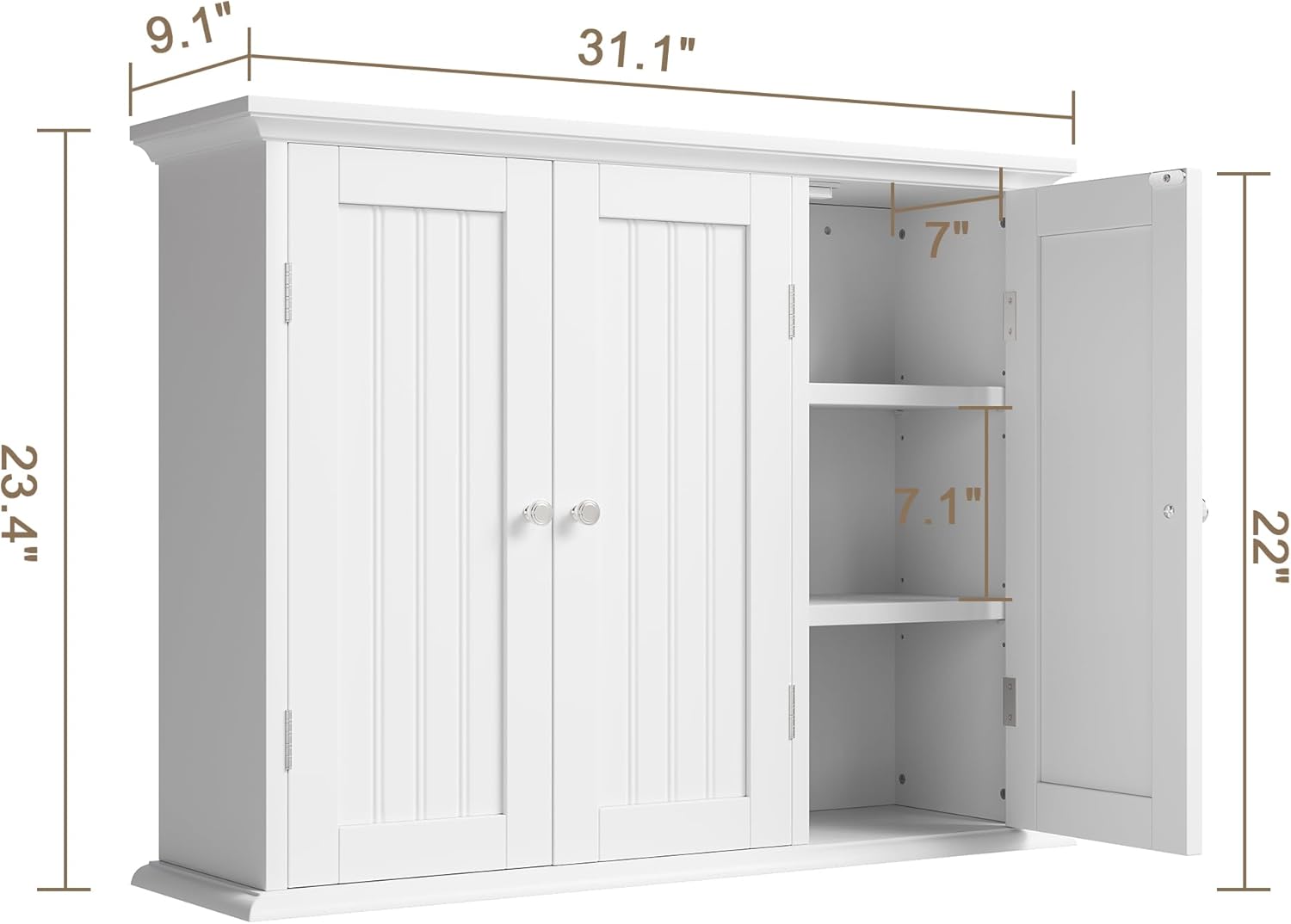
Figure 3: Product dimensions for planning installation space.
5. Setup and Installation
The ChooChoo MC2504-WH cabinet is designed for straightforward assembly and wall mounting. All necessary parts are clearly labeled, and hardware is included.
5.1. Assembly
- Unpack all components and verify against the parts list provided in the packaging.
- Follow the step-by-step instructions and diagrams in the included assembly guide.
- Ensure all screws and fasteners are tightened securely, but do not overtighten.
5.2. Wall Mounting
A mounting template is provided to assist with accurate placement. It is recommended to have assistance for wall mounting due to the cabinet's size and weight.
- Identify a suitable location on your wall, preferably over a toilet or in a laundry area, ensuring sufficient clearance.
- Use the provided template to mark the drilling points for the mounting screws.
- Drill pilot holes as indicated by the template. If mounting into drywall without a stud, use appropriate wall anchors (not always included, may need to be purchased separately for heavier loads).
- Securely attach the cabinet to the wall using the provided hardware.
6. Operating Instructions
6.1. Adjustable Shelves
The cabinet features two adjustable shelves to customize your storage space.
- To adjust a shelf, carefully remove any items from the shelf.
- Lift the shelf slightly and pull it out from its current support pegs.
- Relocate the support pegs to the desired height, ensuring they are level and fully inserted into the pre-drilled holes.
- Place the shelf back onto the support pegs.
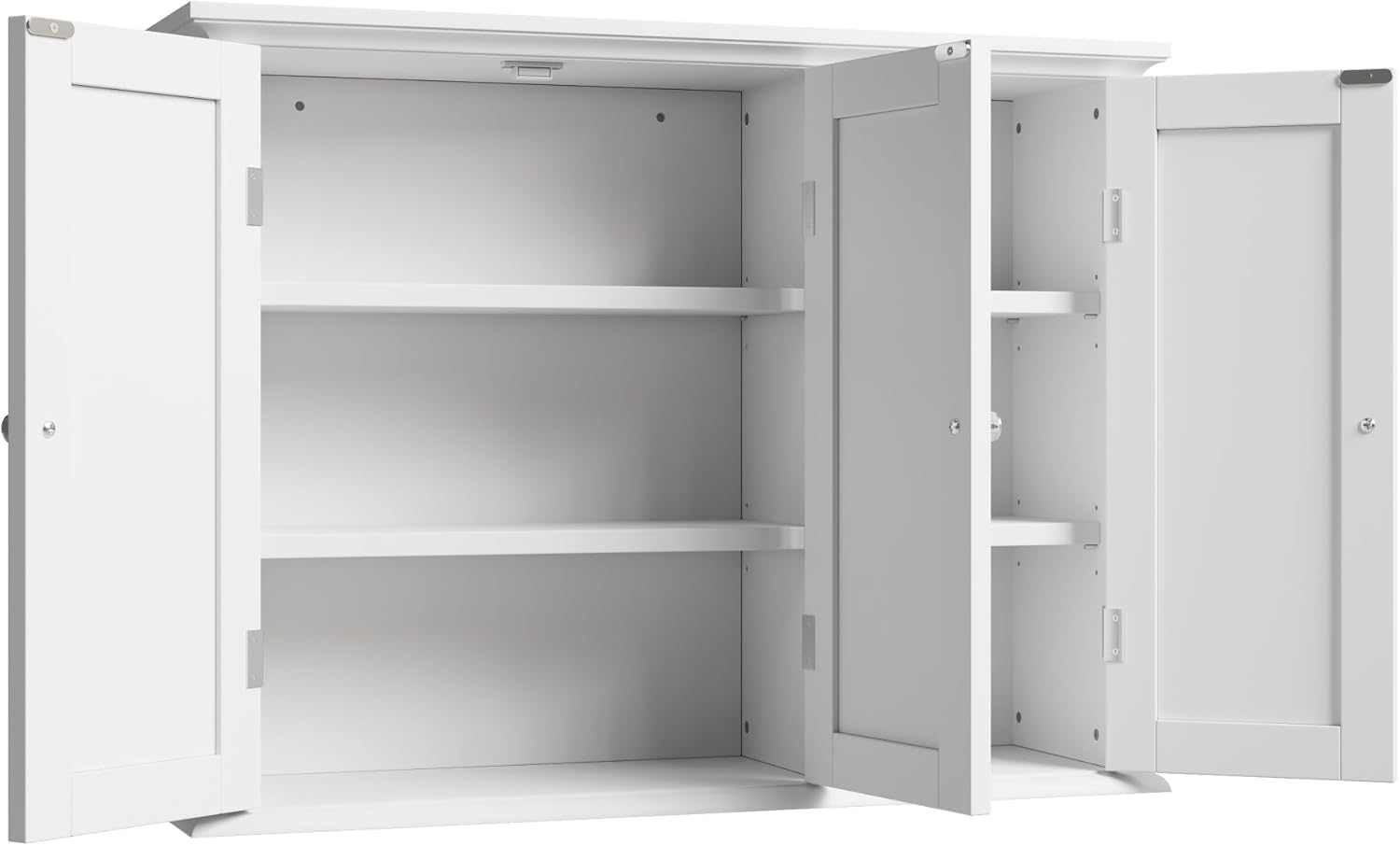
Figure 4: Interior of the cabinet demonstrating adjustable shelf positions.
6.2. Door Operation
The cabinet doors are equipped with magnetic closures for secure and easy opening and closing.
- Gently pull the knobs to open the doors.
- Push the doors firmly until the magnets engage to close them.
7. Maintenance
To maintain the appearance and longevity of your ChooChoo MC2504-WH cabinet:
- Regularly wipe down the surfaces with a soft, damp cloth.
- Avoid using abrasive cleaners or harsh chemicals, as these can damage the water- and scratch-resistant coating.
- Promptly clean any spills to prevent staining or moisture damage.
- Check all fasteners periodically and tighten if necessary to ensure stability.
8. Troubleshooting
- Doors not closing properly: Check if the magnetic catches are aligned. Adjust hinges if necessary. Ensure the cabinet is level.
- Cabinet feels wobbly: Verify that all wall mounting screws are securely tightened. Ensure the cabinet is mounted into a wall stud or using appropriate heavy-duty anchors.
- Shelves are uneven: Ensure all shelf support pegs are fully inserted into the corresponding holes at the same height.
9. Usage Examples
The ChooChoo MC2504-WH cabinet is designed for versatile storage in various home environments.
9.1. Bathroom Storage
Ideal for organizing toiletries, medicine, towels, and other bathroom essentials, keeping them neatly out of sight.

Figure 5: Cabinet in a bathroom setting, providing convenient storage.
9.2. Kitchen Storage
Can be used to store spices, small pantry items, or kitchen accessories, helping to declutter countertops.

Figure 6: Cabinet utilized for kitchen organization.
9.3. Laundry Room Storage
Perfect for detergents, cleaning supplies, and other laundry essentials, keeping your utility space organized.

Figure 7: Cabinet providing storage in a laundry room.
10. Warranty and Support
For warranty information, customer support, or to purchase replacement parts, please refer to the documentation included with your product packaging or visit the official ChooChoo website. Contact information for customer service is typically provided on the product box or in the assembly guide.