
1. Product Overview
Thank you for choosing the OFNEX X19 Wireless Earbuds. These headphones are designed to provide an exceptional audio experience with advanced features for daily use and active lifestyles. Enjoy crystal-clear sound, extended playtime, and a secure, comfortable fit.

Figure 1: OFNEX X19 Wireless Earbuds and Charging Case.
2. What's in the Box
The OFNEX X19 Wireless Earbuds package includes the following components:
- Wireless Charging Case
- Ear Cushions (various sizes)
- Eartips (XS, S, M, L)
- USB-C Cable
- User Manual
3. Setup Guide
3.1 Charging the Earbuds and Case
Before first use, fully charge the earbuds and charging case. The case features a dual LED power display to show battery status for both the case and individual earbuds.
- USB-C Charging: Connect the provided USB-C cable to the charging case and a power source.
- Wireless Charging: Place the charging case on any Qi-certified wireless charging pad (not included).
Each earbud provides up to 8 hours of listening time on a single charge. The charging case extends total playtime to approximately 90 hours.

Figure 2: Charging the OFNEX X19 Earbuds via Wireless or USB-C.

Figure 3: Dual LED Digital Display showing charging status.
3.2 Pairing with Your Device
The X19 earbuds utilize advanced Bluetooth 5.3 technology for fast and stable connections.
- Initial Pairing: Open the charging case. The earbuds will automatically enter pairing mode.
- On your device (smartphone, tablet, laptop), enable Bluetooth and search for "X19".
- Select "X19" from the list of available devices to connect.
- Once successfully paired, the earbuds will automatically reconnect to your device when taken out of the case (after the first successful connection).

Figure 4: One-step pairing and wide compatibility with various devices.
4. Operating Instructions
4.1 Wearing the Earbuds
The X19 earbuds feature flexible, secure-fit ear hooks and come with four pairs of rubber ear tips (XS, S, M, L) to ensure a comfortable and stable fit, even during vigorous activities.
- Choose the ear tip size that provides the best seal and comfort for your ears.
- Gently place the earbud into your ear canal and adjust the ear hook over your ear until it feels secure.
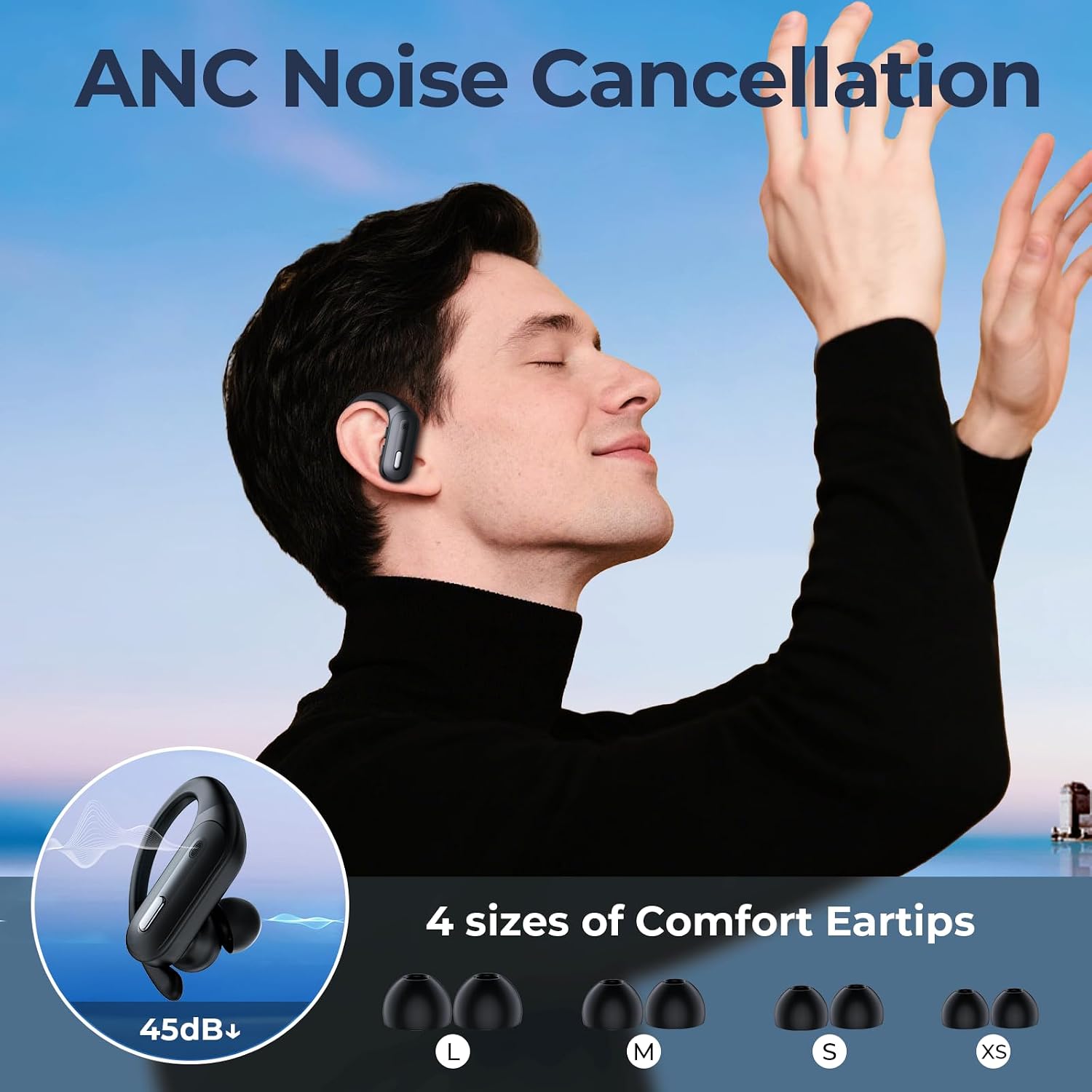
Figure 5: Earbuds with various eartip sizes for optimal fit.
4.2 Controls and Functions
Each earbud is equipped with independent multi-function and volume buttons, allowing for full control even when using a single earbud.
| Action | Function |
|---|---|
| Single Press (MFB) | Play/Pause Music, Answer/End Call |
| Double Press (MFB) | Activate Voice Assistant (Siri, Google Assistant) |
| Long Press (MFB) | Reject Call |
| Press & Hold (Volume +) | Volume Up |
| Press & Hold (Volume -) | Volume Down |
| Triple Press (MFB) | Next Track (Right Earbud), Previous Track (Left Earbud) |
Figure 6: Detailed diagram of earbud controls.
4.3 Audio Quality and Calls
The X19 earbuds feature a 14.2mm dual-chamber speaker driver unit, delivering crisp, balanced sound with deep bass for an immersive stereo experience. Two built-in microphones enhance call clarity, making them ideal for web meetings and phone conversations.

Figure 7: Earbud design for immersive stereo sound.
4.4 Official Product Video
Video 1: An official product video showcasing the features and design of the OFNEX X19 Wireless Earbuds, including their lightweight design, flexible earhooks, dual audio control, secure fit, and long battery life. This video is provided by OFNEX Direct.
5. Maintenance
To ensure the longevity and optimal performance of your OFNEX X19 Wireless Earbuds, follow these maintenance guidelines:
- Cleaning: Regularly wipe the earbuds and charging case with a soft, dry, lint-free cloth. For ear tips, remove them and clean with mild soap and water, then dry thoroughly before reattaching.
- Water Resistance: The earbuds are IPX7 waterproof, protecting against water droplets and sweat. However, they are not designed for swimming or submersion. Always ensure the charging port is dry before charging.
- Storage: Store the earbuds in their charging case when not in use to protect them and keep them charged. Avoid storing in extreme temperatures or humid environments.
6. Troubleshooting
If you encounter issues with your OFNEX X19 Wireless Earbuds, try the following solutions:
| Problem | Solution |
|---|---|
| Earbuds not pairing/connecting | Ensure Bluetooth is enabled on your device. Place earbuds back in case, close, then reopen. Try resetting the earbuds (see below). |
| Only one earbud working | Ensure both earbuds are charged. Place both earbuds back in the case, close, then reopen. Try resetting the earbuds. |
| No sound or low volume | Check device volume and earbud volume. Ensure earbuds are properly seated in your ears. Try a different audio source. |
| Charging issues | Ensure USB-C cable is securely connected or wireless charging pad is active. Clean charging contacts on earbuds and case. |
6.1 One-Key Reset
If you experience persistent issues, you can perform a one-key reset:
- Place both earbuds into the charging case.
- Locate the reset button inside the charging case.
- Press and hold the reset button for approximately 10 seconds until the indicator lights on the earbuds flash, indicating a successful reset.
- Remove the earbuds and attempt to re-pair them with your device.

Figure 8: Location of the One-key Reset button on the charging case.
7. Specifications
| Feature | Detail |
|---|---|
| Model Name | X19 |
| Connectivity Technology | Wireless (Bluetooth) |
| Bluetooth Version | 5.3 |
| Bluetooth Range | 33 Feet |
| Battery Life (Earbuds) | Up to 8 Hours (single charge) |
| Total Playtime (with Case) | Up to 90 Hours |
| Charging Time | 2 Hours |
| Audio Driver Type | 14.2mm Dynamic Driver |
| Water Resistance Rating | IPX7 |
| Control Type | Button Control |
| Form Factor | Over Ear |
| Item Weight | 0.14 Kilograms (approx. 5 ounces) |
| Material | Plastic |
8. Warranty and Support
OFNEX is committed to providing high-quality products and excellent customer service. If you encounter any issues or have questions regarding your X19 Wireless Earbuds, please do not hesitate to contact our after-sale support team.
We offer a 365-day free return policy. If you are not satisfied with your purchase, we will provide a replacement or a full refund. Our customer service team is dedicated to ensuring your complete satisfaction.
For support, please visit the OFNEX Store on Amazon or contact us directly through the Amazon platform.

Figure 9: OFNEX Brand Logo.

