
1. Product Overview
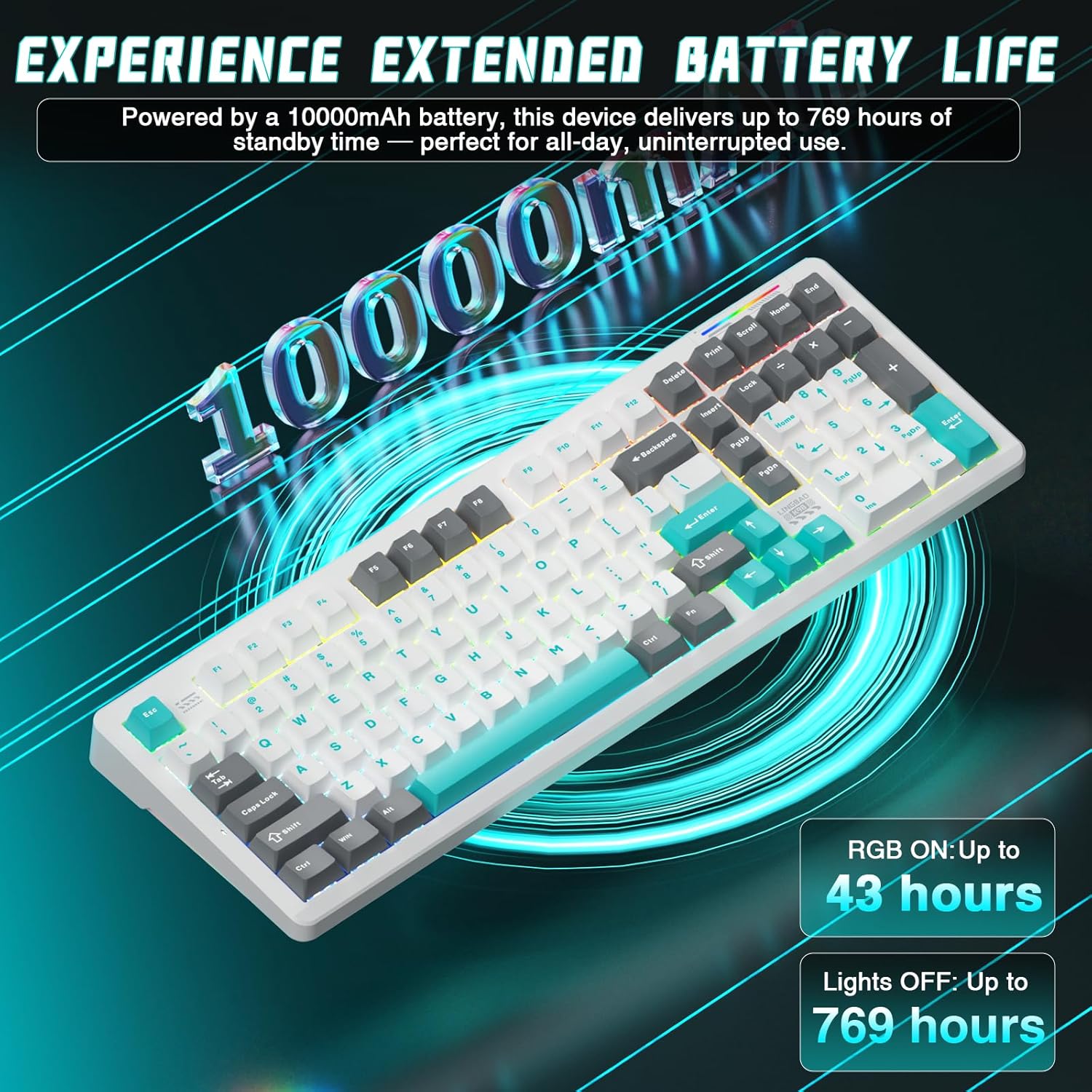
The CORBOBO K98 is a versatile wireless mechanical gaming keyboard designed for performance and customization. It features tri-mode connectivity (Bluetooth 5.0, 2.4GHz wireless, and USB-C wired), a 10000mAh battery, and a fully hot-swappable design for effortless switch and keycap replacement. The keyboard also includes immersive RGB lighting with multiple modes and full customization options via dedicated software.

Key features include:
- Tri-Mode Connectivity: Seamless switching between Bluetooth 5.0, 2.4GHz wireless, and USB-C wired modes.
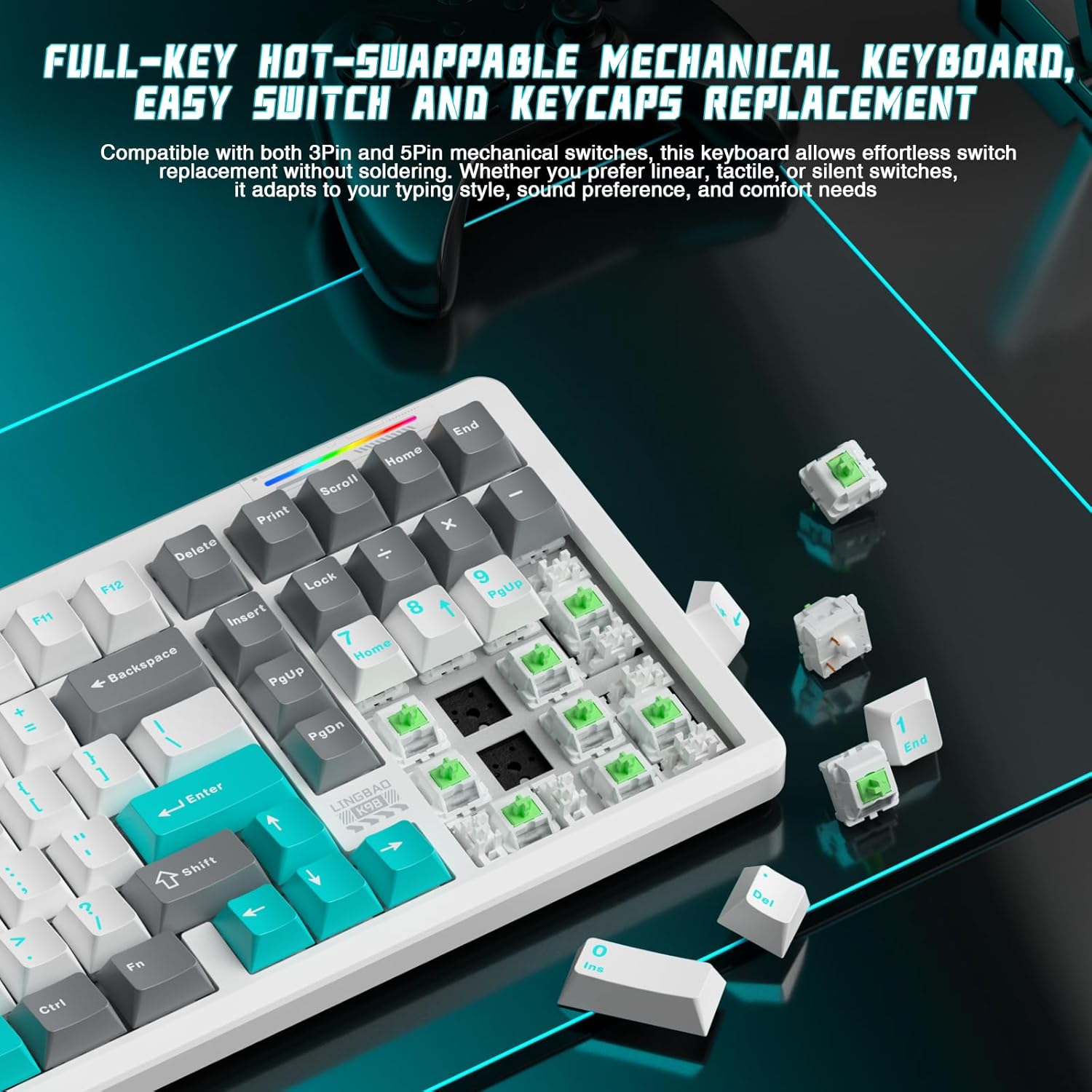
- Hot-Swappable Design: Supports 3-pin and 5-pin switches for easy customization without soldering.
- Extended Battery Life: Equipped with a 10000mAh battery for prolonged wireless use.
- Dynamic RGB Lighting: 16 lighting modes and 16.8 million color options.
- Customization Software: Dedicated software for RGB control, macro programming, and key remapping.
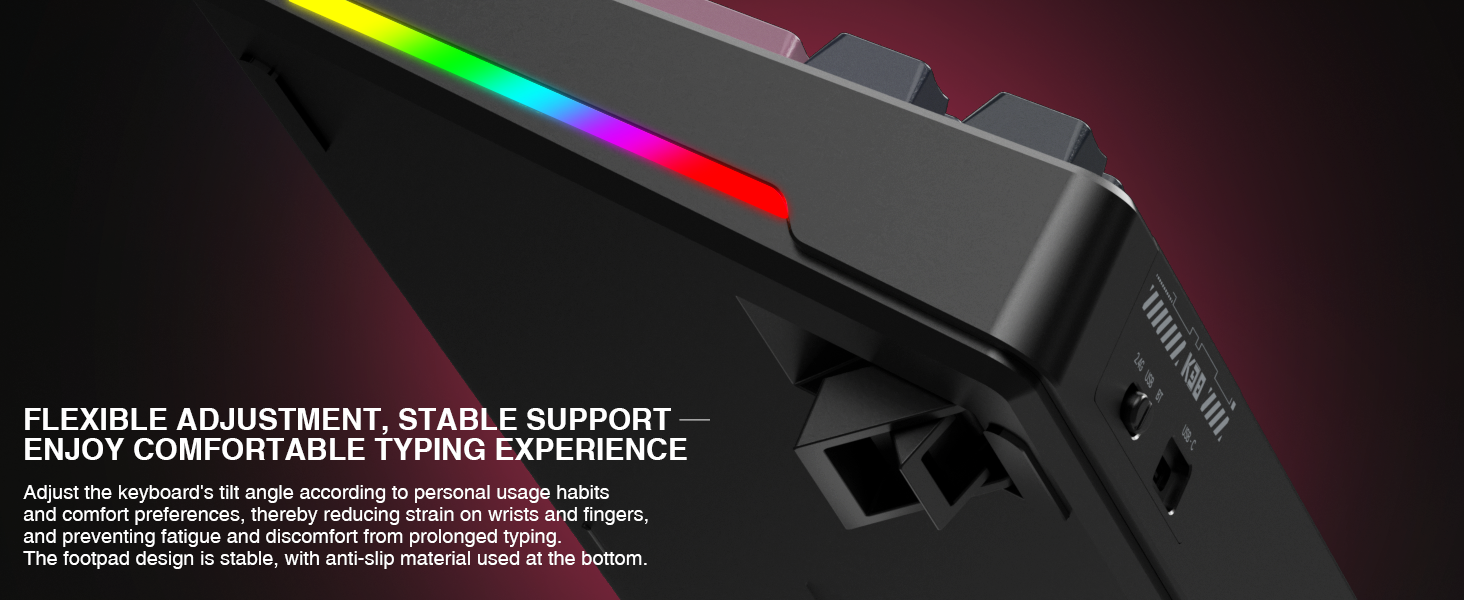
- Ergonomic Design: Angled key layout with dual-tilt support and non-slip feet for comfort and stability.
2. What's in the Box
Please verify that all items are present in the package:
- CORBOBO K98 Keyboard (x1)
- User Manual (x1)
- USB-C Cable (x1)
- Keycap Puller (x1)
3. Setup and Connectivity
3.1 Initial Charging
Before first use, connect the keyboard to a USB power source using the provided USB-C cable to ensure it is fully charged. The 10000mAh battery provides extended usage, but an initial charge is recommended.
3.2 Connecting the Keyboard
The K98 keyboard supports three connection modes:
- USB-C Wired Mode: Connect the USB-C cable directly from the keyboard to your computer. The keyboard will automatically switch to wired mode.
- 2.4GHz Wireless Mode: Insert the 2.4GHz USB receiver into an available USB port on your computer. Switch the keyboard to 2.4GHz mode using the designated switch or key combination (refer to the keyboard's physical switch or FN key combinations).
- Bluetooth 5.0 Mode: Activate Bluetooth on your device. Switch the keyboard to Bluetooth mode. Press FN + 1, 2, or 3 to select a Bluetooth profile. The keyboard will enter pairing mode. Search for 'K98' in your device's Bluetooth settings and connect. You can pair up to 3 Bluetooth devices and switch between them using FN + 1/2/3.

3.3 Hot-Swappable Switches
The K98 features a hot-swappable design, allowing you to change mechanical switches without soldering. This supports both 3-pin and 5-pin switches. Use the included switch puller to carefully remove switches.
4. Operating Instructions
4.1 RGB Lighting Control
The K98 keyboard offers 16 dynamic RGB lighting modes and 16.8 million color options. Use the following key combinations to control the lighting:
- FN + \|: Switch between 16 vivid RGB effects or turn off the backlight.
- FN + Right Shift: Switch side lighting modes (Flowing Light / Aurora / Constant Brightness / Breathing Mode) and toggle the light effects on/off.
- FN + Left Shift: Switch RGB light strip modes (Flowing Light / Aurora / Constant Brightness / Breathing Mode / Turn Off).

4.2 Software Customization
For advanced customization, including macro programming, key remapping, and detailed RGB lighting adjustments, download the dedicated software. This software allows for personalized shortcuts and N-Key rollover configuration.

The software can typically be found on the manufacturer's support website. Refer to the packaging or included documentation for the specific download link.
4.3 Ergonomic Adjustment
The keyboard features dual-tilt angle support. Adjust the feet on the underside of the keyboard to find your preferred typing or gaming posture, reducing strain during prolonged use.
5. Maintenance
5.1 Cleaning the Keyboard
To clean the keyboard, disconnect it from all power sources. Use a soft, lint-free cloth slightly dampened with water or a mild cleaning solution. Avoid spraying liquids directly onto the keyboard. For cleaning between keycaps, use compressed air or a small brush.
5.2 Replacing Keycaps and Switches
Use the provided keycap puller to gently remove keycaps. For switches, use the switch puller to carefully grip and extract the switch from its socket. When inserting new switches, align the pins correctly with the socket holes to prevent damage. Ensure the keyboard is disconnected before performing any replacements.
6. Troubleshooting
- Keyboard not responding:
- Ensure the keyboard is charged.
- Check the connection mode (wired, 2.4GHz, Bluetooth) and ensure it matches your device.
- For 2.4GHz, ensure the USB receiver is properly inserted.
- For Bluetooth, ensure the keyboard is paired and selected on your device. Try re-pairing if issues persist.
- Try connecting via USB-C cable to rule out wireless issues.
- RGB lighting not working:
- Ensure the lighting is not turned off via FN key combinations.
- Check settings in the customization software.
- Keys not registering:
- If a specific key is not working, carefully remove the keycap and switch. Re-insert the switch, ensuring it is fully seated and the pins are not bent.
- Test with a different switch if available.
- Connectivity issues (lag, disconnections):
- Ensure the keyboard is within range of the receiver/device (for wireless modes).
- Minimize interference from other wireless devices.
- Ensure the keyboard battery is sufficiently charged.
7. Specifications
| Feature | Detail |
|---|---|
| Model Number | K98 |
| Brand | CORBOBO |
| Connectivity Technology | Bluetooth 5.0, 2.4GHz Wireless, USB-C Wired |
| Battery Capacity | 10000mAh |
| Switches | Hot-Swappable (3-pin and 5-pin compatible) |
| Backlighting | RGB (16 modes, 16.8 million colors) |
| Compatible Devices | Gaming Console, Laptop, PC, Smartphone, Tablet |
| Product Dimensions | 16 x 5.63 x 1.61 inches |
| Item Weight | 3.54 pounds |
| Manufacturer | CORBOBO |

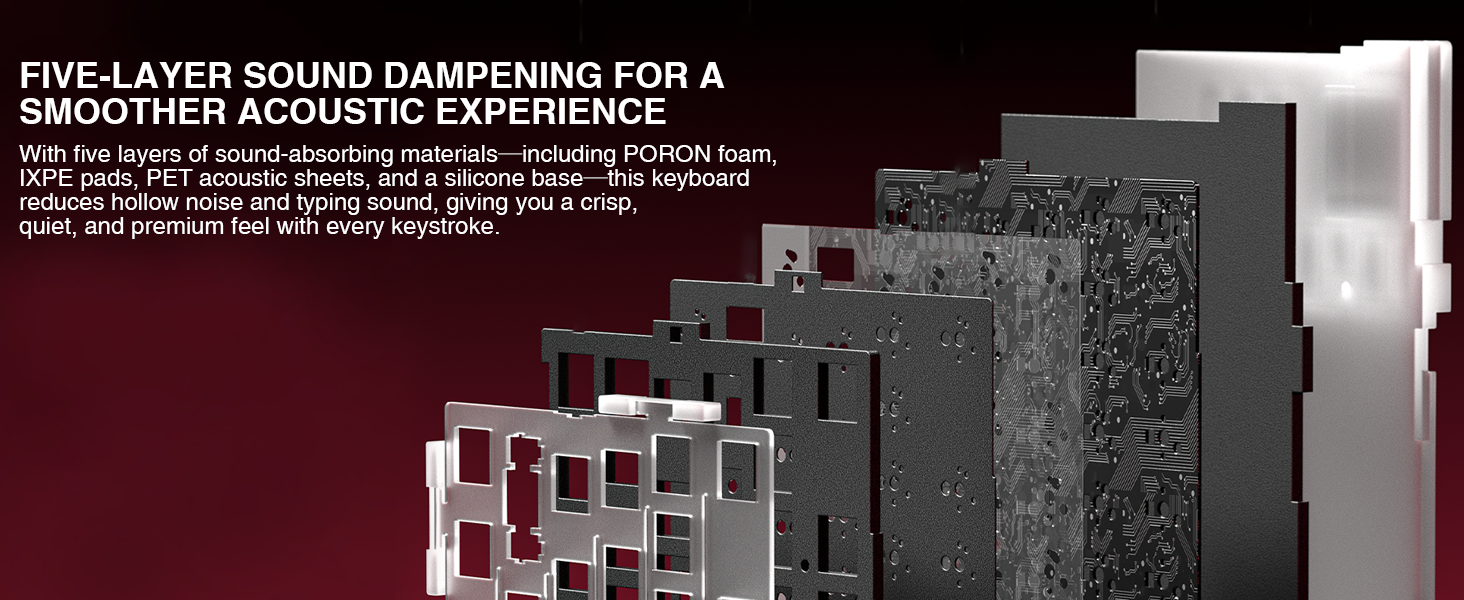
The keyboard incorporates a five-layer sound dampening system, including PORON foam, IXPE pads, PET acoustic sheets, and a silicone base, to provide a crisp, quiet, and premium typing experience.
8. Warranty and Support
For warranty information and technical support, please refer to the official CORBOBO website or contact their customer service. Keep your purchase receipt for warranty claims.
Manufacturer: CORBOBO