
EVERSOLO EVERSOLO Play Édition Standard
Eversolo Play Standard Edition User Manual
Model: EVERSOLO Play Édition Standard | Brand: EVERSOLO
1. Introduction
The Eversolo Play streaming amplifier is a versatile audio device that integrates an amplifier, audio DAC, and music streamer into a single unit. It is designed to seamlessly adapt to various home stereo system components, providing bit-perfect audio reproduction and an ultra-minimalist setup for an unparalleled HiFi audio experience across all usage environments.

Figure 1: Eversolo Play Standard Edition, a compact and elegant streaming amplifier.
2. What's in the Box
Upon unboxing your Eversolo Play Standard Edition, please ensure all the following items are present:
- Eversolo Play Standard Edition (x1)
- Power Cable (x1)
- Quick Start Guide (x1)

Figure 2: Included items with the Eversolo Play Standard Edition.
3. Setup
3.1. Initial Connection
- Power Connection: Connect the provided power cable to the Eversolo Play and then to a suitable power outlet.
- Speaker Connection: Connect your passive bookshelf speakers to the "Speaker Out" terminals on the rear panel. Ensure correct polarity (+ to + and - to -). The device delivers 60W×2ch@8Ω / 110W×2ch@4Ω. For optimal sound quality, use speakers with a recommended sensitivity of 85-88dB, impedance of 4Ω or 6Ω, and power handling of 20-100W. Note: This device does not support large floor-standing speakers or active speakers lacking a coaxial input.
- Network Connection: For streaming services and app control, connect the device to your network via Ethernet cable to the "Gigabit LAN" port or via Wi-Fi 6.
- Input Sources: Connect your desired audio sources to the various input ports available on the rear panel, such as Coaxial In, Optical In, LINE In, PHONO In (supporting MM/MC phono), HDMI ARC, USB OTG, and USB Audio out.

Figure 3: Rear panel connections for the Eversolo Play.
3.2. First Power On and Display
Once powered on, the 5.5-inch HD LCD touchscreen will activate, providing an intuitive and smooth operation interface. Most operations can be completed directly via the touchscreen without needing a smartphone.
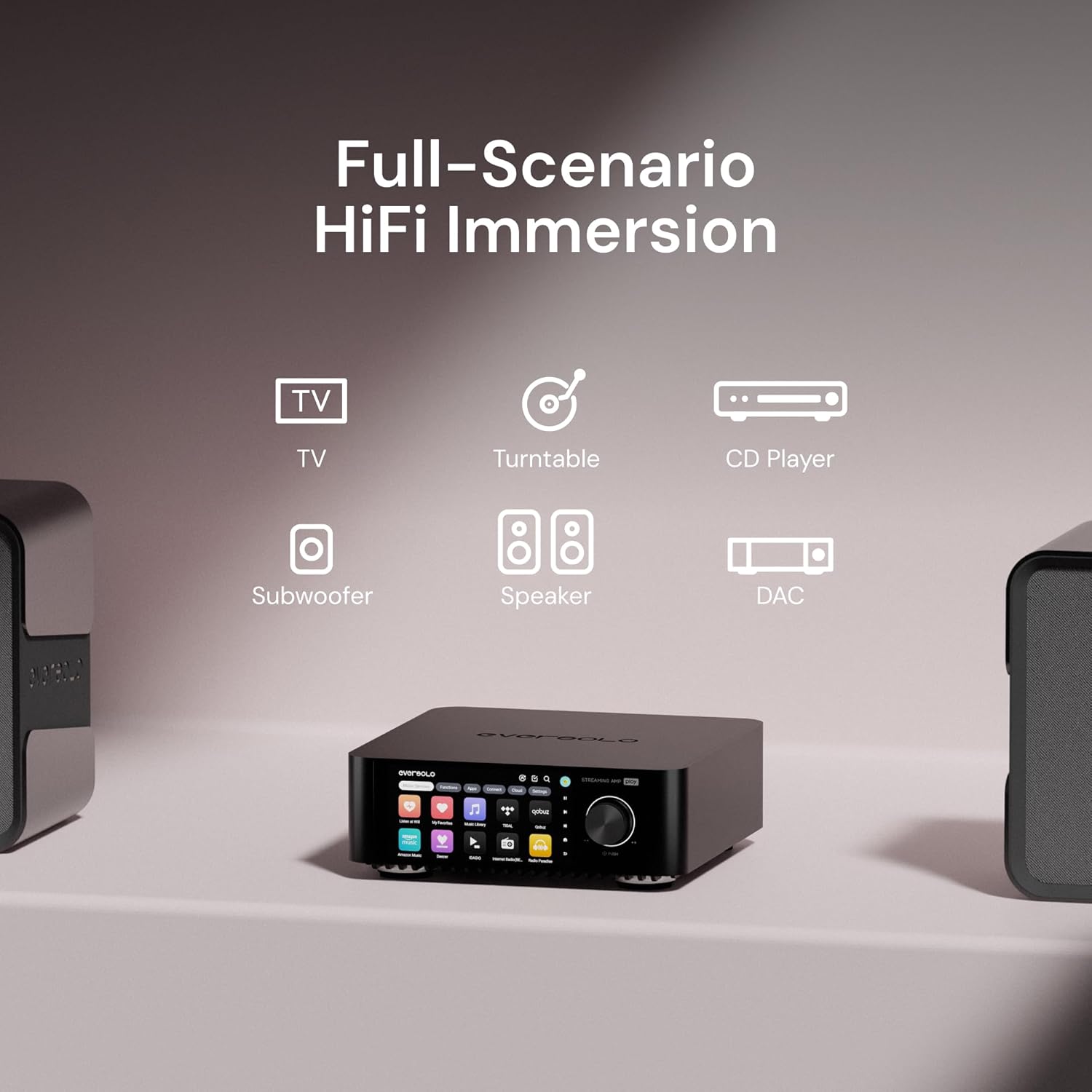
Figure 4: The Eversolo Play seamlessly integrates into various home audio scenarios.
3.3. Storage Expansion
The Eversolo Play supports internal storage expansion via an M.2 NVMe drive (not included) for your music library. You can also connect external storage devices via USB.
4. Operating Instructions
4.1. Music Streaming Services
The Eversolo Play is compatible with a wide range of mainstream music services, allowing you to stream directly through the device or via your smartphone. Supported services include:
- Qobuz
- TIDAL Music
- Amazon Music
- Spotify
- Apple Music
- Deezer
- Calm Radio
- SoundCloud
- TuneIn Radio
- HIGHRESAUDIO
- IDAGIO
- Internet Radio (BETA)
- Radio Paradise
- KKBOX
- Presto Music
- Spreaker Podcasts
It also supports Music Cloud Drivers like UPnP, WebDAV, Dropbox (BETA), Emby (BETA), Jellyfin (BETA), and Plex (BETA), as well as Music Connects such as TIDAL Connect, Roon Ready, Spotify Connect, Airplay, DLNA, and Qobuz Connect.

Figure 5: Wide range of supported music streaming services.
4.2. Eversolo Control App
The new Eversolo Control app is available for iOS, Android, and tablet devices, offering comprehensive control over your device. Key features include:
- Intuitive Interface: Modern design with smooth response for easy navigation.
- Shortcuts: Quick access to functions and favorite music services directly from the homepage.
- Music Library Management: Multi-dimensional browsing by albums, artists, tracks, genres, years, and composers.
- Unified Device Management: Easy overview and control for multiple Eversolo devices.
- Theme Switch: One-click switch between simple/classic mode and Dark/Light mode for eye-friendly viewing in any lighting.
- Global Search: Efficiently find music across all integrated services and local storage.
- Hybrid Playback Queues: Manage your listening queue seamlessly.
- Screen Mirroring: Mirror the device's display on your control device.
- Wake-on-LAN: Remotely power on your device.
Video 1: EVERSOLO Control Instruction - Demonstrates the features and usability of the Eversolo Control App on a smartphone.

Figure 6: Eversolo Control App provides seamless control across various mobile devices.
4.3. Audio Customization and Room Correction
The Play Series integrates an Intelligent Bass Management module for optimized acoustic balance. It is equipped with multi-band professional-grade EQ and FIR filters, offering 23 genre-specific presets (e.g., Dance, Blues, Classical, Jazz) for one-touch audio customization.
The Room Correction feature intelligently identifies acoustic characteristics of distinct environments and neutralizes environmental reflections, ensuring pristine audio reproduction in any location.

Figure 7: Personalized retro VU meters and visualizers enhance the music experience.
4.4. Multi-Room Playback System
The Eversolo Multi-Room Playback System allows seamless interconnection of multiple devices, synchronously enveloping every space with music to transcend spatial boundaries.
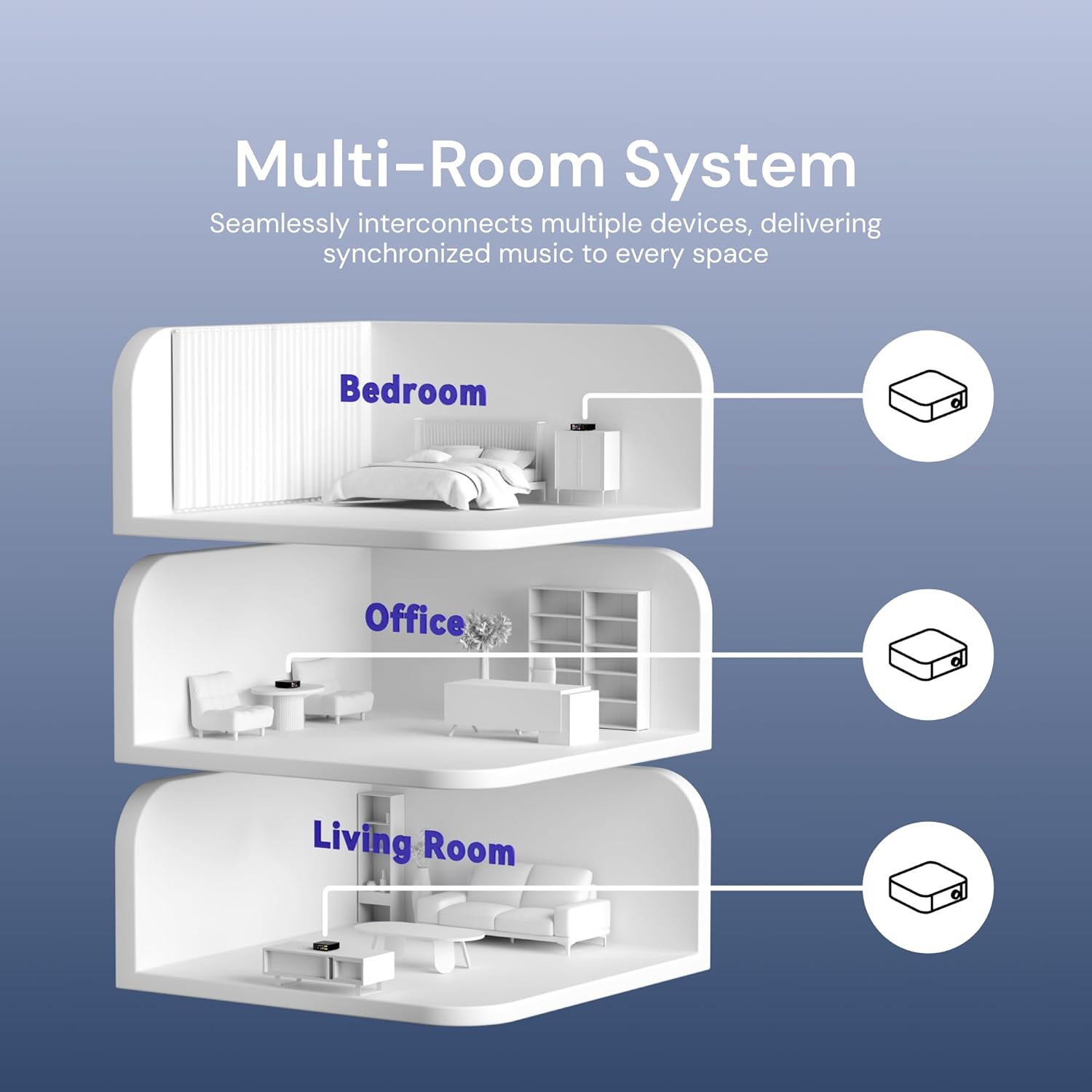
Figure 8: Multi-Room System for synchronized audio throughout your home.
4.5. Supported Audio Formats
The Eversolo Play music player supports a wide range of high-fidelity music formats, including DSD, FLAC, APE, and WAV.
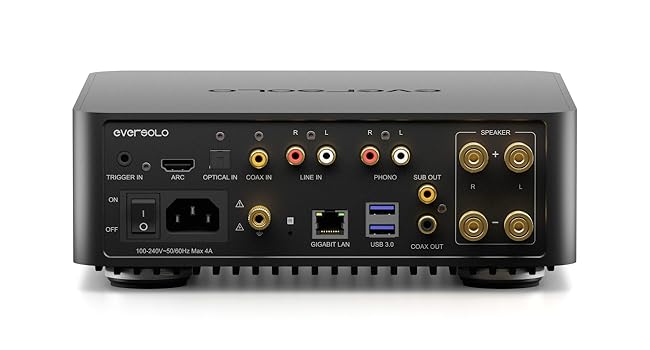
Figure 9: Supported high-fidelity audio formats.
5. Maintenance
To ensure the longevity and optimal performance of your Eversolo Play, follow these general maintenance guidelines:
- Cleaning: Use a soft, dry cloth to clean the exterior surfaces. Avoid abrasive cleaners or solvents. For the touchscreen, use a microfiber cloth specifically designed for electronics.
- Ventilation: Ensure the device has adequate ventilation. Do not block any ventilation openings.
- Environment: Keep the device away from direct sunlight, heat sources, excessive dust, moisture, and strong magnetic fields.
- Firmware Updates: Regularly check for and install firmware updates as they often include performance improvements and bug fixes. Information on updates can typically be found via the Eversolo Control App or the official Eversolo website.
6. Troubleshooting
This section addresses common issues you might encounter with your Eversolo Play. If the problem persists, please contact customer support.
| Problem | Possible Cause | Solution |
|---|---|---|
| No sound output from speakers. | Incorrect speaker connection, wrong input source selected, volume too low, or internal fault. |
|
| Eversolo Control App freezes or disconnects. | Network instability, app bug, or device communication issue. |
|
| Streaming services buffer frequently or fail to load. | Slow or unstable internet connection, network congestion, or service-specific issues. |
|
7. Specifications
| Feature | Detail |
|---|---|
| Brand Name | EVERSOLO |
| Model Name | Eversolo Play Standard Edition |
| Item Model Number | EVERSOLO Play Édition Standard |
| Product Dimensions | 9.06 x 9.06 x 2.95 inches (2.6 Kilograms) |
| Item Weight | 5.72 pounds |
| Color | Black |
| Connectivity Technology | Bluetooth, Ethernet, Wi-Fi 6 |
| Connector Type | Coaxial In, Optical In, LINE In, PHONO In, Speaker Out, Sub Out, Coaxial Out, USB OTG, USB Audio out |
| Special Features | 5.5" LCD Touchscreen, All-In-One Streaming Amplifier, Multi Room Audio, Music Library Management, Room Correction |
| Compatible Devices | Smartphone, Tablet |
| Memory Storage Capacity | 32 GB (expandable via M.2 NVMe) |
| DAC Chip | AK4493SEQ (≥109dB SNR @A-weighting, 0.0037% THD) |
| Amplifier Output | 60W×2ch@8Ω / 110W×2ch@4Ω (Class D) |
8. Warranty and Support
Eversolo offers a 12-month after-sales warranty for this product. For any comments, questions, or technical support, please reach out to Eversolo through their official service channels, such as their website forum, Facebook, Instagram, or via email. Expect a prompt response from their dedicated support team.
Regular firmware updates are provided monthly to enhance performance and address user feedback.
Related documentsEVERSOLO Play Édition Standard


Ask a question about this manual
Ask about setup, troubleshooting, compatibility, parts, safety, or missing instructions. Manuals+ will review the question and use this page’s manual context to help answer it.