
1. Introduction
This manual provides essential information for the safe and effective use of your Mibro GS Pro2 Multisport Smartwatch. Please read this manual thoroughly before using the device and retain it for future reference.
Product Overview
The Mibro GS Pro2 is a versatile multisport smartwatch designed for various activities, featuring a 1.43-inch AMOLED display, Bi-Band GNSS for precise positioning, and extensive health and fitness tracking capabilities.

Image 1.1: Mibro GS Pro2 Smartwatch. This image displays the Mibro GS Pro2 smartwatch from an angled perspective, showcasing its round dark gray casing, black silicone strap, and the digital watch face with various data points like time, date, and weather.
2. Setup
2.1 Initial Charging
Before first use, fully charge your Mibro GS Pro2 smartwatch. Connect the magnetic charging cable to the charging contacts on the back of the watch and plug the USB end into a standard USB power adapter (not included).
- A full charge typically takes approximately 2.5 hours.
- The watch will display a charging indicator on the screen.
2.2 Pairing with Your Smartphone
To unlock the full functionality of your Mibro GS Pro2, pair it with your smartphone via the dedicated Mibro Fit application.
- Download the App: Search for "Mibro Fit" in your smartphone's app store (iOS or Android) and install it.
- Create Account: Open the Mibro Fit app and follow the on-screen instructions to create an account or log in.
- Enable Bluetooth: Ensure Bluetooth is enabled on your smartphone.
- Add Device: In the Mibro Fit app, navigate to the "Device" or "Add Device" section.
- Select Watch: Select "Mibro GS Pro2" from the list of available devices.
- Confirm Pairing: A pairing request will appear on both your watch and smartphone. Confirm the pairing on both devices.
Once paired, the watch will synchronize data with the app, and you can customize settings, receive notifications, and view detailed activity reports.
3. Operating the Device
3.1 Basic Navigation
The Mibro GS Pro2 features a responsive touchscreen and physical buttons for navigation.
- Touchscreen: Swipe up, down, left, or right to navigate through menus and widgets. Tap to select items.
- Side Buttons: Use the physical buttons on the side of the watch to access specific functions (e.g., power on/off, return to home screen, quick access to sports modes). Refer to the watch's on-screen prompts for specific button assignments.
3.2 Power On/Off
- Power On: Press and hold the power button (usually the top right button) until the Mibro logo appears.
- Power Off: Press and hold the power button, then select "Power Off" from the options displayed on the screen.
3.3 Making and Receiving Calls
When connected to your smartphone, the Mibro GS Pro2 allows you to manage calls directly from your wrist.
- Receiving Calls: When a call comes in, the watch will display the caller ID. You can tap the green icon to answer or the red icon to reject the call.
- Making Calls: Access the call function on your watch (usually through the phone icon or a dedicated widget) to dial numbers or select contacts from your synced phonebook.
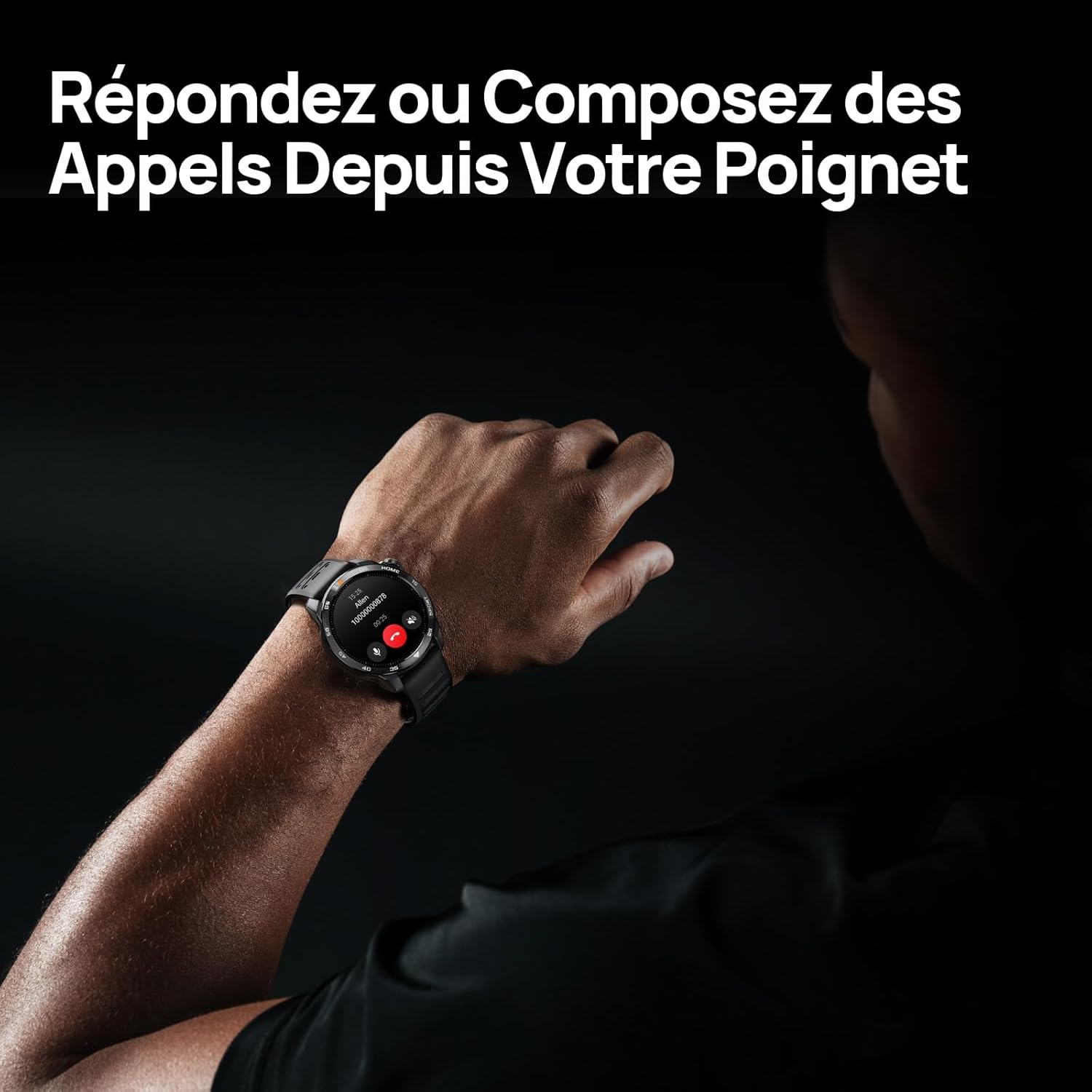
Image 3.1: Responding to calls on the Mibro GS Pro2. This image shows a person's wrist with the Mibro GS Pro2 smartwatch displaying an incoming call notification, illustrating the ability to answer or decline calls directly from the watch.
4. Features
4.1 Display
The Mibro GS Pro2 features a vibrant 1.43-inch AMOLED display, offering clear visibility even in bright outdoor conditions.
- Size: 1.43 inches
- Type: AMOLED
- Resolution: 466x466 pixels
- Brightness: Up to 1200 nits peak brightness
- Features: Touchscreen, Anti-fingerprint coating.

Image 4.1: Mibro GS Pro2 1.43" AMOLED High Brightness Screen. This image highlights the smartwatch's display specifications, including 1200 nits peak brightness, 466x466 resolution, and 60 fps refresh rate, demonstrating its clarity and responsiveness.
4.2 Multisport Modes
The watch supports over 150 sports modes, providing tailored data analysis for each activity. This includes intelligent transitions for multi-discipline events like triathlons.
- Aquatic Sports: Suitable for open water swimming and pool swimming, calculating parameters such as distance, pace, and trajectory. The watch is 5ATM water resistant.
- Cycling: Tracks various cycling metrics, including outdoor cycling, indoor cycling, mountain biking, and short-distance modes.
- Running: Offers professional running algorithms, including running dynamics, performance index, and physical analysis based on real-time data. It records trajectories and provides long-term training plans.
- Other Sports: Includes modes for hiking, skiing, padel, and many more.

Image 4.2: Mibro GS Pro2 with 150+ Sports Modes. This image shows the smartwatch displaying various sports icons, indicating its extensive support for over 150 different physical activities, including swimming, cycling, and running.

Image 4.3: Mibro GS Pro2 5ATM Water Resistant. This image depicts a swimmer wearing the Mibro GS Pro2 smartwatch, with on-screen data showing swimming metrics like distance, stroke count, and calories burned, highlighting its water resistance and aquatic sport tracking capabilities.
4.3 GPS and Outdoor Navigation
The smartwatch features precise dual-frequency geolocation (Bi-Band GNSS) with real-time deviation alerts. It provides accurate route data and altitude variation measurements for outdoor activities like cycling tours or hiking.
- Dynamically adjust start/end points directly on the watch.
- Store up to 10 backup routes for navigation in areas without signal.
- Includes Barometer and Altimeter functions for environmental data.

Image 4.4: Mibro GS Pro2 Dual-Frequency GPS for Precise Outdoor Navigation. This image shows the smartwatch displaying a map and route tracking, alongside a smartphone app showing a detailed outdoor run trajectory, emphasizing its accurate GPS capabilities for outdoor activities.

Image 4.5: Mibro GS Pro2 Barometer and Altimeter. This image displays the watch showing barometric pressure, a compass, and altitude readings, with a person climbing in the background, illustrating its environmental sensing capabilities.
4.4 Health Monitoring
The Mibro GS Pro2 provides comprehensive health tracking features to help you monitor your well-being.
- Heart Rate Monitoring: Continuous heart rate tracking.
- Blood Oxygen (SpO2) Monitoring: Measures blood oxygen saturation levels.
- Sleep Tracking: Monitors sleep stages (light, deep, REM) and provides a sleep score.
- Stress Monitoring: Tracks stress levels throughout the day.
- VO2 Max & Recovery Time: Professional metrics for training optimization.
- Activity Tracking: Records calories burned, total distance, and steps taken.

Image 4.6: Mibro GS Pro2 VO2 Max & Recovery Time. This image shows the smartwatch displaying VO2 Max percentage and recovery time recommendations, along with training effect metrics, aiding in professional workout analysis.

Image 4.7: Mibro GS Pro2 Blood Oxygen (SpO2) Monitoring. This image illustrates the watch's ability to track blood oxygen saturation levels over a 24-hour period, displayed as a graph on the watch face.

Image 4.8: Mibro GS Pro2 Sleep Tracking. This image shows the smartwatch displaying sleep quality metrics (Good, BPM, Stress) and a breakdown of sleep stages (Awake, Light Sleep, Deep Sleep), with a person sleeping in the background.
4.5 Battery Life
The Mibro GS Pro2 offers extended battery life to support prolonged use.
- Daily Mode: Approximately 20 days.
- GPS Mode: Approximately 20 hours.
- Power Saving Mode: Up to 50+ days.

Image 4.9: Mibro GS Pro2 Ultra-Long Battery Life and Fast Charging. This image illustrates the watch's battery performance, showing 2.5 hours for a full charge and estimated usage times for daily mode (20+ days), power-saving mode (50+ days), and GPS mode (20 hours).
4.6 Smart Functions
Beyond fitness tracking, the Mibro GS Pro2 integrates seamlessly with your digital life.
- Message Notifications: Receive alerts for calls, SMS, and app notifications (e.g., TikTok, WhatsApp, Telegram, Instagram, Facebook, Snapchat).
- Music Control: Control music playback on your smartphone directly from the watch.
- Find My Phone: Locate your paired smartphone using the watch.
- Customizable Watch Faces: Personalize your watch with various watch face designs.

Image 4.10: Mibro GS Pro2 New Daily Health & Well-being Features. This image shows icons representing sleep tracking, wake-up reminders, music control, and 'find my phone' functionality, indicating the watch's smart features for daily use.

Image 4.11: Mibro GS Pro2 Message Push Notifications. This image shows the smartwatch displaying a message notification, surrounded by logos of popular social media and messaging apps, illustrating its capability to receive alerts from various platforms.

Image 4.12: Mibro GS Pro2 Personalized Watch Faces. This image displays a variety of digital watch faces, showcasing the customization options available to users for personalizing their smartwatch display.
5. Maintenance
5.1 Cleaning Your Smartwatch
- Regularly clean the watch casing and strap with a soft, damp cloth.
- For stubborn dirt, use a mild soap solution and rinse thoroughly with clean water.
- Ensure the charging contacts are clean and dry before charging to prevent corrosion.
- Avoid using harsh chemicals, abrasive cleaners, or solvents, as these can damage the watch's finish and seals.
5.2 Water Resistance
The Mibro GS Pro2 is 5ATM water resistant, meaning it can withstand pressures equivalent to a depth of 50 meters. This makes it suitable for swimming and showering. However, it is not recommended for diving or high-pressure water activities.
- Do not operate the buttons underwater.
- After exposure to saltwater, rinse the watch with fresh water and dry it thoroughly.
5.3 Battery Care
- Avoid fully discharging the battery frequently.
- Store the watch in a cool, dry place when not in use for extended periods.
- Use only the provided charging cable.
6. Troubleshooting
6.1 Watch Not Powering On
- Ensure the watch is fully charged. Connect it to the charger for at least 30 minutes.
- Press and hold the power button for 10-15 seconds to attempt a forced restart.
6.2 Unable to Pair with Smartphone
- Ensure Bluetooth is enabled on your smartphone and the watch.
- Make sure the watch is within Bluetooth range of your phone.
- Restart both your smartphone and the watch.
- Clear the Bluetooth cache on your phone (if applicable) and try pairing again.
- Ensure the Mibro Fit app is updated to the latest version.
6.3 Inaccurate GPS Readings
- Ensure you are in an open outdoor area with a clear view of the sky.
- Wait for the watch to acquire a stable GPS signal before starting your activity.
- Ensure the watch's firmware is up to date via the Mibro Fit app.
6.4 Notifications Not Appearing
- Check notification settings in the Mibro Fit app to ensure they are enabled for desired applications.
- Verify that your phone's notification permissions are granted to the Mibro Fit app.
- Ensure the watch is connected to your phone via Bluetooth.
7. Specifications
| Feature | Detail |
|---|---|
| Brand | Mibro |
| Model Number | GS Pro2 |
| Display Size | 1.43 inches |
| Display Type | AMOLED |
| Operating System | RTOS |
| Connectivity | Bluetooth |
| Special Features | Touchscreen, Water Resistant (5ATM), Bi-Band GNSS, Health Monitoring |
| Compatible Devices | Smartphone |
| Battery Composition | Lithium-ion |
| Battery Life (Daily Mode) | Approx. 20 days |
| Battery Life (GPS Mode) | Approx. 20 hours |
| Water Resistance | 5ATM |
| Dimensions (Watch Body) | 48mm (diameter) x 12mm (thickness) |
| Strap Length | 265mm |
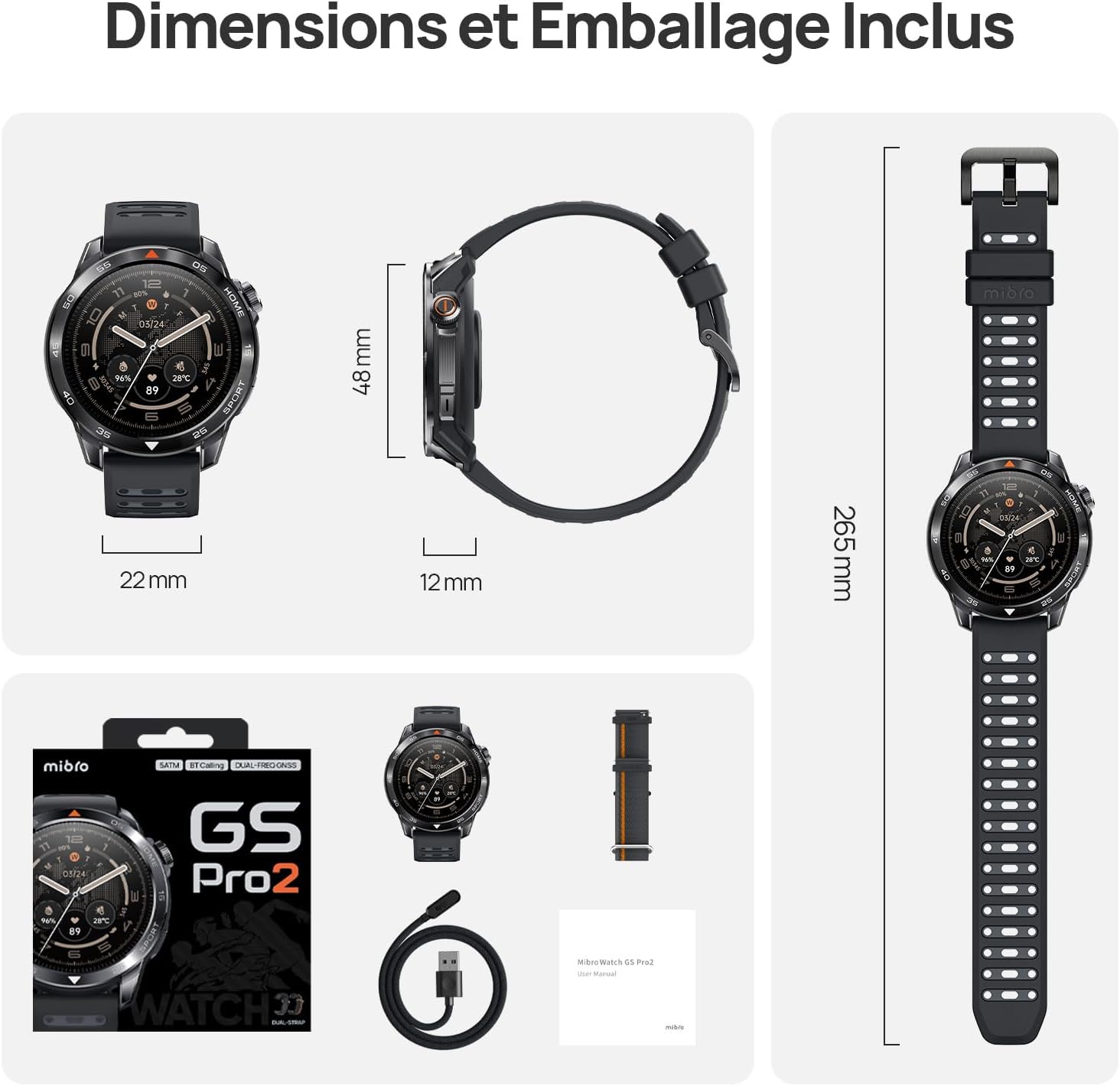
Image 7.1: Mibro GS Pro2 Dimensions and Included Packaging. This image provides a visual representation of the watch's dimensions (48mm diameter, 12mm thickness, 265mm strap length) and shows the contents of the product packaging, including the watch, charging cable, and user manual.
8. Warranty and Support
8.1 Manufacturer's Warranty
The Mibro GS Pro2 comes with a 1-year manufacturer's warranty. This warranty covers defects in materials and workmanship under normal use. Please retain your proof of purchase for warranty claims.
The warranty does not cover damage caused by misuse, accidents, unauthorized modifications, or normal wear and tear.
8.2 Customer Support
For technical assistance, troubleshooting, or warranty inquiries, please refer to the official Mibro website or contact their customer support channels. Specific contact details may be found on the product packaging or the official Mibro website.


