
LEOBOG HI75C PRO
LEOBOG HI75C Pro Wireless Keyboard User Manual
Model: HI75C PRO | Brand: LEOBOG
Introduction
The LEOBOG HI75C Pro Wireless Keyboard is a 75% hot-swappable gaming keyboard designed for versatility and performance. It features a five-layer knob, multi-mode connectivity (Bluetooth, 2.4GHz wireless, and USB-C wired), and vibrant RGB backlighting. Constructed with an aluminum alloy cover and GASKET design, it aims to provide a comfortable and satisfying typing experience for various operating systems including Windows, MAC, iOS, and Android.
What's in the Box
- Keycap Puller
- USB Cable (Coiled Type-C to Type-A)
- English Manual
- LEOBOG HI75C Pro Wireless Keyboard

Image: The LEOBOG HI75C Pro keyboard showcasing its 75% layout and RGB backlighting.
Setup
Connectivity Modes
The HI75C Pro supports three connection modes: Bluetooth 5.0, 2.4GHz wireless, and USB-C wired. A switch on the side of the keyboard allows selection between these modes.
- USB-C Wired: Connect the provided USB-C cable to the keyboard and your device. The keyboard will automatically switch to wired mode.
- 2.4GHz Wireless: Insert the USB receiver (found in the keyboard's storage slot) into your device's USB port. Switch the keyboard to 2.4G mode.
- Bluetooth (BT5.0): Switch the keyboard to BT mode. The keyboard can connect to up to five devices simultaneously. Use shortcut keys (e.g., Fn+Q, Fn+W, Fn+E, Fn+R) to switch between paired devices.
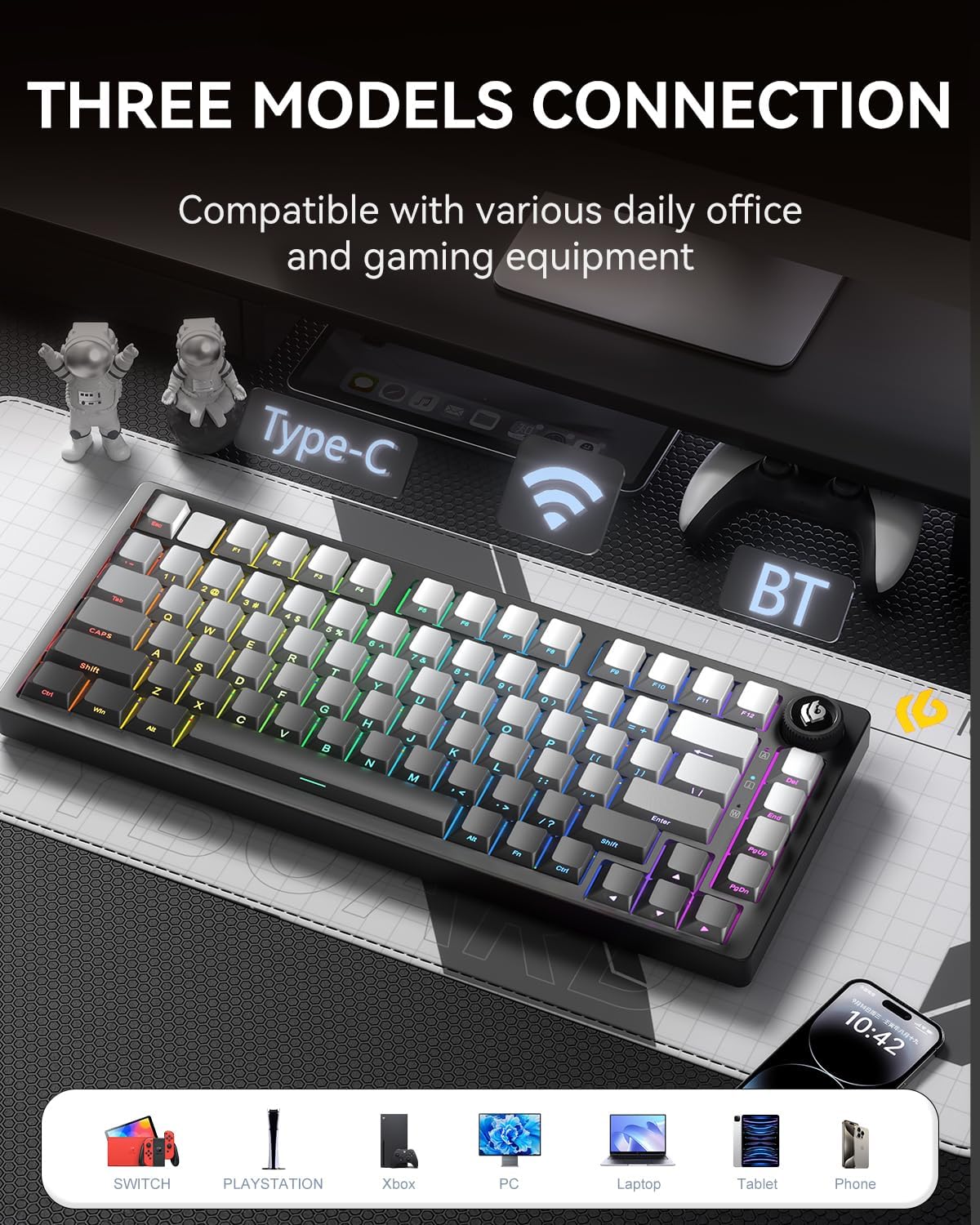
Image: The keyboard highlighting its versatile connectivity options, compatible with various devices.
Initial Charge
The keyboard comes with an included AA battery. For optimal performance, it is recommended to fully charge the keyboard via the USB-C connection before first use. The keyboard's battery capacity can last for approximately one month without lights.
Operating Instructions
RGB Backlighting
The HI75C Pro features 16.8 million RGB lighting colors and 17 lighting effects. It also includes 10 lighting modes that synchronize with music rhythm when used with the driver software. The knob can be used to turn off the lights if not needed.

Image: Key features of the HI75C Pro keyboard, including its RGB backlighting.
Dual-Mode Knob Functionality
The multi-functional knob allows smooth switching between work and gaming modes, controlling volume and lighting brightness.
- Switching Modes: Press and hold the knob (Mode key) to toggle between Game mode and Office mode.
- Office Mode: When the indicator light is on continuously, the keyboard is in Office mode. Rotate the knob to adjust the volume.
- Game Mode: When the indicator light is breathing, the keyboard is in Game mode. Rotate the knob to adjust the light brightness.

Image: Visual guide to the multimedia knob's dual-mode functionality.
Hot-Swappable Switches
The keyboard features hot-swappable sockets, allowing users to easily change switches without soldering. It supports 3-pin and 5-pin switches. This enables customization of typing feel and sound.

Image: Demonstration of the hot-swappable keycaps and switches.
Ergonomic Design
The keyboard incorporates a scientific step-by-step keycap design with a 7-degree angle, promoting a relaxed wrist and finger posture for comfortable long-term use.

Image: Ergonomic design of the keyboard for improved typing comfort.
Gasket Structure
The keyboard features a GASKET design with multi-layered sound silencer cotton embedded to significantly reduce cavity noise and enhance typing sound, providing a softer and more pleasant acoustic experience.

Image: Detailed diagram of the internal Gasket Structure for sound dampening.
Maintenance
- Cleaning: Use a soft, dry cloth to clean the keyboard surface. For keycaps, a keycap puller can be used to remove them for deeper cleaning.
- Switch Care: While switches are pre-lubricated, if you choose to replace them, ensure proper alignment to avoid damaging the pins.
- Storage: Store the keyboard in a cool, dry place away from direct sunlight and extreme temperatures.
Troubleshooting
- Keyboard Not Responding:
- Ensure the correct connectivity mode (USB-C, 2.4G, BT) is selected via the side switch.
- For wireless modes, check battery level.
- Try connecting via USB-C cable to rule out wireless issues.
- Ensure the USB receiver is properly inserted for 2.4GHz mode.
- RGB Lights Not Working/Dim:
- Check the knob setting; rotate it in Game mode to adjust brightness or turn lights on/off.
- Ensure the keyboard has sufficient battery charge.
- Connectivity Issues (Bluetooth/2.4GHz):
- Ensure the keyboard is within range of the device.
- Re-pair the Bluetooth connection or re-insert the 2.4GHz USB receiver.
- Check for interference from other wireless devices.
Specifications
| Brand | LEOBOG |
| Model Number | HI75C PRO |
| Product Dimensions | 14.76 x 7.24 x 2.95 inches |
| Item Weight | 2.56 ounces |
| Connectivity Technology | USB-C, Bluetooth 5.0, 2.4GHz Wireless |
| Keyboard Description | Mechanical, 75% Layout (81 keys) |
| Special Features | Ergonomic, Backlit (RGB), Rechargeable, Hot-Swappable |
| Battery | 1 AA battery required (included) |
| Compatible Devices | Laptop, PC, Gaming Console, Tablet, Smartphone (Windows/MAC/iOS/Android) |
Official Product Video
Video: LEOBOG Hi75C PRO Aluminum Alloy Mechanical Gaming Keyboard overview. This video demonstrates the keyboard's features, design, and typing experience.
Warranty and Support
For warranty information, technical support, or any inquiries regarding your LEOBOG HI75C Pro Wireless Keyboard, please refer to the contact details provided in the included English Manual or visit the official LEOBOG website. LEOBOG offers a 2-year warranty for this product.
Related documentsHI75C PRO


Ask a question about this manual
Ask about setup, troubleshooting, compatibility, parts, safety, or missing instructions. Manuals+ will review the question and use this page’s manual context to help answer it.