
Introduction
This manual provides detailed instructions for the setup, operation, and maintenance of your Anyloop AMOLED Fitness Tracker Watch ALB2. Please read this manual thoroughly before using the device to ensure proper function and to maximize your experience.
What's in the Box
Verify that all items are present in the package:
- Anyloop Fitness Tracker Watch (ALB2) x 1
- Charging Cable x 1
- User Manual x 1
Getting Started
1. Charging the Device
Before first use, fully charge your fitness tracker. Connect the magnetic charging cable to the charging contacts on the back of the watch and plug the USB end into a power adapter (not included) or a computer's USB port.

The Anyloop fitness tracker features magnetic charging, taking less than 2 hours for a full charge, providing over 10 days of daily use and 21 days of standby time.
2. Downloading the App
The Anyloop fitness tracker requires the companion 'anyloop' app for full functionality. Scan the QR code provided in the pairing instructions or search for 'anyloop' in your smartphone's app store (iOS 9.0+ or Android 5.0+).
3. Pairing the Device
Follow these steps to pair your watch with your smartphone:
- Ensure your phone's Bluetooth is enabled.
- Open the 'anyloop' app and register your account as instructed.
- In the app, navigate to 'More settings' and select 'Add Device'.
- Select the device name (e.g., 'anyloop Band 2') from the list of available Bluetooth devices.
- Confirm the pairing request on your watch. Once paired, the watch will automatically display the watch face.
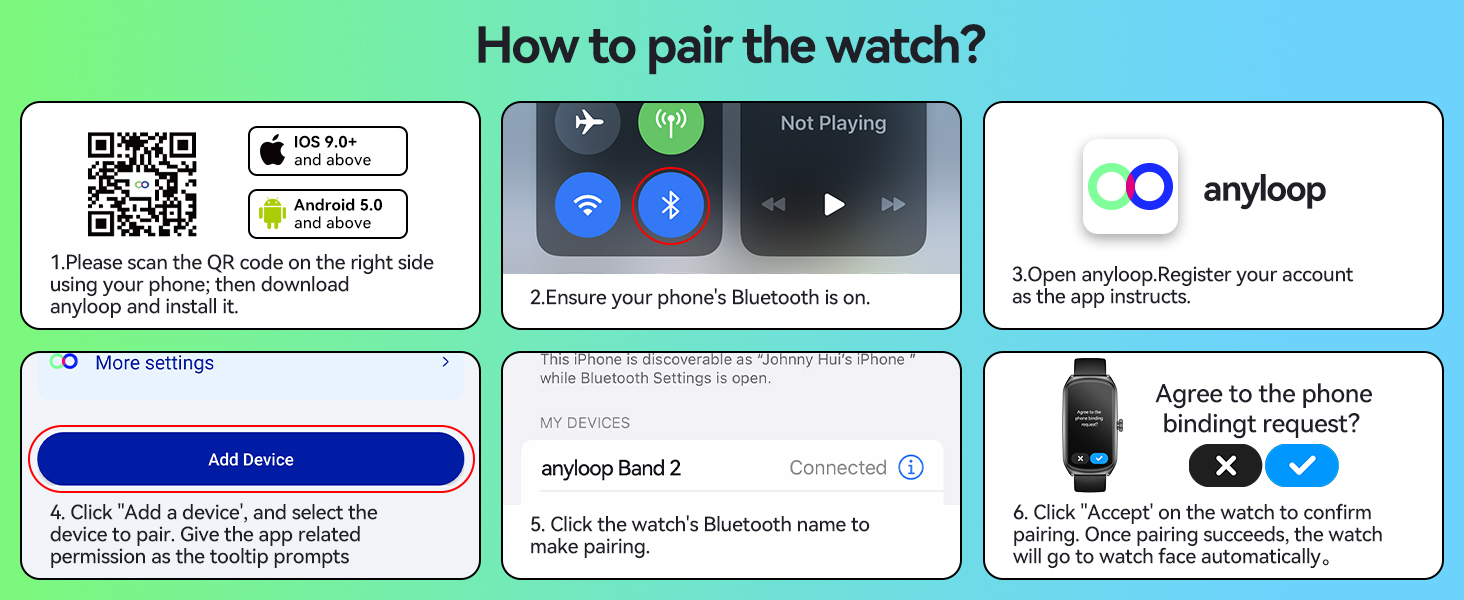
Follow these steps to pair your Anyloop fitness tracker with your iOS or Android smartphone using the Anyloop app and Bluetooth.
Operating Instructions
1. Display and Navigation
The watch features a 1.58-inch AMOLED full touch screen with a resolution of 228x460 pixels and 450 nits brightness. Swipe across the screen to navigate through menus and functions. Press the side button to return to the home screen or wake the device.
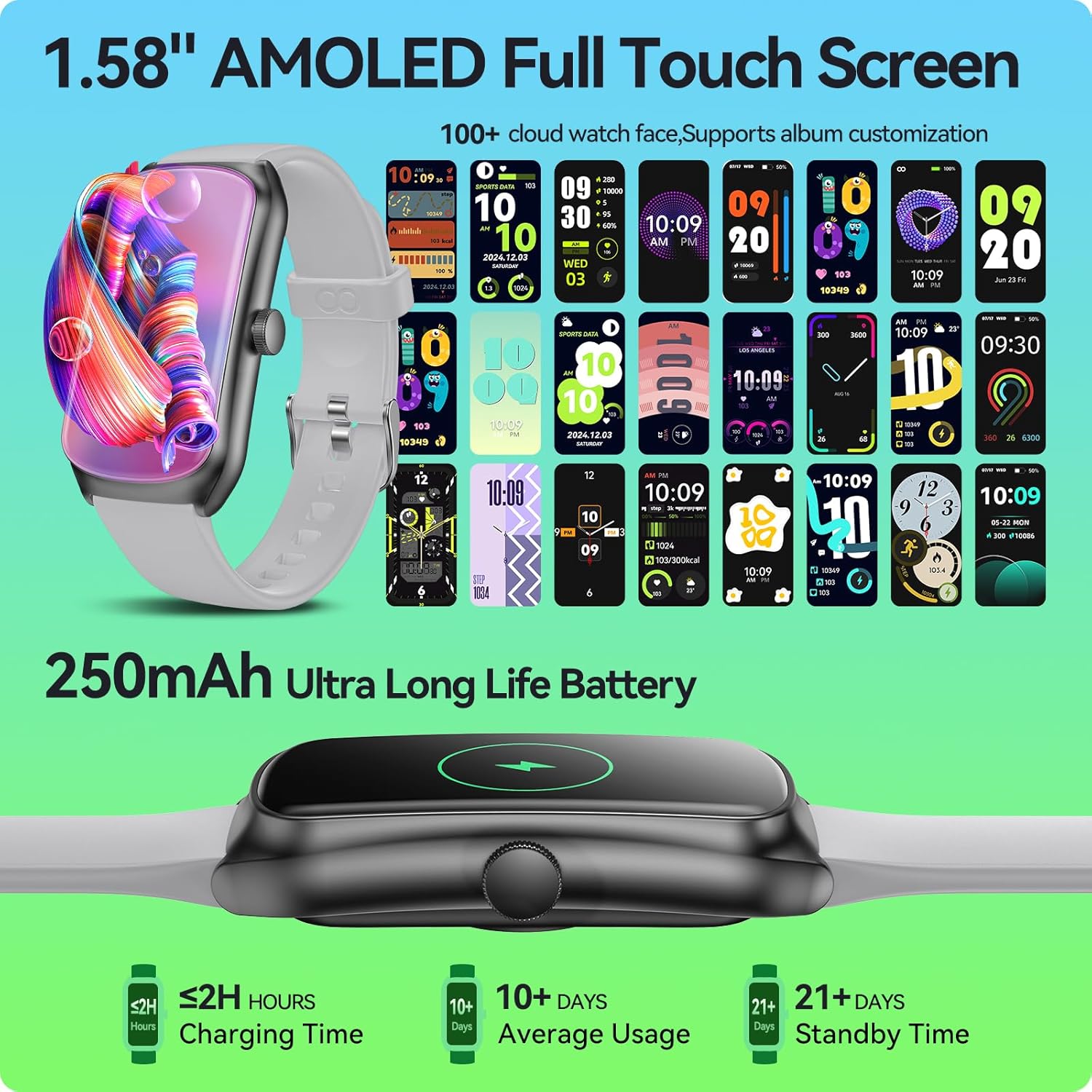
The watch features a 1.58-inch AMOLED full touch screen with customizable watch faces and a 250mAh battery providing extended usage.
2. Customizing Watch Faces
Choose from over 100 watch faces available in the 'anyloop' app. You can also personalize the watch face using your own photos.
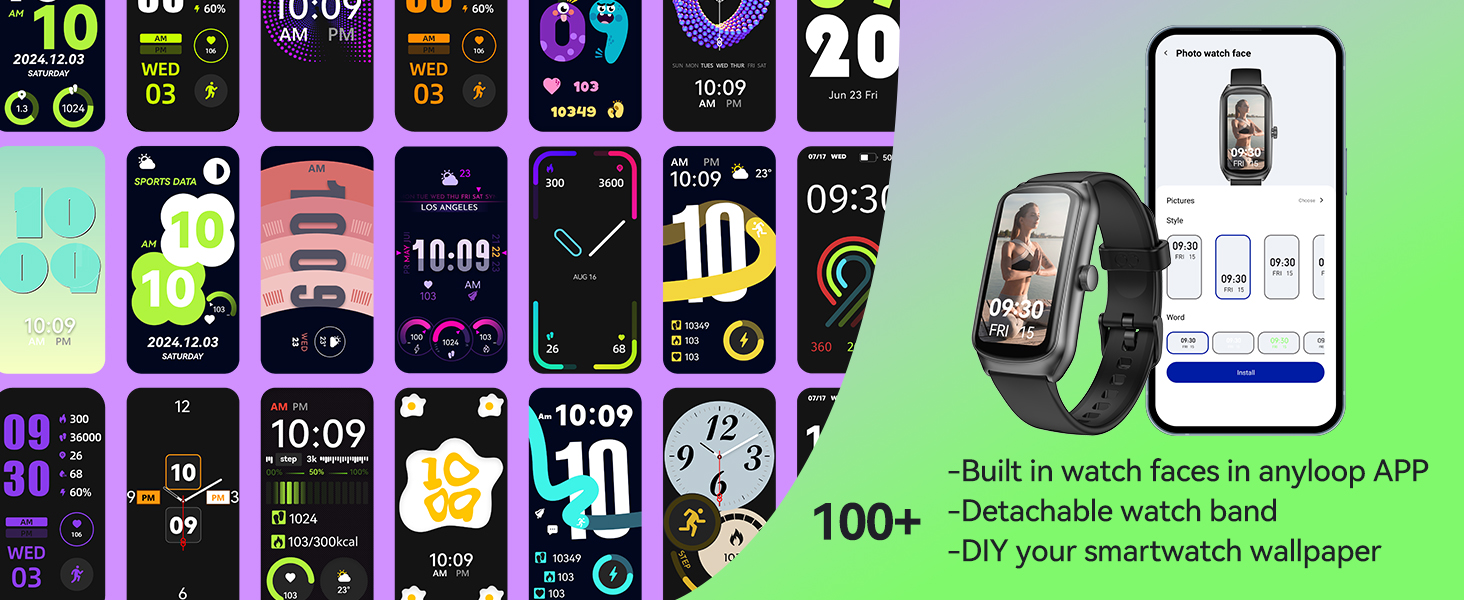
Personalize your Anyloop fitness tracker with over 100 watch faces available in the app, or create custom watch faces using your own photos.
3. Health Monitoring
The fitness tracker provides comprehensive health monitoring features:
- Heart Rate Tracking: Real-time heart rate monitoring is available 24/7. The watch will alert you if your heart rate is unusually high.
- Blood Oxygen (SpO2) Monitoring: Manually measure your blood oxygen levels at any time. Detailed records are available in the 'anyloop' app.
- Sleep Tracking: Accurately measures sleep quality, including deep sleep, light sleep, and awake periods. Supports nap tracking to help improve sleep habits.
- Stress Monitoring: Manual stress monitoring feature allows real-time assessment of your physical and mental well-being.
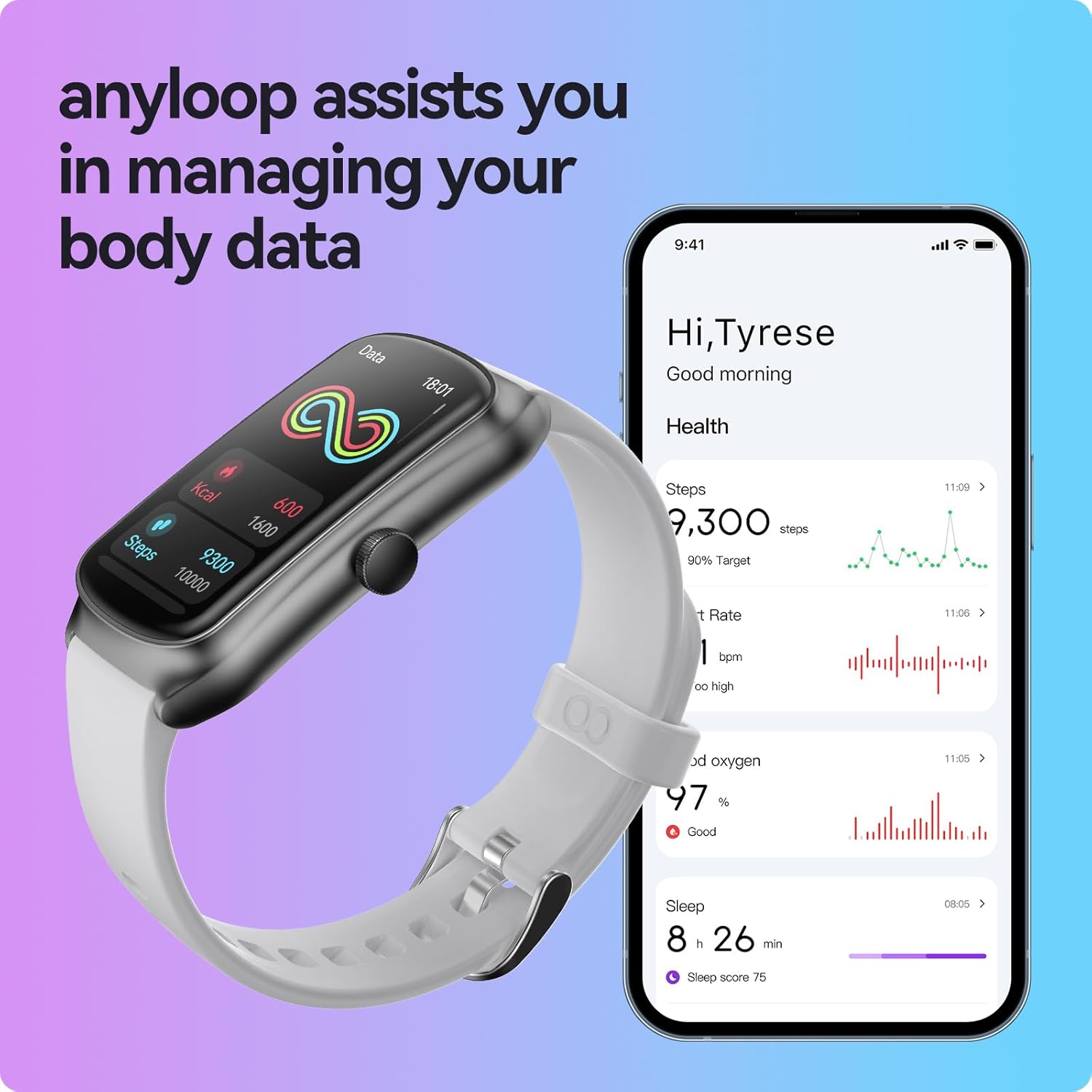
Manage and view your comprehensive health data, including steps, heart rate, blood oxygen, and sleep, through the Anyloop app.
4. Activity Tracking
The watch tracks various activities and provides detailed analysis:
- 100+ Sports Modes: Select from over 100 sports modes to track specific exercises such as walking, running, cycling, basketball, swimming, yoga, and more.
- Swimming Tracking: Features a dedicated swimming algorithm to calculate trips, time, calories, and heart rate during swimming sessions. The watch is IP68 waterproof, suitable for daily activities and swimming up to 1.5 meters.
- All-Day Activity Records: Accurately records daily activities including steps, distance, and calories burned.

The Anyloop fitness tracker supports over 100 professional sports modes, including swimming, with detailed tracking of activity metrics.
5. Smart Features
The Anyloop fitness tracker offers various smart functions:
- Notifications: Receive timely alerts for calls, messages, emails, and social media notifications (e.g., Facebook, WhatsApp, Instagram) through vibrations and on-screen displays.
- Music Control: Control music playback on your smartphone directly from the watch.
- Remote Camera Control: Use the watch as a remote shutter for your smartphone camera.
- Weather Updates: View current weather conditions and forecasts.
- Reminders: Includes menstrual cycle reminders for women, sedentary reminders, and drink water reminders.
- Tools: Features an alarm clock, stopwatch, and 'Find Phone' function.

Receive intelligent notifications for calls, messages, and social media apps directly on your Anyloop fitness tracker.
Maintenance
1. Water Resistance
The Anyloop ALB2 is IP68 waterproof, meaning it is resistant to dust and can withstand immersion in water up to 1.5 meters for 30 minutes. It is suitable for daily activities such as handwashing, showering, and swimming. Avoid prolonged exposure to hot water or steam.
2. Cleaning and Care
Regularly clean your watch and strap with a soft, damp cloth. Avoid using harsh chemicals or abrasive materials. Ensure the charging contacts are clean and dry before charging.
Troubleshooting
1. Connectivity Issues
- Watch not pairing: Ensure Bluetooth is enabled on your phone and the watch is sufficiently charged. Restart both your phone and the watch, then attempt pairing again through the 'anyloop' app.
- App not recognizing watch: Verify that the 'anyloop' app is the latest version. Some users have reported specific phone models (e.g., iPhone 16 Pro Max) may experience pairing difficulties, while Android devices generally connect without issue.
- Notifications not received: Check app permissions on your phone to ensure the 'anyloop' app has access to notifications. Ensure the watch is connected via Bluetooth.
2. Inaccurate Data
- Heart Rate/SpO2: Ensure the watch is worn snugly on your wrist, about one finger's width above the wrist bone. Avoid excessive movement during measurements.
- Step Count: Ensure your personal information (height, weight) is accurately entered in the app for optimal step and calorie calculation.
3. Battery Life
- If battery life is shorter than expected, ensure background app refresh is managed and excessive notifications are not enabled. Frequent use of GPS (via smartphone) and continuous heart rate monitoring can consume more power.
Specifications
| Model Name | ALB2 |
| Screen Size | 1.58 Inches AMOLED |
| Resolution | 228x460 |
| Battery Capacity | 250 mAh |
| Charging Time | Approximately 1.5 hours |
| Daily Use Time | 10-12 days |
| Standby Time | Up to 21 days |
| Water Resistance | IP68 |
| Connectivity | Bluetooth |
| Operating System | anyloop APP |
| Memory Storage Capacity | 128 MB |
| Wrist Size Compatibility | 5.5-7.87 inches |
Warranty Information
The Anyloop AMOLED Fitness Tracker Watch ALB2 comes with a 1-year warranty from the date of purchase. This warranty covers manufacturing defects. Please retain your proof of purchase for warranty claims. The warranty does not cover damage caused by misuse, accidents, unauthorized repairs, or normal wear and tear.
Customer Support
For further assistance, technical support, or warranty inquiries, please contact Anyloop customer service. Refer to the contact information provided on the product packaging or the official Anyloop website.


