
1. Introduction and Overview
The Staples 10 Sheet Cross Cut Shredder (Model NX101B) is designed for secure disposal of sensitive documents and materials. This high-security crosscut shredder can shred up to 10 sheets of 20 lb. paper simultaneously, providing P-3 level DIN security. It is also capable of shredding standard staples and credit cards.
Key features include an auto start/stop function for convenience, a manual reverse option to clear paper jams, and an overheat indicator to ensure safe operation. Its compact design and 3.3-gallon waste bin make it suitable for personal or home office use.
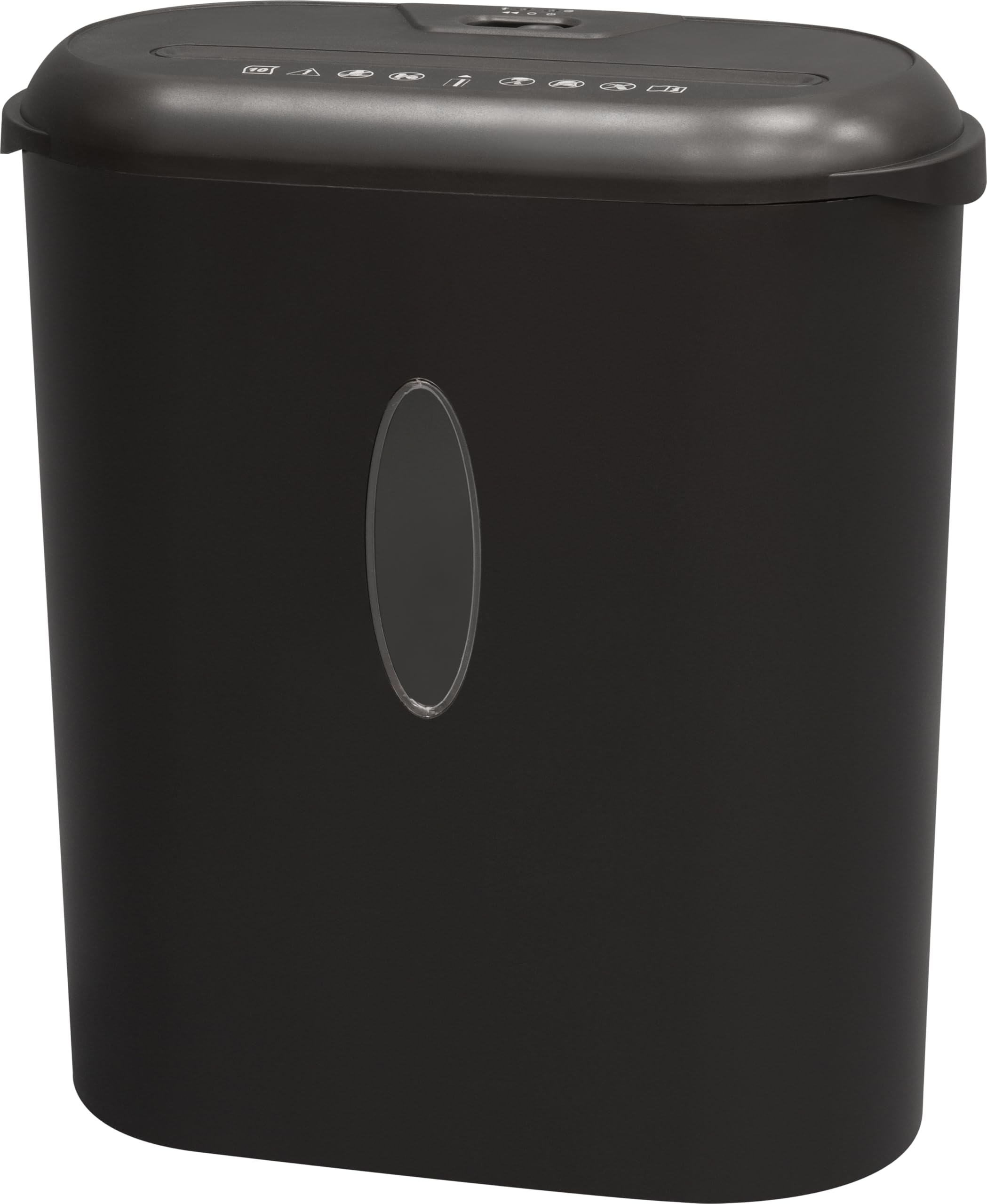
Image: Front view of the Staples 10 Sheet Cross Cut Shredder, Model NX101B.
2. Setup
- Unpack the Shredder: Carefully remove all packaging materials from the shredder and its components.
- Position the Waste Bin: Ensure the waste bin is correctly seated within the shredder unit.
- Place the Shredder Head: Carefully place the shredder head onto the waste bin, ensuring it is securely in place.
- Connect Power: Plug the power cord into a standard electrical outlet.
- Select Mode: Set the control switch to the 'Auto' position for automatic operation.
3. Operating Instructions
3.1 Control Switch
The shredder features a control switch with multiple settings:
- AUTO: The shredder will automatically start when paper is inserted and stop when shredding is complete.
- OFF: The shredder is powered off.
- REV (Reverse): Activates the reverse function to clear paper jams.
3.2 Shredding Paper
- Ensure the control switch is set to 'Auto'.
- Insert up to 10 sheets of 20 lb. paper into the paper entry slot. The shredder will automatically begin shredding.
- For optimal performance, avoid exceeding the maximum sheet capacity.
3.3 Shredding Credit Cards and Staples
The shredder is designed to handle credit cards and standard staples.
- For credit cards, insert one card at a time into the designated credit card entry slot.
- Standard staples attached to documents can be shredded along with the paper.

Image: Close-up view of the shredder's top, highlighting the credit card entry slot.
4. Maintenance
4.1 Emptying the Waste Bin
The shredder features a transparent window on the waste bin, allowing you to monitor the shredded paper level. Empty the bin when it appears full to prevent jams and ensure continuous operation.
- Set the control switch to 'Off' and unplug the shredder.
- Carefully lift the shredder head off the waste bin using the integrated handle.
- Dispose of the shredded contents.
- Replace the shredder head securely onto the waste bin.

Image: Side view of the shredder, illustrating the waste bin and its transparent level indicator.
4.2 Overheat Protection
The shredder is equipped with an overheat indicator. If the shredder is used continuously for an extended period and overheats, it will automatically shut off. The overheat indicator light will illuminate.
If this occurs, turn off the shredder and allow it to cool down for approximately 30 minutes before resuming operation. This protects the motor from damage.
5. Troubleshooting
5.1 Paper Jams
If a paper jam occurs:
- Set the control switch to 'REV' (Reverse) to attempt to clear the jam.
- If the paper does not clear, turn off the shredder and unplug it.
- Carefully remove any visible paper from the entry slot. Avoid using sharp objects.
- Plug the shredder back in and try the 'REV' function again.
5.2 Shredder Not Operating
If the shredder does not turn on or operate:
- Ensure the power cord is securely plugged into a working electrical outlet.
- Check that the shredder head is correctly seated on the waste bin.
- Verify the control switch is set to 'Auto' or 'Rev'.
- Check the overheat indicator. If illuminated, allow the shredder to cool down.
6. Specifications
| Feature | Detail |
|---|---|
| Brand | STAPLES |
| Model Number | NX101B |
| Cut Type | Cross Cut |
| Security Level (DIN) | P-3 |
| Standard Sheet Capacity | 10 sheets (20 lb. paper) |
| Capacity | 3.3 Gallons |
| Operation Mode | Automatic |
| Special Features | Cross-cut technology, Overheat indicator, Manual reverse |
| Product Dimensions | 36.6D x 18.5W x 41.9H Centimetres (11.8" L x 6.3" W x 15.6" H) |
| Item Weight | 10.55 Pounds (4.79 kg) |
| UPC | 718103427227 |
7. Warranty and Support
7.1 Warranty Information
This Staples 10 Sheet Cross Cut Shredder comes with a 1 Year Limited Manufacturer Warranty.
7.2 Manufacturer Contact
For support or inquiries, please contact the manufacturer at:
500 STAPLES DRFRAMINGHAM MA 01702-4474
United States of America


