
Samsung S90F
Samsung OLED S90F 4K Smart TV User Manual
Model: S90F Series (QN42S90FKIT1)
Introduction
This manual provides essential information for the setup, operation, maintenance, and troubleshooting of your Samsung OLED S90F 4K Smart TV. Please read this manual thoroughly to ensure proper use and to maximize your viewing experience.
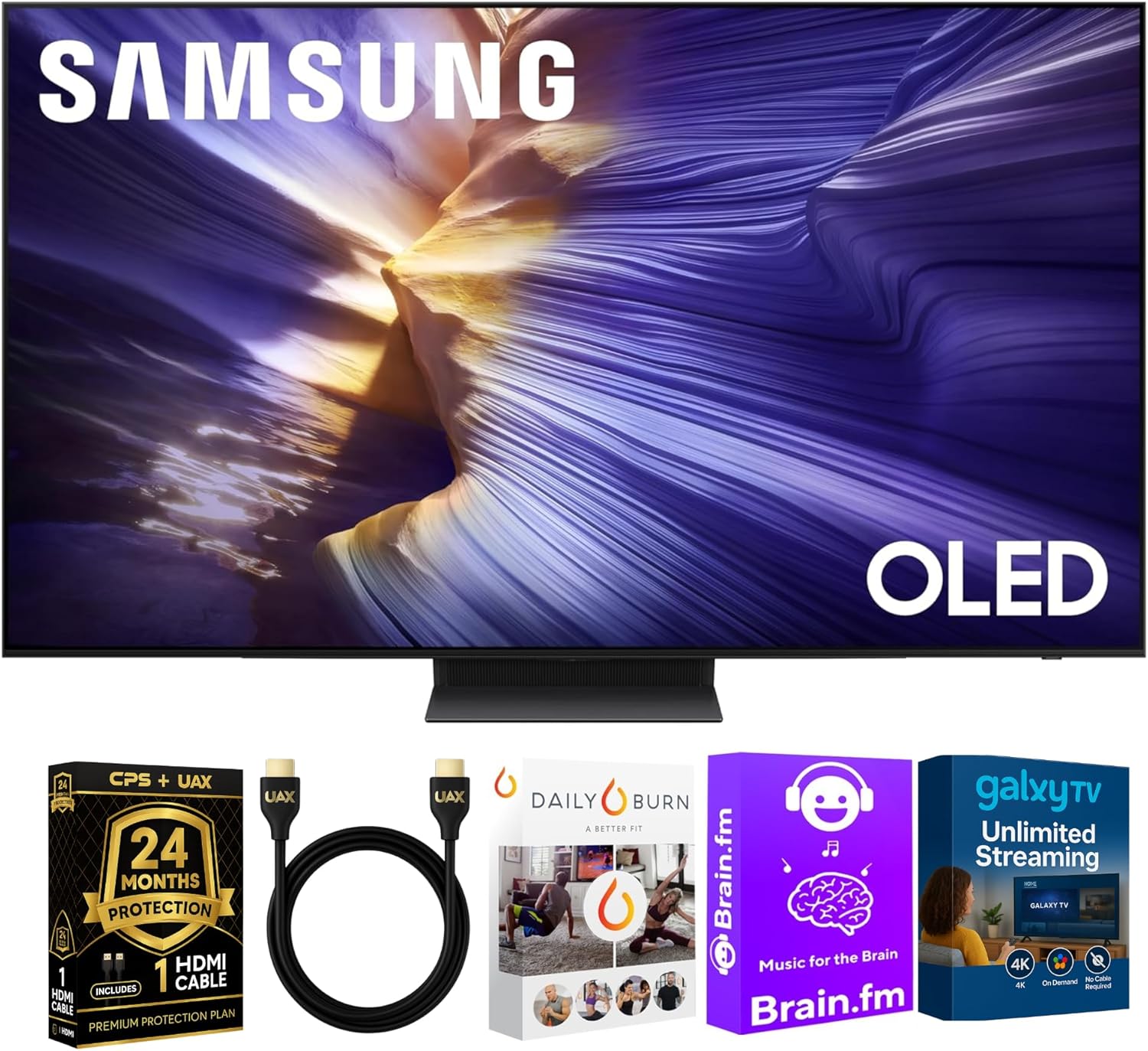
Image: Samsung OLED S90F 4K Smart TV with the bundled AUX HDMI cable, CPS protection plan, and streaming service cards.
What's in the Box
Verify that all components are present before proceeding with the setup.
- Samsung OLED S90F 4K Smart TV
- SolarCell™ Remote (Model: TM2560E)
- Power Cable
- User Manual (this document)
- AUX HDMI 2.0 Cable
- CPS 24-Month Protection Plan documentation
- Streaming Bundle access cards (Brain.fm, Daily Burn, Galaxy TV)

Image: Visual representation of the TV dimensions and the items included in the product packaging.
Setup
- Unpacking: Carefully remove the TV and all accessories from the packaging. Retain packaging for future transport or service.
- Stand Installation: Attach the TV stand according to the instructions provided in the separate quick setup guide. Ensure all screws are securely fastened.
- Placement: Position the TV on a stable, level surface or mount it on a wall using a compatible VESA mount (sold separately). Ensure adequate ventilation around the TV.
- Power Connection: Connect the power cable to the TV's power input and then to a wall outlet.
- Initial Power On: Press the power button on the remote control or the TV to turn it on. Follow the on-screen instructions for initial setup, including language selection, network connection, and channel scanning.
Operating Instructions
Remote Control
The SolarCell™ Remote (TM2560E) uses solar energy for charging. Ensure it is exposed to light periodically. Familiarize yourself with the buttons for navigation, volume, channel, and smart features.
Smart Features and One UI Tizen OS
Your Samsung OLED S90F TV runs on the intuitive One UI Tizen operating system, providing access to a wide range of streaming applications and smart functionalities. Navigate through the Smart Hub to find your favorite content.
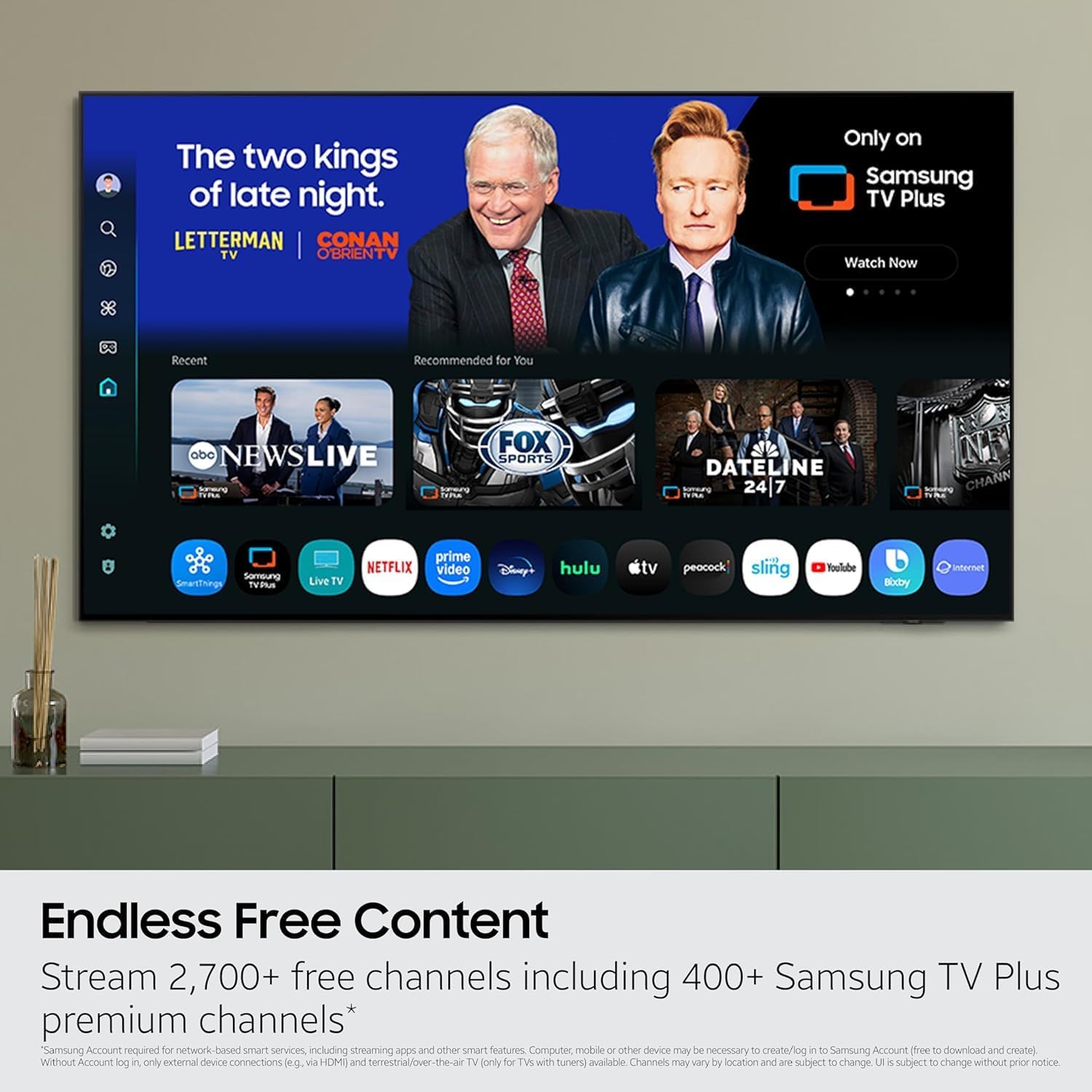
Image: The Samsung Smart Hub interface displaying various streaming applications and content options.
Voice Assistants (Alexa & Bixby)
The TV includes built-in Alexa and Bixby voice assistants. To activate, press the microphone button on your remote and speak your command. You can control TV functions, search for content, and manage connected smart home devices.
Samsung Gaming Hub
Access the Samsung Gaming Hub to stream thousands of games without needing a console. Connect a compatible controller via Bluetooth and explore a vast library of cloud-based games.

Image: The Samsung Gaming Hub interface, showing various game titles available for streaming.
Connectivity
The Samsung OLED S90F TV offers a variety of ports for connecting external devices.
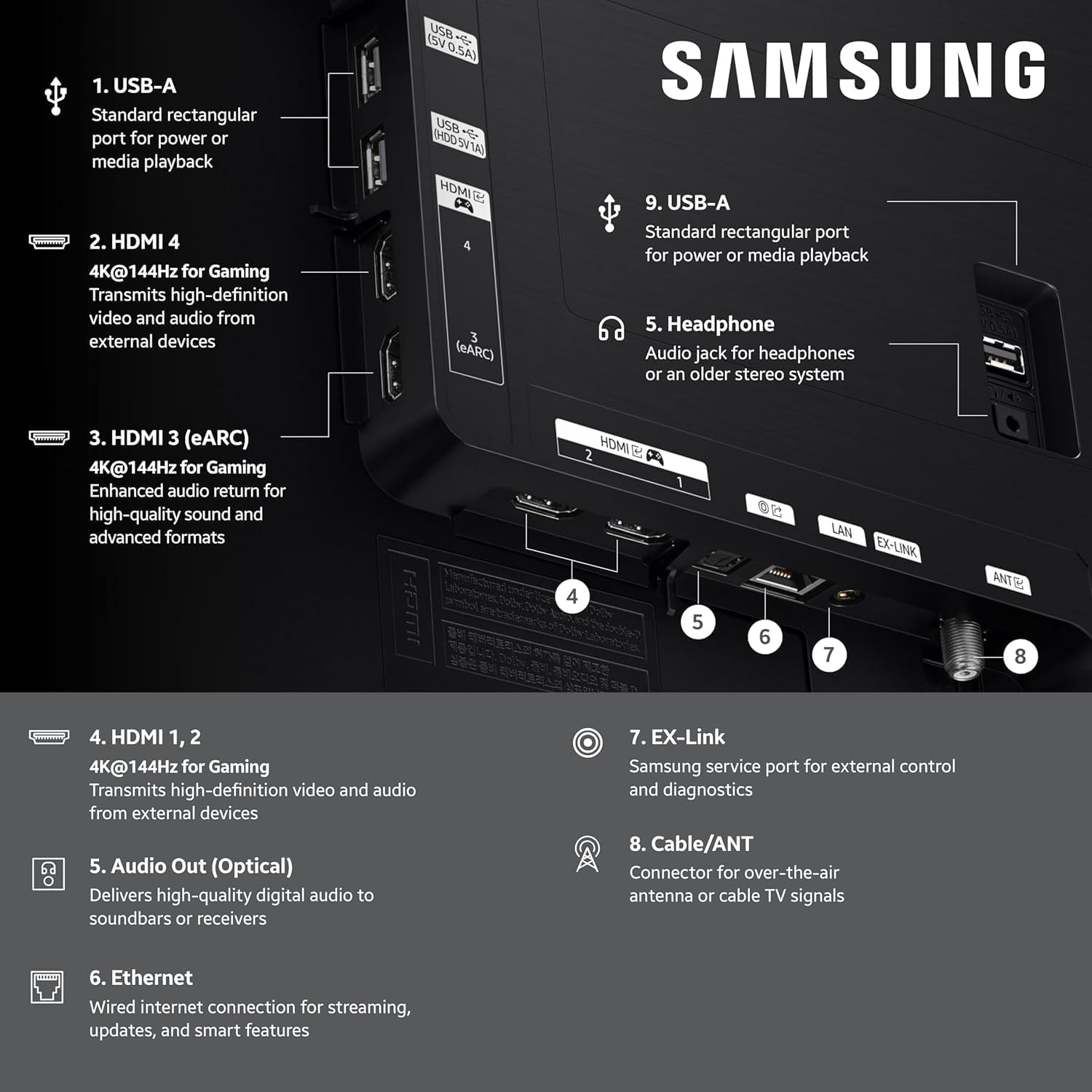
Image: Detailed diagram illustrating the location and function of all input and output ports on the rear of the Samsung S90F TV.
- HDMI 2.1 (x4): For high-definition audio and video input from devices like gaming consoles, Blu-ray players, and soundbars. HDMI 3 supports eARC for enhanced audio return.
- USB (x2): For connecting USB storage devices for media playback or powering accessories.
- Ethernet (LAN): For a wired internet connection.
- Optical Audio Out: For connecting to soundbars or audio receivers with optical input.
- RF In (Terrestrial/Cable Input): For connecting an antenna or cable TV signal.
- EX-Link: Samsung service port for external control and diagnostics.
- Bluetooth: For wireless connection to headphones, soundbars, or game controllers.
- Wi-Fi: For wireless internet connection.
Maintenance
- Cleaning the Screen: Gently wipe the screen with a soft, dry microfiber cloth. For stubborn marks, lightly dampen the cloth with water or a screen-specific cleaning solution. Avoid harsh chemicals.
- Cleaning the Frame: Use a soft, dry cloth to clean the TV frame and stand.
- Ventilation: Ensure the TV's ventilation openings are not blocked to prevent overheating.
- Software Updates: Periodically check for and install software updates to ensure optimal performance and access to the latest features.
Troubleshooting
If you encounter issues with your TV, refer to the following common solutions before contacting support.
- No Power:
- Check if the power cable is securely connected to both the TV and the wall outlet.
- Ensure the wall outlet is functioning by plugging in another device.
- Try a different power outlet.
- No Picture/Sound:
- Verify the correct input source is selected (e.g., HDMI 1, TV).
- Check all cable connections (HDMI, antenna, etc.) are secure.
- Adjust the volume.
- Remote Control Not Working:
- Ensure the remote is charged (expose SolarCell remote to light).
- Point the remote directly at the TV's remote sensor.
- If issues persist, try re-pairing the remote with the TV (refer to the on-screen guide for pairing instructions).
- Network Connection Issues:
- Restart your router and modem.
- Check Wi-Fi password and network settings on the TV.
- If using a wired connection, ensure the Ethernet cable is properly connected.
Specifications
| Feature | Detail |
|---|---|
| Model Number | QN42S90FKIT1 |
| Screen Size | 42 Inches (107 cm) |
| Display Technology | OLED |
| Resolution | 4K (3840 x 2160) |
| Refresh Rate | 144 Hz |
| Processor | NQ4 AI Gen3 Processor |
| Special Features | Bezel-Less Design, Built-In Speaker, 4K AI Upscaling Pro, OLED HDR+, Motion Xcelerator 144Hz, Vision AI, Alexa Built-in, Bixby Built-in |
| Connectivity | 4x HDMI 2.1, 2x USB, 1x Ethernet (LAN), 1x Optical Audio Out, 1x RF In, Bluetooth, Wi-Fi |
| Operating System | One UI Tizen |
| Item Weight | 26 Pounds (approx.) |
| Aspect Ratio | 16:9 |

Image: A detailed view of the NQ4 AI Gen3 Processor, the core component enabling advanced picture and sound processing.
Warranty and Support
Your Samsung OLED S90F TV comes with a standard manufacturer's warranty. Additionally, this bundle includes a CPS 24-Month Protection Plan for extended coverage.
- Manufacturer's Warranty: Refer to the warranty card included in your packaging or visit the official Samsung support website for details on the standard warranty coverage.
- CPS 24-Month Protection Plan: This plan provides additional coverage beyond the manufacturer's warranty. For terms, conditions, and claims, please refer to the documentation provided with your CPS plan.
- Customer Support: For technical assistance, troubleshooting, or service requests, please visit the official Samsung support website or contact their customer service hotline.
- Online Resources: For the latest drivers, firmware updates, and digital copies of manuals, visit Samsung Support.
Related documentsS90F


Ask a question about this manual
Ask about setup, troubleshooting, compatibility, parts, safety, or missing instructions. Manuals+ will review the question and use this page’s manual context to help answer it.