
1. Introduction
This manual provides detailed instructions for setting up and operating your MFVLP LC210 Smart Watch. Please read this guide thoroughly to ensure proper use and to maximize the features of your device. The MFVLP LC210 is designed to connect your health data, provide insights into athletic performance, and support an efficient lifestyle.
2. Setup
2.1 What's in the Box
Your MFVLP LC210 Smart Watch package includes:
- Smart Watch x 1
- Magnetic Charger x 1
- User Manual x 1
- Grey Watch Band x 1

Image: Contents of the MFVLP LC210 Smart Watch package.
2.2 Charging the Smart Watch
Before initial use, fully charge your smart watch. Connect the magnetic charger to the charging points on the back of the watch and plug the USB end into a power adapter (not included). A full charge typically takes 2 hours. The watch provides 3-6 days of active use and up to 30 days of standby time.

Image: Magnetic charging process and battery life details.
Video: A 3D feature overview of the smartwatch, including a demonstration of magnetic charging.
2.3 App Installation and Pairing
To unlock the full potential of your MFVLP LC210 Smart Watch, download and install the "Da Fit" app on your smartphone. The app is compatible with Android 5.0 or above and iOS 9.0 or above.
- Turn on Bluetooth on your smartphone.
- Open your phone's app store (Google Play Store for Android or Apple App Store for iOS).
- Search for "Da Fit" and download the application. You can also scan the QR code provided in the quick start guide or visit http://plus.crrepa.com/app-download/dafit.
- Open the "Da Fit" app and follow the on-screen instructions to add your device. Select "LC210" from the list of available devices to pair.
- Grant necessary permissions for notifications and other features when prompted.

Image: Step-by-step guide for connecting the smartwatch to a smartphone.
Video: Instructions on how to connect and use the smartwatch with mobile applications for both iOS and Android devices.
3. Operating the Smart Watch
3.1 Basic Navigation
The MFVLP LC210 features a 1.85-inch AMOLED HD touchscreen display and a rotating encoder crown for easy navigation. Swipe across the screen to access different functions and menus. Use the crown to scroll through options or adjust settings.

Image: Rotating encoder crown for navigation.
The watch also supports an Always-On Display (AOD) for instant time checks without needing to raise your wrist. Note that enabling this feature may shorten battery life.

Image: Screen clock feature for always-on display.
3.2 Bluetooth Calling & Message Notifications
With its Bluetooth 5.3 chip, built-in microphone, and waterproof speaker, you can make and receive calls directly from your wrist. The watch also displays notifications from various apps like SMS, WhatsApp, Facebook, and Twitter, ensuring you stay updated.

Image: Bluetooth calling and message reminder features.

Image: Bluetooth 5.3 calling interface.

Image: Smartwatch displaying various app notifications.
3.3 24/7 Health Monitoring
The LC210 is equipped with an advanced optical sensor for continuous health monitoring:
- Heart Rate Monitoring: Real-time heart rate tracking throughout the day.
- Sleep Monitoring: Automatically tracks sleep duration and analyzes sleep quality (light sleep, deep sleep, awake sleep) to help improve sleeping habits.
- Blood Oxygen (SpO2) Monitoring: Measures blood oxygen saturation levels.
- Stress Level Measurement: Monitors stress levels 24 hours a day. The watch can also provide stress relief aids.
- Female Menstrual Cycle Reminder: Features a built-in period tracker for female health monitoring.

Image: Health monitoring features including sleep, heart rate, and blood oxygen.

Image: Heart rate monitoring in action.

Image: Sleep monitoring interface.

Image: Blood oxygen saturation monitoring.

Image: Stress level monitoring.

Image: Female menstrual cycle reminder feature.
3.4 120+ Sports Modes & Activity Tracking
The LC210 offers over 120 built-in sport modes, including running, walking, cycling, yoga, and more. It continuously records activity data such as steps, distance, and calories burned, providing professional analysis to help you achieve your fitness goals.

Image: Sports modes and activity tracking interface.

Image: All-day activity tracking.

Image: Examples of 120+ sports modes.
3.5 Music Control
When connected to the "Da Fit" app and your phone's music playback function is active, you can control music directly from your watch. This is ideal for managing your audio during exercise without needing to access your phone.
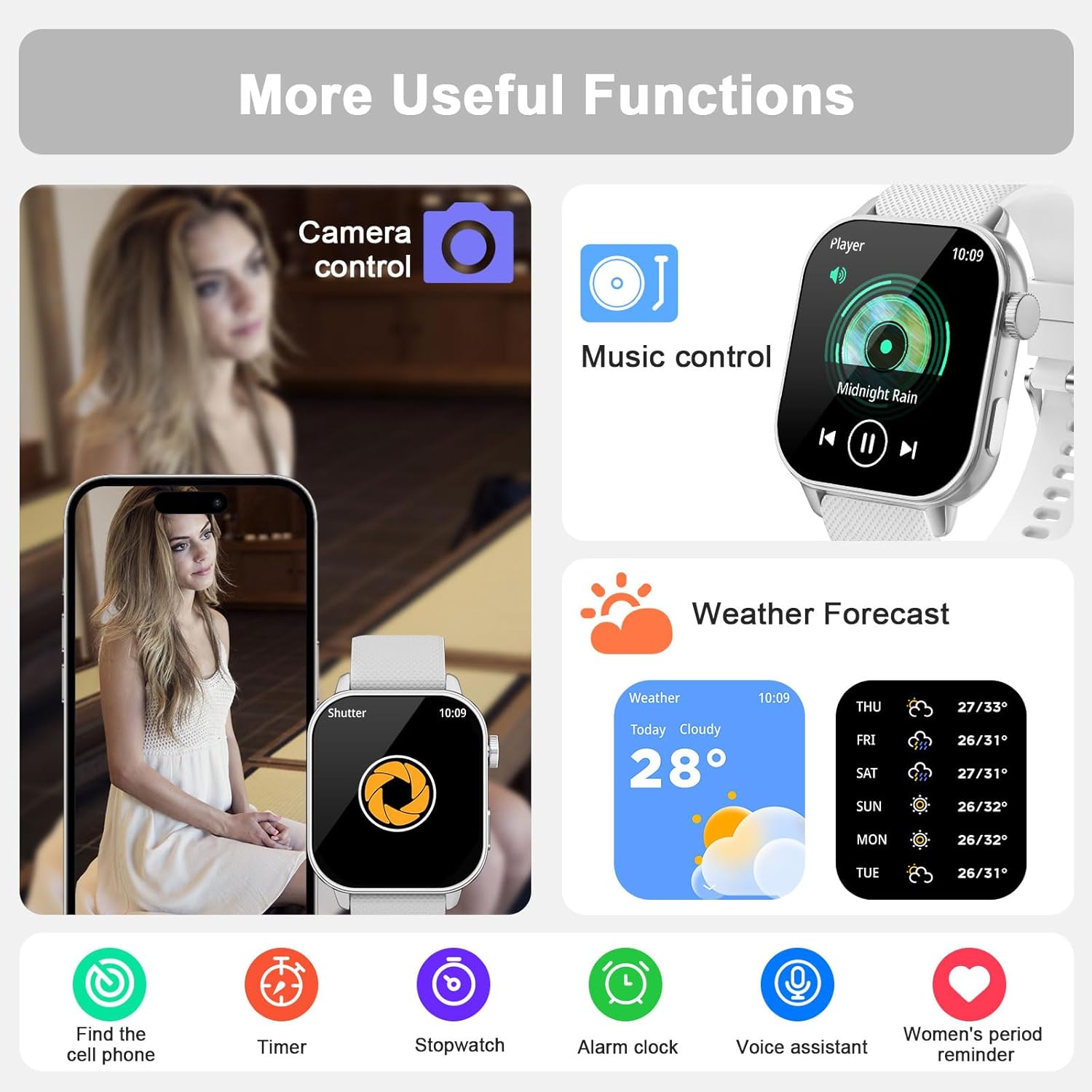
Image: Music control feature on the smartwatch.
3.6 Other Useful Functions
The MFVLP LC210 includes over 15 daily tools:
- Voice Assistant: Interact with your watch using voice commands.
- Phone Finder: Locate your misplaced smartphone.
- Weather Forecast: Get real-time weather updates.
- Calculator: Perform basic calculations.
- Camera Control: Remotely control your phone's camera.
- Stopwatch, Timer, Alarm: Essential timekeeping tools.
- World Clock: View time in different global zones.
- Flashlight: Use the screen as a light source.
- Sedentary & Hydration Reminders: Prompts to move and drink water.
- Do Not Disturb Mode: Silence notifications during specific times.
- Power Saving Mode: Extend battery life.
- Electronic Card Wallet: Store electronic cards (details via app).

Image: Voice assistant feature.

Image: Remote camera control and phone finder.

Image: Overview of additional useful functions.
3.7 Customizing Watch Faces
Choose from over 190 stylish watch faces available in the "Da Fit" app. You can also customize the watch face with your own photos to personalize your device.
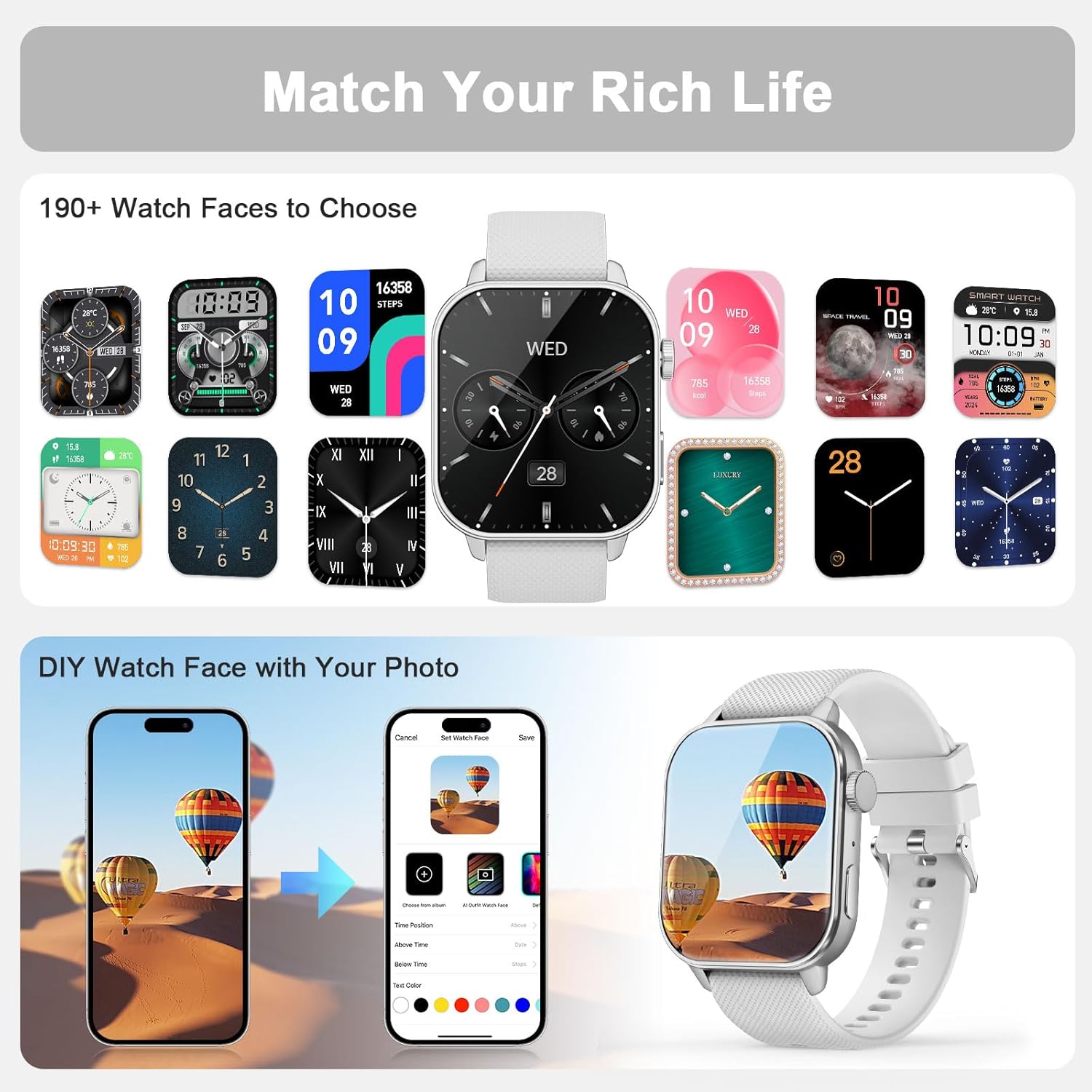
Image: Watch face customization options.

Image: More watch face options and customization.
4. Maintenance
4.1 Water Resistance
The MFVLP LC210 Smart Watch is IP68 waterproof, making it resistant to sweat, rain, hand washing, and even swimming in a pool (up to 1.5 meters depth). Avoid hot water, steam, or prolonged submersion in deep water.
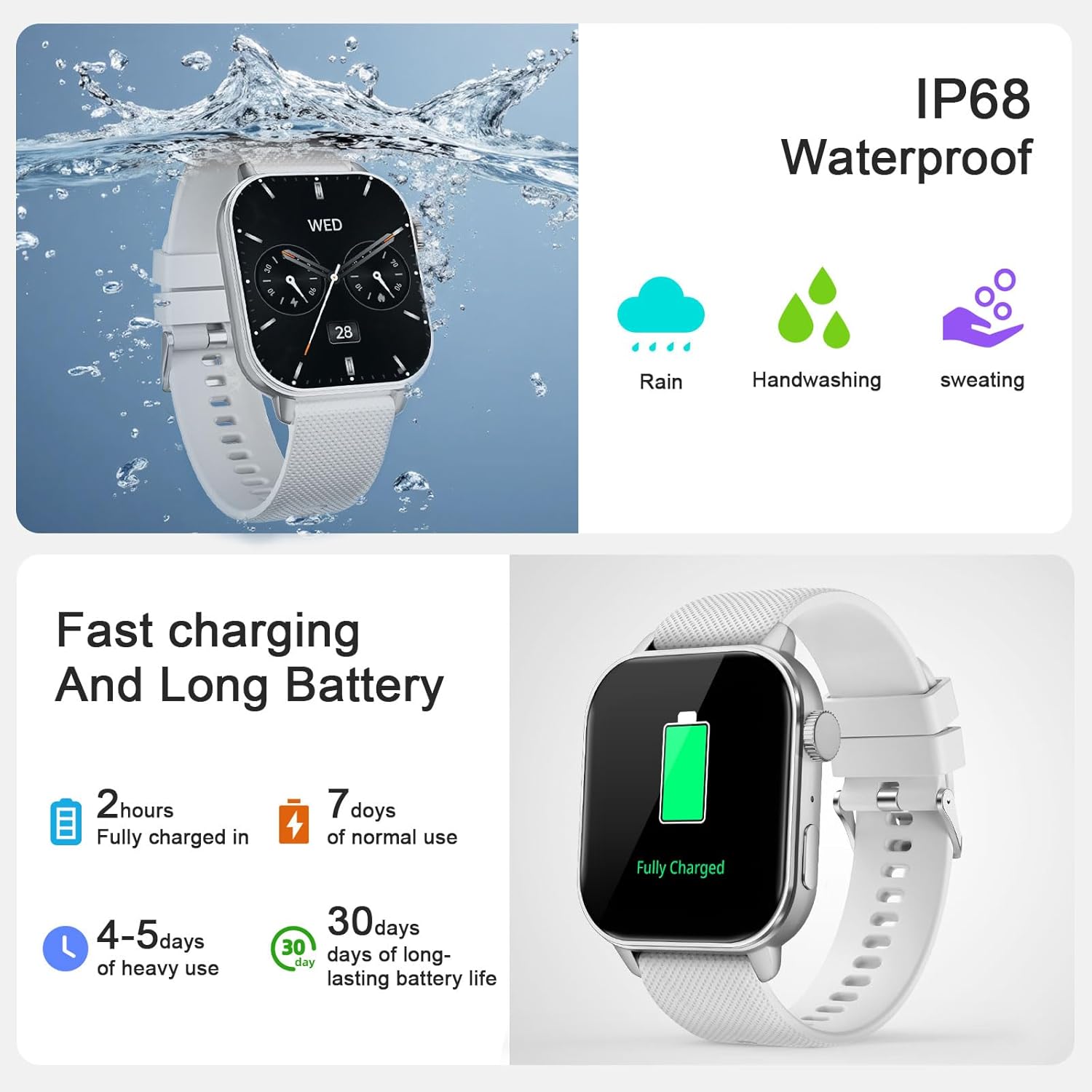
Image: IP68 Waterproof feature demonstration.

Image: Smartwatch used during swimming, demonstrating IP68 waterproof capability.
4.2 Cleaning and Care
Regularly clean your watch and strap with a soft, dry cloth. If necessary, use a slightly damp cloth and mild soap, then rinse and dry thoroughly. Avoid harsh chemicals or abrasive materials.
4.3 Battery Care
To prolong battery life, avoid extreme temperatures and fully discharging the battery frequently. Charge the watch using the provided magnetic charger.
5. Troubleshooting
- Watch not turning on: Ensure the watch is fully charged. Connect it to the magnetic charger and wait a few minutes.
- Cannot pair with phone: Make sure Bluetooth is enabled on your phone and the watch is within range. Restart both the watch and your phone. Ensure the "Da Fit" app is updated to the latest version.
- Notifications not appearing: Check app permissions on your phone to ensure "Da Fit" has access to notifications. Verify that notifications are enabled within the "Da Fit" app settings for specific applications.
- Inaccurate health data: Ensure the watch is worn snugly on your wrist, not too tight or too loose. Clean the sensor on the back of the watch.
- Short battery life: Reduce screen brightness, disable unnecessary features like Always-On Display, and limit frequent heart rate monitoring if not needed.
For further assistance, refer to the "Customer Service" section within the "Da Fit" app or contact MFVLP support.
6. Specifications
| Feature | Detail |
|---|---|
| Model Name | LC210 |
| Brand | MFVLP |
| Screen Size | 1.85 Inches |
| Display Type | AMOLED |
| Operating System | Android 5.0 or above, iOS 9.0 or above |
| Connectivity Technology | Bluetooth |
| Battery Capacity | 290 Milliamp Hours |
| Battery Charge Time | 2 Hours |
| Battery Average Life | 7 days (normal use) |
| Water Resistance Level | IP68 Waterproof (up to 1.5 meters) |
| Item Weight | 40 Grams |
| Band Material Type | Silicone |
| Case Material Type | Polycarbonate (PC) + Acrylonitrile Butadiene Styrene (ABS) |
| Metrics Measured | Calories Burned, Distance, Step Count, Heart Rate, Sleep, Blood Oxygen, Stress |
| Special Features | 120+ sports modes, APP fitness videos, female menstrual reminder, Bluetooth calls, screen clock, message notifications, 30-day standby, voice assistant, music player, flashlight, calculator, calendar, DND mode, power saving, flip wrist to light screen, electronic card wallet, weather forecast, sedentary/hydration reminders, heart rate upper limit warning, alarm/timer/stopwatch/game, breathing training, find phone, remote photography, world clock. |
7. Warranty
The MFVLP LC210 Smart Watch comes with a Limited Warranty. Please refer to the warranty card included in your package for specific terms and conditions. MFVLP offers a 1-year free replacement service for eligible issues.

Image: MFVLP Quality Service Support details.
8. Support
For technical support, product inquiries, or customer service, please refer to the "Customer Service" section within the "Da Fit" application. You can also visit the official MFVLP store on Amazon for more information and resources.
MFVLP is committed to providing rapid response within 24 hours and long-term support with satisfactory solutions.
MFVLP: Precision Engineered. Time Proven.
