
1. Introduction
This manual provides comprehensive instructions for the lvifloae Electric Scooter Dashboard PCB Bluetooth Circuit Board, a high-quality replacement component designed for electric scooters utilizing a LENZOD controller. This circuit board offers a clear data display, showing power and speed, and is built with durable PCB material for reliable performance.
Product Overview
The lvifloae Electric Scooter Dashboard is an essential component for monitoring your scooter's performance. It features a clear digital display for real-time data, including speed (km/h or mph), battery level, and riding mode (Eco, D, S). Its robust PCB construction ensures durability and resistance to environmental factors, making it suitable for outdoor use.

Image: The lvifloae Electric Scooter Dashboard PCB Bluetooth Circuit Board, showing the display and connected wiring.
Designed for easy installation, this dashboard serves as an ideal replacement for old or damaged scooter dashboards, enhancing your scooter's functionality and riding experience.

Image: An electric scooter dashboard with text indicating 'Easy to install and disassemble'.
2. Components and Package Contents
The package includes the following items:
- 1 x Electric Scooter Circuit Board (Dashboard with integrated wiring)
The circuit board comes with pre-attached wiring and connectors for various scooter functions.

Image: An angled view of the electric scooter dashboard, highlighting the various colored wires and connectors.
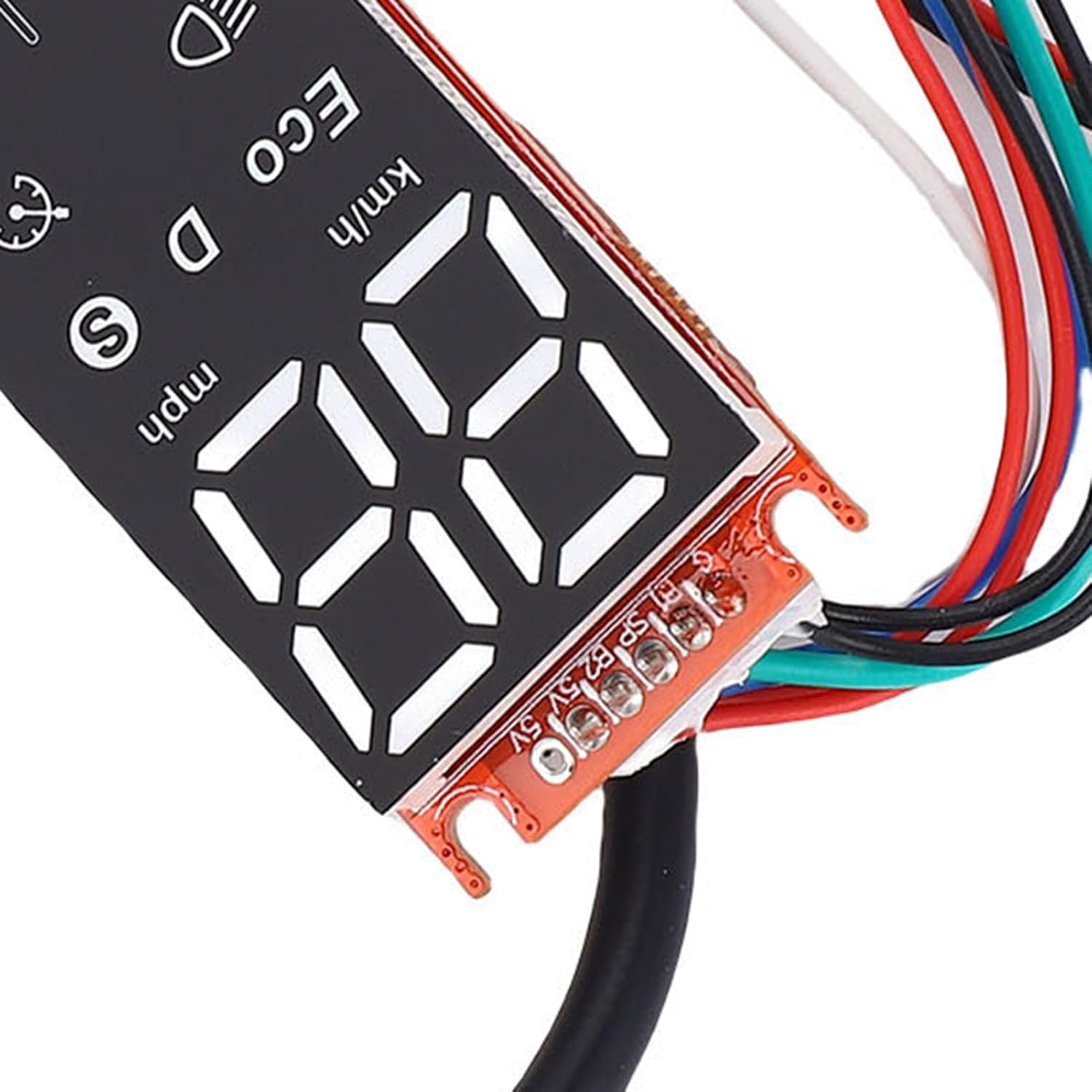
Image: A close-up view of the dashboard's wiring connections, showing the different colored wires plugged into the circuit board.

Image: A detailed close-up of a scooter connector, typically used for connecting the dashboard to the main controller.
3. Setup and Installation
Before proceeding with installation, ensure the scooter is powered off and disconnected from any charging source. It is crucial to compare the appearance and interface of this replacement board with your original scooter meter to confirm compatibility. Incompatibility can lead to malfunction.
Installation Steps
The installation process involves connecting the dashboard to the scooter's controller and other components. Refer to the following video and diagrams for guidance:
Video: An installation guide demonstrating how to replace an electric scooter dashboard circuit board.
Connect the dashboard to the instrument panel and controller as illustrated in the figure below. Ensure all connections are secure and correctly matched.

Image: A diagram showing the connections for the half accelerator, LED headlamp, brake signal light, and throttle to the electric scooter dashboard.
- Half Accelerator: Connect the half accelerator cable to its designated port.
- LED Headlamp: Connect the LED headlamp cable.
- Brake Signal Light: Connect the brake signal light cable.
- Throttle: Connect the throttle cable. The throttle wire is a 3P 51005-3P bus shell interface wire, with red (+5V), green (signal pin), and black (GND).
4. Operating Instructions
Once the dashboard is installed, follow these instructions for proper operation:
- Power On: Press and hold the power button on the system to turn on the scooter.
- Power Off: Press the power button once again to shut down the system.
- Electricity Display: The dashboard displays the current electricity level. When the power is lower than 30V, the lowest side lamp will flash (low power warning). If the buzzer sounds 6 times, the power is higher than 31V (exit low battery warning).
- 32V-34V: First lamp on for a long time.
- 34V-35.5V: Second lamp on for a long time.
- 35.5V-37.5V: Third lamp on for a long time.
- 37.5V-40V: Fourth lamp on for a long time.
- Ultra Low Speed Mode: In low power state, the motor enters ultra-low speed rotation mode and pushes the throttle to the bottom. At this time, the digital power supply voltage is continuously increased. When entering the normal state of charge, the motor should still be in the ultra-low speed rotation mode. Only when the throttle is reset to the initial state, the motor will start. It can then enter normal driving mode.
- Brake: The brake line is a 51005-3P bus shell interface line of 3P. The interface is defined as red (+5V), white (signal pin), and black (GND). Support hall type and switch type brake handle. The switch type can be braked by short-circuiting the red and white wires. The tail lights flash when braking.
- Lighting Control: Short press the key switch, the headlight and tail light will be on together, accompanied by a "Mi La" tone. Press the key again, the headlight and tail light will be off. At the same time with the "La Mi" tone.
- High and Low Gear Switching: Press the key twice in succession to switch the high and low gear traffic lights, accompanied by the "La" tone. The speed of the motor is different in two gears. The first speed is 15km/h, and the second speed is 25km/h.
5. Troubleshooting
This section addresses common issues you might encounter with your electric scooter dashboard.
- Throttle Failure Alarm: If the accelerator is not plugged in or is broken, the buzzer will sound three times with the "La" tone, and then stop and sound three times again.
- Motor Hall Fault Alarm: Check the Hall wire of the motor. If it is not plugged in or broken, the buzzer will sound four times with the "La" tone, and then stop and ring four times, totally three times.
- Automatic Sleep: When the motor is at rest and the headlamp is off, it will shut down automatically after 5 minutes to conserve battery.
6. Specifications
| Feature | Detail |
|---|---|
| Item Type | Electric Scooter Dashboard |
| Product Material | PCB |
| Gross Weight | 25g / 0.8oz |
| Compatibility | LENZOD controller |
| Item Package Dimensions L x W x H | 5.83 x 3.66 x 0.67 inches |
| Package Weight | 0.02 Kilograms |
| Model Name | lvifloaer5zoun03gy |
| Part Number | lvifloaer5zoun03gy |
7. Warranty and Support
For warranty information, technical support, or any inquiries regarding your lvifloae Electric Scooter Dashboard PCB Bluetooth Circuit Board, please contact the seller or manufacturer directly through your purchase platform. Keep your proof of purchase for warranty claims.