
DigiKuber TK79
DigiKuber Smartwatch TK79 User Manual
Model: TK79
1. Introduction
Welcome to the DigiKuber Smartwatch TK79 user manual. This guide provides essential information for setting up, operating, and maintaining your new smartwatch. The DigiKuber TK79 is designed to help you monitor various health metrics and track your daily activities, offering features such as ECG, heart rate, blood oxygen (SpO2), blood pressure, temperature monitoring, and multi-sport modes. Please read this manual thoroughly to ensure proper use and to maximize your device's potential.

Image 1.1: DigiKuber Smartwatch TK79 with accompanying app interface.
2. Safety Information
Important: The health data provided by this smartwatch is for reference purposes only and should not be used for medical diagnosis or treatment. Consult a medical professional for any health concerns.
- Do not immerse the smartwatch in hot water or seawater.
- Keep the device away from extreme temperatures.
- Avoid strong impacts or dropping the device.
- Do not attempt to disassemble or repair the device yourself.
- Use only the provided charging cable.
3. Package Contents
Ensure all items are present in the box:
- DigiKuber Smartwatch TK79
- Magnetic Charging Cable
- User Manual
4. Device Overview
The DigiKuber Smartwatch TK79 features a 1.47-inch TFT high-definition screen and a rotating crown for navigation. It is equipped with various sensors for health monitoring.

Image 4.1: Smartwatch dimensions and physical layout.
5. Setup
5.1. Charging the Smartwatch
Before first use, fully charge your smartwatch. Connect the magnetic charging cable to the charging contacts on the back of the watch and to a USB power source. Charging typically takes 3 to 4 hours.

Image 5.1: Battery capacity and estimated usage times.
5.2. Downloading and Installing the Deepfit App
The DigiKuber Smartwatch TK79 requires the Deepfit app for full functionality and data synchronization. The app is compatible with smartphones running iOS 11.0 / Android OS 6.0 or higher.
- Scan the QR code in the manual or search for 'Deepfit' in the Google Play Store (for Android) or the iOS App Store (for iPhone).
- Download and install the app on your smartphone.
- Follow the on-screen instructions to create an account and set up your profile.
5.3. Pairing with Your Smartphone
After installing the Deepfit app, pair your smartwatch with your phone via Bluetooth:
- Ensure Bluetooth is enabled on your smartphone.
- Open the Deepfit app and navigate to the device pairing section.
- The app will search for available devices. Select 'TK79' from the list to connect.
- Confirm the pairing request on both your phone and smartwatch if prompted.

Image 5.2: Steps to connect the smartwatch to the Deepfit app.
6. Operating the Smartwatch
6.1. Basic Navigation
- Touchscreen: Swipe left/right, up/down to navigate through menus and features. Tap to select.
- Side Button/Crown: Press to wake the screen, return to the home screen, or access the app list. Rotate the crown to scroll through menus.
6.2. Health Monitoring Features
The smartwatch offers comprehensive health monitoring. Remember, these readings are for informational purposes and not for medical use.
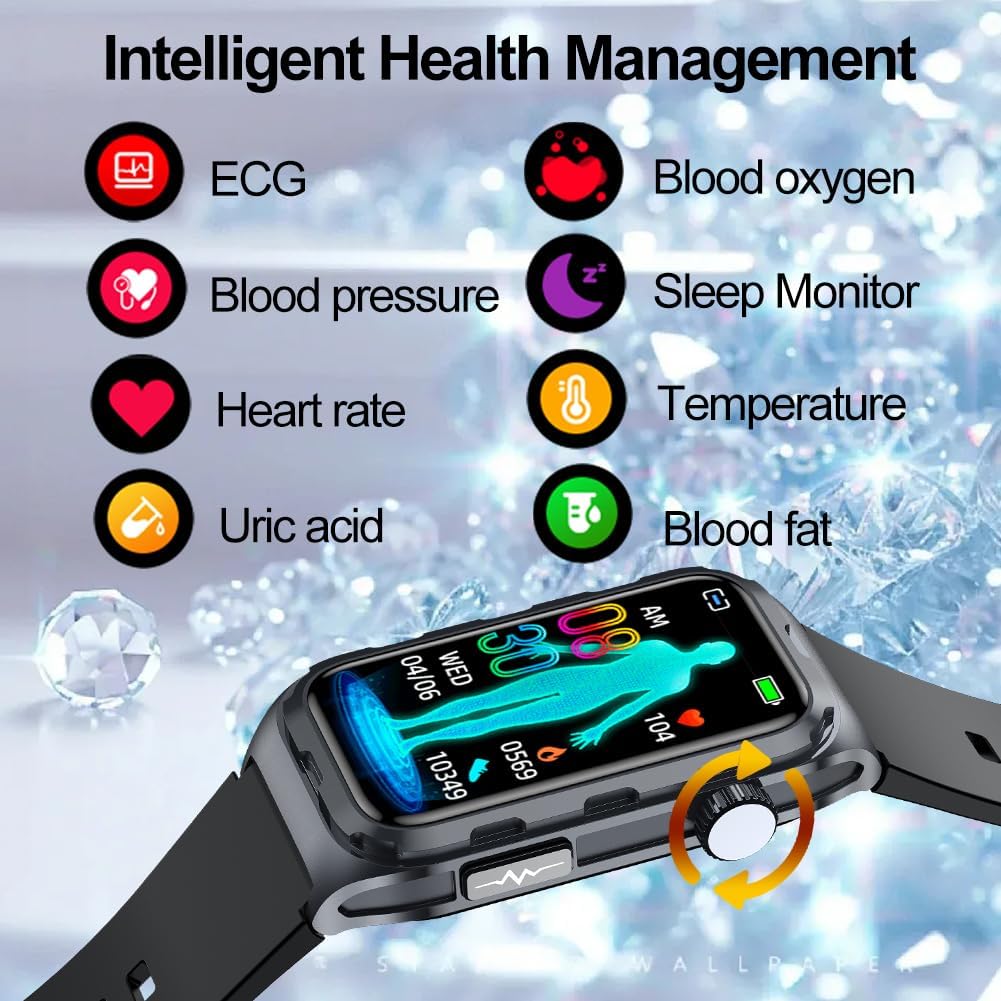
Image 6.1: Overview of intelligent health management features.
- ECG Monitor: Initiate an ECG measurement directly from the watch or the Deepfit app. The app will display the waveform and provide a basic assessment.
- Heart Rate: Continuously monitors your heart rate throughout the day. View real-time data on the watch or detailed trends in the app.
- Blood Oxygen (SpO2): Measures your blood oxygen saturation levels.
- Blood Pressure: Provides blood pressure readings. The app can record 24-hour blood pressure data.
- Body Temperature: Monitors your body temperature.
- Sleep Monitor: Automatically tracks your sleep quality when worn during sleep, categorizing sleep stages (deep, light, awake) and synchronizing data with the Deepfit app.
- Stress Measurement: The tracker can measure your stress levels, providing insights into your daily well-being.

Image 6.2: ECG monitoring in action.

Image 6.3: Sleep monitoring and message reminders.
6.3. Activity Tracking
Track your daily movement and exercise with the built-in activity features.
- Pedometer: Counts your steps throughout the day.
- Distance & Calories: Calculates distance traveled and calories burned based on your activity.
- Multi-Sport Modes: The watch supports various sports modes to accurately track specific activities.

Image 6.4: Multi-sport modes and activity data.

Image 6.5: Visual representation of multiple sport modes.
6.4. Notifications and Smart Features
- Call & Message Notifications: Receive alerts for incoming calls, SMS messages, and notifications from social media apps (e.g., email, SNS) directly on your wrist.
- Alarm Clock: Set alarms through the Deepfit app to vibrate on your watch.
- Calendar, Timer, Stopwatch: Access these utility functions directly from the smartwatch.
- Music Controller: Control music playback on your smartphone from your watch.
- Find My Phone: Use your smartwatch to locate your paired smartphone.
- Practical Tools: The watch includes various practical tools such as drink water reminders, medicine reminders, and a remote camera shutter.

Image 6.6: Practical tools available on the smartwatch.
7. Maintenance
7.1. Cleaning
Wipe the smartwatch and strap regularly with a soft, dry cloth. If necessary, use a slightly damp cloth with mild soap, then dry thoroughly. Avoid harsh chemicals or abrasive materials.
7.2. Water Resistance (IP68)
The DigiKuber Smartwatch TK79 is IP68 waterproof, meaning it is resistant to dust and can withstand immersion in water up to 1.5 meters for 30 minutes. It is suitable for swimming in a pool. However, do not immerse the smartwatch in hot water, steam, or seawater, as this can compromise the seals and cause damage.
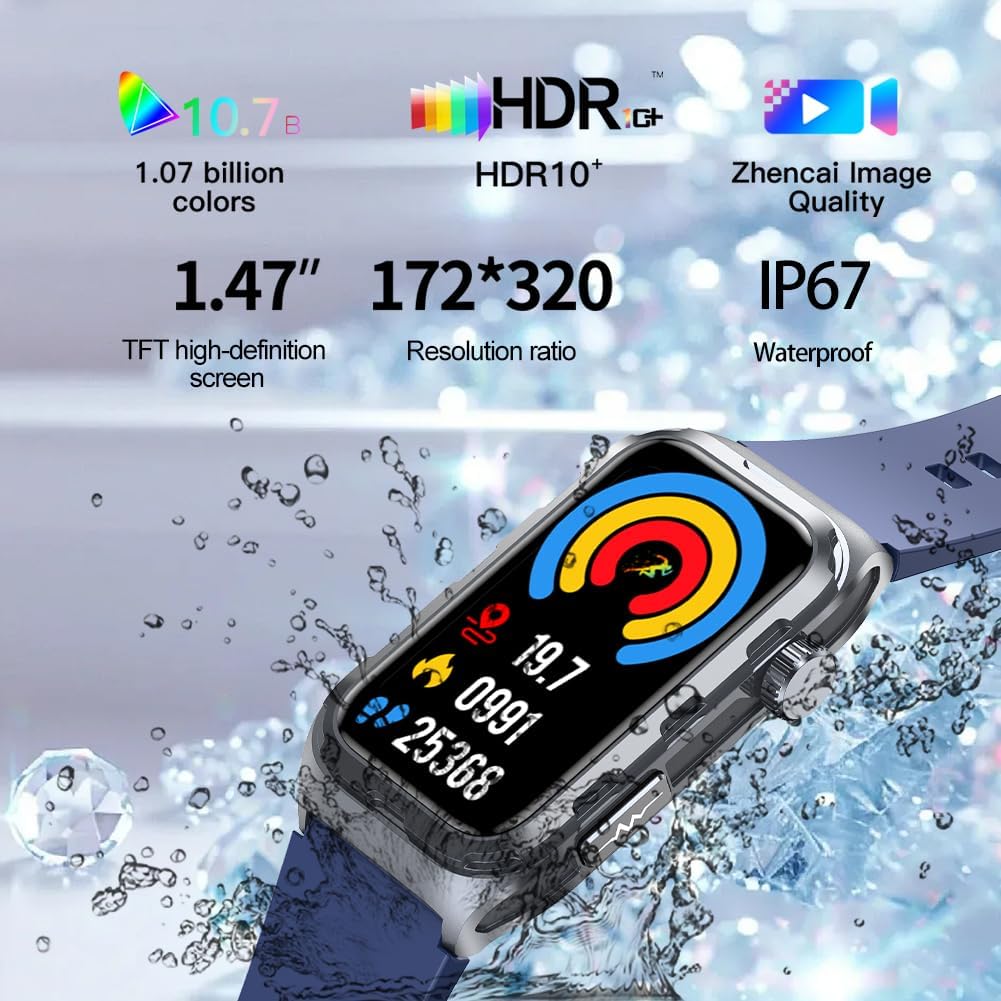
Image 7.1: Smartwatch water resistance feature.
7.3. Battery Care
To prolong battery life:
- Avoid fully discharging the battery frequently.
- Charge the device before the battery level drops too low.
- Store the device in a cool, dry place if not used for extended periods.
8. Troubleshooting
If you encounter issues with your DigiKuber Smartwatch TK79, refer to the following common problems and solutions:
| Problem | Possible Solution |
|---|---|
| Smartwatch won't turn on | Ensure the battery is charged. Connect to the charger for at least 30 minutes. |
| Unable to pair with phone | Check if Bluetooth is enabled on your phone. Restart both the smartwatch and your phone. Ensure the Deepfit app is open and searching. |
| Inaccurate health readings | Ensure the watch is worn snugly on your wrist, not too tight or too loose. Clean the sensors on the back of the watch. Readings are for reference only. |
| Notifications not received | Check app permissions for Deepfit on your phone. Ensure notifications are enabled in the Deepfit app settings and on your phone's system settings. Keep the watch connected via Bluetooth. |
| Short battery life | Reduce screen brightness, disable unnecessary notifications, and limit continuous monitoring features if not needed. Ensure the watch is fully charged. |
9. Specifications
| Feature | Specification |
|---|---|
| Brand | DigiKuber |
| Model Number | TK79 |
| Operating System | Smart Watch OS |
| Screen Size | 1.47 Inches |
| Connectivity Technology | Bluetooth |
| Wireless Communication Standard | Bluetooth |
| Special Features | ECG Monitor, Body Temperature Monitor, Oximeter (SpO2), Sleep Tracking, Fitness Monitor, Heart Rate Monitor, Email/Messages/Calls/SNS Notification, Alarm Clock, Calendar, Timer, Stopwatch, Music Controller, Find My Phone. |
| Compatible Devices | Android OS 6.0+ and iOS 11.0+ smartphones (e.g., iPhone, Samsung, LG, Huawei, Honor, OPPO, Vivo, Xiaomi) |
| Battery Capacity | 260 mAh Lithium-Polymer |
| Charging Time | Approx. 3-4 hours |
| Usage Duration | Approx. 5-7 days |
| Water Resistance | IP68 |
| Memory Storage Capacity | 128 MB |
| Shape | Rectangular |
| GPS | GPS via smartphone |
10. Warranty and Support
10.1. Warranty Information
DigiKuber offers a one-year warranty for the TK79 Smartwatch from the date of purchase. This warranty covers manufacturing defects. It does not cover damage caused by misuse, accidents, unauthorized repairs, or normal wear and tear. Please retain your proof of purchase for warranty claims.
10.2. Customer Support
For technical assistance, warranty claims, or any questions regarding your DigiKuber Smartwatch TK79, please contact DigiKuber customer support through the contact information provided on the official DigiKuber website or through your retailer.
Ask a question about this manual
Ask about setup, troubleshooting, compatibility, parts, safety, or missing instructions. Manuals+ will review the question and use this page’s manual context to help answer it.