
1. Introduction
This manual provides essential instructions for the safe and effective use of your RDSJ 3400mAh replacement battery for Conga robot vacuum cleaners. Please read this manual thoroughly before installation and use to ensure proper function and longevity of the product.

Image shows the RDSJ 3400mAh replacement battery, a small screwdriver, and a cleaning brush, indicating the items included for installation.
2. Safety Information
Adhere to the following safety guidelines to prevent damage to the battery, your robot vacuum, and to ensure personal safety:
- Do not disassemble, crush, or puncture the battery. This can lead to internal damage and potential hazards.
- Do not expose the battery to high temperatures (above 60°C / 140°F) or direct fire. High temperatures can cause the battery to overheat, ignite, or explode.
- Do not immerse the battery in water or other liquids. Exposure to liquids can cause short circuits and damage.
- Use only the specified charger for your robot vacuum cleaner. Using an incompatible charger may damage the battery or cause overheating.
- Keep the battery out of reach of children and pets.
- Dispose of used batteries according to local regulations. Do not dispose of batteries in household waste.

Image illustrating various safety protections built into the battery, including over-charge, over-discharge, over-current, over-temperature, short-circuit, and over-voltage protection.
3. Product Specifications
The RDSJ replacement battery is engineered to meet the power requirements of compatible Conga robot vacuum cleaners.
- Battery Type: Li-ion
- Voltage: 14.4V / 14.8V
- Capacity: 3400mAh / 48.96Wh
- Cells: 4-Cell
- Product Dimensions: Approximately 6 x 2 x 7 inches
- Item Weight: Approximately 7.1 ounces

Image displaying the key product parameters of the battery, including voltage (14.4V) and capacity (3400mAh/48.96Wh).
4. Compatibility
This RDSJ 3400mAh replacement battery is specifically designed for compatibility with the following Conga robot vacuum cleaner models:
- Conga 1690
- Conga 1890
- Conga 2090
- Conga 2290
- Conga 2690
- Conga 3090
- Conga 3091
- Conga 3092
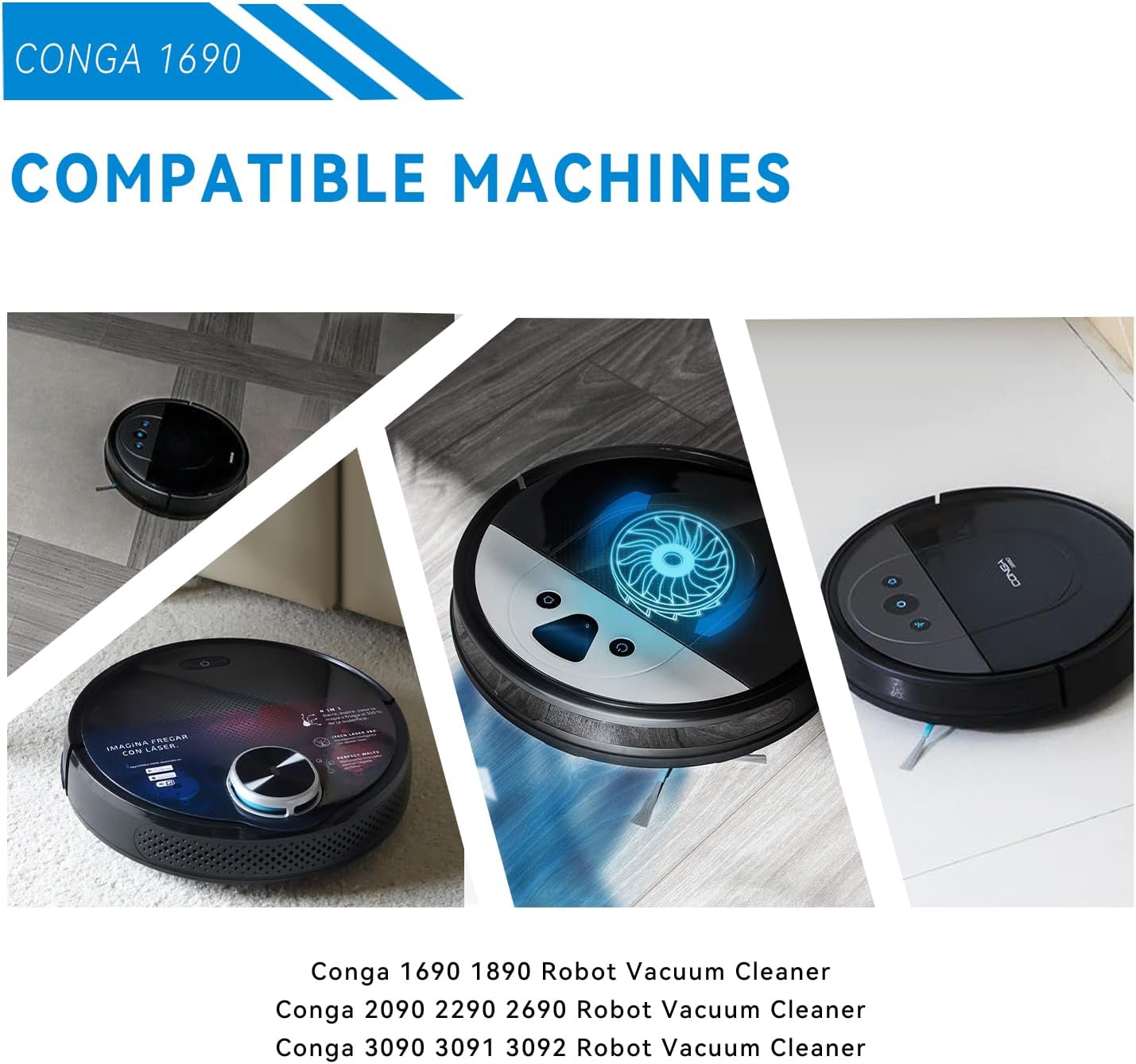
Image showing various Conga robot vacuum cleaner models (1690, 2090, 3090) to illustrate compatibility with the replacement battery.
5. Installation Guide
Follow these steps to safely replace the battery in your Conga robot vacuum cleaner:
- Power Off: Ensure your robot vacuum cleaner is completely powered off and disconnected from its charging base or power adapter.
- Locate Battery Compartment: Turn the robot vacuum upside down. Locate the battery compartment, usually secured by screws. Refer to your specific robot vacuum's original user manual for precise location and access instructions.
- Open Compartment: Use a screwdriver (a small one is often included with the replacement battery) to remove the screws and open the battery compartment cover.
- Disconnect Old Battery: Carefully disconnect the old battery's wire connector from the robot vacuum's port. Gently pull on the connector, not the wires.
- Remove Old Battery: Lift the old battery out of the compartment.
- Connect New Battery: Take the new RDSJ replacement battery and securely plug its wire connector into the corresponding port in the robot vacuum. Ensure it clicks into place if applicable.
- Position New Battery: Place the new battery into the compartment, ensuring wires are not pinched.
- Close Compartment: Replace the battery compartment cover and secure it with the screws. Do not overtighten.
- Initial Charge: Place the robot vacuum on its charging base to initiate charging. It is recommended to fully charge the new battery before its first use.
Note: Before installation, visually confirm that the connector type of the replacement battery matches your original battery to ensure proper fit and function.
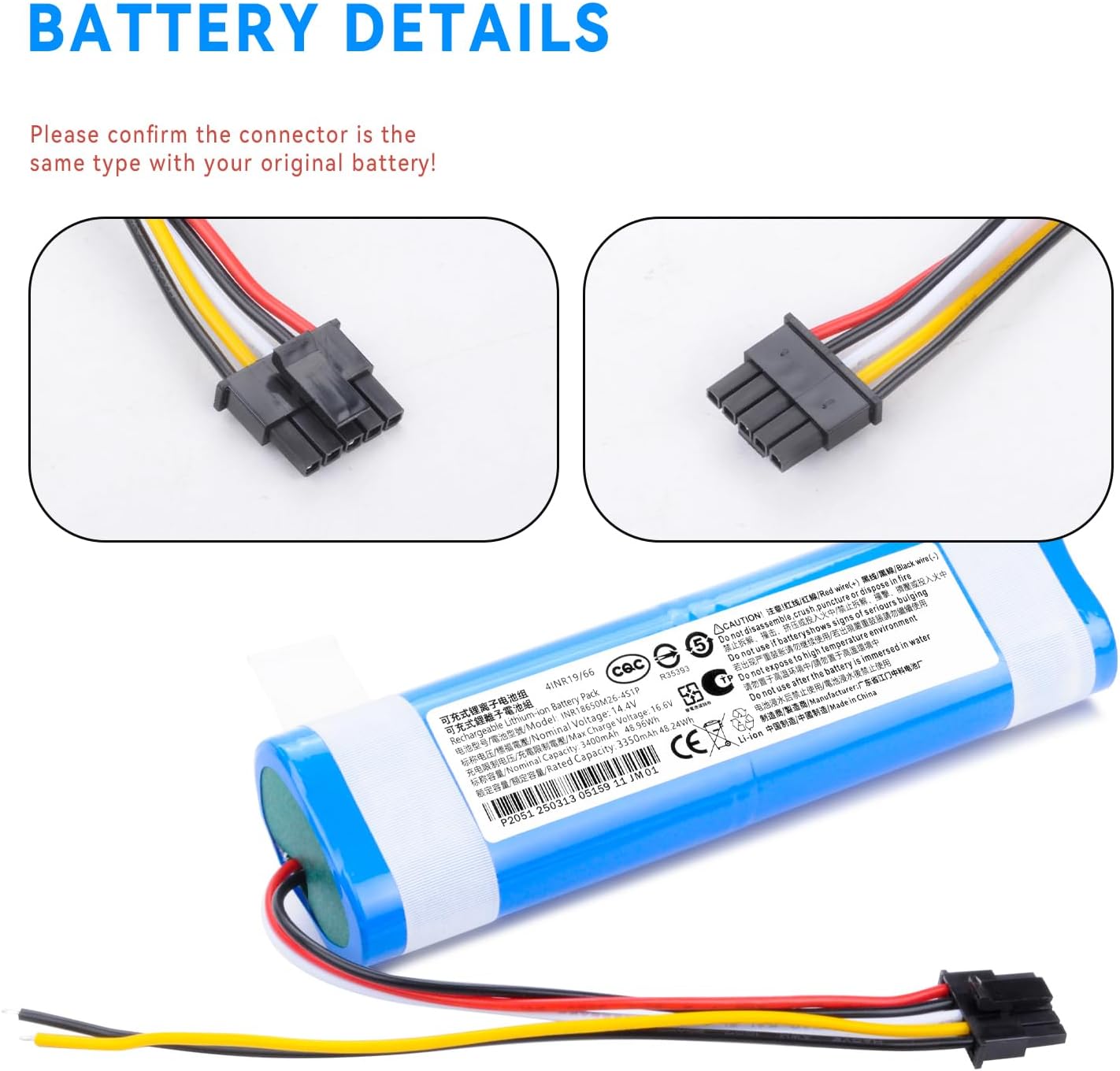
Image displaying close-ups of the battery connector, emphasizing the need to confirm it matches the original battery's connector type for proper installation.
6. Operating Instructions
Initial Use and Charging
After successfully installing the new battery, it is crucial to perform an initial full charge:
- Place the robot vacuum on its charging dock or connect it to its power adapter.
- Allow the vacuum to charge uninterrupted until the charging indicator shows a full charge. Refer to your robot vacuum's original manual for specific indicator light patterns.
- The RDSJ battery features fast charging capabilities, designed to complete the charging process efficiently.
General Operation
Once fully charged, your robot vacuum cleaner can be operated as usual. The new battery is designed to provide consistent and reliable power for effective cleaning cycles.
7. Maintenance
Battery Care and Longevity
Proper care can extend the lifespan and performance of your replacement battery:
- Avoid Deep Discharges: For optimal battery life, avoid completely draining the battery frequently. Recharge the vacuum when its battery level is low.
- Storage: If the robot vacuum will not be used for an extended period (e.g., several weeks or months), store it with a partial charge (around 50-70%) in a cool, dry place, away from direct sunlight or extreme temperatures.
- Temperature: Do not expose the battery to extreme hot or cold temperatures, as this can degrade performance and lifespan.
- Low Self-Discharge: The RDSJ battery is designed with low self-discharge characteristics, meaning it retains a significant portion of its charge even after prolonged periods of non-use (approximately 80% capacity after one year of storage).

A graph illustrating the low self-discharge rate of the battery, showing it retains 80% of its capacity after one year of storage.
8. Troubleshooting
If you encounter issues after replacing your battery, consider the following common troubleshooting steps:
- No Power / Not Turning On:
- Ensure the battery connector is securely plugged into the robot vacuum's port.
- Verify the battery compartment cover is properly closed and secured.
- Confirm the battery was fully charged after installation.
- Not Charging:
- Check if the robot vacuum is correctly seated on its charging base, ensuring charging contacts are aligned.
- Ensure the charging base is powered and its indicator light (if any) is on.
- Try cleaning the charging contacts on both the vacuum and the base with a dry cloth.
- Reduced Run Time:
- While the battery is new, it may require a few full charge/discharge cycles to reach its optimal performance and full capacity.
- Ensure the battery is fully charged before each cleaning cycle.
- Check for any obstructions in the vacuum's brushes or wheels that might be causing increased power consumption.
- Error Codes:
- If your robot vacuum displays specific error codes, refer to your original Conga robot vacuum cleaner's user manual for interpretation and solutions.
If problems persist after attempting these troubleshooting steps, please contact customer support for further assistance.
9. Warranty and Support
For any questions, concerns, or technical assistance regarding your RDSJ replacement battery, please contact your retailer or the manufacturer directly. When contacting support, please have your purchase information, including the date of purchase and product model, available to facilitate the process.
This product is manufactured by Shenzhen Banhui Technology Co., Ltd.