
1. Setup
1.1 Unboxing
Carefully remove all items from the packaging. The box should contain the following:
- 1x DOOGEE FIRE 5 Rugged Phone
- 1x Type-C USB Cable
- 1x Charger
- 1x Silk screen printing Protective Film (Pre-applied)
- 1x Packing Box
- 1x User Manual (this document)
1.2 SIM and TF Card Installation
The DOOGEE FIRE 5 supports a triple-card slot, allowing for two SIM cards and one TF (microSD) card to be used simultaneously. Locate the SIM card tray on the side of the device. Use the provided SIM ejector tool to open the tray. Insert your Nano-SIM cards and TF card into the designated slots, ensuring correct orientation. Close the tray securely.
1.3 Initial Power On and Basic Configuration
Press and hold the Power button until the DOOGEE logo appears. Follow the on-screen prompts to select your language, connect to a Wi-Fi network, and set up your Google account. This process will guide you through essential initial settings.
1.4 Charging the Device
Connect the Type-C USB cable to the charging port at the bottom of the phone and the other end to the provided charger. Plug the charger into a power outlet. The device supports 10W fast charging. A full charge of the 13000mAh battery provides extended usage.

Image: The DOOGEE FIRE 5 smartphone showcasing its 13000mAh battery capacity and support for OTG (On-The-Go) functionality, allowing it to charge other devices.
2. Operating Instructions
2.1 Display Features
The DOOGEE FIRE 5 features a 6.6-inch HD+ IPS Waterdrop Display with a 90Hz refresh rate. This provides a smooth visual experience for browsing, gaming, and video playback. The display offers a resolution of 720*1612 pixels and a brightness of up to 400 nits for good readability even outdoors.

Image: The DOOGEE FIRE 5 smartphone highlighting its 6.6-inch HD+ IPS display with a 90Hz refresh rate, 720*1612 resolution, and 85% screen-to-body ratio.
2.2 Camera Usage
The device is equipped with a 13MP main rear camera and an 8MP front camera. To access the camera, tap the camera icon on your home screen or app drawer. You can switch between photo and video modes, and access various settings such as Night Mode, Beauty Mode, and Panoramic Mode for different shooting scenarios.
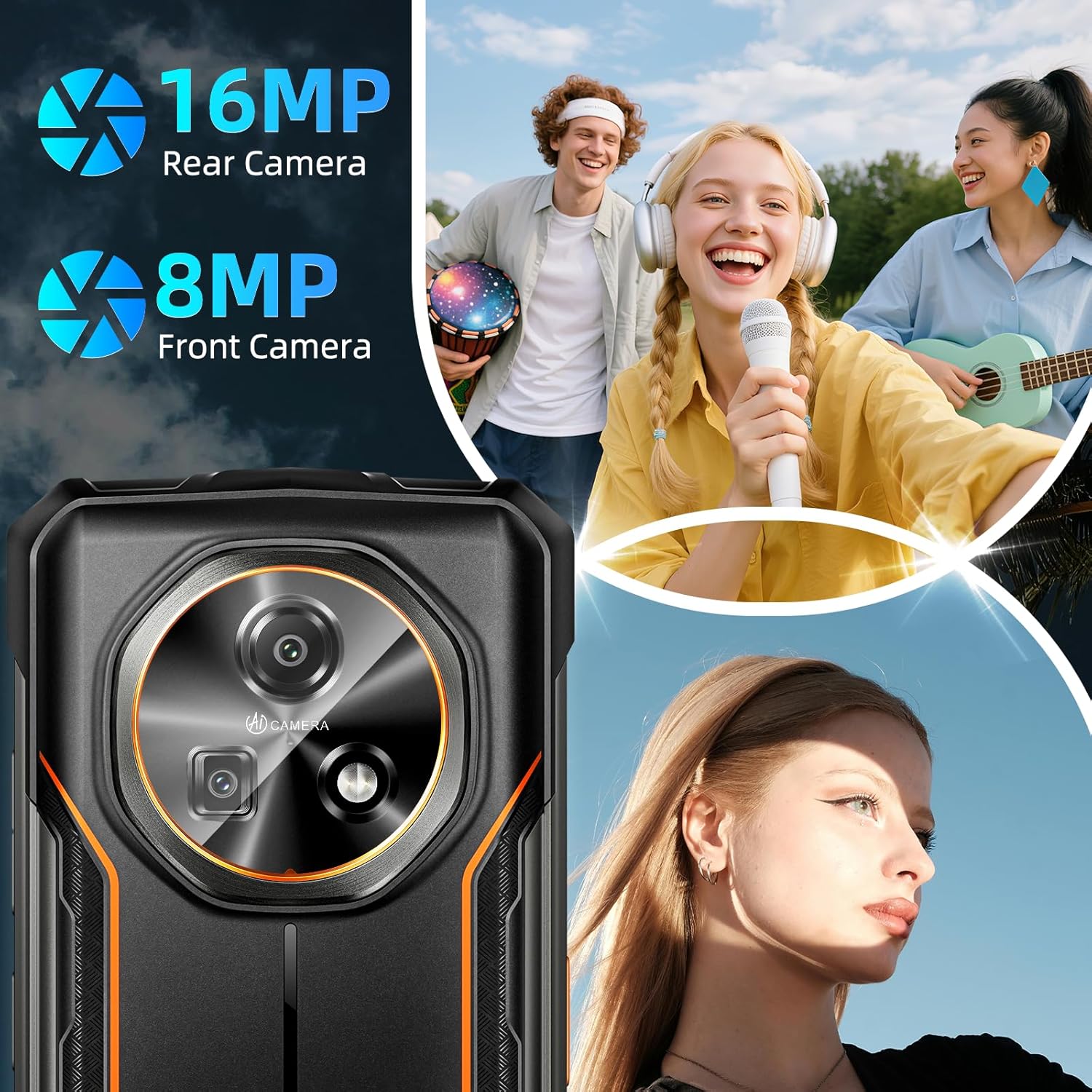
Image: The DOOGEE FIRE 5 smartphone showcasing its 13MP rear camera and 8MP front camera, designed for capturing clear photos and selfies.
2.3 Memory and Storage
The DOOGEE FIRE 5 comes with 12GB RAM (3GB physical + up to 9GB extended virtual RAM) and 64GB of internal storage. Storage can be expanded up to 2TB using a TF card. This configuration supports smooth multitasking and ample space for applications, photos, and videos.

Image: The DOOGEE FIRE 5 smartphone illustrating its 12GB RAM (3GB physical + 9GB virtual), 64GB ROM (expandable to 2TB), and the Android 15 operating system.
2.4 Connectivity and Navigation
The device supports 4G cellular technology for reliable network connectivity. It includes NFC for secure contactless payments and access. For navigation, the phone integrates multi-system GPS, Glonass, and Galileo, providing fast and accurate positioning.
2.5 Security Features
The DOOGEE FIRE 5 offers Face ID for convenient and secure unlocking of your device. To set up Face ID, navigate to Settings > Security > Face Unlock and follow the on-screen instructions.
2.6 OTG Functionality
The smartphone supports OTG (On-The-Go) functionality, allowing it to act as a power bank to charge other devices. Connect a compatible OTG cable to your DOOGEE FIRE 5 and then connect the other device to the OTG cable.
3. Maintenance
3.1 Ruggedness and Care
The DOOGEE FIRE 5 is IP68/IP69K waterproof and dustproof, and MIL-STD-810H certified for shock resistance. This means it can withstand immersion in water, high-pressure water jets, drops, vibrations, and extreme temperatures. To maintain its rugged properties, ensure all port covers are securely closed when exposed to water or dust. Clean the device with a soft, damp cloth. Avoid using harsh chemicals.

Image: The DOOGEE FIRE 5 smartphone illustrating its durability with images showing it submerged in water, resistant to dust, and having passed a high-strength drop test, confirming its IP68, IP69K, and MIL-STD-810H certifications.
3.2 Battery Care
To prolong battery life, avoid exposing the phone to extreme temperatures. Do not fully discharge the battery regularly. For optimal performance, keep the battery charge between 20% and 80% when possible. Use only the provided charger and cable.
3.3 Software Updates
The DOOGEE FIRE 5 runs on Android 15. Regularly check for software updates to ensure your device has the latest features, security patches, and performance improvements. You can check for updates in Settings > System > System update.
4. Troubleshooting
4.1 Device Not Powering On
- Ensure the battery is charged. Connect the charger and wait a few minutes before attempting to power on.
- Press and hold the Power button for at least 10-15 seconds to perform a forced restart.
4.2 Charging Issues
- Verify that the charger and USB cable are securely connected to both the phone and the power outlet.
- Try using a different power outlet.
- Inspect the charging port for any debris or damage.
4.3 Network Connectivity Problems
- Check if your SIM cards are correctly inserted and activated.
- Toggle Airplane Mode on and off in Quick Settings.
- Restart the device.
- Go to Settings > Network & internet > Mobile network and ensure mobile data is enabled.
4.4 Camera Not Functioning
- Ensure the camera lens is clean and free from obstructions.
- Restart the camera application or the phone.
- Check app permissions for the camera in Settings > Apps > Camera > Permissions.
5. Specifications
| Feature | Specification |
|---|---|
| Model Name | DOOGEE FIRE 5 |
| Operating System | Android 15 |
| Screen Size | 6.6 Inches |
| Max Screen Resolution | 720*1612 Pixels |
| Refresh Rate | 90 Hz |
| RAM Memory Installed Size | 12 GB (3GB physical + up to 9GB virtual) |
| Memory Storage Capacity | 64 GB (Expandable up to 2TB via TF card) |
| Battery Capacity | 13000mAh |
| Main Camera | 13MP |
| Front Camera | 8MP |
| Durability Rating | IP68/IP69K, MIL-STD-810H |
| Connectivity | 4G, NFC, GPS, Glonass, Galileo |
| Item Weight | 1.39 pounds |
| Dimensions | 7.64 x 4.09 x 2.24 inches |
6. Warranty and Support
6.1 Warranty Information
Please refer to the warranty card included in your product packaging for detailed warranty terms and conditions. The warranty typically covers manufacturing defects for a specified period from the date of purchase. Keep your proof of purchase for warranty claims.
6.2 Customer Support
For technical assistance, troubleshooting beyond this manual, or warranty inquiries, please contact DOOGEE customer support. Contact details can usually be found on the official DOOGEE website or on the warranty card provided with your device.
7. Product Overview Video
Video: An official overview of the DOOGEE FIRE 5 Android 15 Rugged Smartphone, showcasing its design, features, and durability. This video is provided by the seller, QH CELLPHONE-US.


