
KXD A07
KXD A07 Unlock Cell Phone User Manual
Model: A07 | Brand: KXD
1. Introduction
Welcome to the KXD A07 Unlock Cell Phone user manual. This guide provides comprehensive instructions to help you set up, operate, and maintain your new smartphone. Please read this manual carefully to ensure optimal performance and longevity of your device.
2. What's in the Box
Your KXD A07 package should contain the following items:
- KXD A07 Cell Phone
- Phone Case
- Power Adapter
- SIM Tray Ejector
- Screen Protector
- USB Cable
3. Product Overview
Familiarize yourself with the key features and components of your KXD A07 smartphone.
3.1 Physical Features

Overall view of the KXD A07 smartphone, showcasing its sleek design and camera module on the back.

Detailed view of the phone's sides, highlighting the volume buttons, power key with integrated fingerprint sensor, USB Type-C port, speaker, and 3.5mm earphone jack.

The KXD A07 features an ultra-sleek design with a thickness of just 8.65mm.
3.2 Display
The KXD A07 features a large 6.52-inch HD+ Waterdrop Screen, providing an immersive viewing experience for all your content.

The 6.52-inch HD+ display offers a wide gamut, 1080P resolution, and 90.61% full screen ratio for an expansive view.
3.3 Camera System
Capture stunning photos and videos with the KXD A07's versatile camera system.

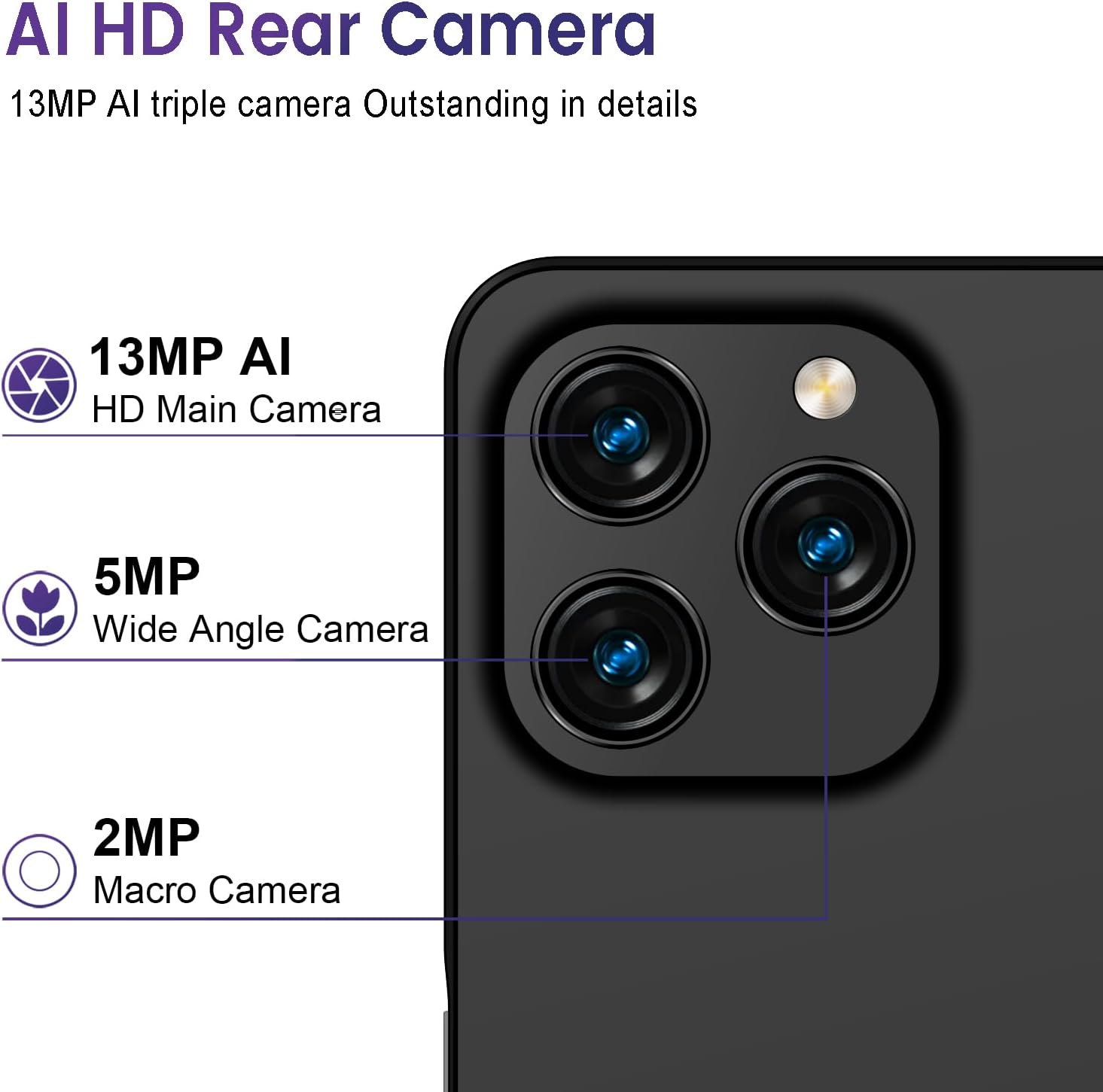
The rear camera setup includes a 13MP AI HD Main Camera, a 5MP Wide Angle Camera, and a 2MP Macro Camera for detailed shots.
The front-facing camera is 8MP, perfect for high-quality selfies and video calls.
3.4 Battery
The KXD A07 is equipped with a powerful 4500mAh long-lasting battery, supporting 10W fast charging for extended usage.
The 4500mAh battery provides approximately 26 hours of music playback, 10.5 hours of video playback, 18 hours of call time, and 220 hours of standby time.
3.5 Memory and Processor
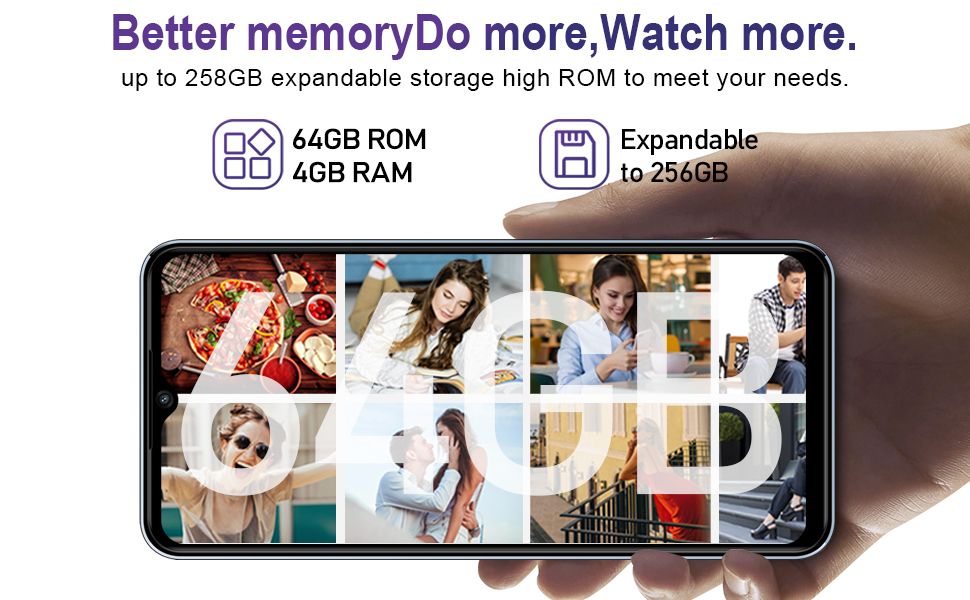
The KXD A07 comes with 4GB of RAM and 64GB of internal storage, expandable up to 256GB via a microSD card. It is powered by an Octa-Core processor for smooth performance.
The Octa-Core processor ensures smooth and stable performance for multitasking and applications.

The phone offers 64GB ROM and 4GB RAM, with expandable storage up to 256GB to meet your storage needs.
3.6 SIM and SD Card Slot
The KXD A07 features a triple slot design, allowing for two Nano-SIM cards and one Micro SD card simultaneously.

The triple card slot supports two Nano SIM cards for dual network connectivity and a TF (microSD) card for expanded storage.
3.7 Product Video
This video provides a detailed overview of the KXD A07 phone's features and design.
4. Setup
4.1 SIM and SD Card Installation
- Locate the SIM tray slot on the side of the phone.
- Insert the provided SIM tray ejector tool into the small hole next to the tray. Press gently until the tray pops out.
- Place your Nano-SIM card(s) and/or microSD card into the designated slots on the tray, ensuring correct orientation.
- Carefully push the tray back into the slot until it is flush with the phone's body.
4.2 Charging the Battery
Before first use, fully charge the phone's battery.
- Connect the USB cable to the phone's Type-C port.
- Connect the other end of the USB cable to the power adapter.
- Plug the power adapter into a wall outlet.
- The charging indicator will appear on the screen.
4.3 Power On/Off
- To Power On: Press and hold the Power button (located on the side) until the KXD logo appears.
- To Power Off: Press and hold the Power button until the power options menu appears. Tap 'Power off' and confirm.
5. Operating Instructions
5.1 Basic Navigation
The KXD A07 uses a touchscreen interface. Use the following gestures:
- Tap: Touch an icon or option to select it.
- Swipe: Drag your finger across the screen to scroll or navigate between screens.
- Pinch: Use two fingers to zoom in or out on photos and web pages.
5.2 Calls and Messaging
- Making Calls: Open the Phone app, enter the number, and tap the call icon.
- Sending Messages: Open the Messages app, tap 'Start chat', enter recipient and message, then send.
5.3 Camera Usage
To take photos or record videos:
- Open the Camera app.
- Select photo or video mode.
- Tap the shutter button to capture.
5.4 Security Features
The KXD A07 supports Fingerprint and Face Recognition for enhanced security.
- Fingerprint ID: Go to Settings > Security > Fingerprint. Follow the on-screen instructions to register your fingerprint.
- Face ID: Go to Settings > Security > Face Unlock. Follow the on-screen instructions to register your face.
5.5 Connectivity
- Wi-Fi: Go to Settings > Network & internet > Wi-Fi. Turn on Wi-Fi and select your network.
- Bluetooth: Go to Settings > Connected devices > Bluetooth. Turn on Bluetooth and pair with devices.
- Mobile Hotspot: Go to Settings > Network & internet > Hotspot & tethering > Wi-Fi hotspot to share your phone's internet connection.
6. Specifications
Detailed technical specifications for the KXD A07:
| Feature | Specification |
|---|---|
| Model Name | A07 |
| Operating System | Android 12.0 |
| Screen Size | 6.52 Inches |
| Resolution | 720*1600 |
| RAM Memory Installed Size | 4 GB |
| Memory Storage Capacity | 64 GB (Expandable to 256GB) |
| CPU Model | Others (Quad-core 1.5GHz) |
| CPU Speed | 1.6 GHz |
| Rear Camera | 13MP + 5MP + 2MP |
| Front Camera | 8MP |
| Battery Power Rating | 4500 Milliamp Hours |
| Phone Talk Time | 18 Hours |
| Connectivity Technologies | Bluetooth, USB, Wi-Fi |
| Wireless Carrier Compatibility | Most GSM carriers (T-mobile, Speedtalk, Mint Mobile). Not compatible with CDMA carriers such as AT&T, Cricket Wireless, Verizon, Sprint, Straight Talk or U.S.Cellular. |
| Network Support | 4G FDD: B2/B4/B5/B7/B12/B28A/B; 3G WCDMA: B2/B5; 2G GSM: 850/900/1800 (B2/B3/B5) |
| Special Features | Built-In GPS, Dual SIM, Expandable Memory, Mobile Hotspot Capability, Supports USB OTG, Fingerprint/Face Recognition |
| Item Weight | 13.1 ounces |
| Dimensions | 6.81 x 3.43 x 2.09 inches |
7. Maintenance
7.1 Battery Care
- Avoid extreme temperatures, as they can degrade battery life.
- Use only the provided charger and cable to prevent damage.
- Do not leave the phone charging for excessively long periods after it's fully charged.
7.2 Cleaning Your Device
- Use a soft, lint-free cloth to clean the screen and body of the phone.
- Avoid using harsh chemicals or abrasive materials.
- Keep ports free of dust and debris.
8. Troubleshooting
If you encounter issues with your KXD A07, try the following common solutions:
- Phone not turning on: Ensure the battery is charged. Connect to the charger and try again.
- Apps crashing or freezing: Close the app and reopen it. If the issue persists, restart the phone.
- Network issues: Check if your SIM card is properly inserted. Restart the phone. Verify your carrier's network coverage in your area.
- Slow performance: Close unnecessary background apps. Clear cache from apps. Consider freeing up storage space.
- Fingerprint/Face ID not working: Ensure your fingers/face are clean and dry. Re-register your biometrics if necessary.
9. Warranty and Support
Your KXD A07 smartphone comes with a standard manufacturer's warranty. For specific warranty terms and conditions, please refer to the warranty card included in your product packaging or visit the official KXD website. For technical support or further assistance, please contact KXD customer service through their official channels.