
1. Safety Information
Please read all instructions carefully before assembly and use. Keep this manual for future reference. Ensure all parts are present and undamaged before beginning assembly. Do not use power tools for assembly as this may overtighten screws and damage the desk. Always place the desk on a flat, stable surface. Do not overload the desk beyond its weight capacity (110 lbs). Keep small parts away from children to prevent choking hazards.
2. Package Contents
Verify that all components listed below are included in your package:
- Support Legs (A) x2
- Crossbar (B) x2
- Desktop Board (C) x1
- Slant Support (D) x2
- Hook (E) x1
- Storage Bag (F) x1
- Screws (M6x40) (L) x13
- Screws (M6x15) (K) x16
- Wrench (H) x1

Image Description: A still from the DUMOS Home Office Desks Installation Video showing an exploded view of all components included in the package, labeled A through F for parts and K, L, H for fasteners and tools.
3. Setup and Assembly
Follow these steps for quick and easy assembly. It is recommended to have two people for certain steps to ensure stability.
- Assemble the Frame: Attach the crossbars (B) to the support legs (A) using the provided screws and wrench. Tighten screws to 50% initially.
- Install Slant Supports: Connect the slant supports (D) to the support legs (A) and crossbars (B) using screws and the wrench. Tighten screws to 50% initially.
- Attach Hook and Storage Bag: Secure the hook (E) to a support leg (A) using a screw and wrench. Attach the storage bag (F) to the hook.
- Mount the Desktop: Carefully place the desktop board (C) onto the assembled frame. Ensure the frame structure is flush with the desktop board.
- Final Tightening: Once the desktop is in place, tighten all screws 100% to ensure stability.
Video Description: An official installation video demonstrating the step-by-step assembly process for a rectangular home office desk, including attaching legs, crossbars, slant supports, hook, storage bag, and finally the desktop. This video is provided by AOSAI TECHNOLOGY (HONG KONG) LIMITED.

Image Description: A visual guide showing four simplified steps for quick and easy assembly of the ODK computer desk, illustrating the frame construction and desktop attachment.
4. Operating Instructions
The ODK 63-inch Pink Computer Desk is designed for versatile use in various settings, including home offices, gaming rooms, and study areas. Its spacious desktop accommodates computers, notebooks, and other essentials.
- Workstation Setup: Arrange your computer, monitors, and other work or gaming equipment on the spacious desktop. The desk is designed to support a dual monitor setup comfortably.
- Utilizing the Side Hook: The integrated side hook provides convenient storage for headphones, bags, or cables, helping to keep your workspace organized and clutter-free.
- Storage Bag Functionality: Use the attached storage bag to keep documents, magazines, or other small items easily accessible yet off the main desktop surface.
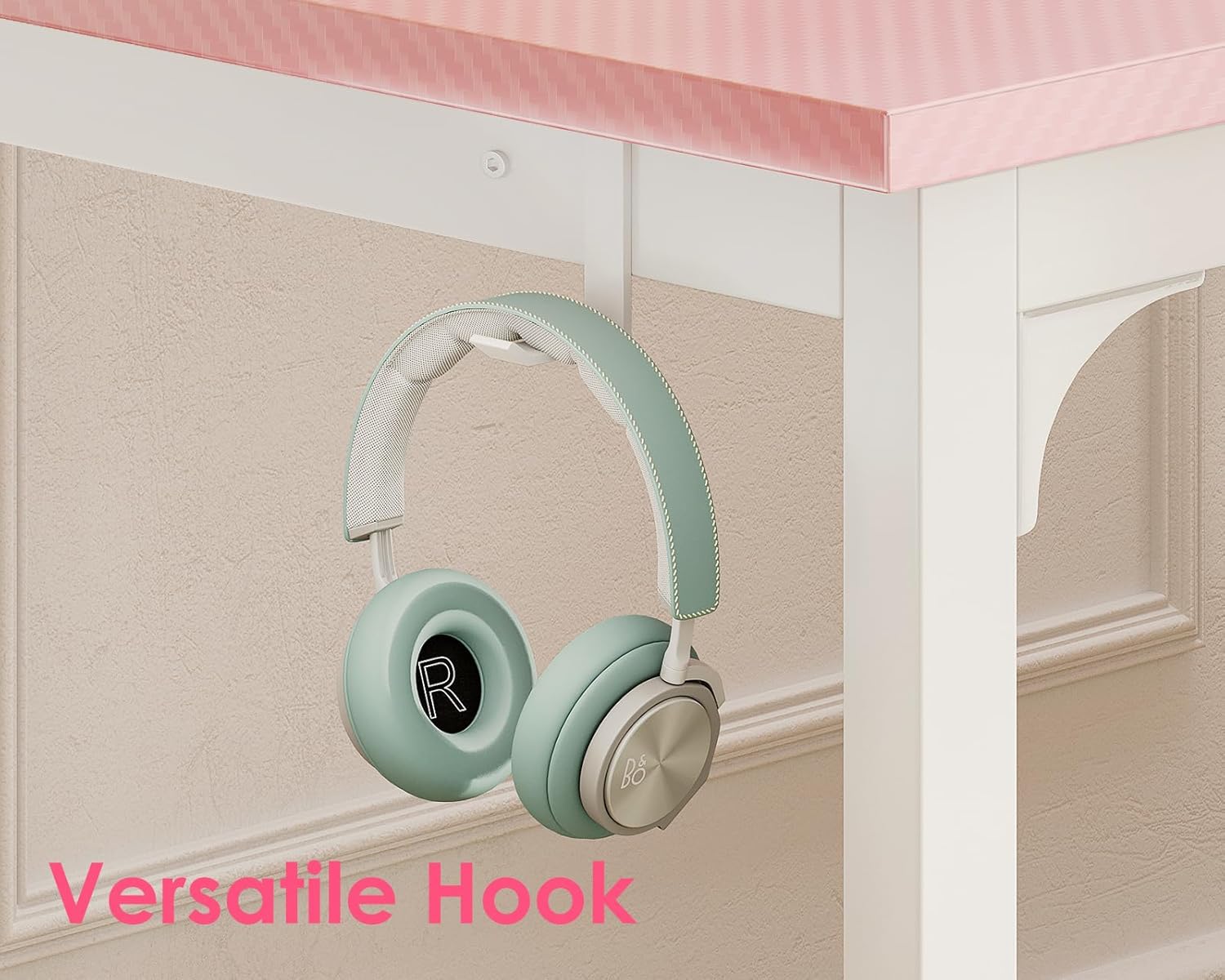
Image Description: A close-up view of the versatile hook attached to the side of the ODK computer desk, shown holding a pair of headphones, highlighting its utility for organizing accessories.
5. Maintenance
To maintain the appearance and longevity of your ODK computer desk, follow these simple care instructions:
- Cleaning: Wipe the desktop and metal frame with a damp cloth. Avoid using harsh chemicals or abrasive cleaners, which can damage the finish.
- Spills: Promptly clean up any spills to prevent staining or damage to the particle board tabletop.
- Regular Checks: Periodically check all screws and connections to ensure they remain tight. Retighten if necessary to maintain stability.
6. Troubleshooting
If you encounter any issues with your ODK computer desk, refer to the following common solutions:
- Wobbling Desk: Ensure all screws are fully tightened. Check that the desk is placed on a level surface. The reinforced structure at the back is designed to enhance stability.
- Missing Parts: Double-check the package contents against the list in Section 2. If parts are still missing, contact customer support.
- Difficulty Assembling: Review the assembly steps in Section 3 and the provided video. Ensure you are using the correct screws for each step.
7. Specifications
| Brand | ODK |
| Model Number | B01010601014 |
| Color | Pink |
| Shape | Rectangular |
| Desk Design | Computer Desk |
| Product Dimensions (D x W x H) | 21.7"D x 63"W x 28.9"H |
| Top Material Type | Engineered Wood |
| Base Material | Metal |
| Finish Type | Polished |
| Special Feature | Hook |
| Item Weight | 28 Pounds |
| Maximum Height | 28.9 Inches |
| Required Assembly | Yes |

Image Description: An overhead view of the ODK computer desk with key dimensions labeled: 63 inches in width, 22 inches in depth, and 28.3 inches in height. A weight capacity of 110 lbs is also indicated.
8. Warranty and Support
For warranty information or customer support, please refer to the documentation included with your purchase or contact the manufacturer directly. Keep your proof of purchase for any warranty claims.


