
Digital Nc BP-SCL6
Digital Nc USB Dual Travel Charger for Leica BP-SCL6 Batteries User Manual
Model: BP-SCL6 | Brand: Digital Nc
1. Safety Instructions
Please read these safety instructions carefully before using the charger to prevent damage to the product or injury to yourself.
- Do not expose the charger to rain, moisture, or extreme temperatures.
- Avoid dropping or subjecting the charger to severe impact.
- Do not disassemble, modify, or attempt to repair the charger. Refer all servicing to qualified personnel.
- Use only with compatible Leica BP-SCL6 batteries. Using incompatible batteries may cause damage or fire.
- Ensure proper ventilation during charging. Do not cover the charger.
- Keep out of reach of children.
- Disconnect the charger from the power source when not in use.
2. Product Overview
The Digital Nc USB Dual Travel Charger is designed for efficient and safe charging of Leica BP-SCL6 camera batteries. It features a dual-slot design, allowing two batteries to be charged simultaneously. The integrated LCD panel provides real-time charging status.
2.1 Key Features
- Dual Slot Charging: Charges two Leica BP-SCL6 batteries concurrently.
- LCD Display: Shows individual battery charge levels, total charged volume, and charging temperature. Can also display voltage and current.
- USB Powered: Accepts 5V / 2A input via USB, making it suitable for travel.
- Robust Construction: Encased in a fire-retardant PC and ABS shell for durability.
- Safety Protections: Includes short circuit, over voltage, over power, overcharge, over current, and over discharge protection.
- Compact Design: Lightweight and portable for easy transport.
2.2 Package Contents
- Digital Nc USB Dual Travel Charger (BP-SCL6)
- USB Cable (Micro USB)
2.3 Visual Guide

Figure 1: The Digital Nc USB Dual Travel Charger shown with its included USB cable. The charger features two battery slots and an LCD display panel.

Figure 2: Illustration of the LCD display indicators. During charging, 1-4 green bars flash. A full charge is indicated by 4 solid green bars. The image also highlights the charger's built-in safety protections.

Figure 3: The charger's side view, illustrating its dual interface design with both Micro USB and Type-C input ports for versatile power connection. A Micro USB cable is included.
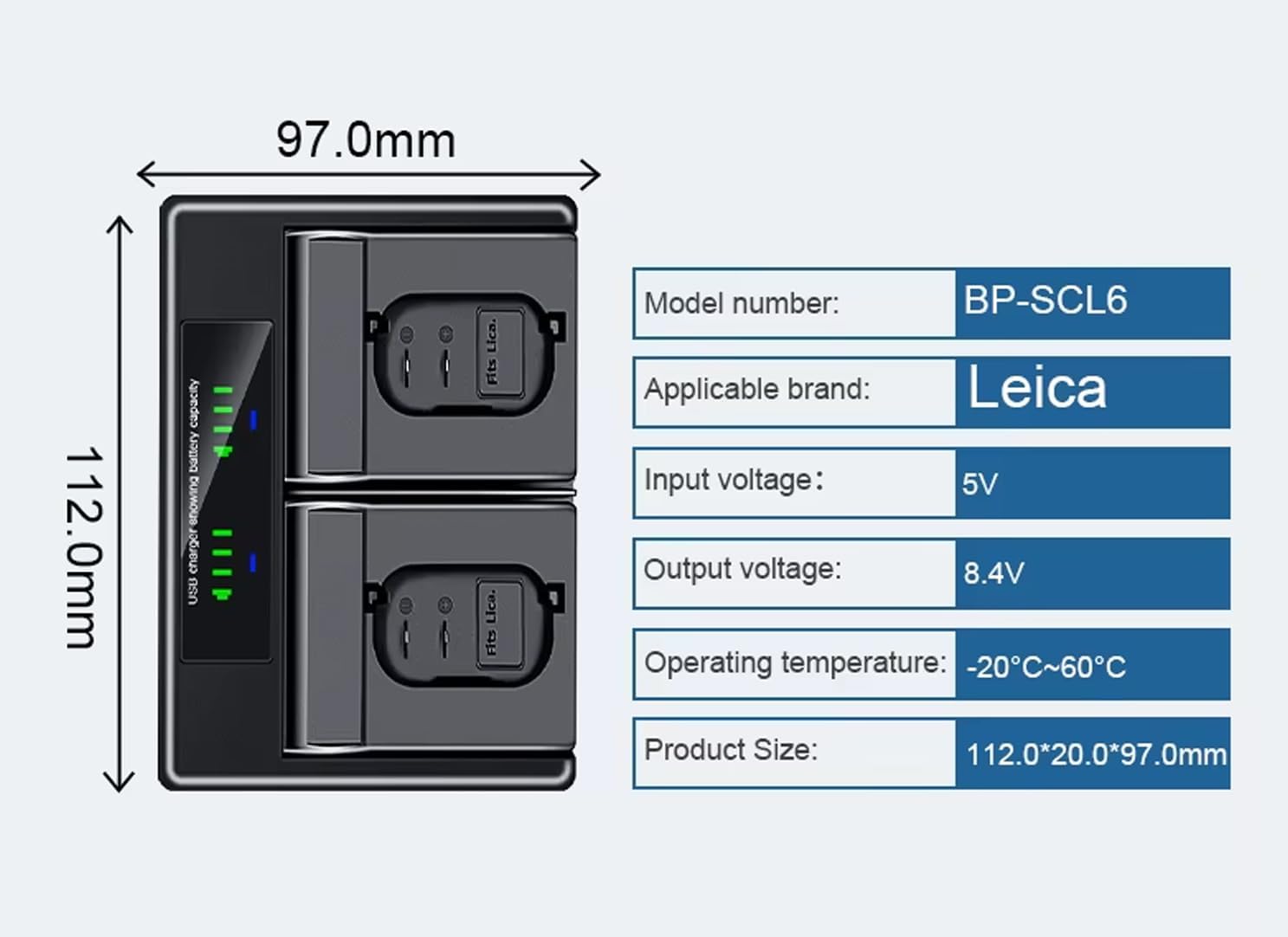
Figure 4: A diagram showing the physical dimensions of the charger (112.0mm length, 97.0mm width) and a table of key specifications including model number (BP-SCL6), applicable brand (Leica), input voltage (5V), output voltage (8.4V), operating temperature (-20°C~60°C), and product size.

Figure 5: The charger's construction, highlighting its high-quality ABS fireproof plastic shell, designed for durability and safety.
3. Setup
Follow these steps to set up your charger for the first time:
- Unpack: Carefully remove the charger and USB cable from its packaging.
- Connect Power: Insert the Micro USB or Type-C end of the provided USB cable into the corresponding port on the charger.
- Power Source: Connect the standard USB-A end of the cable to a compatible USB power source (e.g., a USB wall adapter, computer USB port, or power bank) with a 5V / 2A output.
- Initial Check: The LCD display on the charger should briefly illuminate, indicating it is powered on.
4. Operating Instructions
4.1 Charging Batteries
- Insert Batteries: Carefully insert one or two Leica BP-SCL6 batteries into the charging slots, ensuring correct polarity. The battery should click into place.
- Monitor Charging: The LCD display will show the charging status for each inserted battery.
- Charging: 1-4 green bars will flash, indicating the current charge level.
- Fully Charged: 4 solid green bars will appear, indicating the battery is fully charged.
- Remove Batteries: Once charging is complete (4 solid green bars), carefully remove the batteries from the slots.
- Disconnect Power: Disconnect the charger from the USB power source when not in use.
The LCD panel can also display total charged volume, charging temperature, voltage, and charging current. Refer to the display for detailed information during the charging process.
5. Maintenance
- Cleaning: Use a soft, dry cloth to clean the charger's exterior. Do not use liquid cleaners or solvents.
- Storage: Store the charger in a cool, dry place away from direct sunlight and extreme temperatures.
- Handling: Avoid dropping or rough handling to prevent internal damage.
6. Troubleshooting
| Problem | Possible Cause | Solution |
|---|---|---|
| Charger not powering on. | No power from USB source, faulty cable, or charger. |
|
| Battery not charging. | Battery not inserted correctly, incompatible battery, or faulty battery. |
|
| LCD display not showing correct information. | Temporary software glitch or display issue. |
|
If the problem persists after attempting these solutions, please contact customer support.
7. Specifications
| Model Number | BP-SCL6 |
| Brand | Digital Nc |
| Compatible Batteries | Leica BP-SCL6 |
| Input Voltage | 5V |
| Input Current | 2A (recommended) |
| Output Voltage | 8.4V |
| Output Current | 1200mA (max combined) |
| Product Dimensions (L x W x H) | 4.40" x 3.81" x 0.78" (112.0mm x 97.0mm x 20.0mm) |
| Operating Temperature | -20°C to 60°C |
| Material | Fire-retardant PC and ABS shell |
| Color | Black |
8. Warranty and Support
For warranty information or technical support, please refer to the documentation provided with your purchase or contact Digital Nc customer service directly. Keep your proof of purchase for warranty claims.
You can visit the Digital Nc store for more information: Digital Nc Store
Ask a question about this manual
Ask about setup, troubleshooting, compatibility, parts, safety, or missing instructions. Manuals+ will review the question and use this page’s manual context to help answer it.