
1. Introduction
Thank you for purchasing the leapwell Portable CD Player. This manual provides essential information for the safe and efficient use of your device. Please read it thoroughly before operation and retain it for future reference.
This versatile player combines classic CD playback with modern connectivity options, including Bluetooth, FM radio, USB, and AUX input, all in a compact and portable design.
2. Safety Information
- Do not expose the device to rain, moisture, or extreme temperatures.
- Avoid placing the device near heat sources or in direct sunlight.
- Use only the specified power adapter (5V-2A) for charging to prevent damage.
- Do not attempt to disassemble or repair the device yourself. Contact customer service for assistance.
- Keep out of reach of children.
3. Package Contents
Please check that all items are present in the package:
- leapwell Portable CD Player (Model L-CD202B EU 0522)
- Remote Control
- USB-C Charging Cable
- 3.5mm AUX Cable
- User Manual
4. Product Features
- 7-in-1 Playback Modes: Supports CD, Bluetooth (receive and transmit), FM Radio, USB, AUX, A-B Repeat, and Optical output.
- Hi-Fi Speaker System: Features an independent sound cavity and internal magnetic speaker for enhanced sound details and improved bass. Equipped with anti-vibration and anti-slip pads for stable audio performance.
- Bluetooth 5.1 Connectivity: Connects to mobile phones/tablets (receive mode) or external speakers/headphones (transmit mode).
- Rechargeable Battery: Integrated 4000 mAh USB-C rechargeable battery provides approximately 4.5 hours of playback time.
- Classic Design: Retro square design with a convenient volume knob and a translucent CD dust cover.
- User-Friendly Display: Features a 2.4-inch screen for clear operation and mode indication.
- Optical Output: Integrated optical interface for connecting to a decoder for lossless audio quality.

Image: Internal speaker design for enhanced sound clarity and bass.

Image: Bluetooth 5.1 connectivity for receiving and transmitting audio.
5. Setup
5.1 Charging the Device
- Connect the provided USB-C charging cable to the USB-C port on the player.
- Connect the other end of the cable to a 5V-2A USB power adapter (not included).
- The charging indicator on the display will show the charging status. A full charge takes approximately 3 hours.
- The device can be used while charging, but for optimal battery life, disconnect the power once fully charged if not in use for extended periods.

Image: The portable CD player features a 4000mAh battery for extended use.
5.2 Initial Power On
- Press and hold the power button to turn on the device.
- The LCD screen will illuminate, indicating the current mode or time.
6. Operating Modes
Use the 'M' (Mode) button on the device or remote control to cycle through the available playback modes: CD, Bluetooth, FM Radio, USB, AUX, and Optical.
6.1 CD Playback
- Gently open the translucent dust cover.
- Place a CD (CD, CD-R, CD-RW, MP3, WMA format) onto the spindle, ensuring it is seated correctly.
- Close the dust cover.
- Select 'CD' mode using the 'M' button. The player will automatically begin reading the disc and playing.
- Use the Play/Pause, Next/Previous Track buttons, and the volume knob to control playback.
- A-B Repeat: Press the A-B repeat button to set the start point (A) and end point (B) for a specific section to repeat.

Image: Classic design elements including the volume knob and dust cover.
6.2 Bluetooth Mode
The player supports both Bluetooth receive and transmit modes.
6.2.1 Receive Mode (Connecting to a Smartphone/Tablet)
- Select 'Bluetooth' mode on the player. The display will show 'BT' and the Bluetooth indicator will flash, indicating it's ready for pairing.
- On your smartphone or tablet, enable Bluetooth and search for available devices.
- Select 'leapwell CD Player' from the list. Once connected, the Bluetooth indicator will stop flashing.
- You can now play audio from your connected device through the CD player's speakers.
6.2.2 Transmit Mode (Connecting to Bluetooth Headphones/Speakers)
- Ensure your Bluetooth headphones or speaker are in pairing mode.
- Select 'Bluetooth' mode on the CD player.
- The CD player will automatically search for and connect to nearby Bluetooth audio devices.
- Once connected, audio from the CD player (e.g., CD, FM radio) will be transmitted to your Bluetooth headphones or speaker.
6.3 FM Radio Mode
- Select 'FM Radio' mode using the 'M' button.
- Press and hold the Play/Pause button to initiate an automatic scan for FM stations. The player will save detected stations.
- Use the Next/Previous Track buttons to navigate through the saved stations.
- The FM radio frequency range is 76 MHz - 108 MHz.
6.4 USB Playback
- Insert a USB flash drive containing MP3 or WMA audio files into the USB port.
- Select 'USB' mode using the 'M' button.
- The player will automatically detect and begin playing audio files from the USB drive.
- Use the Play/Pause, Next/Previous Track buttons to control playback.
6.5 AUX Input Mode
- Connect one end of the 3.5mm AUX cable to the AUX input port on the CD player.
- Connect the other end to the audio output (headphone jack) of an external device (e.g., smartphone, MP3 player).
- Select 'AUX' mode using the 'M' button.
- Audio from the external device will now play through the CD player's speakers. Control playback from the external device.
6.6 Optical Output Mode
- Connect an optical cable (not included) from the optical output port on the CD player to the optical input of a compatible audio receiver or DAC.
- Select 'Optical' mode using the 'M' button or the 'OPT' button on the remote.
- The CD player will output digital audio signals for lossless sound quality through the connected external audio system.
7. Maintenance
- Cleaning: Use a soft, dry cloth to clean the exterior of the player. For the CD lens, use a specialized CD lens cleaner. Do not use abrasive cleaners or solvents.
- Dust Cover: Keep the translucent dust cover closed when not in use to protect the CD mechanism from dust and debris.
- Storage: Store the device in a cool, dry place away from direct sunlight and extreme temperatures.
- Battery Care: To prolong battery life, avoid fully discharging the battery frequently. Charge the device regularly, even if not in use.
8. Troubleshooting
Common Issues and Solutions:
- No Power:
- Ensure the device is charged. Connect the USB-C cable to a 5V-2A adapter and charge for at least 30 minutes.
- Check if the power button is pressed and held sufficiently to turn on. - CD Not Playing / Disc Error:
- Ensure the CD is clean and free of scratches. Use a soft cloth to wipe the disc from the center outwards.
- Make sure the CD is placed correctly on the spindle and the dust cover is fully closed.
- Try a different CD to rule out a faulty disc.
- Ensure the player is in 'CD' mode. - No Sound:
- Check the volume level on the player and any connected external devices (headphones, speakers).
- If using Bluetooth, ensure the player is correctly paired and connected to your audio device.
- If using AUX, ensure the cable is fully inserted and the player is in 'AUX' mode. - Bluetooth Pairing Issues:
- Ensure the player is in Bluetooth mode and the indicator is flashing.
- Make sure the device you are trying to pair with (smartphone, headphones) is in pairing mode and within range.
- Turn off and on Bluetooth on both devices and try pairing again. - Slow Charging:
- It is recommended to use a 5V-2A adapter for charging. Charging via a computer's USB port will be very slow. - Can it be used while charging?
- Yes, it can. Disconnect the power supply if not used for an extended period. - Can it connect to Bluetooth headphones?
- Yes, it can. It can also connect to a mobile phone and play music.
9. Specifications
| Model | L-CD202B EU 0522 |
| Input Voltage | 5V-2A |
| Battery Capacity | 4000 mAh Lithium-ion |
| Charging Time | Approx. 3 hours |
| Playback Time | Approx. 4.5 hours |
| Dimensions (L x W x H) | 18.5 x 14.5 x 6.3 cm |
| Weight | 890 g |
| Speaker Output | 4Ω-3W (Independent Audio Cavity) |
| FM Radio Range | 76 MHz - 108 MHz |
| Supported CD Formats | CD, CD-R, CD-RW, MP3, WMA |
| Bluetooth Version | 5.1 |
| Connectivity Interfaces | 3.5mm Audio, USB, Optical, USB-C (charging) |
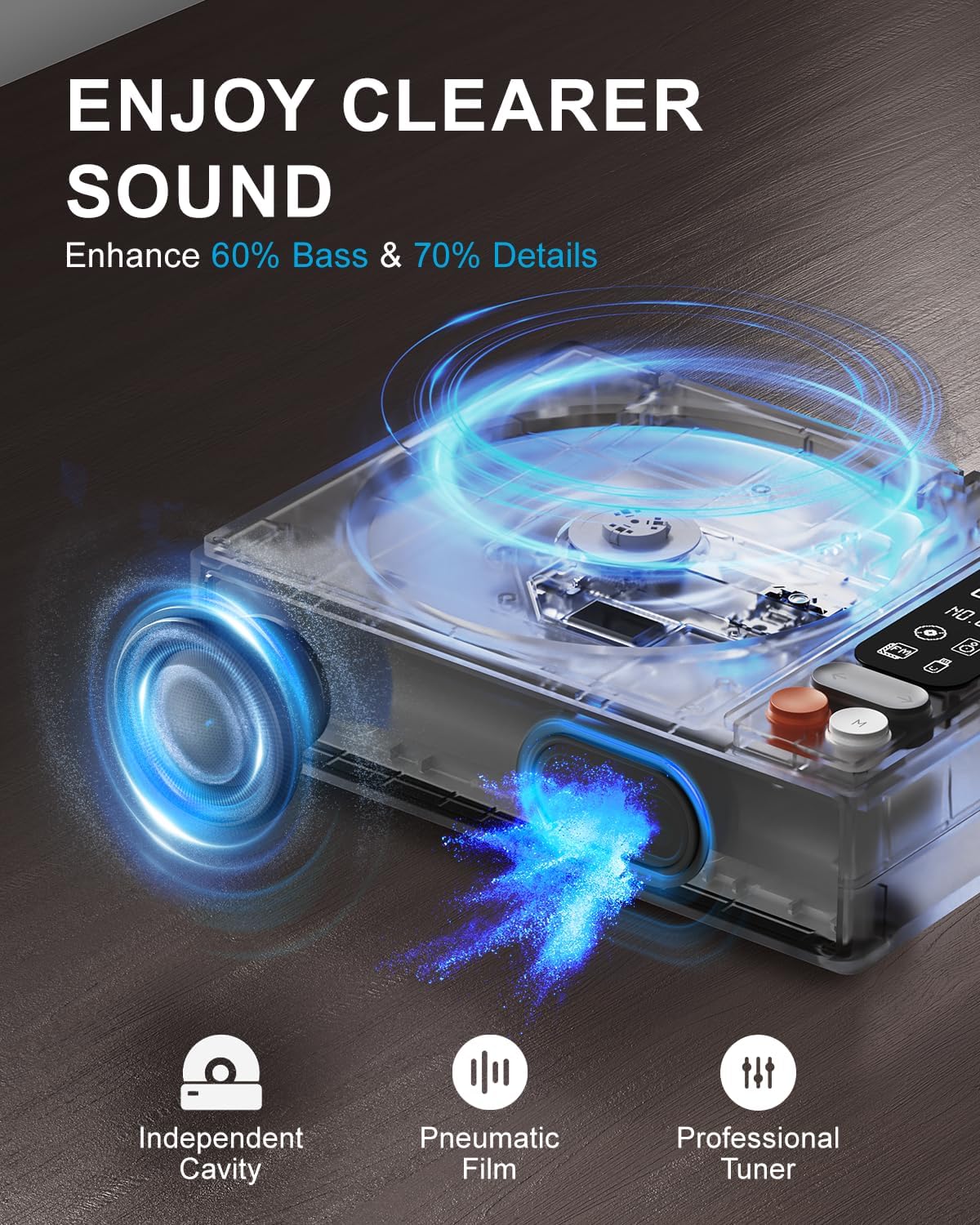
Image: Overview of the leapwell Portable CD Player.
10. Warranty and Support
leapwell CD players come with permanent technical support and professional 24/7 customer service. For any questions, issues, or technical assistance, please contact leapwell customer support through the retailer's platform or the contact information provided with your purchase.

