
1. Introduction
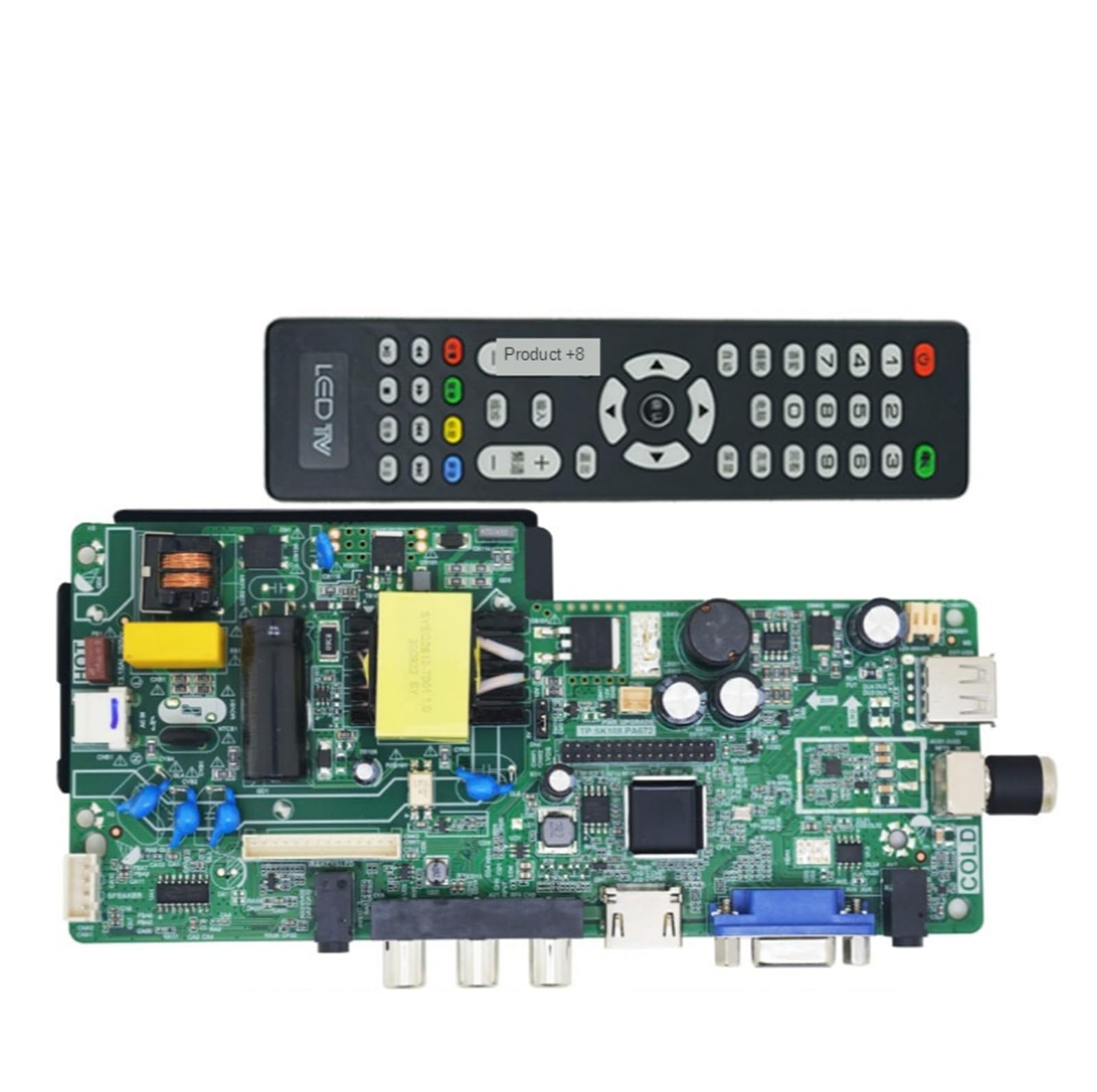
The RXCWWZQQ Universal Motherboard is designed as a replacement component for 17-27 inch LCD and LED televisions. This three-in-one motherboard serves to restore normal television functionality by replacing damaged original motherboards. Its use can extend the operational life of the television and offers a cost-effective alternative to full TV replacement.
This motherboard is compatible with various display resolutions, ensuring broad applicability for TV repair and maintenance.
2. Setup and Installation
Installation of this universal motherboard requires technical expertise. It is strongly recommended that installation be performed by a qualified technician to ensure proper function, safety, and to prevent damage to the component or television.
Compatibility: Before installation, verify that the motherboard is compatible with your specific TV model and panel resolution. This motherboard supports resolutions including:
- 1920x1080
- 1366x768
- 1920x1200
- 1440x900
- 1650x1080
Installation Steps (General Guidance - Professional Installation Recommended):
- Power Disconnection: Ensure the television is completely unplugged from the power source before beginning any work.
- Access: Carefully remove the back panel of the television to access the internal components.
- Old Motherboard Removal: Disconnect all cables and mounting screws from the existing motherboard. Gently remove the old motherboard.
- New Motherboard Placement: Position the RXCWWZQQ Universal Motherboard in the designated slot. Secure it with appropriate screws.
- Cable Connection: Reconnect all necessary cables, including power, display panel, audio, and input/output connections. Ensure all connections are firm and correctly oriented.
- Testing: Before reassembling the TV, perform an initial power-on test to confirm basic functionality.
- Reassembly: Once functionality is confirmed, carefully reattach the television's back panel.
3. Operating Instructions
Once the RXCWWZQQ Universal Motherboard is correctly installed and configured, it functions as the core control unit of your television. There are no specific operational instructions for the motherboard itself beyond the normal use of your television.
Operate your television as usual, using your remote control and on-screen menus. For specific operational features of your television, such as input selection, picture settings, or smart TV functions, refer to your television's original user manual.
4. Maintenance
The RXCWWZQQ Universal Motherboard is designed for durability and requires minimal ongoing maintenance. To ensure optimal performance and longevity of the motherboard and your television, follow these general guidelines:
- Cleanliness: Keep the television environment clean and free from excessive dust. Dust accumulation can impede heat dissipation and potentially lead to component overheating.
- Ventilation: Ensure adequate ventilation around the television to allow for proper airflow and cooling. Avoid blocking air vents.
- Environmental Conditions: Avoid exposing the television to extreme temperatures, high humidity, or direct sunlight, as these conditions can negatively impact electronic components.
- Power Surges: Consider using a surge protector to safeguard the television and its internal components, including the motherboard, from electrical spikes.
5. Troubleshooting
If your television experiences issues after the motherboard replacement, consider the following troubleshooting steps. For complex problems, professional assistance is recommended.
- No Power:
- Verify that the power cable is securely plugged into both the television and a working electrical outlet.
- Check the power supply unit (PSU) for any visible damage or loose connections.
- Ensure the power button on the TV or remote is functioning correctly.
- No Display / Black Screen:
- Confirm that the display panel cable (LVDS cable) is correctly and securely connected to both the motherboard and the display panel.
- Verify that the correct input source is selected on the television.
- Ensure the panel resolution setting on the motherboard is appropriate for your specific display panel. Incorrect settings can prevent display.
- Audio Issues (No Sound or Distorted Sound):
- Check all speaker connections to the motherboard.
- Verify the audio settings in the television's menu are correctly configured and not muted.
- Intermittent Functionality or Crashes:
- Re-check all internal connections within the television for any looseness or improper seating.
- Ensure there are no short circuits or foreign objects inside the television casing.
- Confirm that the motherboard is adequately cooled and not overheating.
For persistent or complex issues, it is advisable to consult a qualified electronics repair technician.
6. Specifications
| Model Numbers | TP.V56.PA671, TP.VST59.PA671, TP.VST59.P67, TP.SK108.PA672 (current delivery model) |
| Compatible Display Sizes | 17-27 inch LCD TV LED |
| Supported Resolutions | 1920x1080, 1366x768, 1920x1200, 1440x900, 1650x1080 |
| Type | Three-in-one motherboard (Digital-to-Analog Converter (DAC), Professional Audio Equipment, Display Equipment) |
| Package Dimensions | 0.39 x 0.39 x 0.39 inches |
| Item Weight | 1.76 ounces |
| Number of Pieces | 1 |
7. Warranty and Support
For specific warranty information, return policies, or technical support regarding your RXCWWZQQ Universal Motherboard, please refer to the documentation provided at the time of purchase or contact the seller directly. Manufacturer contact details may also be available on the product packaging or the seller's platform.