
1. Product Overview
The RETLLAS A3-45 is a heavy-duty, fireproof biometric home safe designed to protect your valuable documents, electronics, and other items. It features multiple access methods, robust construction, and advanced security features.

Image: Front view of the RETLLAS A3-45 safe, showcasing its biometric and PIN lock, and sturdy construction.
2. Included Components
Before you begin, ensure all components are present:
- Safe Unit (1)
- Adjustable Partition (1)
- Emergency Keys (2)
- USB-C Cable (1)
- Foot Pads (4)
- Mounting Bolts (2)
- User Manual (1)

Image: All accessories included with the safe, such as keys, USB-C cable, mounting bolts, and the user manual.
3. Setup
3.1 Battery Installation
The safe's electronic lock requires batteries for operation. To install:
- Locate the battery compartment behind the electronic lock panel.
- Remove the cover.
- Insert the required batteries (typically AA, refer to the manual for exact type and quantity).
- Replace the cover.
3.2 Initial Code and Fingerprint Setup
Upon first use, you will need to set your personal PIN code and register your fingerprints. Refer to the detailed instructions in the included user manual for the exact steps. The safe supports both single and dual authentication modes.
3.3 Mounting the Safe
For enhanced security, it is highly recommended to bolt the safe to the floor or a wall. The safe comes with pre-drilled holes and mounting bolts.
- Choose a suitable location, preferably on a solid surface.
- Mark the drilling points through the pre-drilled holes at the bottom or back of the safe.
- Drill pilot holes into the chosen surface.
- Align the safe and secure it using the provided mounting bolts.
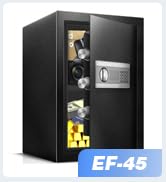
Image: Visual guide demonstrating the process of mounting the safe to a surface using the pre-drilled holes and bolts.
4. Operating the Safe
4.1 Access Methods
The RETLLAS A3-45 offers multiple secure ways to access your valuables:
- Biometric Fingerprint: Fast and keyless access.
- PIN Code: Enter your personalized digital code.
- Emergency Key: For manual override in case of electronic failure or forgotten codes.
- USB-C Emergency Power: Provides temporary power to the electronic lock if batteries are depleted.

Image: Close-up of the safe's electronic lock with a finger on the biometric scanner, indicating fingerprint access.
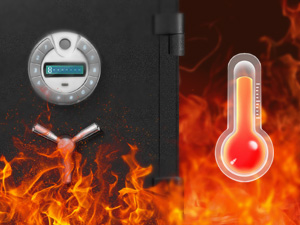
Image: The safe's electronic panel with a USB-C cable connected, illustrating the emergency power feature.
4.2 Setting and Changing Codes/Fingerprints
Detailed instructions for programming and modifying PIN codes and registering fingerprints are provided in the full user manual. It is crucial to follow these steps carefully to ensure proper security.
4.3 Alarm System and Silent Mode
The safe is equipped with a motion-triggered alarm system. You can also activate an optional silent mode for discreet operation. Consult the user manual for instructions on enabling/disabling the alarm and silent mode.

Image: The safe's electronic panel displaying an alarm icon, indicating the active alarm system.
5. Fire and Water Protection
The RETLLAS A3-45 is designed for disaster-proof performance, enduring 2400°F for 1 hour with zero breach. Advanced expanding seals lock out water, smoke, and heat.

Image: The safe standing firm amidst fire and water, illustrating its fire and water shield capabilities.
Video: This video demonstrates the RETLLAS safe undergoing fire testing, showcasing its ability to protect contents from extreme heat and flames.
6. Maintenance
6.1 Battery Replacement
When the battery indicator on the LCD screen is low, replace the batteries promptly. Use the emergency keys or USB-C power if the batteries die before replacement.
6.2 Cleaning
Wipe the exterior of the safe with a soft, damp cloth. Avoid abrasive cleaners or solvents that could damage the finish. Do not use liquids directly on the electronic keypad.
6.3 Checking Seals
Periodically inspect the heat-sealing gasket around the door for any signs of wear or damage to ensure continued fire and water resistance.
7. Troubleshooting
7.1 Forgotten PIN/Fingerprint
If you forget your PIN or your registered fingerprint is not recognized, use the emergency keys to open the safe. Once open, you can reset your PIN or re-register your fingerprints according to the manual.
7.2 Dead Batteries
If the batteries are completely depleted and the electronic lock does not respond, connect a USB-C power source to the emergency power port on the keypad. This will provide temporary power to open the safe. Alternatively, use the emergency keys.
7.3 Alarm Triggering Unexpectedly
Check the sensitivity settings of the motion-triggered alarm. Ensure the safe is placed on a stable surface and not subject to frequent vibrations. Refer to the manual for alarm sensitivity adjustments.
8. Specifications
| Feature | Detail |
|---|---|
| Brand | RETLLAS |
| Model Number | A3-45 |
| Product Dimensions | 14.2"D x 16.2"W x 17.83"H |
| Capacity | 4.5 Cubic Feet |
| Lock Type | Electronic lock (Biometric, Key Control, Knob Control, Push Button Control) |
| Material | Alloy Steel, Fire-rated Mineral Board |
| Item Weight | 70 Pounds |
| Special Features | Alarm System, Anti-Theft, Biometric Fingerprint, Fireproof, Scratch Resistant, Backlit LCD, Heat-Sealing Gasket, USB-C Power |
| Mounting Type | Floor Mount |
| Fire Resistance | Endures 2400°F for 1 hour |
| Water Resistance Level | Water Repellent |
9. Warranty and Support
RETLLAS is committed to providing reliable security solutions. Your safe comes with:
- 1-Year Unconditional Warranty: Covers manufacturing defects and ensures product satisfaction.
- Lifetime Technical Assistance: Access to expert support for the lifespan of your product.
- 24/7 Customer Support: Assistance available around the clock for any queries or issues.

Image: Illustration representing dedicated customer care and support services.