
Introduction
The Aokrean BL-B10E Grow Light is designed to provide optimal lighting conditions for indoor plants across all growth stages. Featuring full-spectrum light, adjustable brightness, multiple color modes, and an automatic timer, this grow light offers versatile and efficient plant care. Its compact and adjustable design integrates seamlessly into various indoor environments.
What's Included
Each Aokrean BL-B10E Grow Light package (2-pack) typically includes the following components:
- 2 x Aokrean Halo Grow Light units
- 2 x Power Adapters
- 2 x Extendable Poles
- 2 x ABS Bases
- 1 x User Manual

Setup and Assembly
The Aokrean BL-B10E Grow Light offers two primary installation methods: direct soil insertion or use with the provided base. Both methods are designed for ease of assembly and stability.
Method 1: Using the Detachable Base
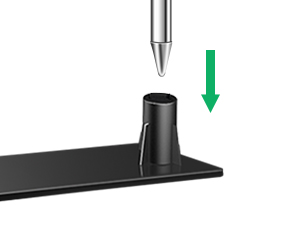
- Insert Pole into Base: Firmly insert the pointed end of the extendable pole into the designated slot on the ABS base.
- Place Potted Plant: Position your potted plant directly onto the base, ensuring the pot's weight secures the base and pole.
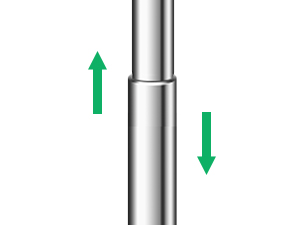
- Adjust Height: Extend or retract the pole to adjust the height of the halo light above your plant.
Method 2: Direct Soil Insertion
- Insert Pole into Soil: Gently insert the pointed end of the extendable pole directly into the soil of your potted plant.
- Adjust Height: Extend or retract the pole to adjust the height of the halo light above your plant.
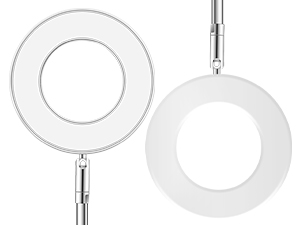
- Adjust Angle: The halo light can be rotated 90 degrees to direct light as needed.
Power Connection
Connect the USB cable from the grow light to the provided power adapter, then plug the adapter into a standard electrical outlet.
Visual Guide for Assembly
Video 1: Detailed assembly and setup instructions for the Aokrean Grow Light, demonstrating both base and soil insertion methods.
Video 2: Overview of the Aokrean Small Grow Light, including assembly and basic features.
Operating Instructions
The Aokrean BL-B10E Grow Light features an inline controller for easy operation of its various functions.

Power On/Off
- Press the Power Button (usually marked with a power symbol) to turn the light on or off.
Brightness Adjustment
- Use the Brightness Adjustment Buttons (marked with '+' and '-' or a light bulb symbol) to cycle through 10 dimmable levels.
Spectrum Modes
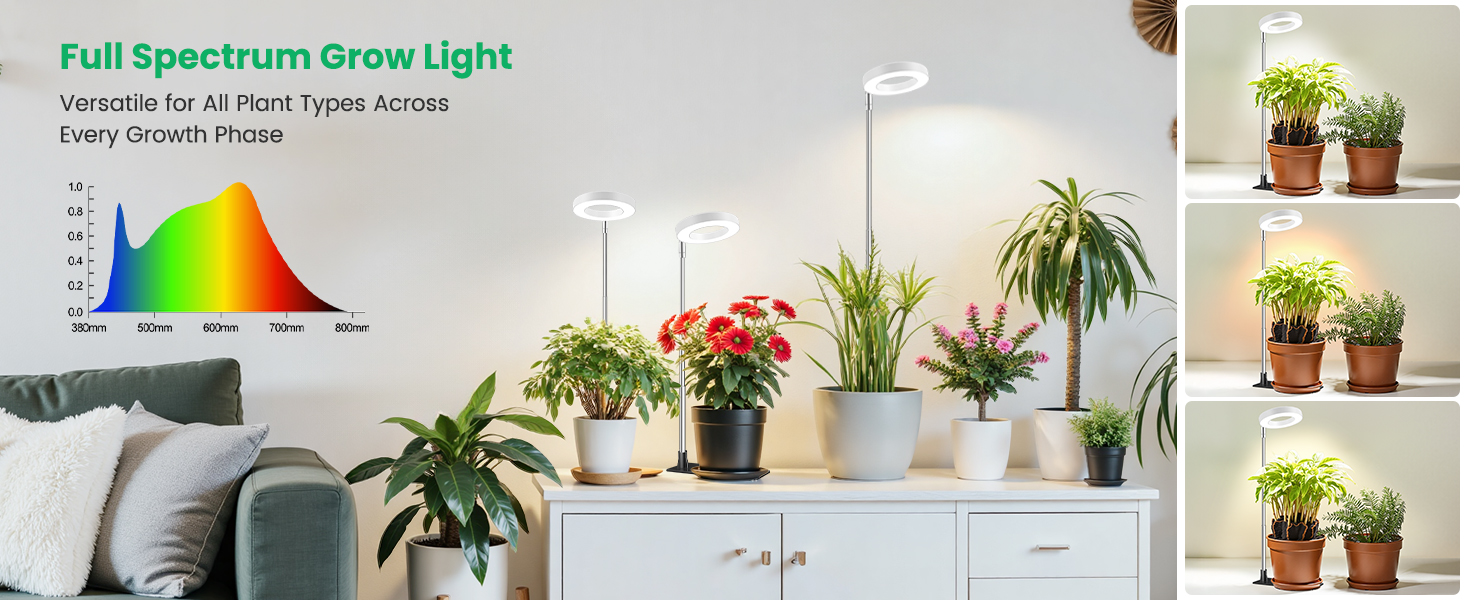
The grow light offers 3 optional spectrum modes to cater to different plant needs:
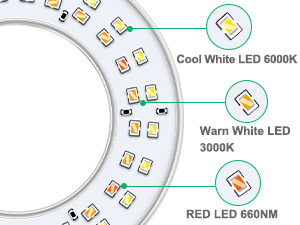
- White Light: General illumination for robust growth.
- Warm White & Red: Enhances flowering and fruiting.
- All Light On: Combines all spectrums for comprehensive plant development.
Press the Spectrum Mode Button (often marked with a circular arrow or light mode symbol) to switch between these modes.
Automatic Timer
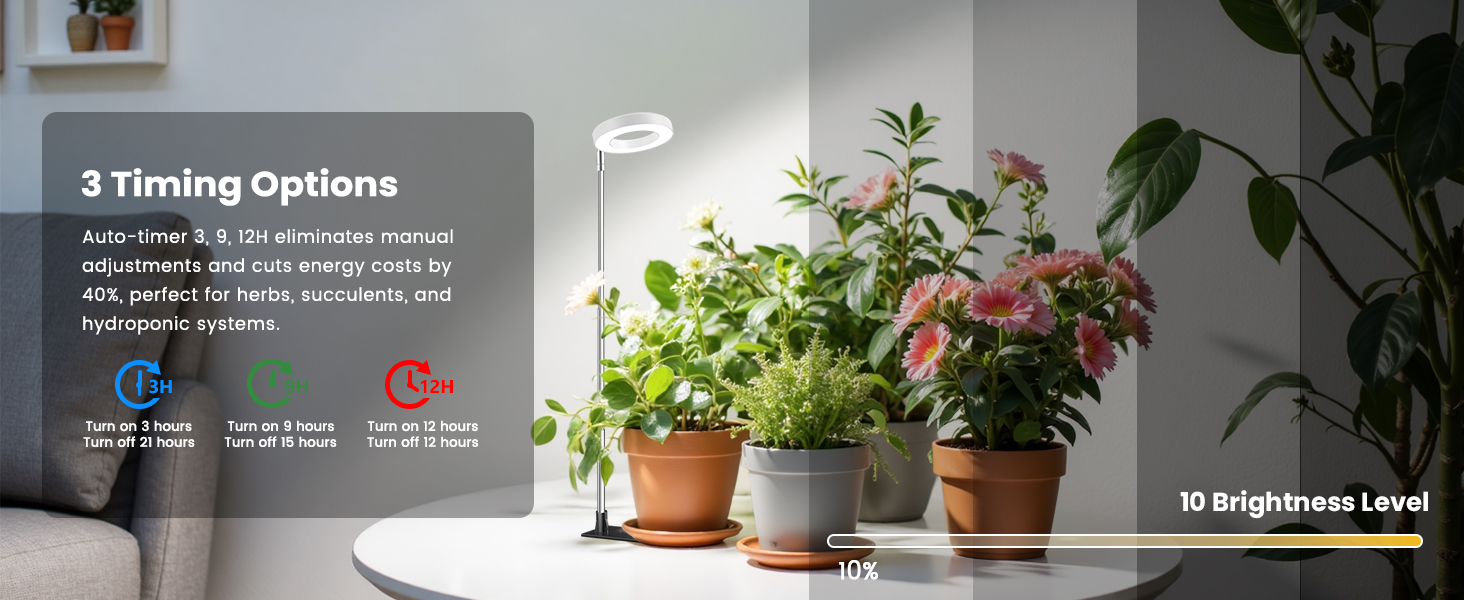
Set the grow light to automatically turn on and off daily with the built-in timer function:
- Press the Timer Button (marked with a clock symbol) to select a 3, 9, or 12-hour cycle. The corresponding indicator light (blue for 3H, green for 9H, red for 12H) will illuminate.
- The light will automatically turn off after the set duration and turn back on at the same time the next day.
Visual Guide for Operation
Video 3: Demonstrates the various light modes and timer functions of the Aokrean Grow Light.
Video 4: Shows the grow light in operation, highlighting its adjustable features and light output.
Specifications
| Model Name | Halo grow light |
| Item Model Number | BL-B10E |
| Brand | Aokrean |
| Color | 3.4in-White |
| Light Source Type | LED (48 LEDs) |
| Light Color | White (Full Spectrum) |
| Height Adjustment | 6.5 - 26 inches |
| Brightness Levels | 10 Dimmable Levels |
| Lighting Modes | 3 (Full-spectrum, Warm, Cool) |
| Timer Options | 3H, 9H, 12H (Auto On/Off) |
| Installation Type | Freestanding, Table/Desk/Floor Mount (Dual Installation) |
| Material | Acrylonitrile Butadiene Styrene, Aluminum |
| Power Source | Corded Electric |
| Indoor/Outdoor Usage | Indoor |
| Item Weight | 13 ounces |
| Product Dimensions | 5.91 x 1.57 x 7.09 inches |
Maintenance
To ensure the longevity and optimal performance of your Aokrean BL-B10E Grow Light, follow these simple maintenance guidelines:
- Cleaning: Gently wipe the LED halo and pole with a soft, dry cloth to remove dust and debris. Do not use harsh chemicals or abrasive materials.
- Power Off Before Cleaning: Always unplug the grow light from the power source before cleaning.
- Avoid Water Exposure: The grow light is not waterproof. Avoid direct contact with water or high humidity environments to prevent damage.
- Cable Inspection: Periodically check the power cord and connections for any signs of wear or damage. If any damage is found, discontinue use and contact customer support.
Troubleshooting
If you encounter any issues with your Aokrean BL-B10E Grow Light, refer to the following common troubleshooting steps:
- Light Not Turning On:
- Ensure the power adapter is securely plugged into both the wall outlet and the USB cable.
- Verify that the wall outlet is functional by testing it with another device.
- Press the Power Button on the inline controller.
- Timer Not Working:
- Ensure the timer function is correctly set by pressing the Timer Button until the desired duration (3H, 9H, or 12H) is indicated.
- Note that the timer function may reset after a power outage. You may need to re-set the timer.
- Light Flickering:
- Check all connections to ensure they are secure.
- Try plugging the light into a different power outlet.
- Insufficient Light for Plants:
- Adjust the height of the light closer to the plant (typically 6-12 inches above the plant canopy).
- Increase the brightness level using the '+' button on the controller.
- Experiment with different spectrum modes to find the best fit for your plant's growth stage.
If these steps do not resolve the issue, please contact Aokrean customer support for further assistance.
Warranty and Support
Aokrean products are designed for quality and durability. For specific warranty information regarding your BL-B10E Grow Light, please refer to the warranty card included in your product packaging or visit the official Aokrean website.
For customer support, technical assistance, or inquiries about your product, please contact Aokrean-US directly through their official channels. Contact information can typically be found on the product packaging or their Amazon store page.