
VNOST S9 ULTRA
VNOST S9 ULTRA Portable Mini Cordless Vacuum Cleaner Instruction Manual
Model: S9 ULTRA | Brand: VNOST
1. Introduction
Thank you for choosing the VNOST S9 ULTRA Portable Mini Cordless Vacuum Cleaner. This versatile 4-in-1 device is designed for efficient cleaning, blowing, inflating, and extracting, making it suitable for various environments including your car, home, and office. Please read this manual thoroughly before use to ensure proper operation and maintenance.
2. Important Safety Instructions
To reduce the risk of fire, electric shock, or injury, please observe the following safety precautions:
- Do not use the appliance outdoors or on wet surfaces.
- Do not allow children to operate the vacuum cleaner. Close supervision is necessary when used near children.
- Do not pick up flammable or combustible liquids, such as gasoline, or use in areas where they may be present.
- Do not pick up anything that is burning or smoking, such as cigarettes, matches, or hot ashes.
- Do not use without the dust cup and filter in place.
- Turn off the appliance before making any adjustments, changing accessories, or storing.
- Use only as described in this manual. Use only manufacturer’s recommended attachments.
- Keep hair, loose clothing, fingers, and all parts of body away from openings and moving parts.
- Exercise extra care when cleaning on stairs.
3. Package Contents
Verify that all items are present and in good condition:
- VNOST S9 ULTRA Main Unit
- Dust Cup with HEPA Filter (pre-installed)
- Additional HEPA Filter (1)
- Various Nozzle Attachments (for vacuuming, blowing, inflating, extracting)
- Type-C Charging Cable
- Storage Bag
- User Manual
4. Product Overview
Familiarize yourself with the components of your VNOST S9 ULTRA vacuum cleaner:

Image: VNOST S9 ULTRA main unit and included accessories.
- Main Unit: Contains the motor, battery, and control buttons.
- Dust Cup: Transparent container for collected debris.
- HEPA Filter: Filters fine dust and ensures efficient suction.
- Power Button: Controls power on/off and suction modes.
- Charging Port: Type-C port for recharging the device.
- Suction Port: Front opening for vacuuming.
- Blower Port: Rear opening for blowing and inflating.
5. Setup
5.1 Assembly
- Ensure the HEPA filter is correctly seated inside the transparent dust cup.
- Attach the dust cup to the main unit by aligning it and twisting until secure.
- Select the appropriate nozzle attachment for your task and firmly attach it to either the suction port (front) or the blower port (rear) of the main unit.
5.2 Charging
Before first use, fully charge the vacuum cleaner.
- Connect the Type-C charging cable to the charging port on the main unit.
- Plug the other end of the cable into a compatible USB power source (e.g., car charger, power bank, wall adapter).
- The indicator lights will show charging status. A full charge typically takes 3-4 hours.
- The device can operate continuously for up to 30 minutes on the lowest suction mode when fully charged.

Image: The VNOST S9 ULTRA in use, demonstrating its compact size for car cleaning.
6. Operating Instructions
6.1 Power On/Off and Suction Modes
- To power on, press and hold the power button for 3 seconds. The vacuum will start in the lowest suction mode (8000PA).
- Press the power button again to switch to the medium suction mode (16000PA).
- Press the power button a third time to activate the highest suction mode (24000PA).
- To power off, press the power button a fourth time, or press and hold for 3 seconds from any mode.
6.2 Vacuuming Function
Attach the desired nozzle to the front suction port. Use the appropriate suction mode for the task. The 24000PA mode is ideal for stubborn debris.
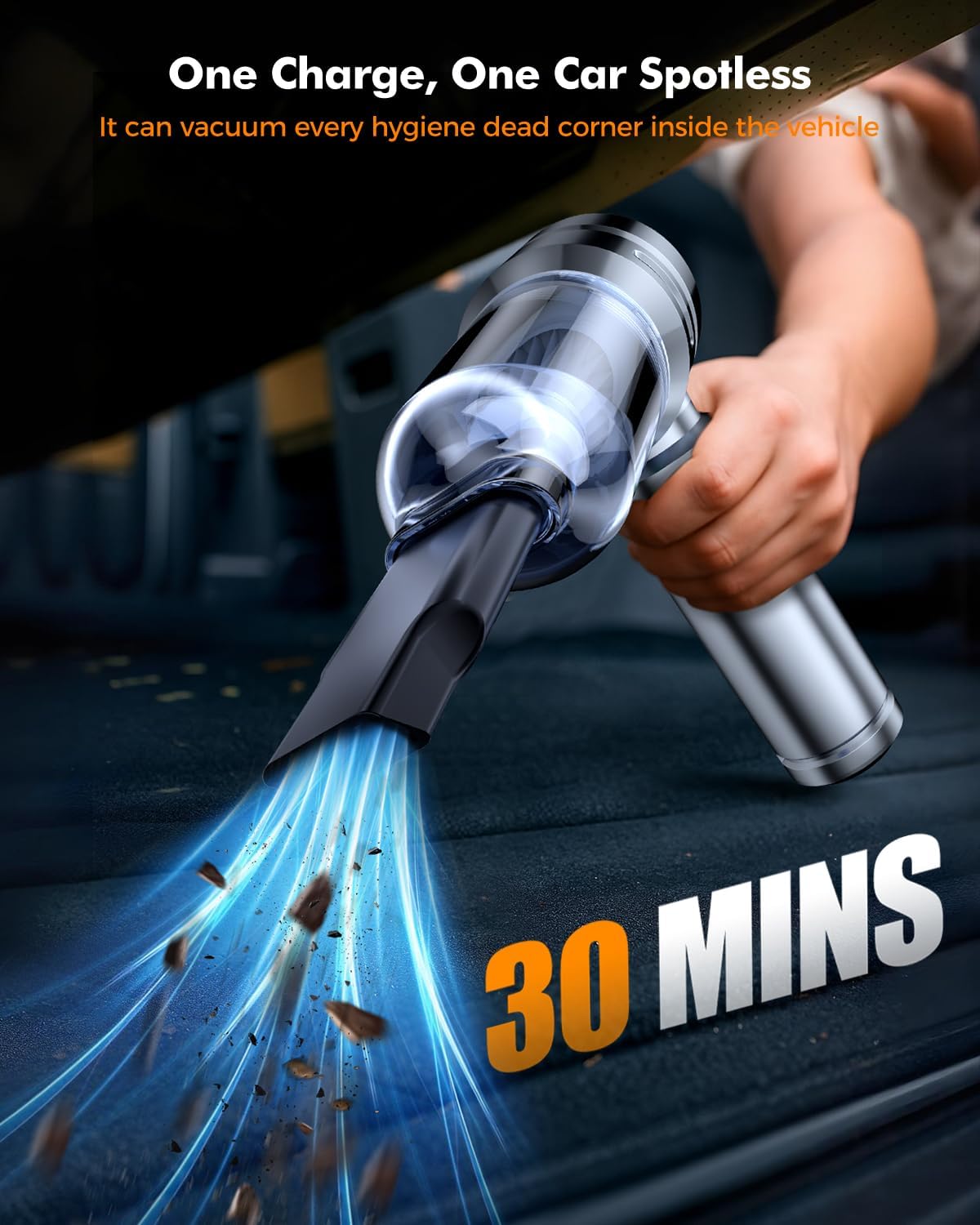
Image: Overview of the VNOST S9 ULTRA and its multi-functional attachments.
6.3 Blower, Inflation, and Extraction Functions
Attach the desired nozzle to the rear blower port. This side can be used for:
- Blowing: Clear dust from keyboards, car vents, or small areas.
- Inflating: Use the appropriate inflation nozzle for items like swim rings or small inflatables.
- Extracting: Use the extraction nozzle to remove air from storage bags.
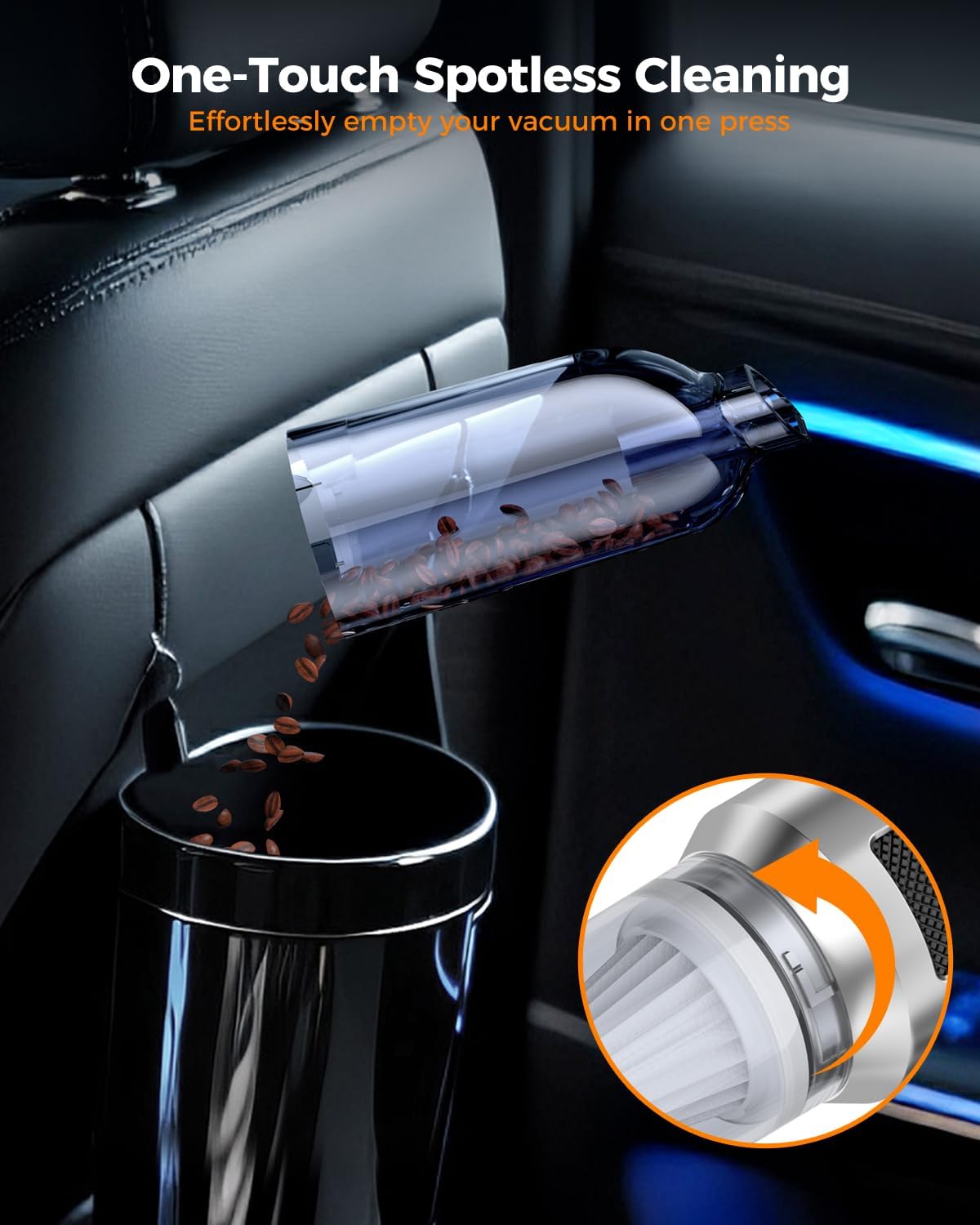
Image: Examples of the VNOST S9 ULTRA's versatile blowing, inflating, and extracting capabilities.
6.4 Video Demonstration: How to Use & Parts Overview
Video: A detailed overview of the VNOST S9 ULTRA's parts and how to utilize its various functions for cleaning.
7. Maintenance
7.1 Emptying the Dust Bin
- Ensure the vacuum is powered off.
- Press the release button to detach the transparent dust cup from the main unit.
- Empty the contents of the dust cup into a trash receptacle.
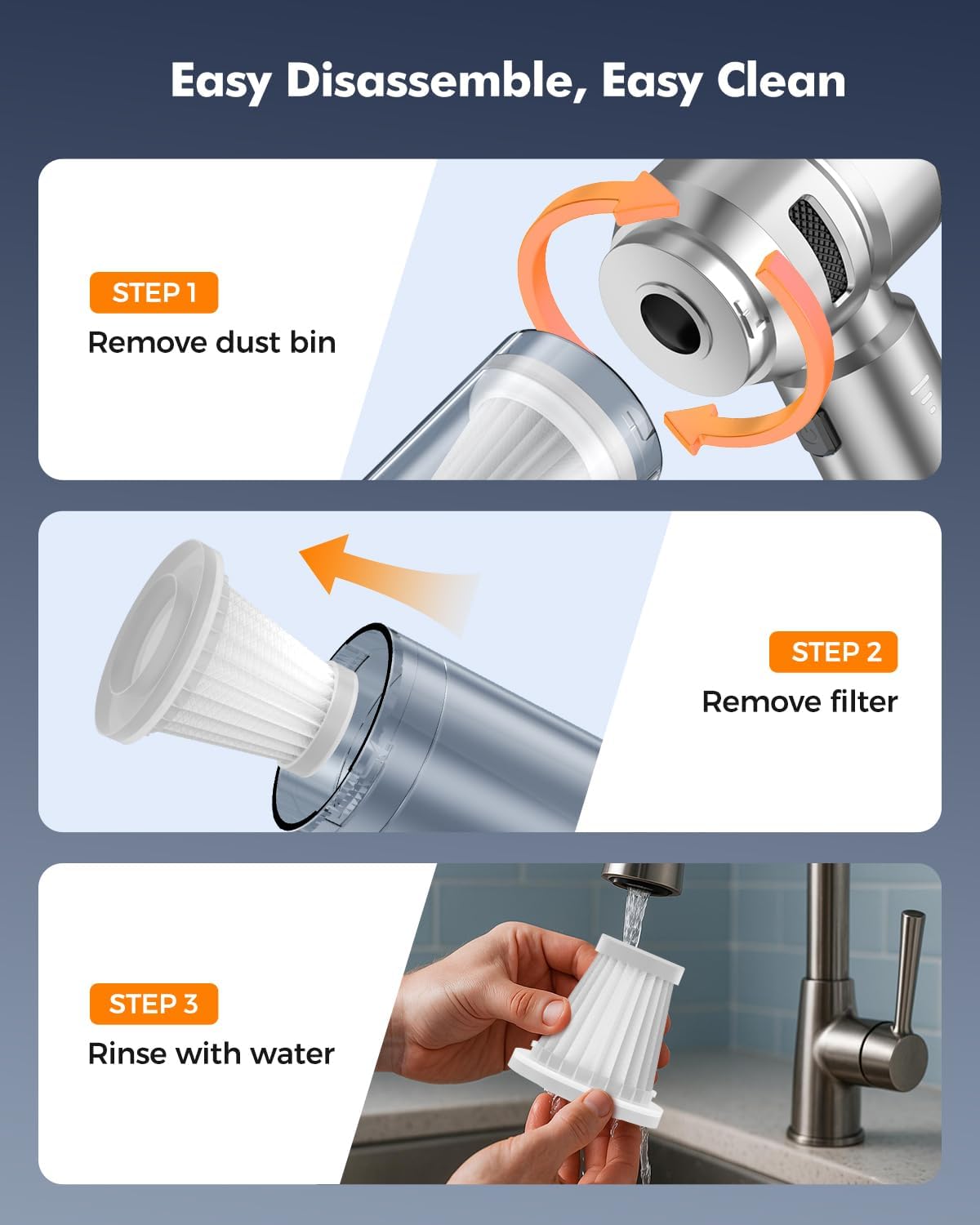
Image: Demonstrating the one-touch dust bin emptying process.
7.2 Cleaning the HEPA Filter
The HEPA filter is washable and reusable. Regular cleaning ensures optimal performance.
- After emptying the dust bin, carefully remove the HEPA filter.
- Rinse the filter under running water until clean. Do not use harsh detergents.
- Allow the filter to air dry completely before reinserting it into the dust cup. Ensure it is fully dry to prevent mold or damage.

Image: Step-by-step guide for easy disassembly and cleaning of the HEPA filter.
8. Troubleshooting
| Problem | Possible Cause | Solution |
|---|---|---|
| Vacuum does not turn on. | Low battery. | Charge the vacuum cleaner fully. |
| Weak suction power. | Dust bin is full. Filter is clogged. Attachment is not properly secured. | Empty the dust bin. Clean or replace the HEPA filter. Reattach the nozzle firmly. |
| Unusual noise during operation. | Obstruction in the nozzle or suction path. | Turn off the vacuum and check for any blockages in the nozzles or air inlets. |
9. Specifications
| Feature | Specification |
|---|---|
| Brand | VNOST |
| Model Name | S9 ULTRA |
| Suction Power | 3 Modes: 8000PA, 16000PA, 24000PA |
| Battery Capacity | 6000mAH |
| Battery Life | Up to 30 minutes (on first gear) |
| Charging Type | Type-C |
| Wattage | 100 watts |
| Dust Cup Capacity | 160 Milliliters |
| Filter Type | HEPA Filter (Washable, Reusable) |
| Item Weight | 1.54 pounds |
| Product Dimensions | 8.46"L x 2.68"W x 7.68"H |
10. Warranty and Support
The VNOST S9 ULTRA Portable Mini Cordless Vacuum Cleaner comes with a 1-year manufacturer's warranty.
For any product inquiries, technical support, or warranty claims, please contact VNOST customer service through the retailer where the product was purchased or refer to the contact information provided in your product packaging.
Ask a question about this manual
Ask about setup, troubleshooting, compatibility, parts, safety, or missing instructions. Manuals+ will review the question and use this page’s manual context to help answer it.