1. Product Overview
This replacement Two-in-One Dust Box Water Tank is designed for specific Conga robot vacuum cleaner models. It integrates both dust collection and water storage functionalities, essential for the vacuum's dry vacuuming and wet mopping operations. Constructed from durable plastic, this component ensures optimal performance and extends the lifespan of your robot vacuum.
It serves as a direct replacement for worn or damaged original tanks, addressing common issues such as water leakage, reduced cleaning efficiency, and unpleasant odors.
2. Product Features and Benefits
- Leak Prevention: Replaces aging or damaged water tank seals, preventing water leakage that can wet floors and harm internal components of the robot vacuum.
- Enhanced Hygiene: A new tank helps eliminate residual dirt and odors often found in old tanks, ensuring a fresher and more comfortable cleaning experience.
- Extended Equipment Lifespan: Maintaining a functional water tank reduces the risk of water damage and failure to other parts of the vacuum, thereby extending the overall service life of your equipment.
- Optimal Mopping Performance: Ensures the stable operation of the wet mopping function, reducing the likelihood of performance issues.
3. Compatibility
This Two-in-One Dust Box Water Tank is compatible with the following robot vacuum cleaner models:
- Conga 1790 Ultra+
- Conga 1090
- Conga 1790 Titanium Ultra
Please verify your robot vacuum cleaner's model number before installation to ensure proper fit and function.
4. Installation Guide
Follow these steps to replace the dust box water tank in your Conga robot vacuum cleaner:
- Power Off: Ensure your robot vacuum cleaner is powered off and disconnected from its charging base.
- Remove Old Tank: Locate the existing dust box water tank on your robot vacuum. Depending on your model, it may be accessed from the top or bottom. Carefully unlatch and remove the old tank.
- Prepare New Tank: If the new tank comes with a pre-installed mop pad, ensure it is securely attached. If not, attach a clean mop pad to the designated area on the bottom of the tank.
- Install New Tank: Align the new Two-in-One Dust Box Water Tank with the corresponding slot on your robot vacuum. Gently push it into place until you hear a click, indicating it is securely latched.
- Fill Water (for mopping): Open the water tank cap and fill with clean water. Close the cap securely to prevent leaks.
- Verify Installation: Double-check that the tank is firmly seated and all latches are engaged.
- Power On: You may now power on your robot vacuum cleaner and resume operation.
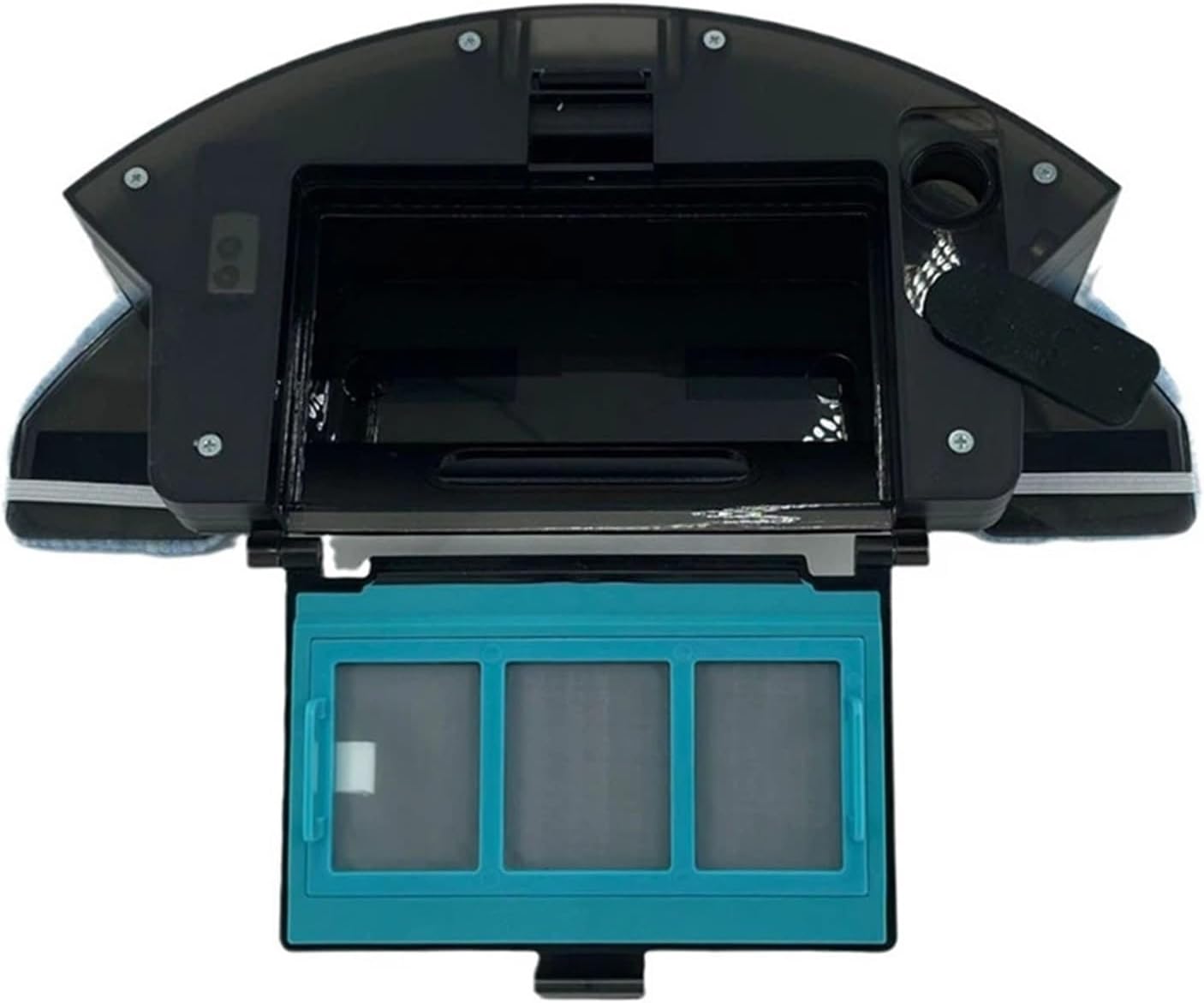
Figure 4.1: Top view of the tank with compartments open, revealing the filter and internal structure.

Figure 4.2: Side view illustrating the open compartments of the tank.

Figure 4.3: Top view of the tank with all compartments securely closed.

Figure 4.4: Bottom view of the tank, highlighting the integrated mop pad.
5. Maintenance
Regular maintenance of the dust box water tank is crucial for optimal performance and hygiene:
- Empty Dust Box: After each cleaning cycle, or when full, remove the tank and empty the dust and debris from the dust box compartment.
- Clean Water Tank: After each mopping cycle, empty any remaining water from the water tank. Rinse the tank thoroughly with clean water to prevent mold or odor buildup.
- Clean Filter: The filter inside the dust box should be cleaned regularly (e.g., weekly) by tapping out dust or rinsing if it's a washable filter. Ensure it is completely dry before reinserting.
- Clean Mop Pad: Remove the mop pad after each use and wash it thoroughly. Allow it to air dry completely before reattaching or storing.
- Inspect Seals: Periodically check the rubber seals around the water tank and dust box openings for any signs of wear, cracks, or damage. Replace the tank if seals are compromised to prevent leaks.

Figure 5.1: Angled view of the tank, useful for understanding filter access for cleaning.
6. Troubleshooting
| Problem | Possible Cause | Solution |
|---|---|---|
| Water Leakage | Tank not installed correctly; damaged seals; overfilling. | Ensure tank is securely latched. Inspect seals for damage; if damaged, replacement may be needed. Do not overfill the water tank. |
| Unpleasant Odors | Residual dirty water or debris in tank; uncleaned mop pad. | Thoroughly clean and dry the water tank and dust box after each use. Wash the mop pad regularly. |
| Poor Mopping Performance | Insufficient water; clogged water outlet; dirty mop pad. | Ensure water tank is filled. Check for blockages in the water outlet. Clean or replace the mop pad. |
| Dust Box Not Collecting Debris | Dust box not installed correctly; clogged filter. | Ensure dust box is securely latched. Clean the filter regularly. |
7. Specifications
- Product Type: Two-in-One Dust Box Water Tank
- Material: Plastic
- Color: Photo Color (as depicted in product images)
- Package Dimensions: 3.94 x 3.94 x 3.94 inches (10 x 10 x 10 cm)
- Item Weight: 1.76 ounces (50 grams)
- Compatibility: Conga 1790 Ultra+, Conga 1090, Conga 1790 Titanium Ultra Robot Vacuum Cleaners
8. Warranty and Support
For any questions regarding product warranty, technical support, or replacement parts, please contact the seller or manufacturer directly through your purchase platform. Please refer to your purchase receipt or order details for specific contact information.