
1. Introduction
The iTagpro GPS Tracker is a compact and versatile device designed to help you locate your valuable belongings. It works exclusively with Apple's Find My network, allowing iOS users to track items with precision. This manual provides comprehensive instructions for setting up, operating, and maintaining your iTagpro tracker.
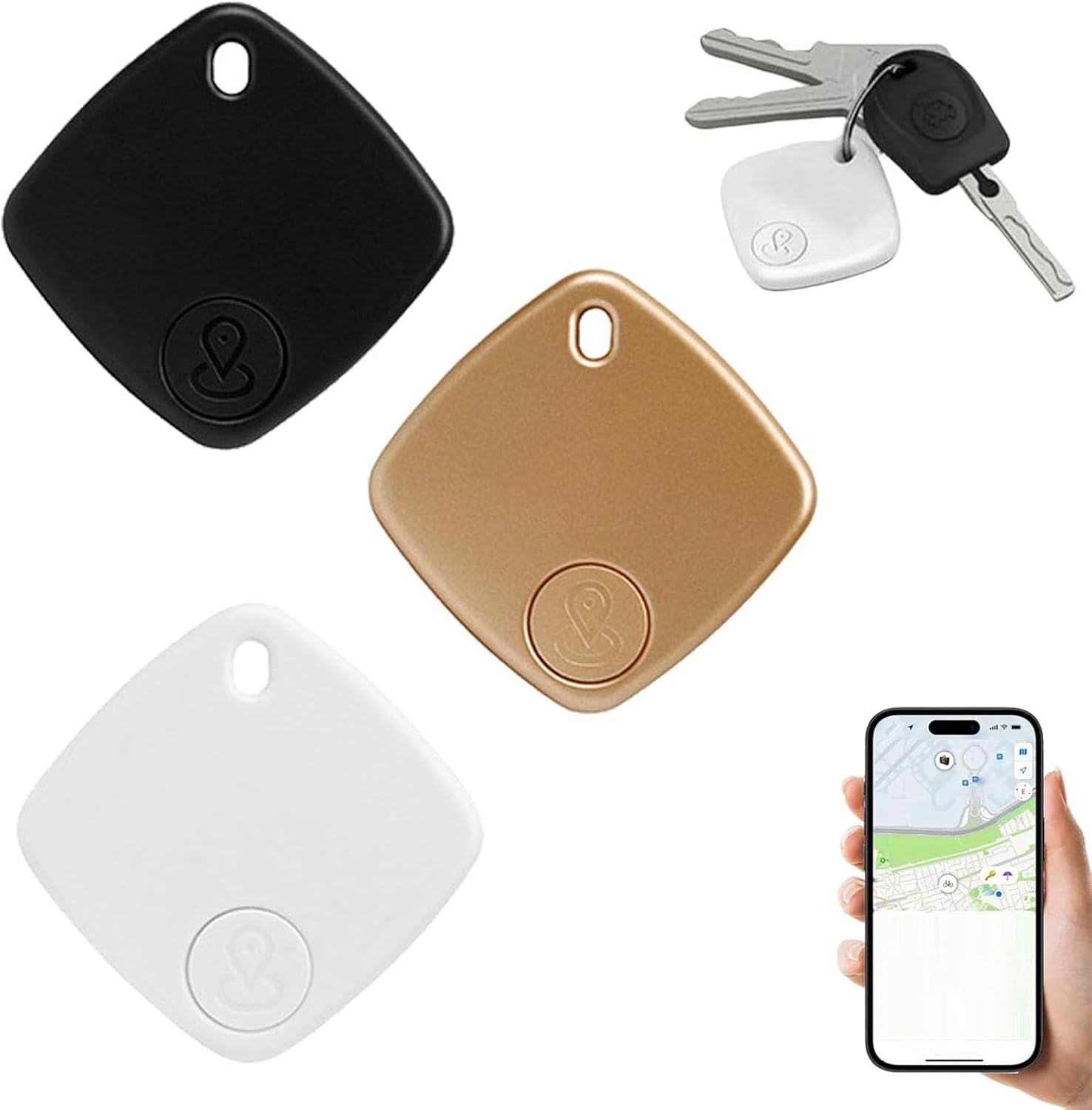
Figure 1: iTagpro GPS Trackers and their application with keys and a smartphone.
Product Applications
The iTagpro tracker is suitable for a wide range of personal items, including:
- Keys (house keys, car keys)
- Wallets and cards
- Bags (backpacks, outdoor bags, luggage)
- Pets (with appropriate attachment)
- Elderly individuals (for location monitoring)
- Other personal belongings prone to being misplaced or lost.

Figure 2: Examples of iTagpro tracker attachment to a backpack and luggage.
2. Package Contents
Please verify that all items are present in your package:
- iTagpro GPS Tracker (quantity as purchased: 1, 2, 3, 4, or 5 pieces)
- Lanyard
- Instruction manual (this document)
3. Setup
3.1 System Requirements
- Compatible with iOS devices only (iPhone, iPad, iPod touch). Not compatible with Android devices.
- iOS version 14.5 or later is required.
- Bluetooth must be enabled on your iOS device.
3.2 Powering On the Device
To turn on your iTagpro tracker, press the device button once. Do not press and hold the button for an extended period, as this may trigger a different function.
3.3 Pairing with Apple Find My
Follow these steps to pair your iTagpro tracker with your iOS device:
- Ensure your iOS device meets the system requirements (iOS 14.5+, Bluetooth enabled).
- Open the Find My app on your iPhone or iPad.
- Navigate to the Items tab.
- Tap the + icon and select Add Other Item.
- Press the button on your iTagpro tracker once to activate pairing mode.
- Follow the on-screen instructions in the Find My app to complete the pairing process.

Figure 3: iTagpro tracker shown with keys and the Find My app interface, highlighting ease of use and battery life.
4. Operating Instructions
4.1 Locating Items
To find a misplaced item attached to your iTagpro tracker:
- Open the Find My app on your iOS device.
- Select the iTagpro tracker associated with the item you are looking for from the Items tab.
- Tap the Play Sound option. The iTagpro tracker will emit an audible sound to help you locate it quickly.

Figure 4: Using the Find My app to play a sound on the iTagpro tracker.
4.2 Geofencing Alerts
The iTagpro tracker supports custom "safe zones" through the Find My network. You will receive instant notifications if your tagged item leaves a designated area. This feature is useful for preventing loss or theft in specific locations such as airports, parks, or schools.
4.3 Real-Time Tracking and Anti-Theft Notifications
Track your belongings live with precision using your smartphone. The iTagpro tracker leverages the Apple Find My network, which consists of hundreds of millions of iPhones, iPads, and Macs worldwide. These devices anonymously and securely relay the location of your iTagpro tracker to iCloud, allowing you to view its position on the Find My app map.
If your tagged item moves without you, the iTagpro system can send an alert to your device, enabling you to react quickly to potential theft.

Figure 5: Remote precise positioning using the Apple Find My network.
4.4 Missing Item Notifications
You can configure the Find My app to send you reminders if you leave an item behind. When the missing notification feature is enabled, your mobile phone will receive an alert if a tagged item, such as a wallet or keys, is detected as separated from you.

Figure 6: Setting up and receiving missing item notifications.
5. Maintenance
5.1 Battery Replacement
The iTagpro tracker uses a replaceable button battery (210mAh) that can last approximately 8-12 months depending on usage. When the battery level is low, you will receive a notification via the Find My app. To replace the battery, carefully open the device casing and insert a new compatible button cell battery, ensuring correct polarity. Refer to the device's physical markings for specific battery type and replacement instructions.
5.2 Cleaning and Care
The iTagpro tracker is built with IPX6 water and dust resistance, meaning it can withstand heavy rain, spills, and high-pressure water blasts. However, it is not designed for submersion. To clean the device, wipe it with a soft, damp cloth. Avoid using harsh chemicals or abrasive materials.
6. Troubleshooting
6.1 Cannot Connect to Device
If you are experiencing issues connecting your iTagpro tracker, please check the following:
- iOS Version: Ensure your iPhone system is iOS 14.5 or newer.
- Bluetooth: Verify that Bluetooth is turned on in your iOS device's settings.
- Device Activation: Press the iTagpro device button once to turn it on. Do not press it for a long duration during initial activation.
- Pairing Mode: When pairing, ensure you select "Add Other Item" in the Find My app.
- Reset Device: If connection issues persist, try resetting the device. To reset, press the device's button rapidly 4 times. For the fifth time, press and hold the button until you hear a "Di" sound.
6.2 Inaccurate Location Tracking
The accuracy of location tracking relies on the density of the Apple Find My network and environmental factors. In areas with fewer Apple devices or strong interference, location precision may vary. Ensure your iTagpro tracker is not obstructed by dense materials.
7. Specifications
| Feature | Detail |
|---|---|
| Product Name | iTagpro GPS Tracker |
| Compatible Platform | iOS (Apple Find My network) |
| Material | ABS |
| Product Weight | 9g (0.32 ounces) |
| Battery Type | Replaceable Button Battery |
| Battery Capacity | 210mAh |
| Battery Life | Approx. 8-12 months (depending on usage) |
| Connectivity Technology | Bluetooth |
| Water & Dust Resistance | IPX6 rating |
| Special Features | Geo-Fence, Real Time Tracking, Instant Anti-Theft Notifications |
| Supported Application | Apple Find My |
| Specific Uses | Personal Belongings, Anti-Theft, Location Monitoring |
| Package Dimensions | 2.76 x 2.76 x 1.57 inches |
| Manufacturer | Generic |
8. Warranty and Support
8.1 Warranty Information
Specific warranty details for the iTagpro GPS Tracker are not provided in this manual. Please refer to the product packaging or contact your retailer for information regarding warranty coverage and terms.
8.2 Customer Support
For technical assistance, troubleshooting, or further inquiries, please contact the retailer or manufacturer through the contact information provided at the point of purchase. Ensure you have your product model and purchase details ready when seeking support.