
Picun F5
Picun F5 Active Noise Cancelling Headphones User Manual
Model: F5
1. Introduction
This manual provides essential information for the proper use and maintenance of your Picun F5 Active Noise Cancelling Headphones. Please read it thoroughly before operating the device.
2. Package Contents
Verify that all items are present in your package:
- 1 x Picun F5 Headphone
- 1 x 3.5mm Audio Cable
- 1 x USB Charging Cable
- 1 x User Manual

3. Product Features
- Active Noise Cancelling (ANC): Advanced technology to reduce ambient noise for an immersive audio experience.
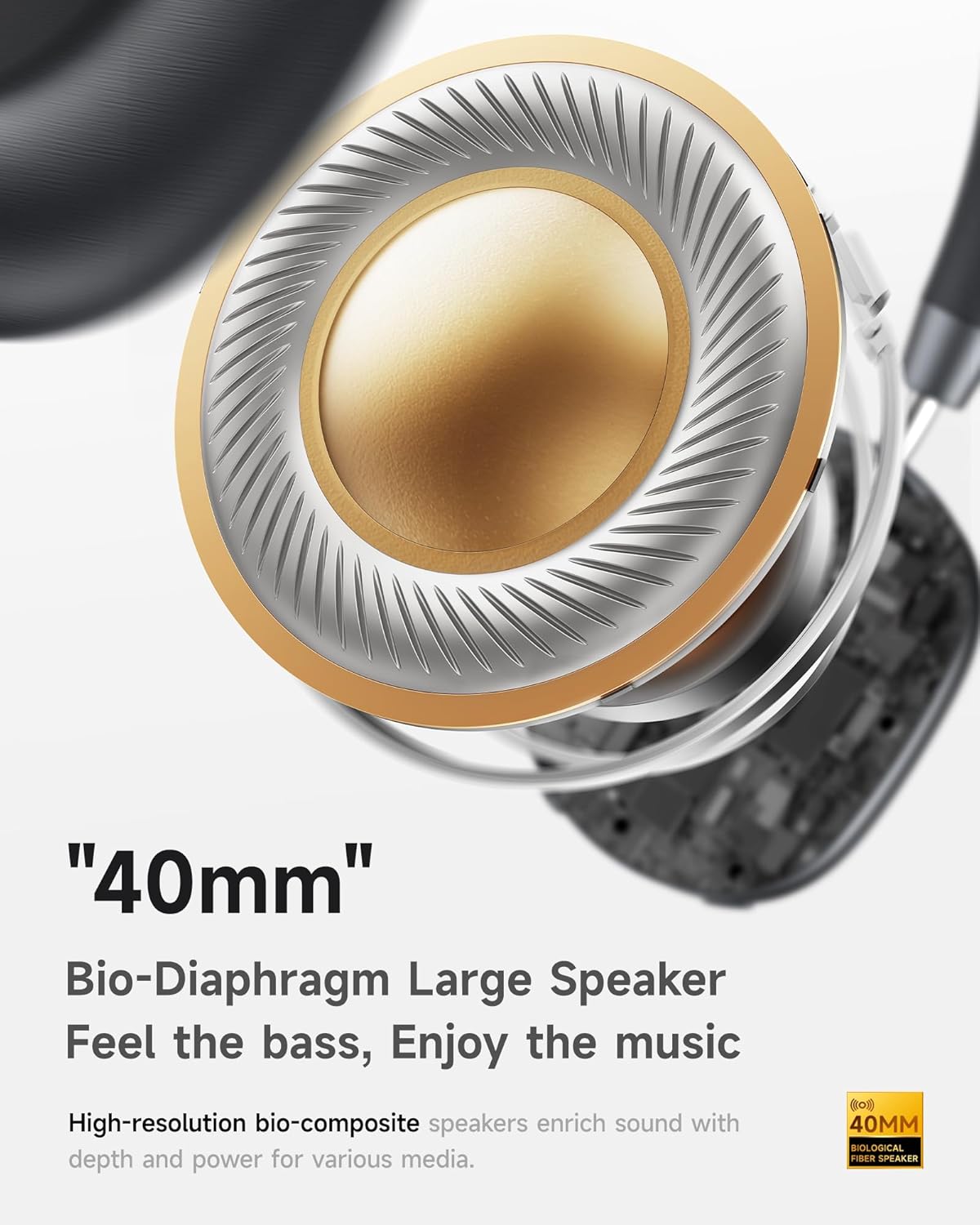
- Hi-Fi Audio with Deep Bass: Delivers clear sound with enhanced bass.
- App-Controlled EQ: Customize audio settings via a dedicated companion application.
- Built-in Microphone: Ensures clear voice calls.
- Multi-Point Connection: Allows seamless switching between two connected Bluetooth devices.
- Ergonomic Design: Lightweight build with soft memory-foam earcups for extended comfort.
- Long Playtime & Fast Charging: Up to 30 hours of playback on a single charge, with quick recharge capabilities.



4. Setup
4.1 Charging the Headphones
Before first use, fully charge your Picun F5 headphones. Connect the provided USB charging cable to the headphone's charging port and a compatible USB power source. The charging indicator light will show the charging status.
4.2 Bluetooth Pairing
- Ensure the headphones are powered off.
- Press and hold the Power button until the indicator light flashes, indicating pairing mode.
- On your device (smartphone, tablet, computer), enable Bluetooth and search for available devices.
- Select "Picun F5" from the list of devices to connect.
- Once connected, the indicator light will change to a steady blue or turn off, depending on the model.
4.3 Multi-Point Connection
The Picun F5 supports connecting to two Bluetooth devices simultaneously. After pairing with the first device, disable Bluetooth on that device. Pair the headphones with the second device. Then, re-enable Bluetooth on the first device. The headphones should now be connected to both devices, allowing seamless audio switching.

5. Operation
5.1 Basic Controls
The headphones feature intuitive controls for managing audio and calls:
- Power On/Off: Press and hold the Power button.
- Volume Adjustment: Use the dedicated volume knob/buttons on the earcup.
- Play/Pause: Single press the Multi-function button.
- Next Track: Double press the Multi-function button.
- Previous Track: Triple press the Multi-function button.
- Answer/End Call: Single press the Multi-function button during an incoming call.
- Reject Call: Press and hold the Multi-function button during an incoming call.
5.2 Active Noise Cancelling (ANC) Modes
The ANC feature can be toggled or adjusted using a dedicated button on the headphones. Refer to the specific button layout on your device for exact functionality. Some models may offer different ANC levels or transparency modes.
5.3 App Control and Custom EQ
Download the companion app for your Picun F5 headphones to unlock personalized features. The app allows you to:
- Customize Equalizer (EQ) settings to match your audio preferences.
- Adjust ANC levels or switch between different noise control modes.
- Access additional smart features and settings.


6. Maintenance
To ensure the longevity and optimal performance of your Picun F5 headphones, follow these maintenance guidelines:
- Cleaning: Use a soft, dry cloth to clean the earcups and headband. Avoid using harsh chemicals or abrasive materials.
- Storage: Store the headphones in a cool, dry place, away from direct sunlight and extreme temperatures. When not in use, consider storing them in a protective case.
- Avoid Moisture: Do not expose the headphones to water or excessive moisture.
- Handle with Care: Avoid dropping or subjecting the headphones to strong impacts.

7. Troubleshooting
If you encounter issues with your Picun F5 headphones, refer to the following common solutions:
- No Power: Ensure the headphones are fully charged. Connect them to a power source and check the charging indicator.
- Cannot Pair: Make sure the headphones are in pairing mode (indicator flashing). Disable and re-enable Bluetooth on your device, then try pairing again. Ensure the headphones are not already connected to another device.
- No Sound: Check the volume levels on both the headphones and your connected device. Ensure the headphones are properly paired. If using a wired connection, ensure the 3.5mm audio cable is securely plugged in.
- Poor Sound Quality: Move closer to your connected device to avoid interference. Check for any obstructions between the headphones and the device. Ensure the audio source is of good quality.
- ANC Not Working: Ensure the ANC feature is activated. Check for any physical obstructions around the microphones.
If the issue persists, try resetting the headphones (refer to the full user manual for specific reset instructions) or contact customer support.
8. Specifications
| Brand | Picun |
| Model Name | F5 |
| Connectivity Technology | Wireless (Bluetooth 4.0) |
| Noise Control | Sound Isolation (Active Noise Cancelling) |
| Frequency Response | 20 KHz |
| Sensitivity | 42 dB |
| Headphones Jack | 3.5 mm Jack |
| Battery Life | 30 Hours |
| Audio Driver Type | Dynamic Driver |
| Earpiece Shape | Round |
| Impedance | 32 Ohm |
| Item Weight | 14 ounces (0.4 Kilograms) |
| Material | Acrylonitrile Butadiene Styrene (ABS) |
9. Warranty and Support
Picun products are designed for reliability and performance. For warranty information, product support, or technical assistance, please refer to the warranty card included in your package or visit the official Picun website. Keep your purchase receipt for warranty claims.
Related documentsF5


Ask a question about this manual
Ask about setup, troubleshooting, compatibility, parts, safety, or missing instructions. Manuals+ will review the question and use this page’s manual context to help answer it.