
1. Introduction
This manual provides instructions for the Altec Lansing HYDRABLAST 2.0 Portable Bluetooth Speaker, model IMW1302. This device is designed for portable audio playback with features including Bluetooth connectivity, waterproof design, and versatile mounting options.
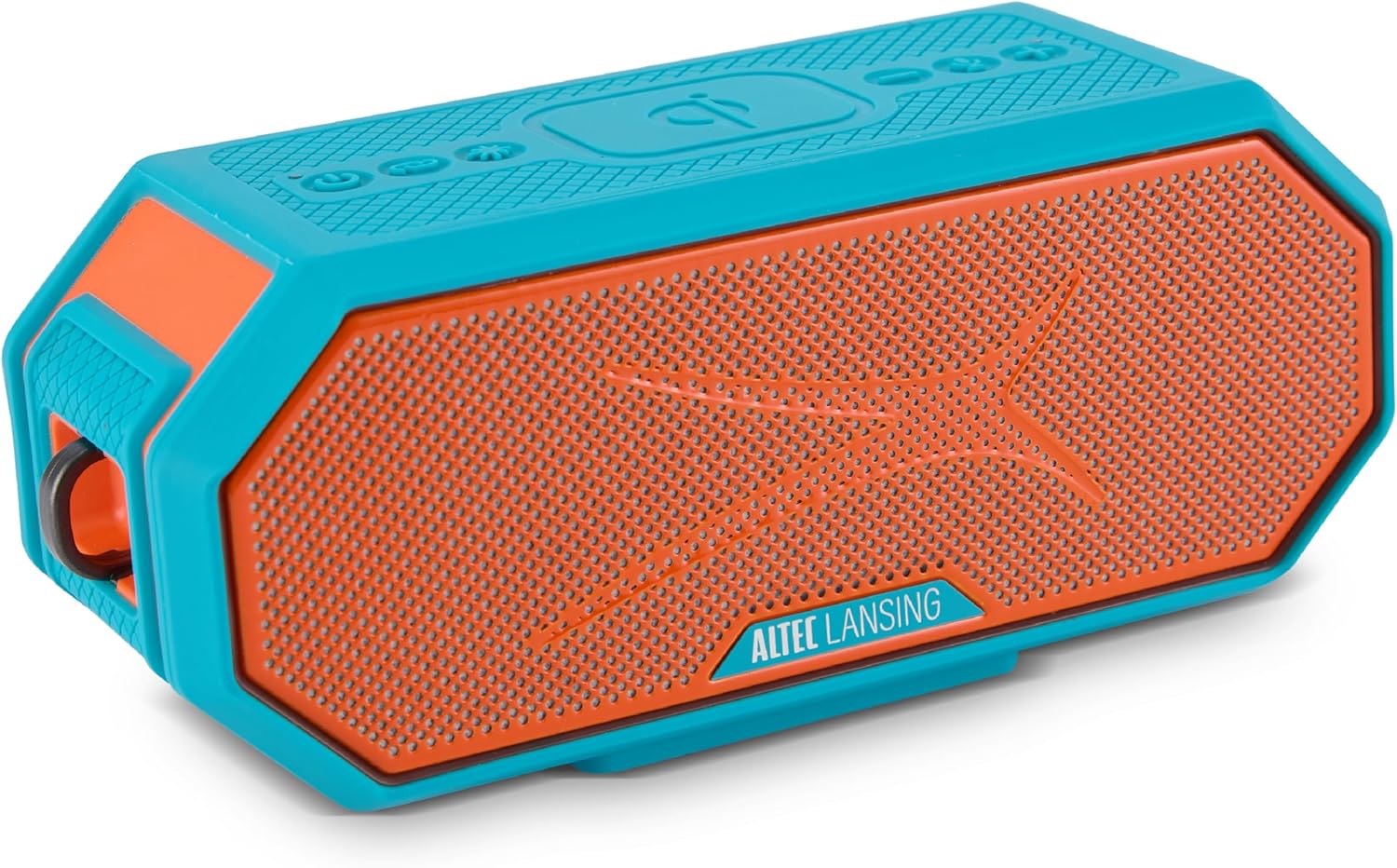
Image 1.1: Altec Lansing HYDRABLAST 2.0 Portable Bluetooth Speaker (Red/Turquoise).
Key features of the HYDRABLAST 2.0 include:
- IP67 Waterproof Rating: Designed to withstand immersion in water and float.
- 20W Output Power: Provides audio output through full-range ferrite drivers and passive radiators.
- Magnetic Mounting: Integrated magnets allow attachment to metal surfaces.
- Extended Playtime: Up to 24 hours of audio playback on a single charge.
- USB-C Charging: Supports quick charging.
- Multi-Speaker Sync: Ability to connect up to 100 HYDRA Bluetooth speakers wirelessly.
- Wireless Phone Charging (Qi): Integrated charging pad for compatible devices.
2. Package Contents
Verify that the following items are included in your package:
- Altec Lansing HYDRABLAST 2.0 Speaker
- USB-C Charging Cable (power adapter not included)
- Mountable Carabiner Clip
- Mount (for attachment to various surfaces)
- User Manual (this document)
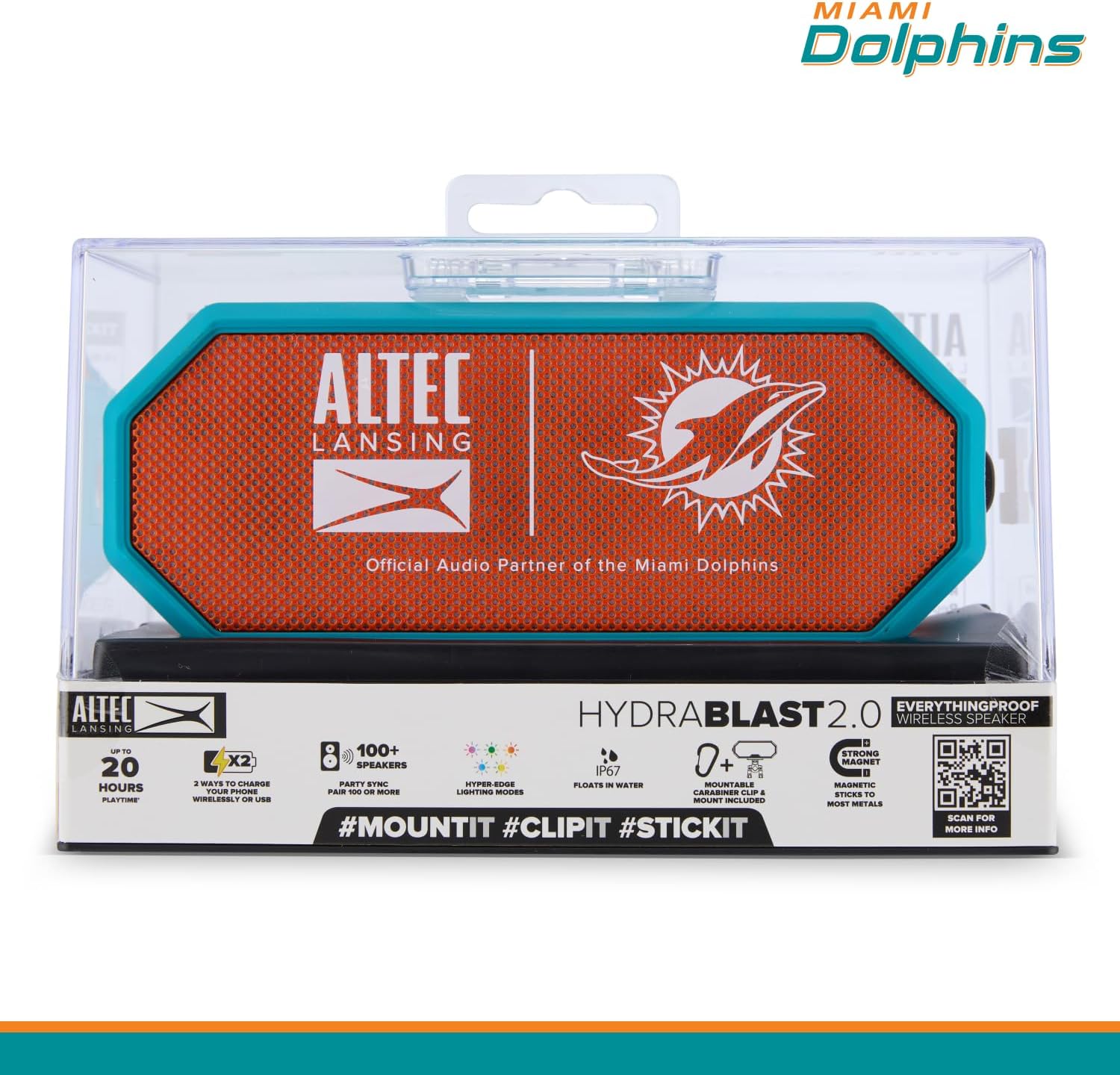
Image 2.1: Speaker in retail packaging highlighting key features.
3. Controls and Indicators
Familiarize yourself with the speaker's control buttons and indicators located on the top panel.

Image 3.1: Top panel controls and their functions.
- Power Button (On/Off): Press and hold to power the speaker on or off.
- Pairing Button: Initiates Bluetooth pairing mode.
- LED Light Modes Button: Cycles through available lighting effects.
- Wireless Phone Charger (Qi): Indicates the area for wireless charging.
- Volume Down Button: Decreases audio volume.
- Voice Assistant Button: Activates your device's voice assistant.
- Volume Up Button: Increases audio volume.
4. Setup
4.1 Charging the Speaker
Before initial use, fully charge the speaker. Connect the provided USB-C cable to the speaker's charging port and to a compatible USB power adapter (not included).
- A full charge provides up to 24 hours of playtime.
- The speaker supports USB-C quick charging.
4.2 Powering On/Off
- To power on: Press and hold the Power Button until the indicator light illuminates.
- To power off: Press and hold the Power Button until the indicator light turns off.
4.3 Bluetooth Pairing
To connect the speaker to your Bluetooth-enabled device:
- Ensure the speaker is powered on and within 100 feet of your device.
- Press the Pairing Button on the speaker. The indicator light will flash, indicating pairing mode.
- On your device, navigate to Bluetooth settings and select "HYDRABLAST 2.0" from the list of available devices.
- Once connected, the speaker will emit an audible confirmation, and the indicator light will become solid.
5. Operating Instructions
5.1 Audio Playback
- Volume Control: Use the Volume Up and Volume Down buttons on the speaker, or adjust volume directly on your connected device.
- Play/Pause: A single press of the Power Button (when powered on) typically functions as play/pause for audio.
5.2 Voice Assistant
Press the Voice Assistant Button to activate the voice assistant on your connected smartphone or tablet.
5.3 LED Light Modes
Press the LED Light Modes Button to cycle through various lighting effects. The speaker features "Hyper-Edge Lighting Modes."

Image 5.1: Speaker with active LED lighting.
5.4 Multi-Speaker Sync
To create a larger audio experience, you can wirelessly sync up to 100 HYDRA Bluetooth speakers. Refer to the Altec Lansing Connect app or the speaker's full manual for detailed instructions on initiating multi-speaker sync.
5.5 Versatile Mounting Options
The HYDRABLAST 2.0 offers multiple ways to position the speaker:
- Magnetic Attachment: The speaker has built-in magnets to attach to most metal surfaces.
- Carabiner Clip: Use the included carabiner clip to hang the speaker.
- Mount: Utilize the included mount for attachment to handlebars, poles, or other compatible structures.
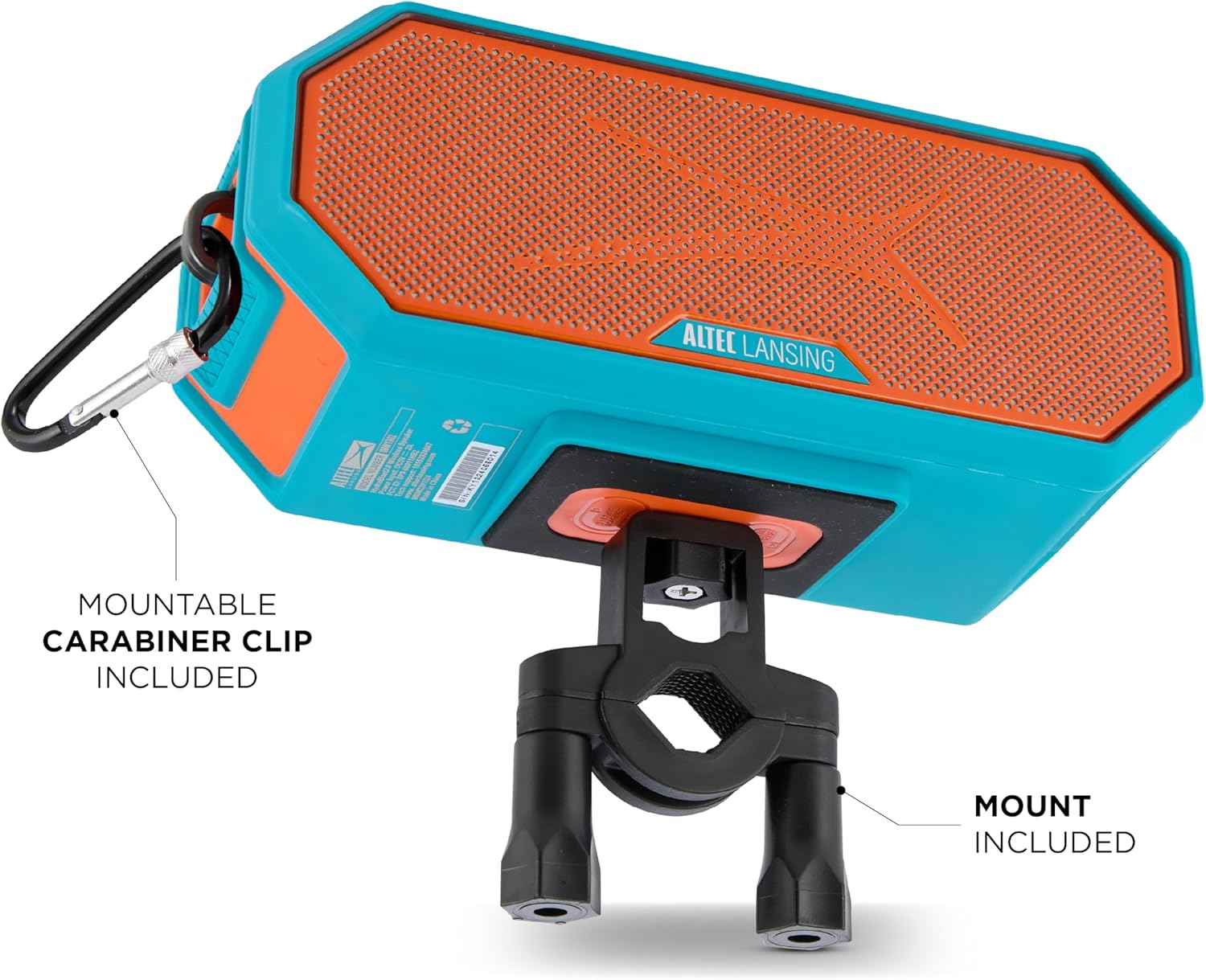
Image 5.2: Speaker mounted with carabiner clip and mount.
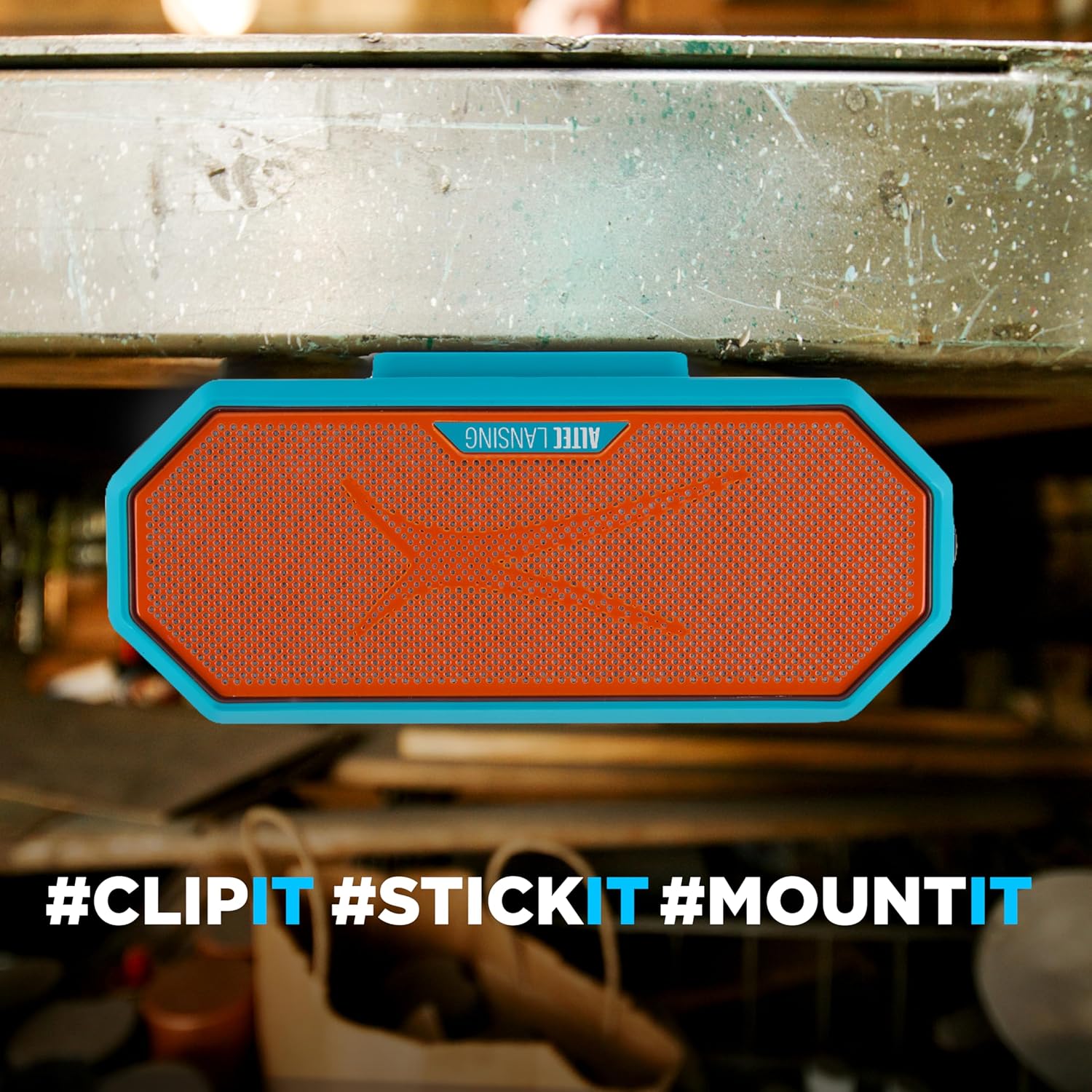
Image 5.3: Speaker magnetically attached to a metal surface.
5.6 Wireless Phone Charging (Qi)
Place your Qi-compatible smartphone on the designated wireless charging area of the speaker to initiate charging.

Image 5.4: Wireless phone charging in progress.
Note: Some users have reported that phones may slide off the charging surface due to speaker vibrations, especially at higher volumes. Ensure your phone is securely placed or consider alternative charging methods if this occurs.
6. Maintenance
Proper care ensures the longevity of your HYDRABLAST 2.0 speaker.
- Cleaning: Wipe the speaker with a soft, damp cloth. Avoid using harsh chemicals or abrasive cleaners. Ensure all ports are dry before charging after exposure to water.
- Storage: Store the speaker in a cool, dry place away from extreme temperatures and direct sunlight when not in use for extended periods.
- Water Exposure: While the speaker is IP67 waterproof and floats, it is recommended to rinse it with fresh water after exposure to saltwater or chlorinated water to prevent corrosion.
7. Troubleshooting
If you encounter issues with your speaker, refer to the following common solutions:
| Problem | Possible Solution |
|---|---|
| Speaker does not power on. | Ensure the speaker is fully charged. Connect it to a power source and allow it to charge for at least 30 minutes before attempting to power on again. |
| Cannot pair via Bluetooth. |
|
| No sound or low volume. |
|
| Wireless charging not working. |
|
8. Specifications
| Feature | Detail |
|---|---|
| Model Name | Bluetooth Speakers |
| Model Number | IMW1302 |
| Speaker Type | Portable Speaker |
| Connectivity Technology | Bluetooth |
| Wireless Communication Range | Up to 100 Feet |
| Speaker Maximum Output Power | 20 Watts (10W x 2) |
| Audio Output Mode | Stereo |
| Waterproof Rating | IP67 (Waterproof, Dustproof, Floats) |
| Power Source | Battery Powered |
| Battery Life | Up to 24 hours |
| Charging Port | USB-C |
| Product Dimensions (D x W x H) | 4.13" x 5.38" x 8.75" |
| Item Weight | 2.66 pounds (1.21 Kilograms) |
| Manufacturer | Sakar International |
| UPC | 021331131515 |
9. Warranty and Support
The Altec Lansing HYDRABLAST 2.0 speaker comes with a Limited Warranty. For specific warranty terms and conditions, please refer to the documentation included with your purchase or contact the manufacturer directly.
For technical support or further assistance, please contact Sakar International, the manufacturer of Altec Lansing products. Contact information can typically be found on their official website or on the product packaging.
10. Additional Information
For more detailed information, including app features or advanced settings, please visit the official Altec Lansing website or scan the QR code found on the product packaging.
Link 10.1: External link for additional product information.
