
1. Introduction
The OILSAO Electric Flosser is designed to provide an advanced and efficient solution for interdental cleaning. Utilizing a combination of sonic vibrations and oscillation technology, it aims to remove plaque and food debris from between teeth and along the gumline, promoting improved oral hygiene. This manual provides detailed instructions for the proper use, care, and maintenance of your device.
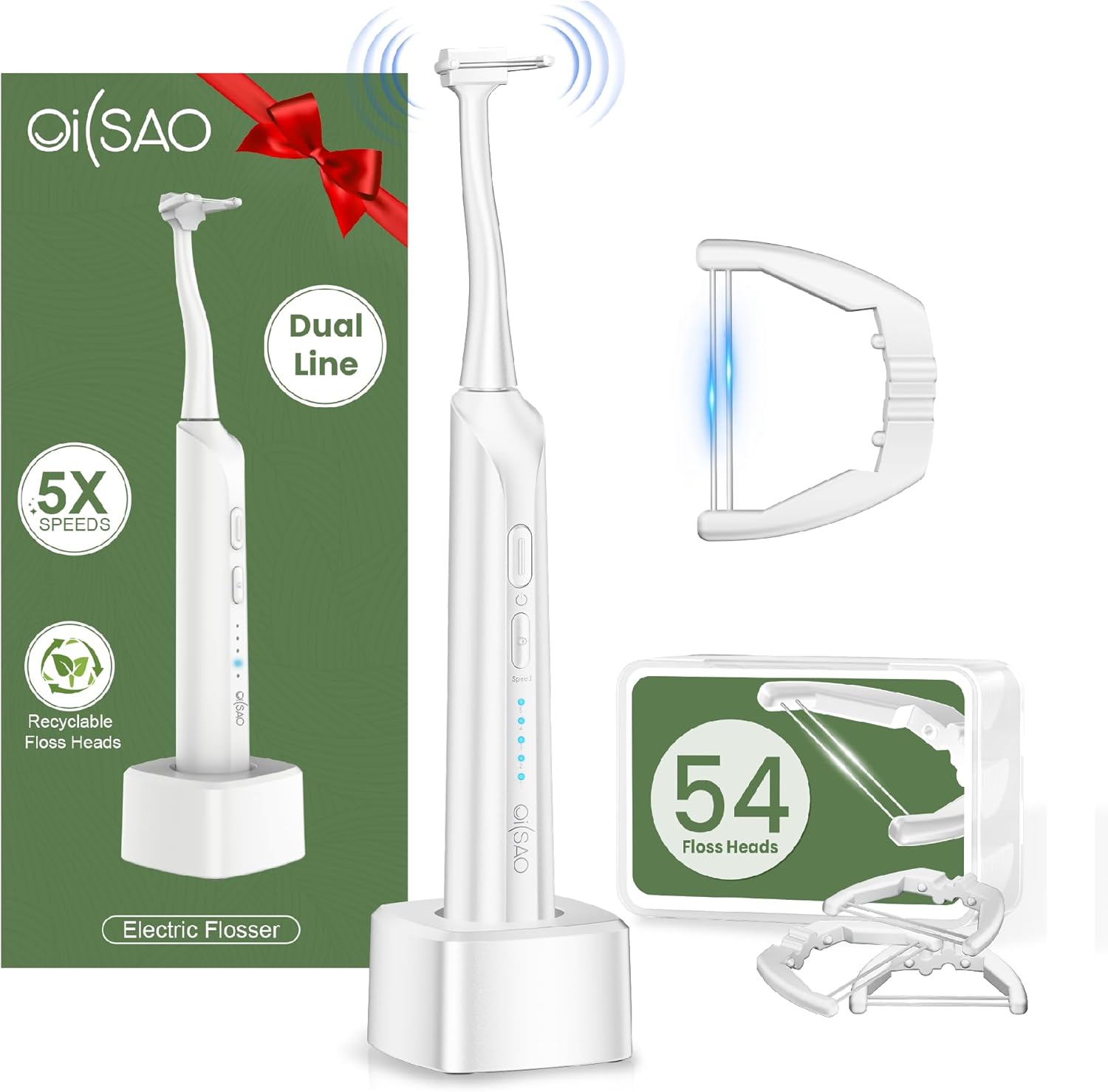
Figure 1.1: The OILSAO Electric Flosser with its charging base and a box of 54 refill floss heads.
2. Important Safety Information
Please read all instructions carefully before using this product. Keep this manual for future reference.
- Do not immerse the main unit in water beyond its IPX7 waterproof rating. The charging base is not waterproof.
- This device is intended for oral hygiene only. Do not use for any other purpose.
- Keep out of reach of children. This is not a toy.
- Consult your dentist before use if you have severe gum disease, oral surgery, or other oral health concerns.
- Do not use if the device or charging cable is damaged.
- Use only the provided USB-C cable for charging.
- Avoid extreme temperatures and direct sunlight.
3. Product Components and Package Contents
3.1 Package Contents:
- 1 x OILSAO Electric Flosser (Main Unit)
- 54 x Refill Floss Heads (in a travel-friendly box)
- 1 x USB-C Charging Cable
- 1 x Storage Base
3.2 Device Overview:
The OILSAO Electric Flosser consists of a main handle with controls and a detachable floss head.
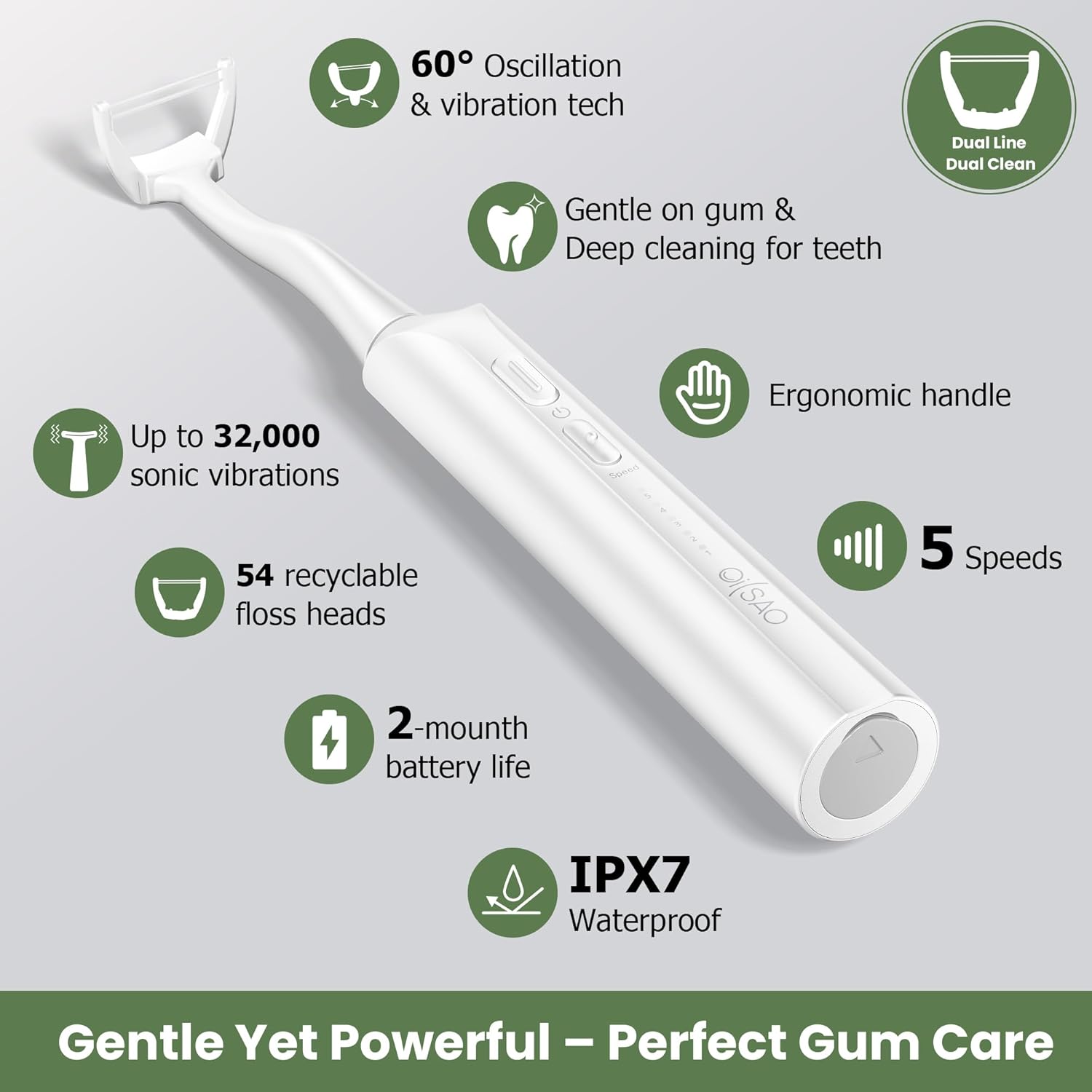
Figure 3.1: Key features of the OILSAO Electric Flosser, including 60° oscillation, 32,000 sonic vibrations, 54 recyclable floss heads, 5 speeds, 2-month battery life, IPX7 waterproof rating, and ergonomic handle.
- Flosser Handle: Contains the motor, battery, and control buttons.
- Power/Mode Button: Used to turn the device on/off and cycle through speed settings.
- Speed Indicator Lights: Display the currently selected speed level (1-5).
- Floss Head: The replaceable component with dual-line floss for cleaning. Features 360° rotation.
- Charging Port: USB-C port located at the bottom of the handle.
- Storage Base: Provides a stable upright position for the flosser and can be used for charging.
4. Setup and First Use
4.1 Charging the Device:
Before first use, fully charge the flosser. A single charge provides over 2 months of cordless use.
- Connect the USB-C cable to the charging port at the bottom of the flosser handle.
- Plug the other end of the USB-C cable into a compatible USB power adapter (not included) or a USB port.
- The indicator lights will illuminate to show charging progress. All lights will be solid when fully charged.

Figure 4.1: The flosser features a USB-C charging port and is IPX7 waterproof, allowing for safe use in wet environments.
4.2 Attaching a Floss Head:
The flosser comes with 54 refill heads for extended use.
- Align the new floss head with the top of the flosser handle.
- Gently push the floss head onto the handle until it clicks securely into place. Ensure it is firmly attached.

Figure 4.2: Step-by-step guide for attaching a new floss head to the OILSAO Electric Flosser.
5. Operating Instructions
5.1 Powering On/Off and Changing Speeds:
- Press the Power/Mode button once to turn the device on. It will start at the lowest speed setting.
- Press the Power/Mode button repeatedly to cycle through the 5 available speed settings. The indicator lights will show the current speed.
- To turn off the device, press and hold the Power/Mode button for 2 seconds, or cycle through all speeds until it turns off.
5.2 Flossing Technique:
The OILSAO Electric Flosser combines 60° oscillation with up to 32,000 sonic vibrations per minute for effective cleaning.

Figure 5.1: Visual guide for effective flossing, including aligning the head, selecting speed, using the bite pad, and forming a 'C' shape around the tooth.
- After attaching a floss head and powering on, gently place the floss head between two teeth.
- Use your opposing teeth on the soft bite pad of the floss head to gently control the pressure as you floss.
- While flossing, gently pull the OILSAO head to put tension in the floss and form a 'C' shape around the tooth. This helps the floss glide smoothly and clean effectively.
- Move the flosser slowly along the gumline and between each tooth. The sonic vibrations will help dislodge plaque and food particles.
- The floss head is 360° rotatable, allowing you to easily reach all areas of your mouth, including molars.
- Aim for a complete cleaning session of approximately 60 seconds for optimal results.

Figure 5.2: The 360° rotatable floss head ensures smooth navigation and effective cleaning in hard-to-reach areas without getting stuck.
6. Care and Maintenance
6.1 Cleaning the Device:
The flosser handle is IPX7 waterproof and can be rinsed under running water.
- After each use, rinse the floss head and the top part of the handle under running water to remove any debris.
- Wipe the handle with a soft, damp cloth. Do not use abrasive cleaners or harsh chemicals.
- Ensure the USB-C charging port cover is securely closed before rinsing the handle.
- Allow the device to air dry completely before storing or charging.
6.2 Replacing Floss Heads:
Floss heads should be replaced regularly for optimal hygiene and performance. The OILSAO Electric Flosser uses durable dual-line floss heads.
- To remove a used floss head, firmly grasp the handle and the floss head, then pull them apart.
- Dispose of the used floss head responsibly. The floss heads are made from recyclable plastic.
- Attach a new floss head as described in Section 4.2.

Figure 6.1: Pro tips for aligning and powering on, selecting speed for cleaning, and rinsing/reusing floss heads.
6.3 Storage:
Store the flosser in its provided storage base in a dry, cool place away from direct sunlight.
7. Troubleshooting
If you encounter any issues with your OILSAO Electric Flosser, please refer to the following common problems and solutions:
| Problem | Possible Cause | Solution |
|---|---|---|
| Device does not turn on. | Battery is depleted. | Charge the device fully using the provided USB-C cable. |
| Vibrations are weak or inconsistent. | Low battery or floss head not properly attached. | Recharge the device. Ensure the floss head is securely clicked into place. |
| Floss head breaks or shreds easily. | Excessive pressure or worn-out floss head. | Reduce pressure during use. Replace with a new floss head. Ensure proper technique (Section 5.2). |
| Device makes unusual noise. | Debris caught in the mechanism or internal issue. | Rinse the device thoroughly. If the noise persists, contact customer support. |
If the problem persists after trying these solutions, please contact OILSAO customer support for assistance.
8. Product Specifications
| Feature | Detail |
|---|---|
| Model Number | ABB992 |
| Dimensions | 5.41 x 8.84 x 1.42 inches |
| Weight | 11.68 ounces |
| Power Source | Battery Powered (1 Lithium Ion battery, included) |
| Vibration Frequency | Up to 32,000 sonic vibrations/min |
| Oscillation Angle | 60° |
| Speed Settings | 5 Speeds |
| Floss Heads Included | 54 Refill Heads (Dual-line, Recyclable, PFAS/BPA-free) |
| Battery Life | Approx. 2 months per charge |
| Waterproof Rating | IPX7 (Main Unit) |
| Charging Type | USB-C |
9. Warranty and Customer Support
9.1 Warranty Information:
The OILSAO Electric Flosser comes with a 1-year warranty from the date of purchase, covering manufacturing defects. This warranty does not cover damage caused by misuse, accident, unauthorized modification, or normal wear and tear.
9.2 Customer Support:
For any questions, concerns, or warranty claims, please contact OILSAO customer support. We are committed to ensuring your satisfaction.

Figure 9.1: Contact information for OILSAO customer support.
Email: help@OILSAOcare.com
Please include your model number (ABB992) and purchase details when contacting support.