
Cearvol Wave Lite
Cearvol-Wave Lite OTC Hearing Aids User Manual
Model: Wave Lite
Introduction
The Cearvol-Wave Lite OTC Hearing Aids are designed to provide enhanced sound for individuals experiencing mild to moderately severe hearing loss. Featuring AI noise reduction, advanced feedback cancellation, and app control, these rechargeable hearing aids offer a personalized listening experience. This manual provides essential information for setup, operation, and maintenance to ensure optimal performance and longevity of your device.
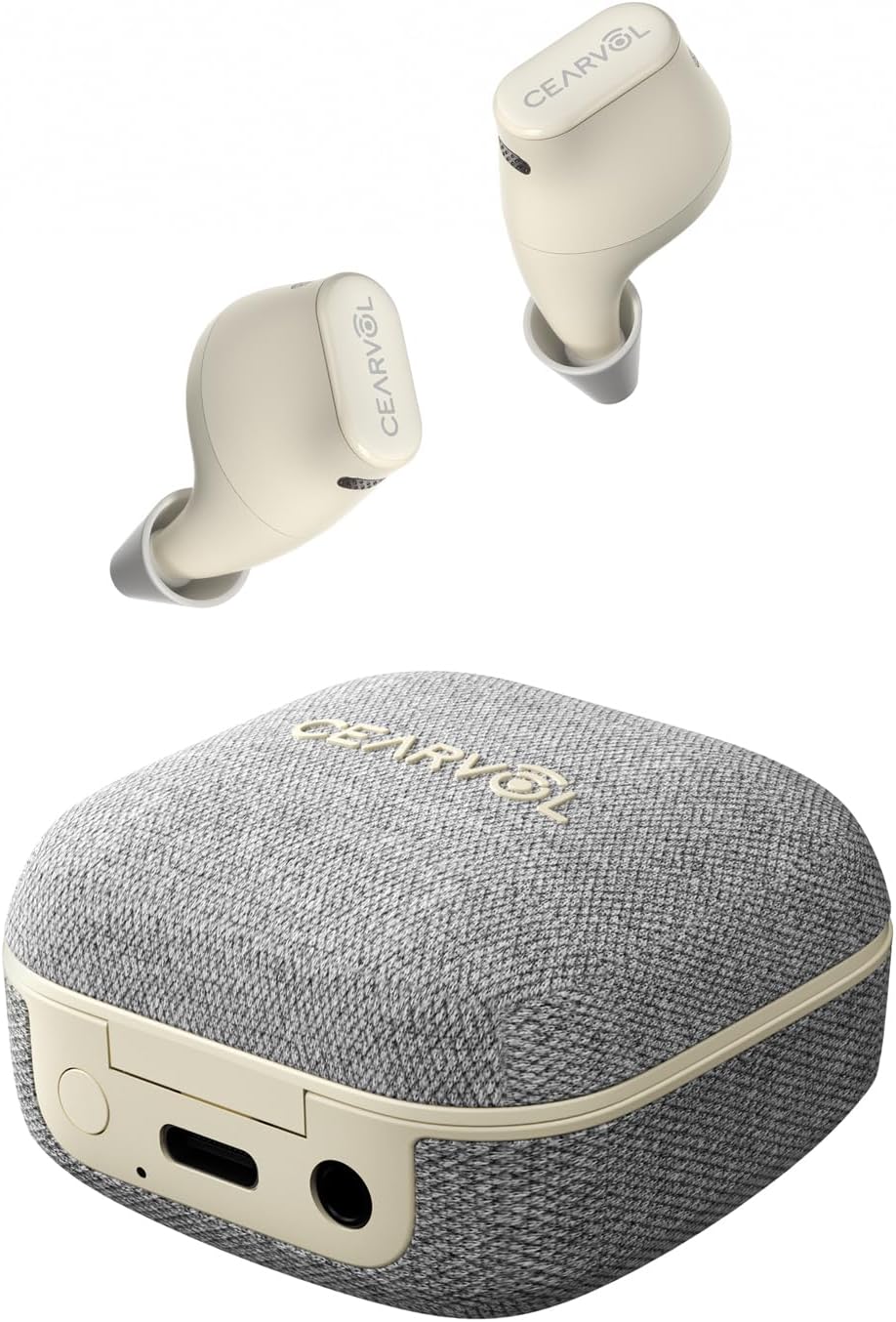
Image: Cearvol-Wave Lite OTC Hearing Aids with their charging case.
Safety Information
Warning: If you are younger than 18, do not use this. You should go to a doctor because your condition needs specialized evaluation and management. Over-the-counter hearing aids are only for users who are age 18 or older.
Warning: When to see a doctor
If you have any of the problems listed below, please see a doctor, preferably an ear-nose-throat doctor (ENT):
- Your ear has a birth defect or an unusual shape.
- Your ear was deformed or injured in an accident.
- You saw blood, pus, or fluid coming out of your ear in the past 6 months.
- Your ear feels painful or uncomfortable.
- You have a lot of ear wax, or you think something could be in your ear.
- You get really dizzy or have a feeling of spinning or swinging (called vertigo).
- Your hearing changed suddenly in the past 6 months.
- Your hearing changes. It gets worse then gets better again.
- You have worse hearing in one ear.
- You hear ringing or buzzing in only one ear.
Some people with hearing loss may need help from a hearing healthcare professional.
How do you know if you need to see one?
- You can't hear speech even if the room is quiet.
- You don't hear loud sounds well, for example, you don't hear loud music, power tools, engines, or other very noisy things.
If your hearing loss makes it hard to hear loud noises, this hearing aid may not be your best choice without help from a professional. If this hearing aid does not help you enough, ask for help from a hearing healthcare professional.
Setup
1. Unboxing & Components
Your Cearvol-Wave Lite package includes:
- Cearvol-Wave Lite Hearing Aids (Left and Right)
- Charging Case
- 4 sizes of soft ear tips (S/M/L/XL)
- Charging Cable (USB-C)
- AUX-IN Cable
- Cleaning Tools
2. Charging
Before first use, fully charge the hearing aids and the charging case. Connect the provided USB-C charging cable to the charging case and a power source. The indicator lights on the case will show the charging status. A full charge provides up to 22 hours of use with the charging case. A quick 15-minute charge can provide approximately 3 hours of use.
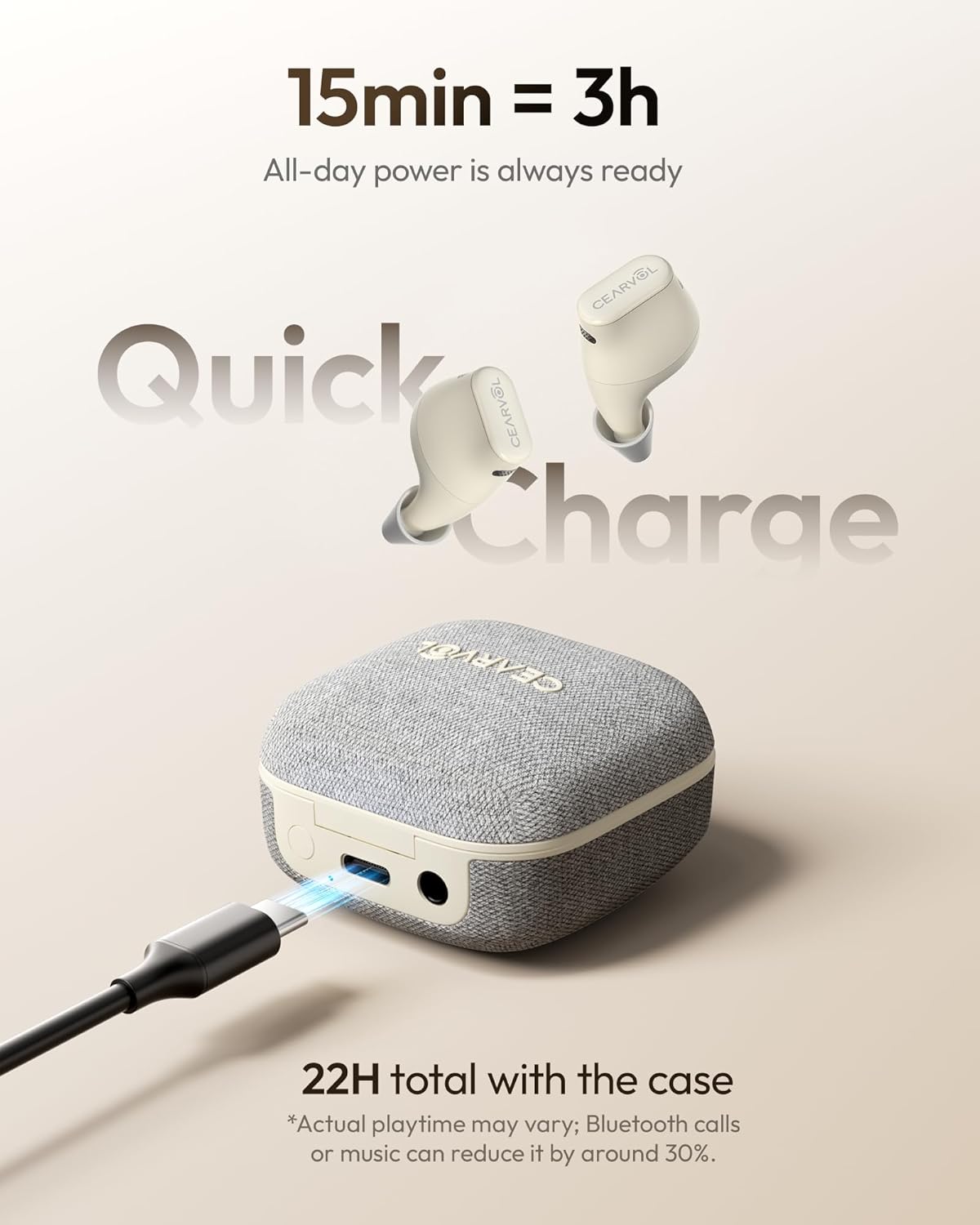
Image: The Cearvol-Wave Lite charging case connected via USB-C for charging.
3. Finding Your Perfect Fit (Ear Tips)
Select the ear tip size (S/M/L/XL) that provides a secure and comfortable fit in your ear canal. A proper fit is crucial for optimal sound quality and to prevent feedback (whistling). Experiment with different sizes to find the best seal.

Image: Visual guide demonstrating various ear tip sizes and correct placement of the hearing aid in the ear.
4. App Installation & Pairing
Download the Cearvol App from your smartphone's app store (available on App Store and Google Play). Follow the in-app instructions to pair your Cearvol-Wave Lite hearing aids via Bluetooth. The app allows you to create a personal hearing profile and customize settings.

Image: A user interacting with the Cearvol mobile application to personalize their hearing experience.
Operating Instructions
1. Wearing the Hearing Aids
Gently insert the hearing aid into your ear canal, ensuring a snug and comfortable fit. The modern In-the-Ear (ITE) earbud design is discreet.
2. Power On/Off
The hearing aids automatically power on when removed from the charging case and power off when placed back into the case.
3. Volume Adjustment
Adjust the volume directly using the buttons on the hearing aids or through the Cearvol App. The app allows for individual ear control to achieve balanced sound.

Image: The Cearvol app interface displaying independent volume sliders for the left and right hearing aids.
4. Mode Switching
The Cearvol-Wave Lite offers various environment modes to optimize your listening experience. Switch between modes like Indoor, Outdoor, Conversation, and Restaurant using the Cearvol App for a tailored sound profile.

Image: The Cearvol app interface showing selectable listening modes for various environments.
5. AI Noise Reduction & Feedback Cancellation
The Deep Neural Network technology provides AI noise reduction to minimize background distractions and enhance speech clarity. Advanced Feedback Cancellation (AFC) actively reduces whistling and feedback for a comfortable listening experience.

Image: A visual representation of AI noise reduction actively filtering background sounds.

Image: A visual representation of feedback cancellation technology preventing whistling sounds.
6. Own Voice Reduction (OVR)
OVR technology eliminates the distracting 'talking in a barrel' sensation, allowing you to hear your own voice naturally and speak confidently.

Image: A comparison showing how Own Voice Reduction (OVR) improves the natural perception of one's own voice.
7. Bluetooth Streaming & Calls
Enjoy seamless, low-lag audio for music and hands-free calls. Connect to two devices simultaneously and switch effortlessly between your phone and computer.

Image: A woman using Cearvol-Wave Lite hearing aids for a phone call, demonstrating Bluetooth connectivity.
8. Direct Audio Connection (AUX-IN)
Use the included AUX-IN cable for a direct, lag-free connection to TVs, laptops, in-flight entertainment systems, and other audio sources for private, clear sound.

Image: A woman using Cearvol-Wave Lite hearing aids connected to a television via an AUX-IN cable.
Maintenance
1. Cleaning
Regularly clean your hearing aids and ear tips using the provided cleaning tools. This helps maintain optimal performance and hygiene.
2. Storage
Store the hearing aids in their charging case when not in use. This protects them and ensures they are charged for your next use.
Troubleshooting
- No Sound: Ensure the hearing aids are charged and properly inserted. Check volume settings in the app.
- Whistling/Feedback: Adjust the ear tip size for a better seal. Ensure the hearing aid is correctly positioned in your ear.
- Connectivity Issues: Make sure Bluetooth is enabled on your device and the hearing aids are within range. Re-pair through the Cearvol App if necessary.
- Short Battery Life: Ensure the charging case is fully charged. Bluetooth streaming and calls may reduce playtime.
Specifications
- Product Dimensions: 0.72 x 0.65 x 0.99 inches; 9.79 ounces
- Item Model Number: Wave Lite
- Batteries: Lithium Polymer batteries required (included)
- Manufacturer: Cearvol
- ASIN: B0F94982VW
- Hearing Loss Suitability: Mild to Moderately Severe (40dB Gain)
- Water Resistance: IPX5-rated
Warranty & Support
For manufacturer return policy, call Customer Care at 1(959)-206-0088 or email to support@cearvol.com. We work to ensure that both your return and credit refund are processed accurately.
Additional information and other labeling, including the user instructional brochure, are available on the internet at www.cearvol.com.
Related documentsWave Lite


Ask a question about this manual
Ask about setup, troubleshooting, compatibility, parts, safety, or missing instructions. Manuals+ will review the question and use this page’s manual context to help answer it.