
Introduction
Welcome to the user manual for your new Baseus Bass BP1 Pro Noise Cancelling Wireless Earbuds. These earbuds are designed to provide a superior audio experience with advanced features such as real-time adaptive noise cancelling, high-resolution sound, and crystal-clear call quality. This manual will guide you through the setup, operation, and maintenance of your earbuds to ensure optimal performance and longevity.
What's in the Box
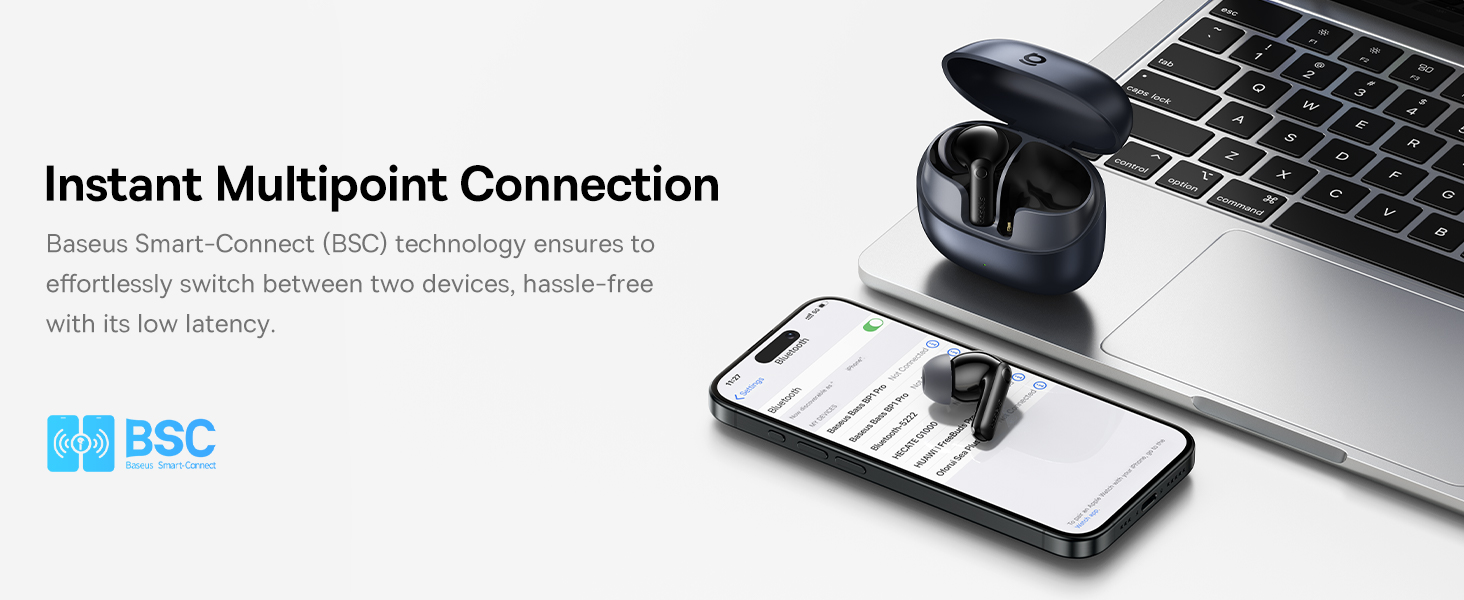
Figure 1: All items included in the Baseus Bass BP1 Pro package.
- Baseus Bass BP1 Pro Noise Cancelling Wireless Earbuds (1 pair)
- Charging Case (1)
- USB-C Charging Cable (1)
- Eartips (XS/S/M/L/XL sizes)
- User Manual (1)
Key Features
Real-Time Adaptive Noise Cancelling

Figure 2: Real-time adaptive noise cancelling capabilities of the earbuds.
The Baseus Bass BP1 Pro earbuds feature real-time adaptive noise cancelling, reacting instantly with up to 4 noise sensors. They recognize 4 kHz of wideband noise and reduce it by up to -50dB, providing deep noise cancellation for all-day comfort. You can choose from 5 ANC modes within the Baseus App for personalized quiet in any environment.
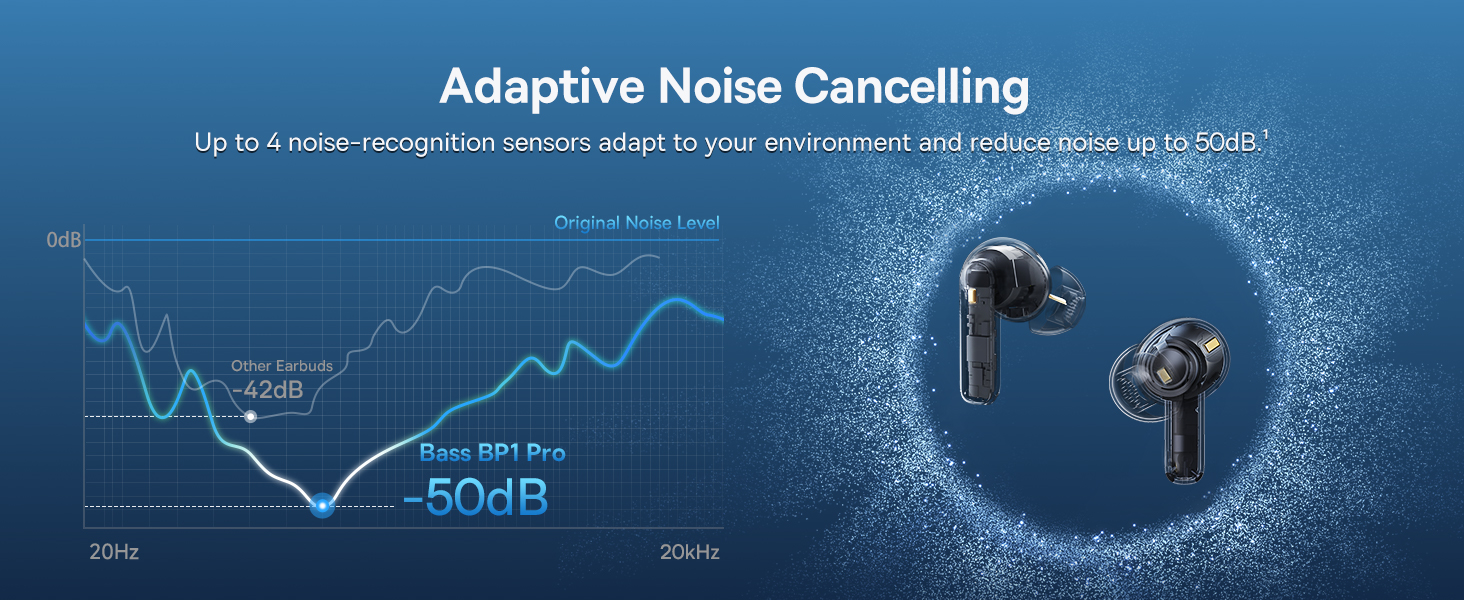
Figure 3: Noise cancelling modes customizable via the Baseus App.
Adaptive Balanced Audio

Figure 4: Adaptive Active EQ for optimized sound.
Experience deep bass and crisp highs at any volume with exclusive volume-adaptive Active EQ technology. Whether you prefer SuperBass for rich, powerful beats or SuperBalance for detailed clarity, the Bass BP1 Pro delivers truly balanced sound, tailored to your style. Enable Bass Boost or Dynamic Balance mode in the Baseus App to match your listening style.
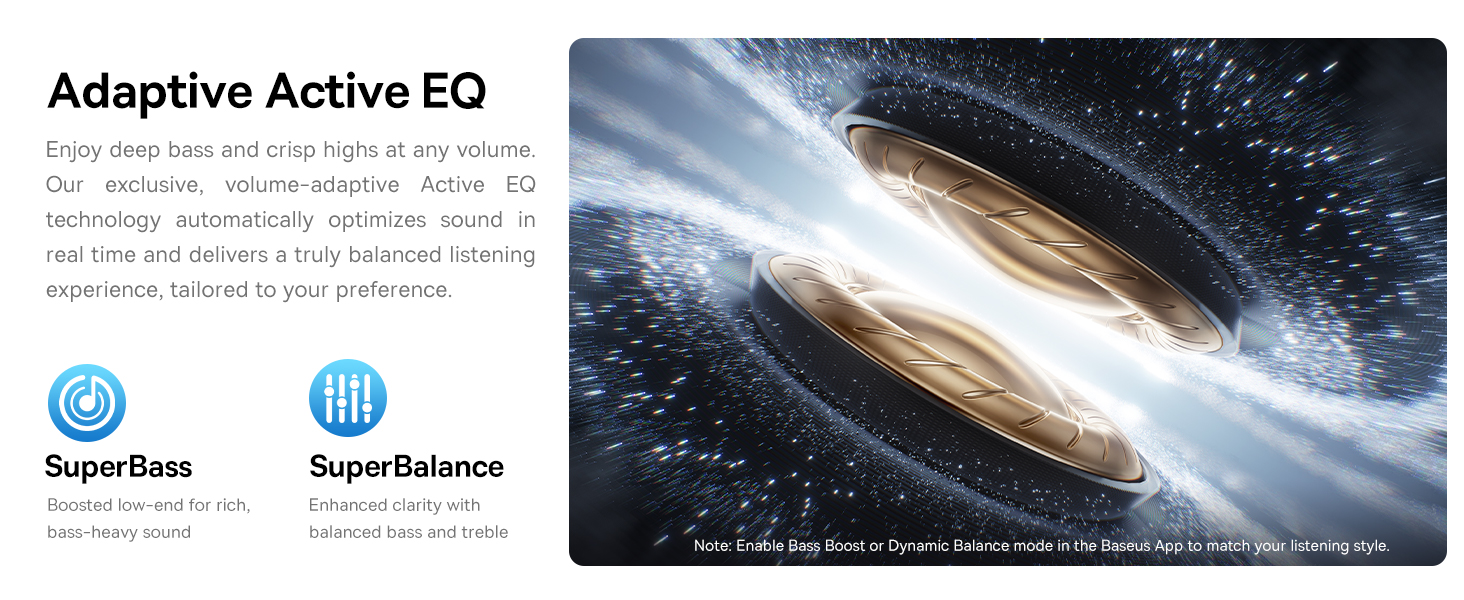
Figure 5: Personalize your tunes with the dedicated app's EQ settings.
Lossless Hi-Res Sound

Figure 6: Enjoying lossless Hi-Res audio with the earbuds.
Certified Hi-Res and equipped with LDAC codec, Bass BP1 Pro earbuds transmit 3x the audio details for stunning, lossless Hi-Fi sound. Hear every note, every nuance, just as the artist intended.
IP55 Water Resistant

Figure 7: IP55 rating ensures dust and water resistance.
Built to keep up with your active lifestyle, Bass BP1 Pro noise cancelling ear buds are IP55 rated to resist dust, water, sweat, and splashes. Perfect for workouts, commutes, and everyday adventures without worries.
6-Mic AI Clear Calls

Figure 8: 6-Mic AI technology for clear calls.
Stay heard loud and clear with 6 microphones and AI-powered noise reduction. Bass BP1 Pro noise cancelling headphones block out background noise for seamless, natural conversations wherever you are.
Day-and-Night Playtime

Figure 9: Extended playtime with and without ANC.
Enjoy up to 12 hours of playtime on a single charge and 55 hours with the case (ANC off), or 7 hours per charge and 36 hours total (ANC on). A quick 10-minute Baseus Rapid Charge (BRC) gives you 2.5 more hours of music—perfect when you're in a rush.
Setup
Initial Pairing
- Open the charging case. The earbuds will automatically enter pairing mode.
- On your device (smartphone, tablet, laptop), enable Bluetooth.
- Search for "Baseus Bass BP1 Pro" in the list of available Bluetooth devices.
- Select the earbuds to connect. A voice prompt will confirm successful pairing.
Baseus App Connection
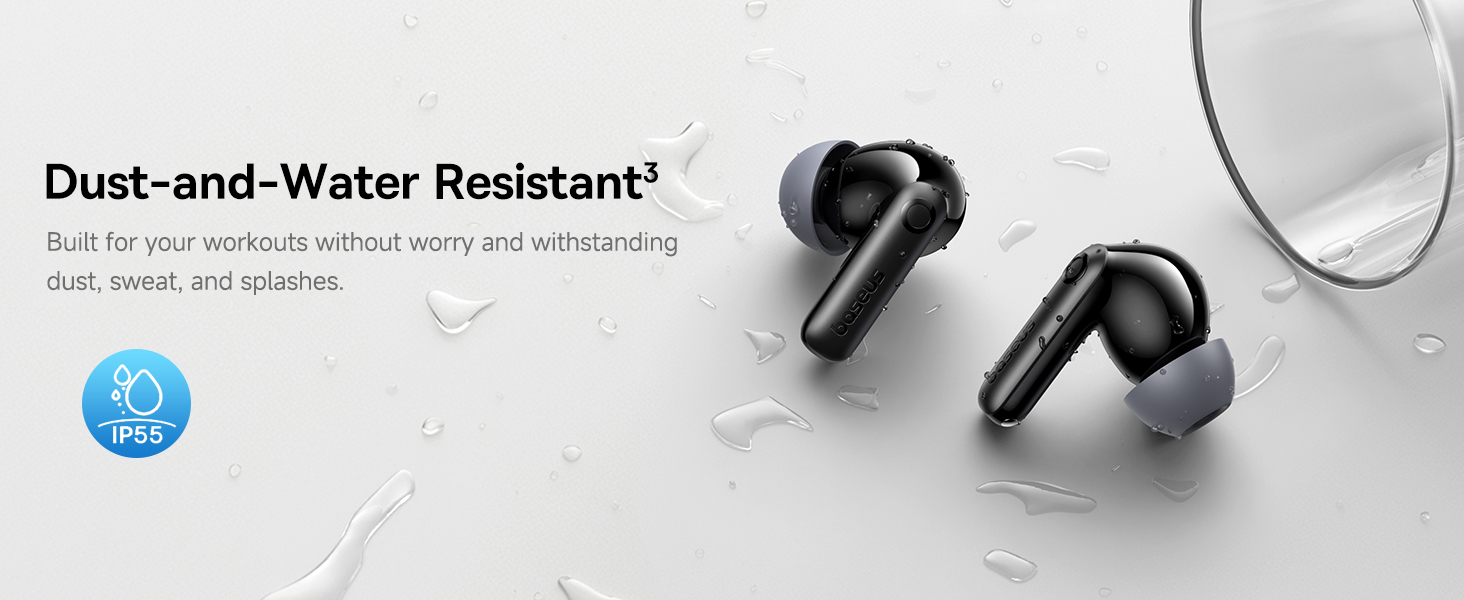
Figure 10: Smart App Control for personalized experience.
For enhanced control and customization, download the official Baseus App from your device's app store. Once installed, open the app and follow the on-screen instructions to connect your Bass BP1 Pro earbuds. The app allows you to:
- Adjust Noise Reduction Modes (Adaptive, Indoor, Outdoor, Commuting, Custom)
- Customize EQ settings (SuperBass, SuperBalance, various presets)
- Manage Gesture Settings for touch controls
- Enable Low Latency Mode for gaming
- Utilize Smart Connect for simultaneous connection to two Bluetooth devices
Operating Instructions
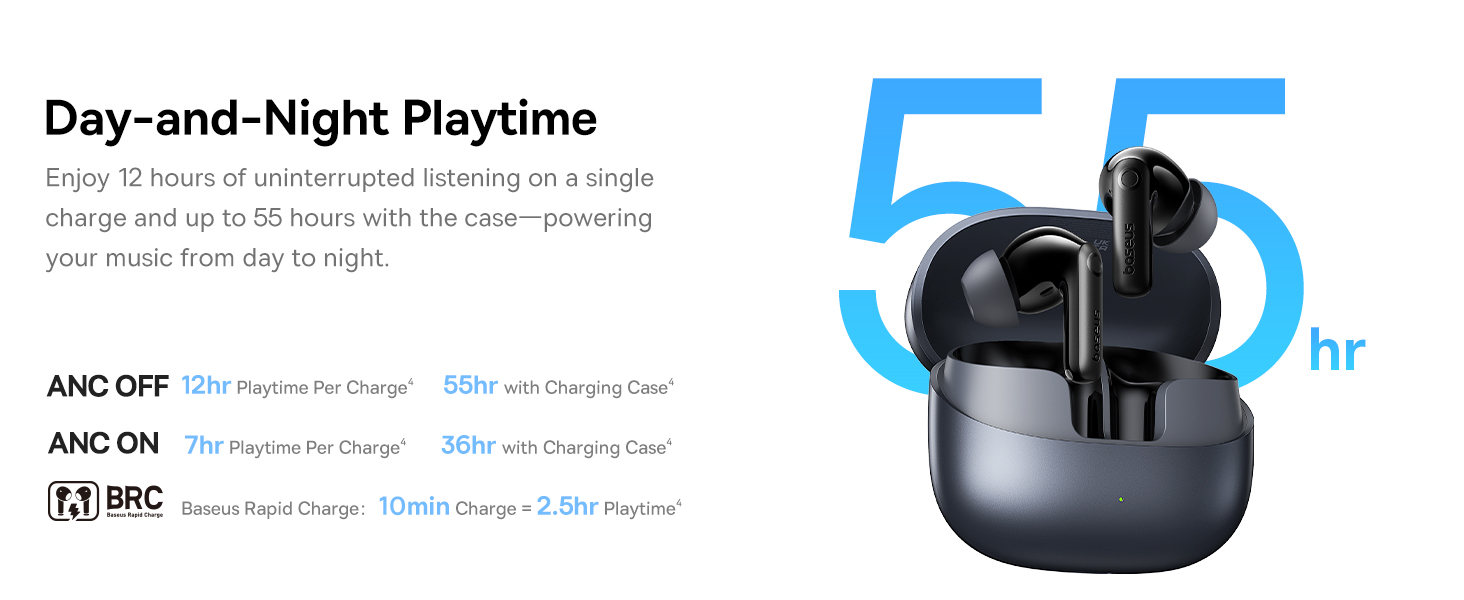
Figure 11: Intuitive touch controls for music and calls.
The Baseus Bass BP1 Pro earbuds feature intuitive touch controls on each earbud. You can customize these gestures via the Baseus App.
| Gesture | Function |
|---|---|
| Single Tap (L or R) | Play/Pause Music |
| Double Tap (L or R) | Answer/End Call |
| Triple Tap (L or R) | Activate Voice Assistant |
| Press and Hold (L or R, 2 seconds) | Switch Noise Reduction Modes (ANC/Transparency/Normal) |
| Press and Hold (L or R, 3 seconds) | Reject Call |
Maintenance
To ensure the longevity and optimal performance of your Baseus Bass BP1 Pro earbuds, follow these maintenance guidelines:
- Cleaning: Regularly wipe the earbuds and charging case with a soft, dry, lint-free cloth. Do not use harsh chemicals or abrasive materials.
- Ear Tips: Remove the silicone ear tips and clean them with mild soap and water. Ensure they are completely dry before reattaching.
- Charging Ports: Keep the USB-C charging port free of dust and debris. Use a soft brush or compressed air if necessary.
- Storage: When not in use, store the earbuds in their charging case to protect them from dust, moisture, and physical damage.
- Avoid Extreme Conditions: Do not expose the earbuds to extreme temperatures, high humidity, or direct sunlight for extended periods.
Troubleshooting
If you encounter any issues with your Baseus Bass BP1 Pro earbuds, refer to the following common troubleshooting steps:
- No Sound: Ensure the earbuds are charged, properly paired with your device, and the volume is turned up on both the earbuds and your device.
- Pairing Issues: Place the earbuds back in the charging case, close the lid, then open it again to re-enter pairing mode. Ensure your device's Bluetooth is on and try re-pairing. Clear previous Bluetooth connections on your device if necessary.
- Earbuds Not Charging: Check the charging cable and adapter. Ensure the charging contacts on the earbuds and inside the case are clean and free of debris.
- Noise Cancelling Not Working: Ensure the ANC mode is activated via touch control or the Baseus App. Check that the ear tips provide a good seal in your ear.
- Call Quality Issues: Ensure the earbuds are clean and positioned correctly. Check for strong Bluetooth interference in your environment.
- App Connectivity Issues: Ensure the Baseus App is updated to the latest version. Restart the app and your device.
If the issue persists after trying these steps, please contact Baseus customer support for further assistance.
Specifications
| Feature | Detail |
|---|---|
| Model Name | Baseus Bass BP1 Pro |
| Brand | Baseus |
| Connectivity Technology | Wireless, Bluetooth 6.0 |
| Wireless Communication Technology | Bluetooth 6.0 |
| Noise Control | Adaptive Noise Cancellation (-50dB) |
| Audio Driver Type | Dynamic Driver |
| Playtime (ANC off) | Up to 12 hours (earbuds), 55 hours (with case) |
| Playtime (ANC on) | Up to 7 hours (earbuds), 36 hours (with case) |
| Fast Charge | 10-minute charge for 2.5 hours playtime |
| Microphones | 6-Mic AI Clear Calls |
| Water Resistance Level | IP55 (Dust and Water Resistant) |
| Control Method | Touch |
| Compatible Devices | Cellphones, Tablets, Laptops, Devices with Bluetooth Audio Capability (iOS, Android, Windows, Mac OS, Switch) |
| Item Weight | 4.2 ounces |
| Color | Space Black |
Warranty and Support
For warranty information and customer support, please refer to the documentation included in your product packaging or visit the official Baseus website. You can also visit the Baseus Brand Store for more product details and assistance.
Official Product Videos
Video 1: Official product video for Baseus Bass BP1 Pro, showcasing its features and design.


